
In-Store Credit allows you more flexibility on payments and refunds within your company. Through CoreBridge, In-Store Credit easily can be increased, decreased, or refunded for each individual company.
Table of Contents
- Understanding Refundable vs Non-Refundable Credit
- Managing In-Store Credit
- Adding and Reducing Refundable/Non-Refundable Credit
Understanding Refundable vs Non-Refundable Credit
Refundable and non-refundable credit both serve as ways to adjust a Customer’s balance, but they function differently based on whether actual funds were exchanged.
Refundable Credit:
Refundable credit represents money that the Customer originally paid. Because the funds were received, this type of credit can be returned to the Customer or applied to an outstanding Order balance. Refundable credit typically comes from transactions such as overpayments, returned items, or credit memos tied to previously collected payments.
Non-Refundable Credit:
Non-refundable credit acts similarly to a gift card. It is a credit value created within the system when no payment was made by the customer. Since the funds never existed outside the system, this credit cannot be refunded back to the Customer. Instead, it can only be used toward future purchases.
Example:
A Customer receives a $50 store credit as a courtesy for a previous inconvenience. Because the Customer did not pay money to obtain this credit, it is considered non-refundable. The $50 can be used on a future Order but cannot be returned to the customer as a cash or card refund.
Managing In-Store Credit
To find, add and edit in-store credit navigate to Sales / Customers / Companies.
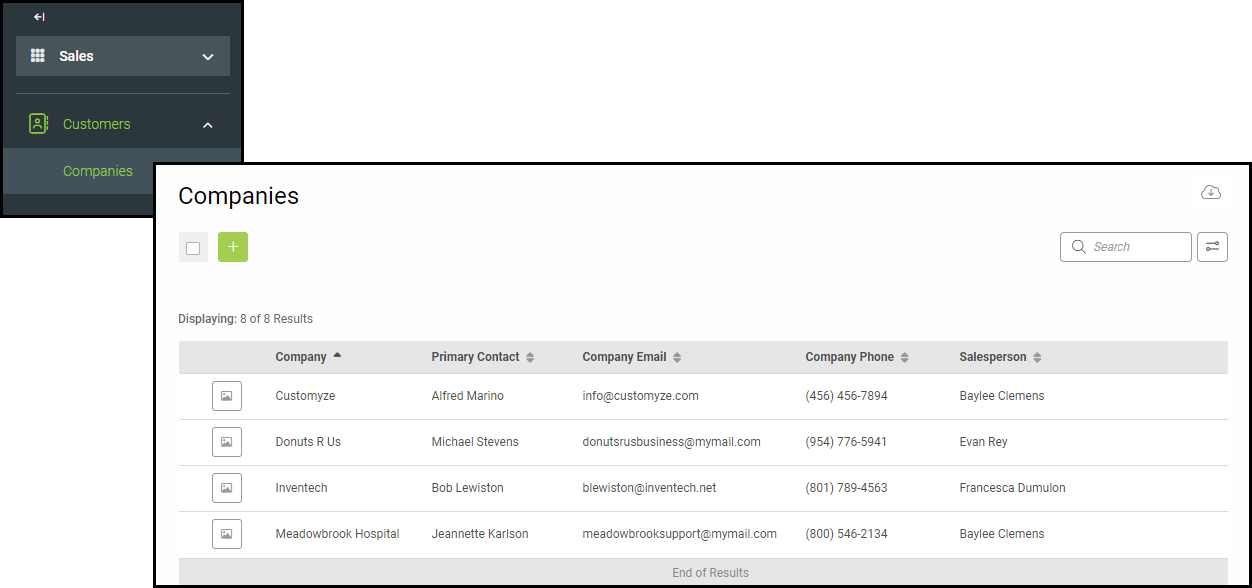
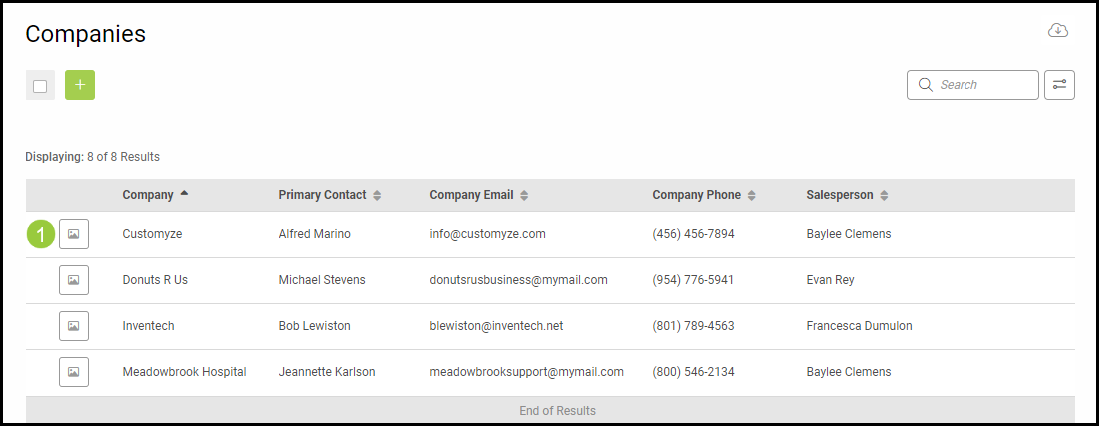
1. Select a Company.
2. Select the In-Store Credit Tab.
Note: If the customer is a Personal Account, this information will be found within the Personal Account tab of Sales / Customers / Contacts.
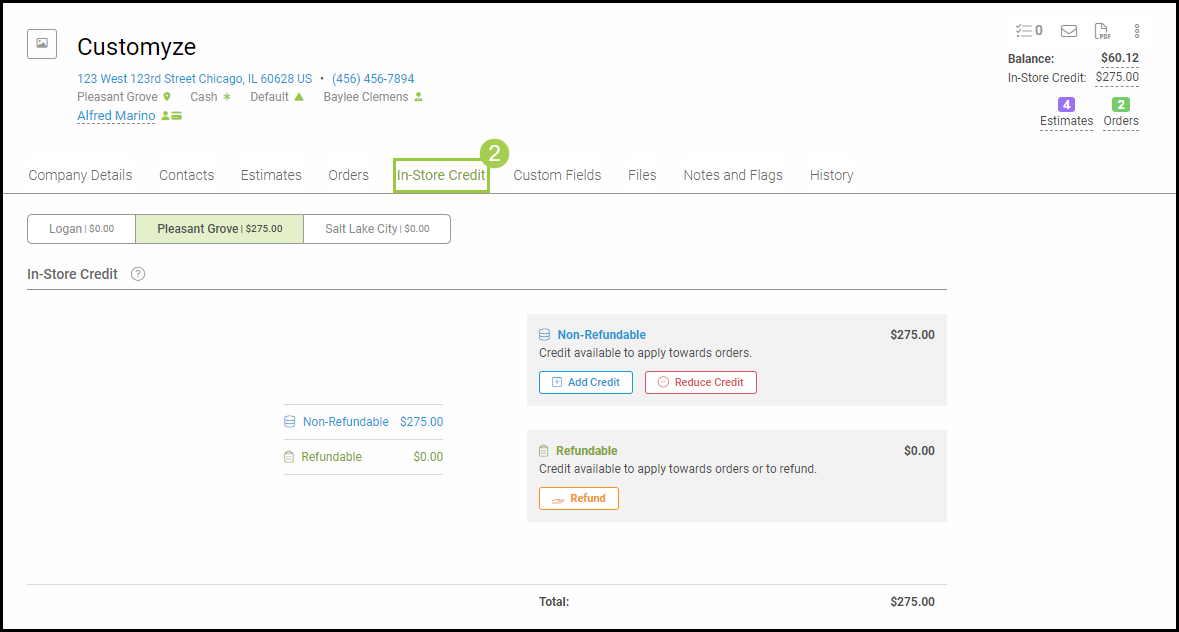
The In-Store Credit tab is split into two main sections:
- In-Store Credit - add and edit in-store credit. There are two types of in-store credit that can be used.
- Non-Refundable - a credit that can only be used towards the next order such as a customer gift. This type can be reduced but not refunded as no money change has occurred.
- Refundable - a dollar amount that can be applied to items or sent back to the customer.
- Transaction History - view all past in-store credit refunds and added credit. Use the search bar to find specific items.
Adding and Reducing Refundable/Non-Refundable Credit
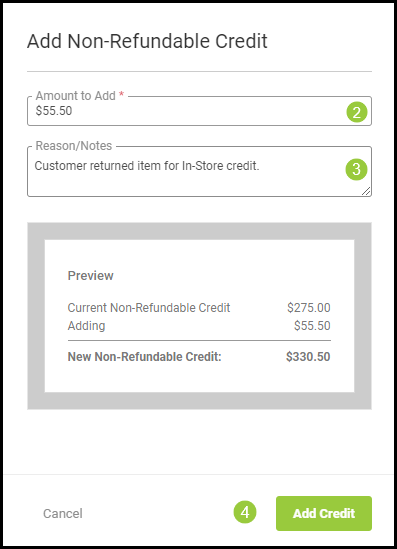
To add non-refundable credit:
1. Select Add Credit.
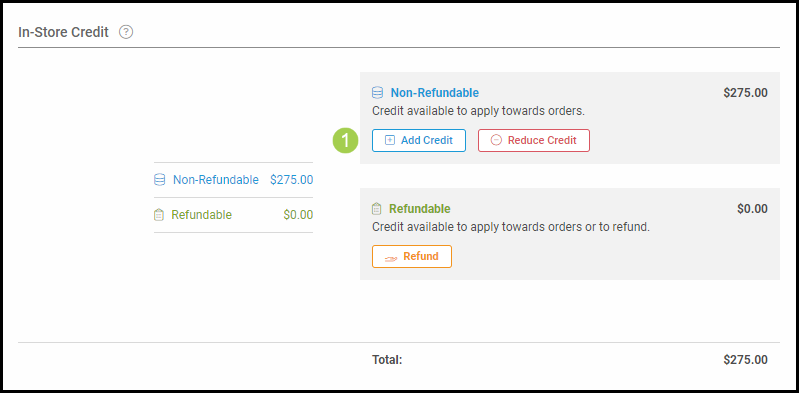
2. Enter the Amount to Add.
3. Add any needed notes.
4. Select Add Credit to add the credit to the company's account.
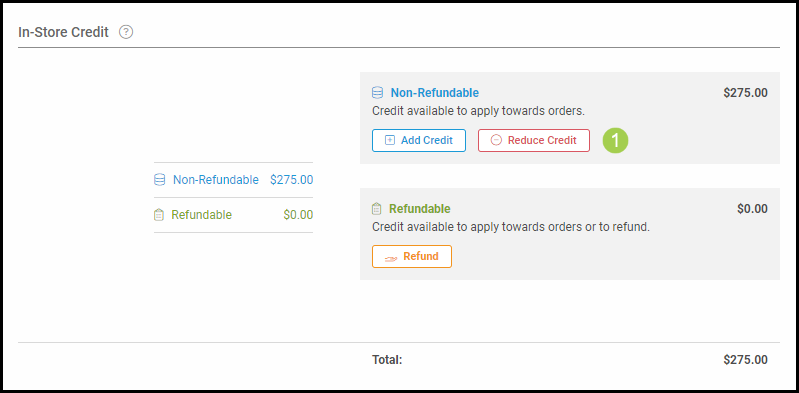
To reduce non-refundable credit:
1. Select Reduce Credit.
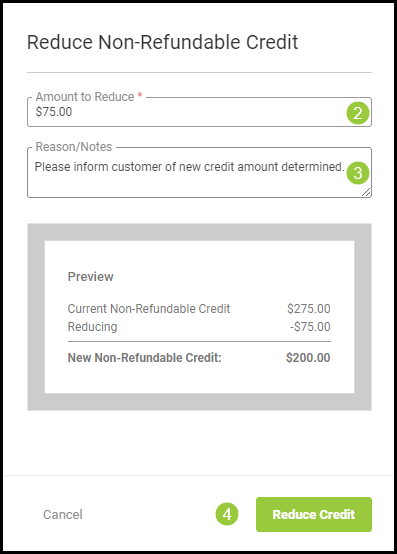
2. Enter the Amount to Reduce.
3. Add any needed notes.
4. Select Reduce Credit to reflect the changes within the company profile.
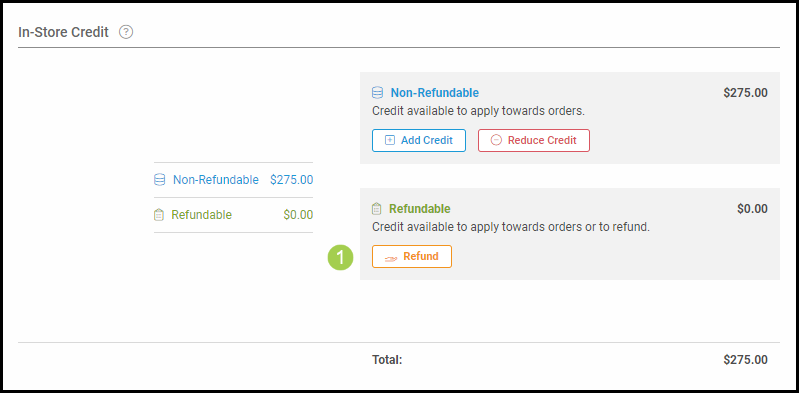
To add refundable credit:
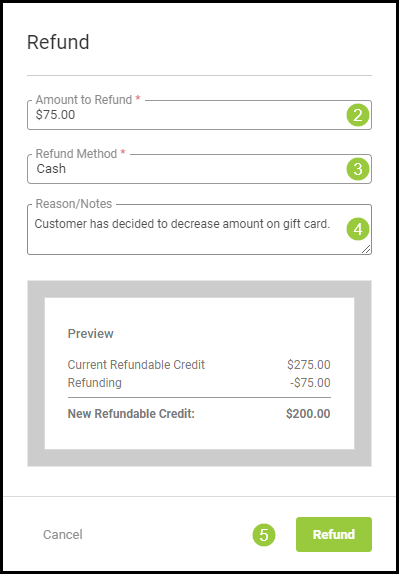
1. Select Refund.
2. Enter the Amount to Refund.
3. Enter the Refund Method.
4. Add any needed notes.
5. Select Refund to deliver the money back to the customer.
Note: Both non-refundable and refundable credit are location specific.
For more information on how to use In-Store Credit as a payment method, please visit Using In-Store Credit.