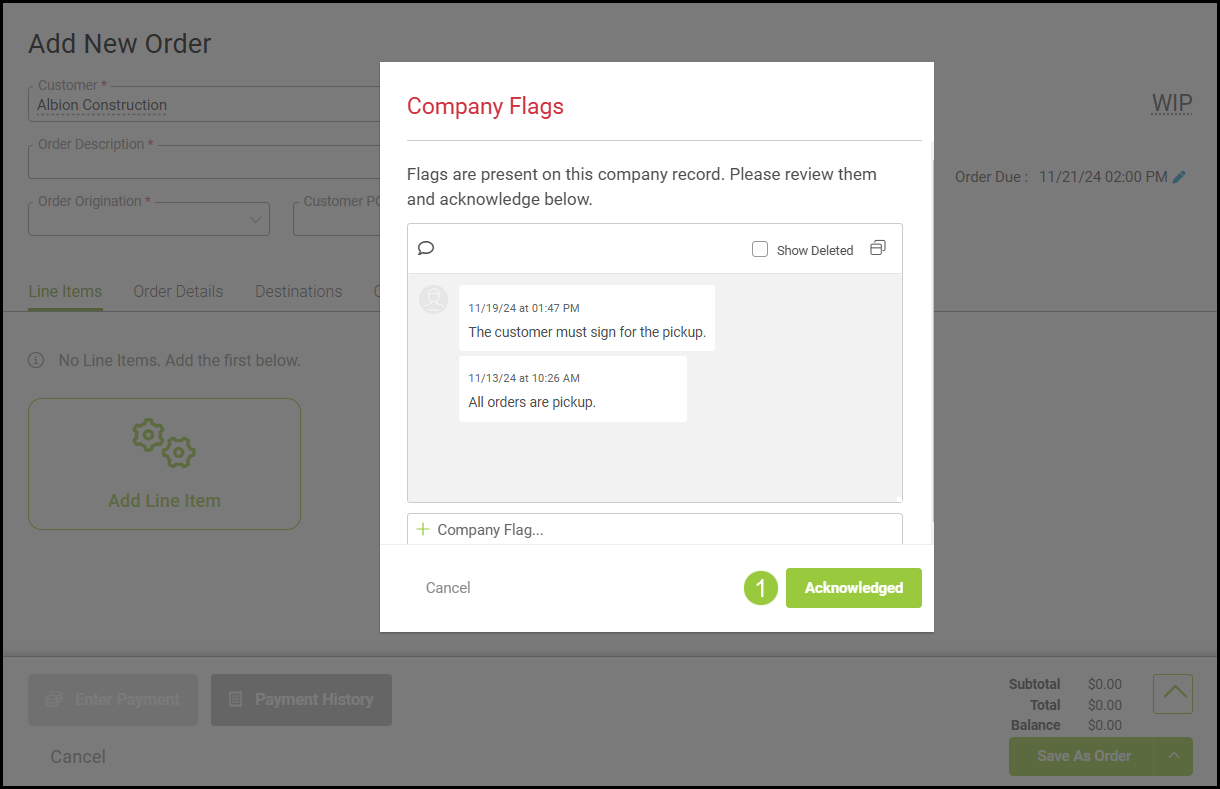
Internal Notes and Company Flags can be added to a company or personal account to relay internal information, specific company information, or a customer's personal preferences. A flag will open when creating a new order and will require acknowledgment before continuing.
For more information on how to add Notes and Flags to a Contact, please see Adding Contact Notes and Flags.
Table of Contents
Adding Company Notes and Flags
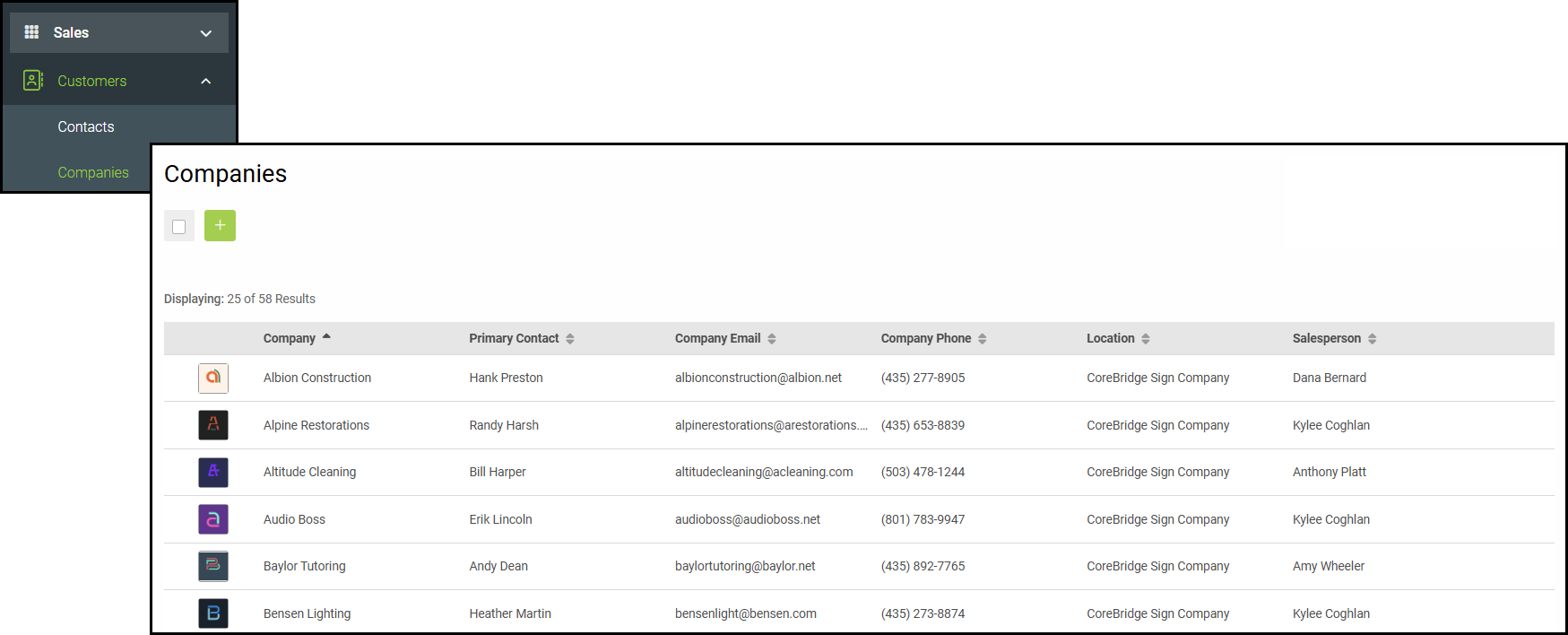
To add a note or flag for a company, navigate to Sales / Customers / Companies and select the desired Company.
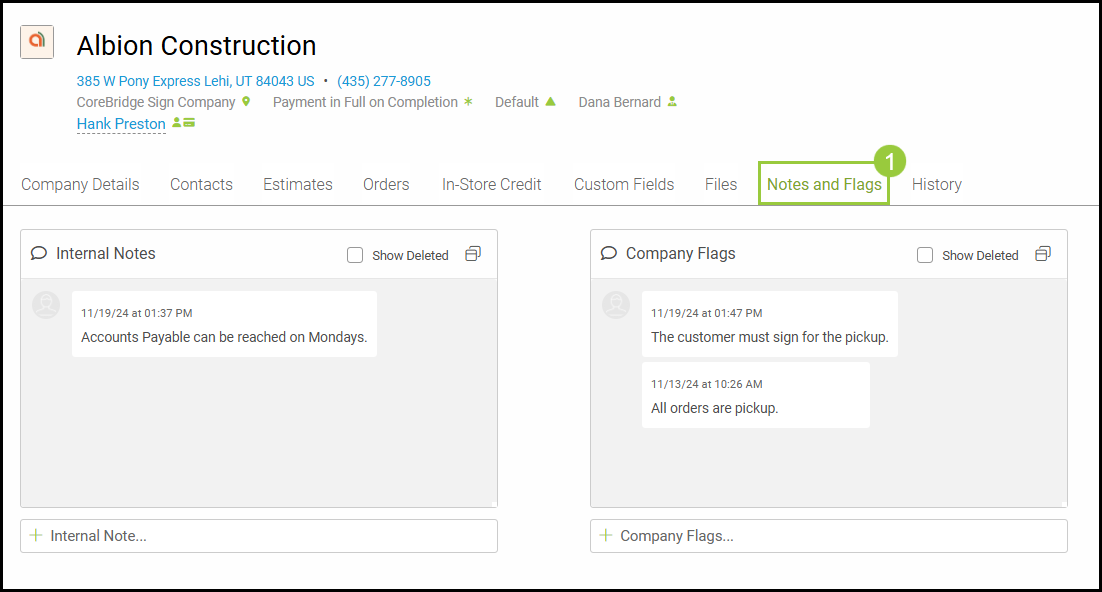
1. On the Company record, select the Notes and Flags tab.
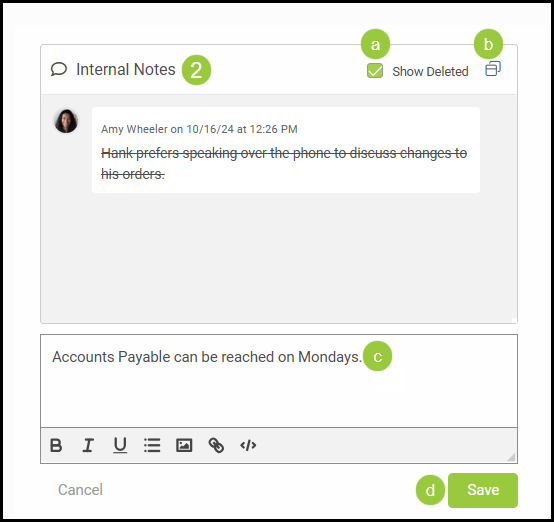
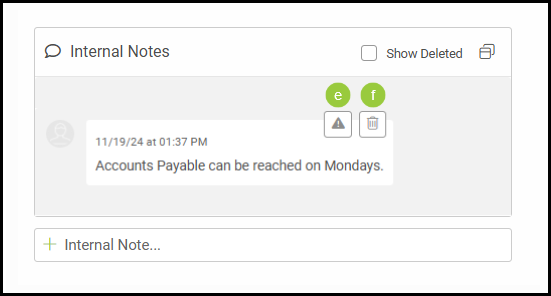
2. Add notes, delete notes, or expand the Internal Notes box.
a. Show Deleted - Checking this box will show the previously deleted notes with strikethrough text..
b. Expand - Clicking on this will expand to a full screen.
c. Click on Internal Note field next to the plus sign. Begin typing a new note in the text box.
d. Click Save.
e. After saving, notes can be marked important. Hover over any saved note and click the Triangle icon for marking important.
f. If a saved note needs to be deleted, hover over the note and click on the Trash Can icon.
Note: By clicking on Show Deleted, the deleted notes will be visible with strikethrough.
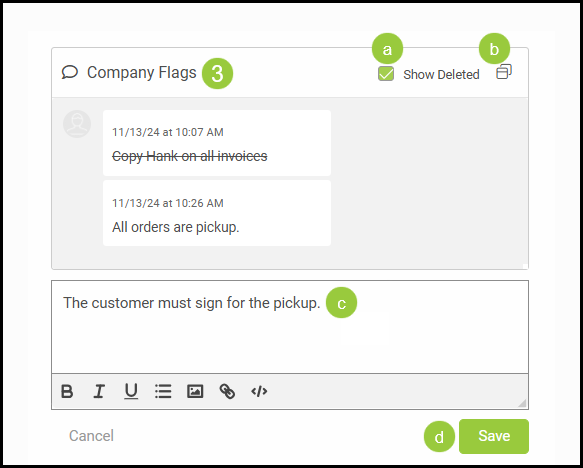
3. Add flags, delete flags, or expand the Company Flag box.
a. Show Deleted - Checking this box will show the previously deleted flags with strikethrough text.
b. Expand - Clicking on this will expand to a full screen.
c. Click on Company Flag field next to the plus sign. Begin typing a new flag in the text box.
d. Click Save.
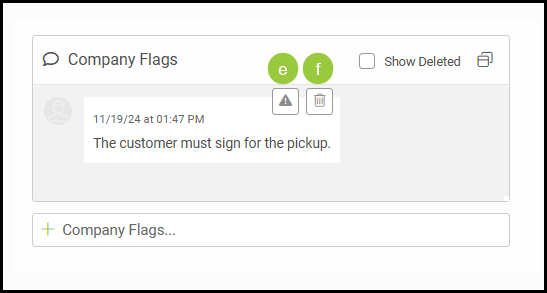
e. After saving, flags can be marked important. Hover over any saved flag and click the Triangle icon for marking important.
f. If a saved flag needs to be deleted, hover over the note and click on the Trash Can icon.
Note: By clicking on Show Deleted, the deleted flag will be visible with strikethrough.
Company Flags on New Orders
If a Company Flag has been created on a company or personal account, a window will pop open when creating a new order.
1. The Company Flag must be Acknowledged to proceed with creating the new order.