The Accounting Options section lets you customize key financial settings for your company, including your Fiscal Year setup, how financial data is displayed, and the handling of Credit Memos and Reconciliation. These options help ensure your accounting processes align with your business needs and reporting requirements.
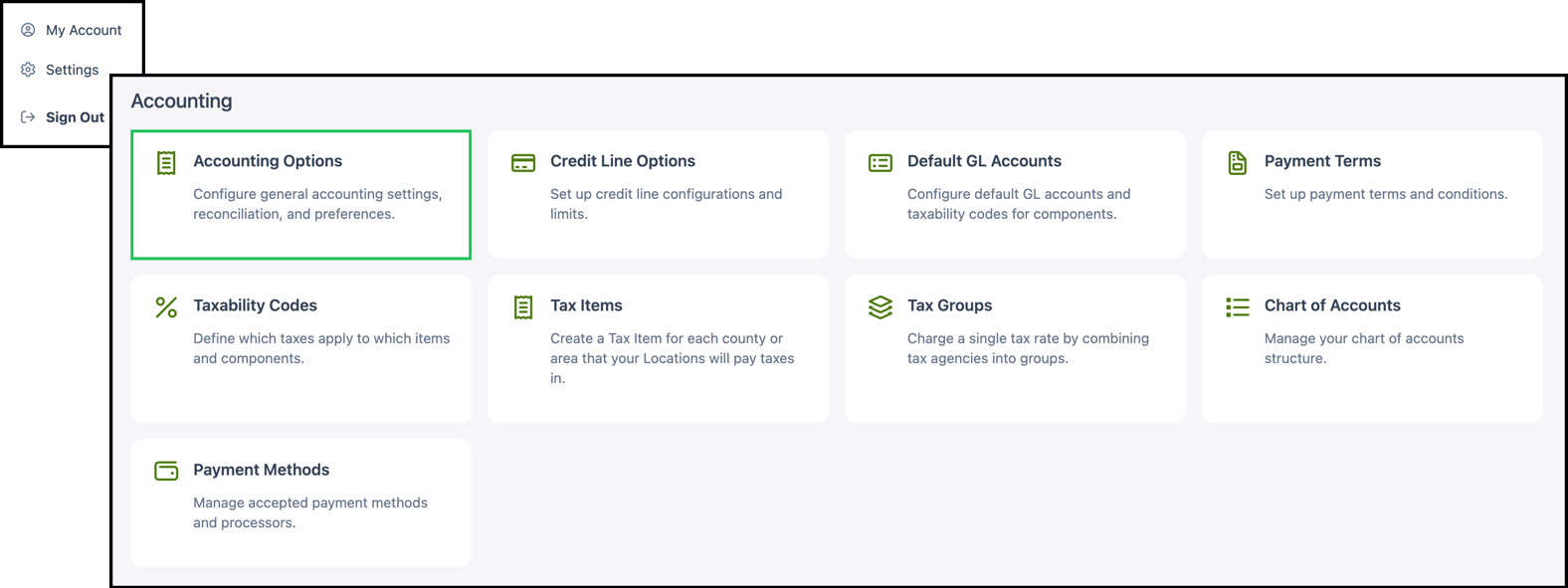
Navigate to Settings / Accounting / Accounting Options.
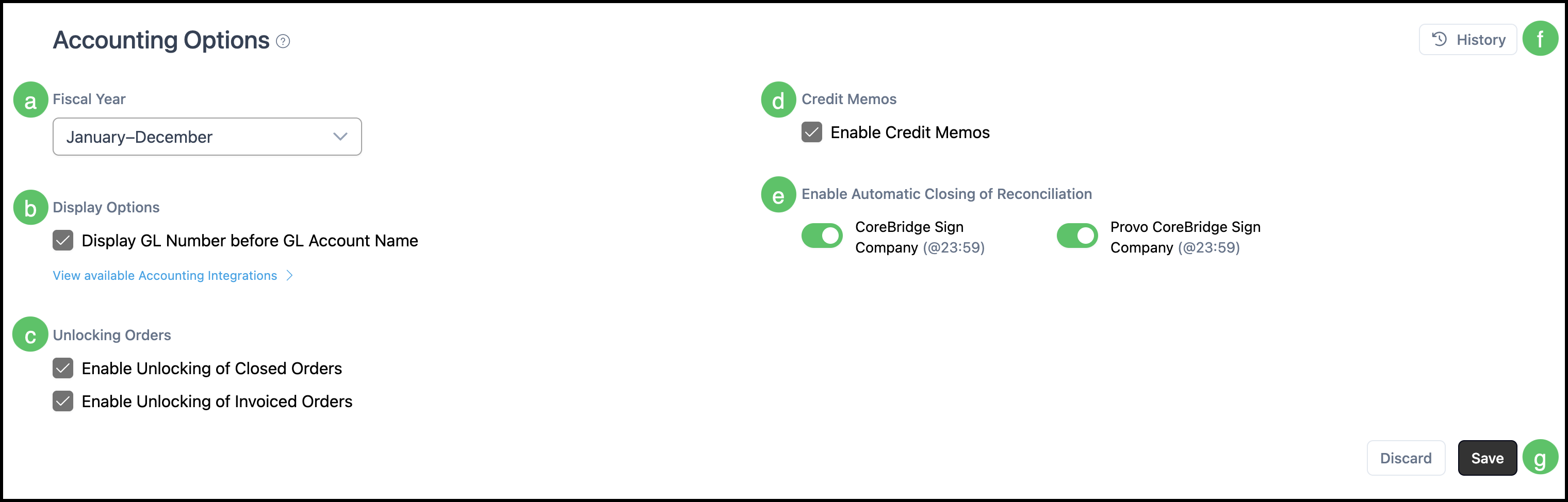
a. Fiscal Year - Use the Fiscal Year dropdown to select the date range that aligns with your company's fiscal year. A fiscal year is a twelve-month period used as the basis for financial reports, tax filings, and sales goals.
b. Display Options - Under Display Options, you can choose to Display GL Number before GL Account Name. When this option is enabled, GL (General Ledger) numbers appear at the beginning of GL account names wherever they are shown in the system.
c. Unlocking Orders - The Unlocking Orders section allows you to enable the ability to unlock and make changes to orders that are in Closed or Invoiced status.
- Enable Unlocking of Closed Orders – When checked, users can unlock closed orders to edit them.
- Enable Unlocking of Invoiced Orders – When checked, users can unlock invoiced orders to edit them.
Note: Enabling these options should be done with caution, as unlocking and editing closed or invoiced orders can affect reconciliation and reports.
d. Credit Memos - Credit Memos allow customers to track internal credit by documenting when the total amount owed to your company has decreased. Enable the Enable Credit Memos option to use credit memos in your system.
e. Enable Automatic Closing of Reconciliation - When enabled, reconciliations will be automatically closed once all transactions have been matched and accounted for, rather than requiring manual closure.
f. History - Previous changes to the record will appear here.
g. Save any changes before navigating away.