
In CoreBridge EVO, Tags are colored labels you can assign to line items so your team can see progress at a glance. This article explains where to configure tags in EVO and how to create a new Tag.
After creation, Tags are available on line items in Orders and Estimates.
Table of Contents
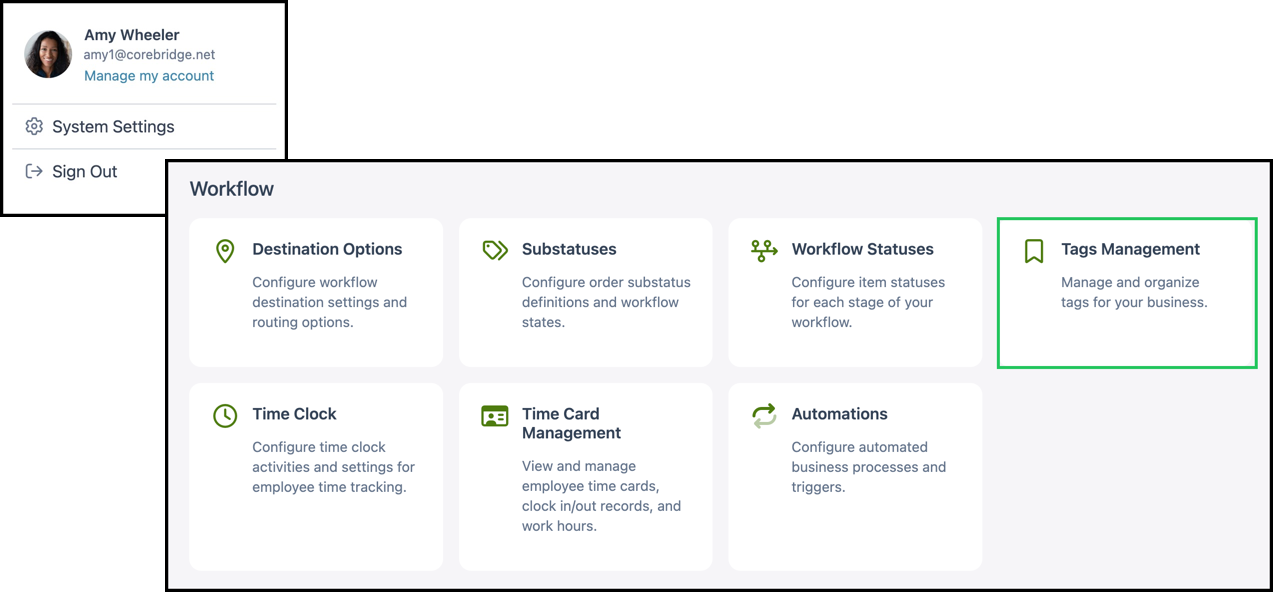
Navigate to System Settings / Workflow / Tags Management.
Adding a Tag
1. Click + Add Tag.
2. In the dialog, enter a Tag Name.
3. Use the color control to pick the Tag color. The Preview area updates so you can see how the Tag will look.
4. Click Save to create the Tag.
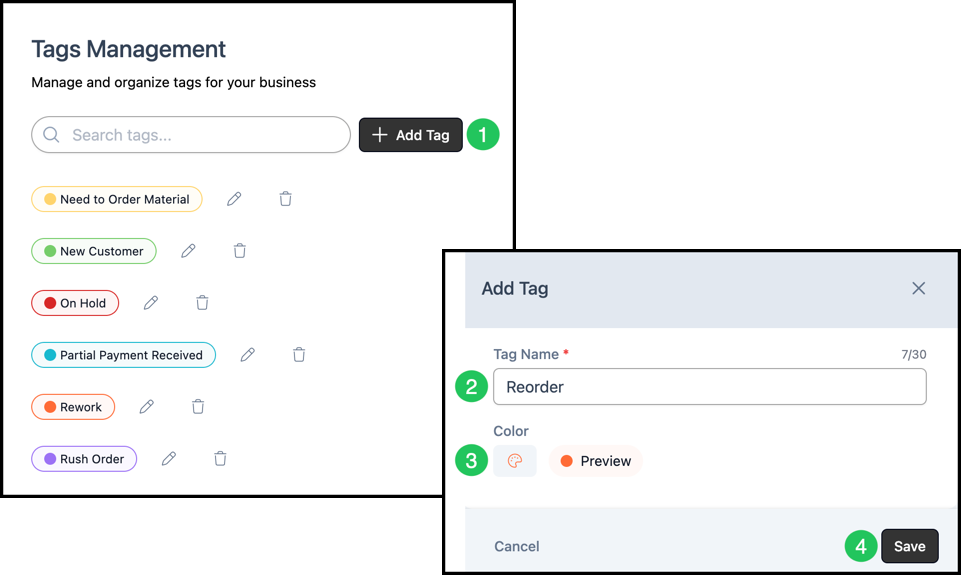
Note: After creation, Tags can be edited or deleted by clicking the appropriate icon on the Tags Management screen.