
Discounts in CoreBridge provide flexibility for adjusting pricing on Estimates and Orders. Discounts can be applied to an entire Estimate or Order or to individual Line Items, allowing you to control where the discount is applied. Discounts can be added or adjusted while an Order is in progress or after it has been completed.
Table of Contents
Important Information
- The Discount & Line Item Discounts dialog is available on Estimates, Orders, and Quick Price. This article uses an Order as an example.
- A product-level Viewable Discount is configured on the Product, not in this dialog. For more information, see Product Minimums and Fees.
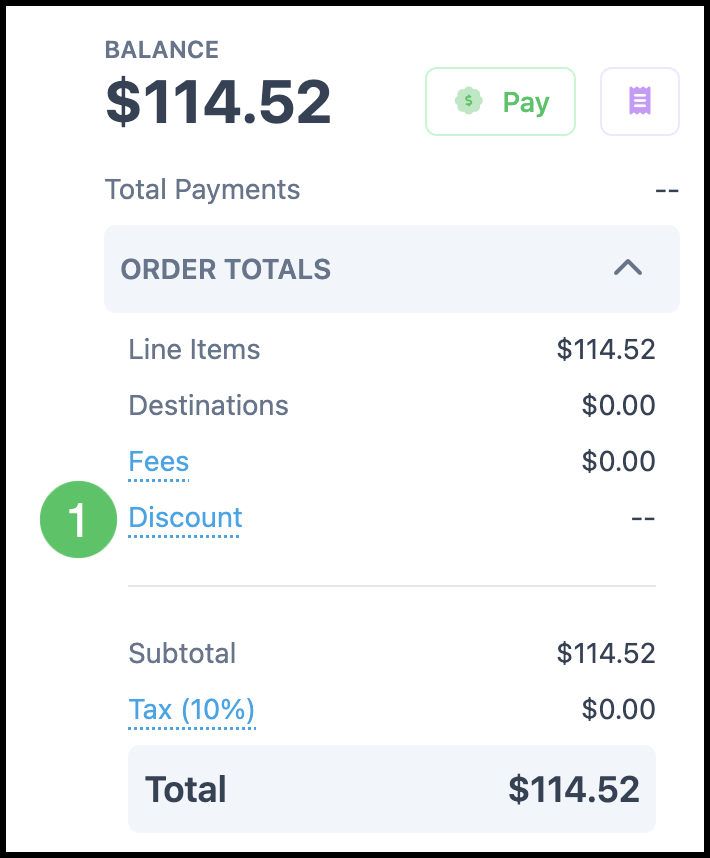
- When no discount is applied, the Discount row in ORDER TOTALS displays --.
- When you enter a percentage, the matching amount updates automatically. When you enter an amount, the matching percentage updates automatically.
- Save appears after you make a change. Cancel is always available.
- If you try to leave the dialog with unsaved changes, the You have unsaved changes dialog opens. Click Back to Editing to continue, or Discard and Leave to close without saving.
Applying Discounts
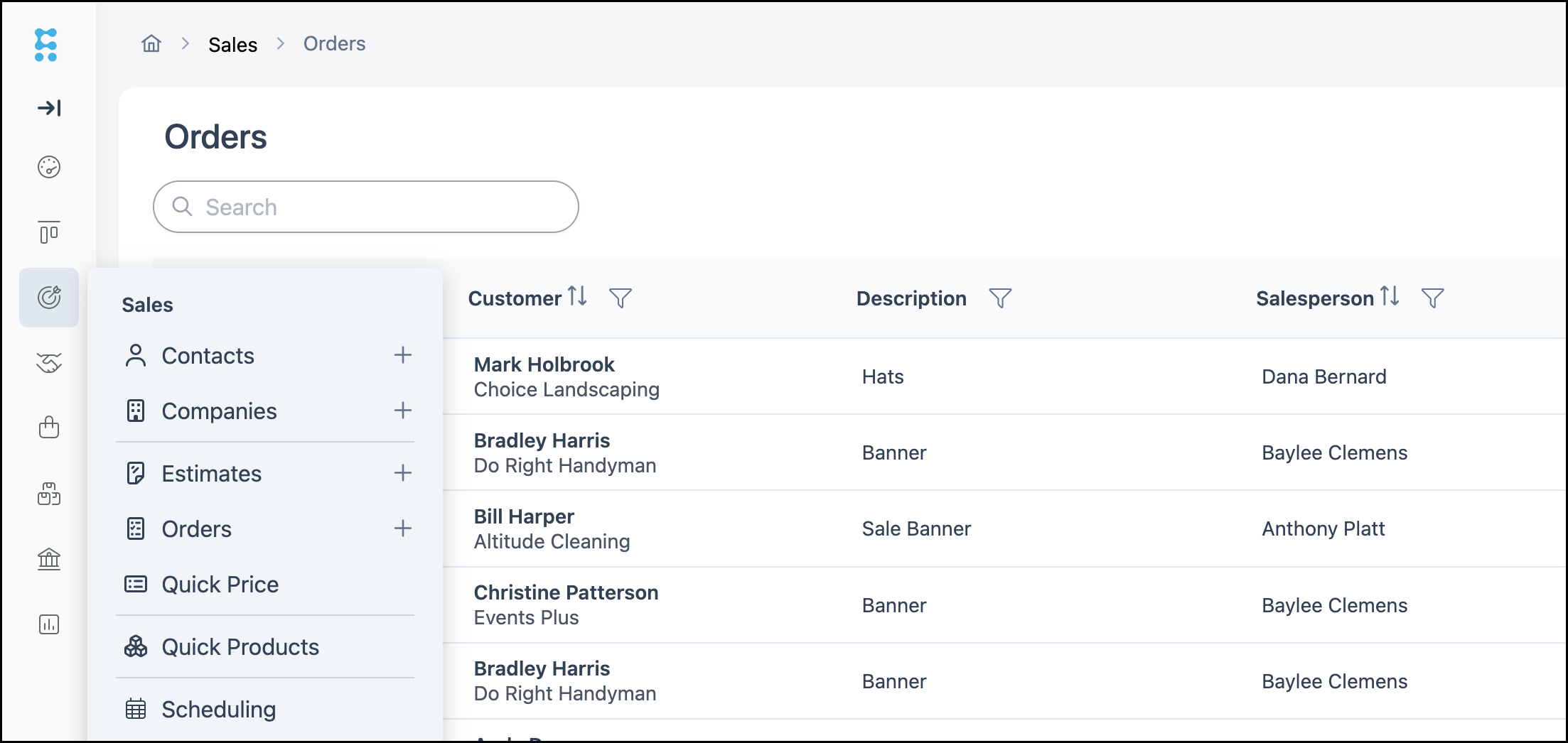
Navigate to Sales / Orders or Estimates and open the appropriate Order or Estimates.
Note: The process is the same on either Orders or Estimates. This article will use an Order as an example.
1. In ORDER TOTALS, click Discount.
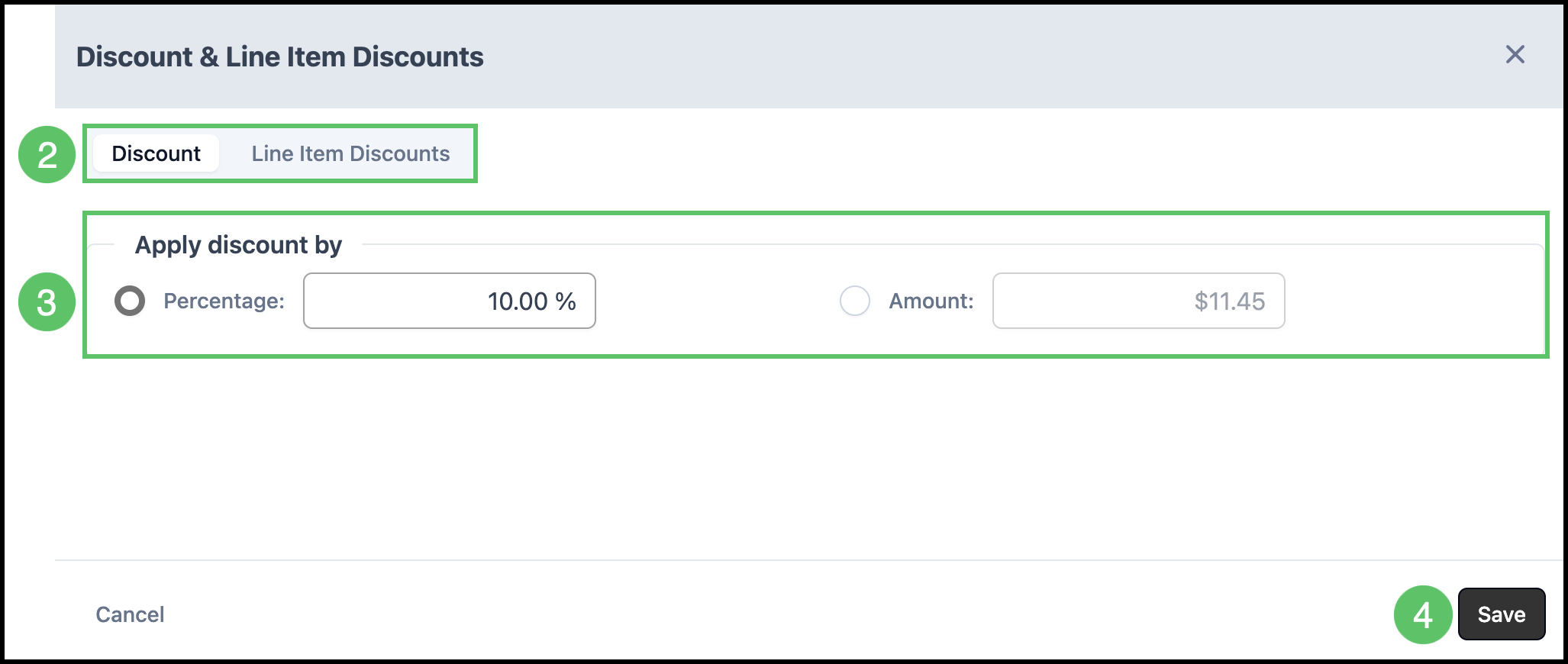
The Discount & Line Item Discounts dialog opens.
2. Select how to apply the discount.
- Discount - Apply a discount to the entire Estimate or Order.
- Line Item Discounts - Apply a discount to an individual Line Item. Expand the Line Item, then enter a percentage or amount for that Line Item.
3. Select Percentage: or Amount:, then enter the discount value.
Note: The other field will automatically populate the amount.
4. Click Save.
Frequently Asked Questions
1. What is the difference between an order-level discount and a Line Item discount?
Answer: An order-level discount on the Discount tab applies to the entire Estimate or Order. A Line Item discount on the Line Item Discounts tab applies only to the Line Item you select.
2. How do I remove a discount?
Answer: Open the Discount & Line Item Discounts dialog, set the percentage or amount to 0, then click Save.
3. How is this different from a product Viewable Discount?
Answer: Viewable Discount is set on the Product. The Discount & Line Item Discounts dialog is where you apply a discount on an Estimate or Order. For product settings, see Product Minimums and Fees.