
The Financial Summary shows the income, payments, and balance-sheet changes for a posted reconciliation, including Undeposited Funds. It is on the posted reconciliation record. A QuickBooks Desktop IIF download can show a different amount on a payment-method line than Payment Summary while the Undeposited Funds total still matches.
Table of Contents
Important Information
- Compare the Undeposited Funds change on the Financial Summary to the sum of the Undeposited Funds lines in the IIF file.
- Include Individual Payment Methods splits Undeposited Funds into a separate IIF line for each payment method. With the checkbox cleared, the IIF file has one Undeposited Funds line for the full change.
- Refunds is its own line on Payment Summary. Refunds are not subtracted from Check.
- A cash refund is included in Refunds on the report and also reduces the Undeposited Funds Cash line in the IIF file.
- Cash Drawer is its own line in the IIF file. The Cash Drawer change can be negative, so Payment Summary Cash can differ from the IIF Cash line.
- A card payment can use the memo Visa in the IIF file when Payment Summary shows Credit Card (Non-Integrated) or Credit Card (Integrated).
- If the Undeposited Funds totals still do not match, contact Support with the reconciliation number, the Financial Summary, and the IIF file.
Financial Summary
Navigate to Accounting / Reconciliation & Sync.
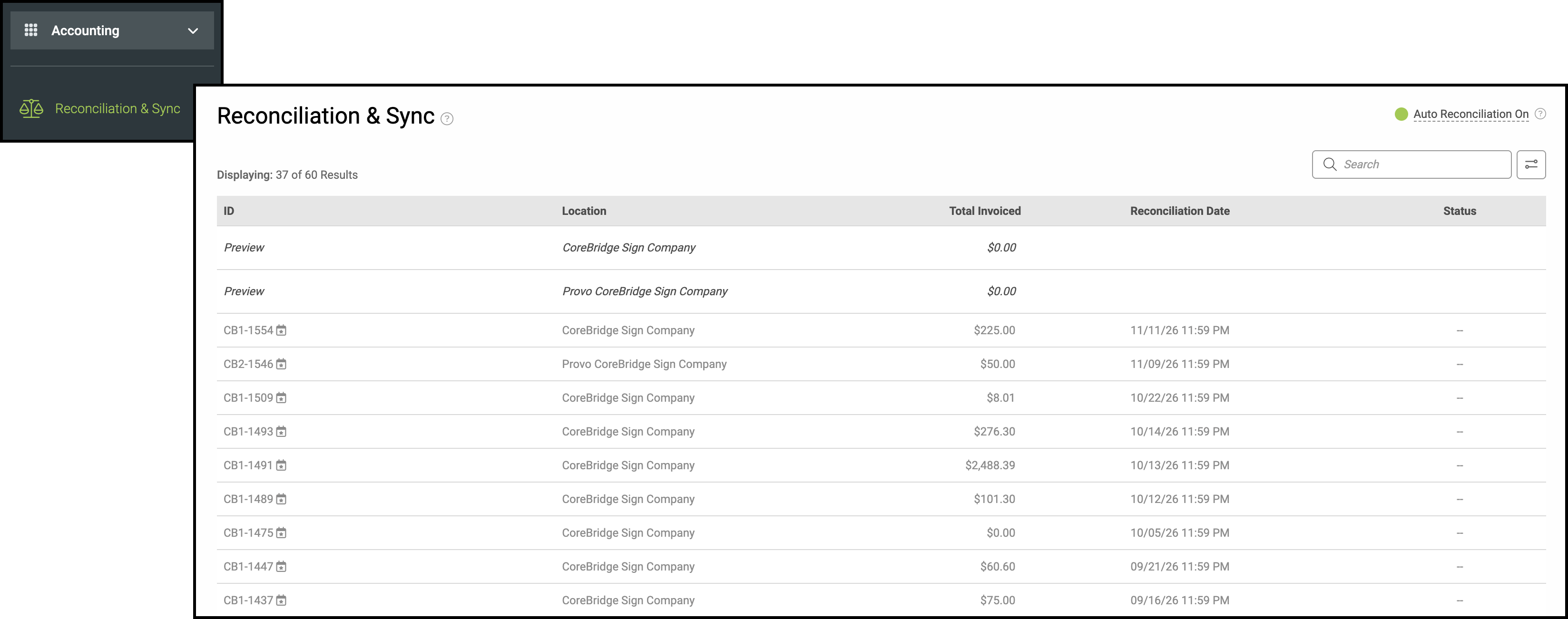
Open the posted reconciliation and select Financial Summary.
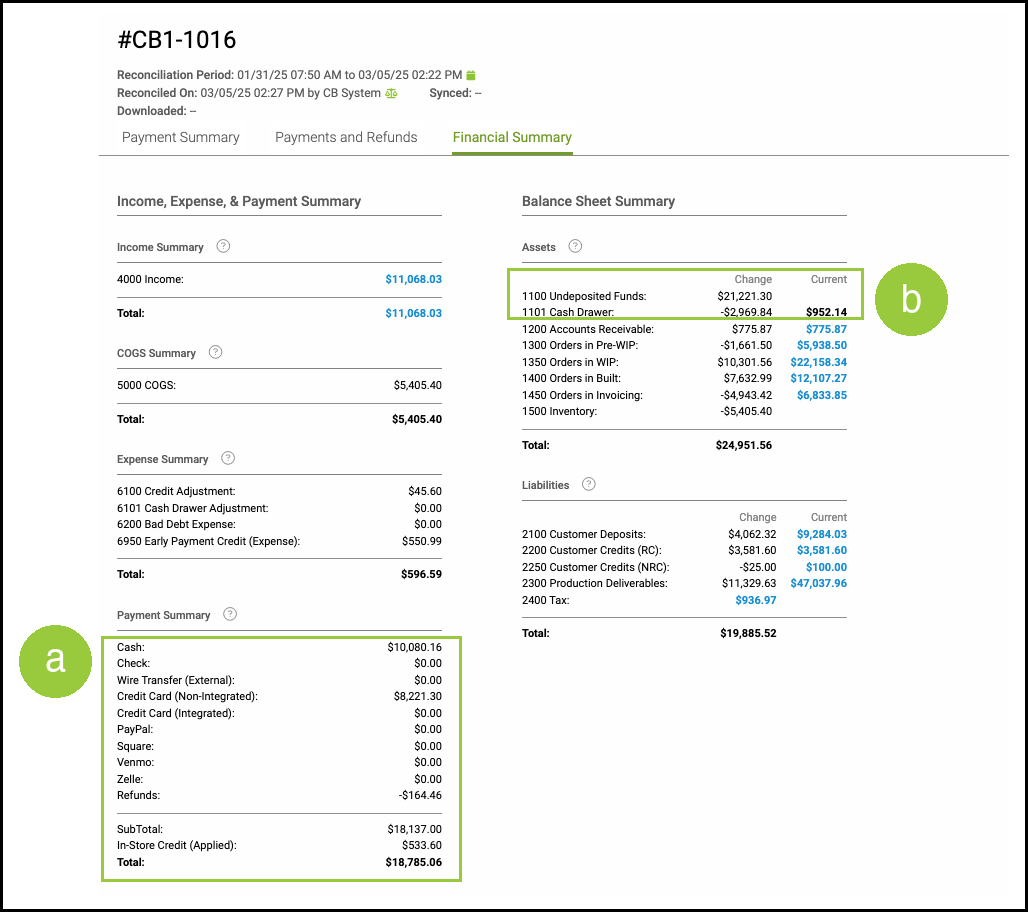
a. Payment Summary lists each payment method, Refunds, and the total. Check is the check payment total. Refunds stays on its own line.
b. Undeposited Funds and Cash Drawer are in the balance-sheet changes. Compare the Undeposited Funds change to the Undeposited Funds lines in the IIF file.
Reconciliation Download
1. Select More Actions.
2. Select Download.

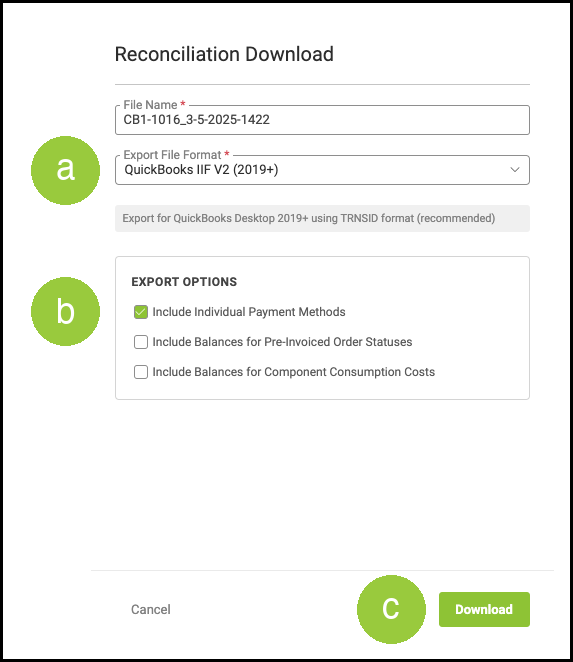
a. Export File Format. Select QuickBooks IIF V2 (2019+).
b. Include Individual Payment Methods. Select this checkbox to list each payment method on its own Undeposited Funds line. Leave the checkbox cleared for one Undeposited Funds line that equals the Undeposited Funds change.
c. Select Download.
Note: The IIF memo uses the payment method name. Cash Drawer exports on its own line and can be negative.
Related Articles
Account Mapping with Accounting Integration Software
CoreBridge's Supported Accounting Integrations