
An Opportunity is a potential sale that you track as a card on a Pipeline. You choose the Stage it starts in, and you can attach a Company, Contacts, and Records. Estimated Value is an amount you type for the Opportunity.
Table of Contents
Important Information
- Name and Stage are required before Create is available.
- The Pipeline needs a Stage first. When Opportunity is unavailable, add a Stage from the board.
- Company, Contacts, and Records are optional.
- Estimated Value is typed on the Opportunity. The card shows Manual for that amount. Leave Estimated Value blank when the amount should come from linked Estimates and Orders.
- After the Opportunity exists, card actions are covered in Opportunities More Actions.
Add an Opportunity
Navigate to CRM / Pipelines.
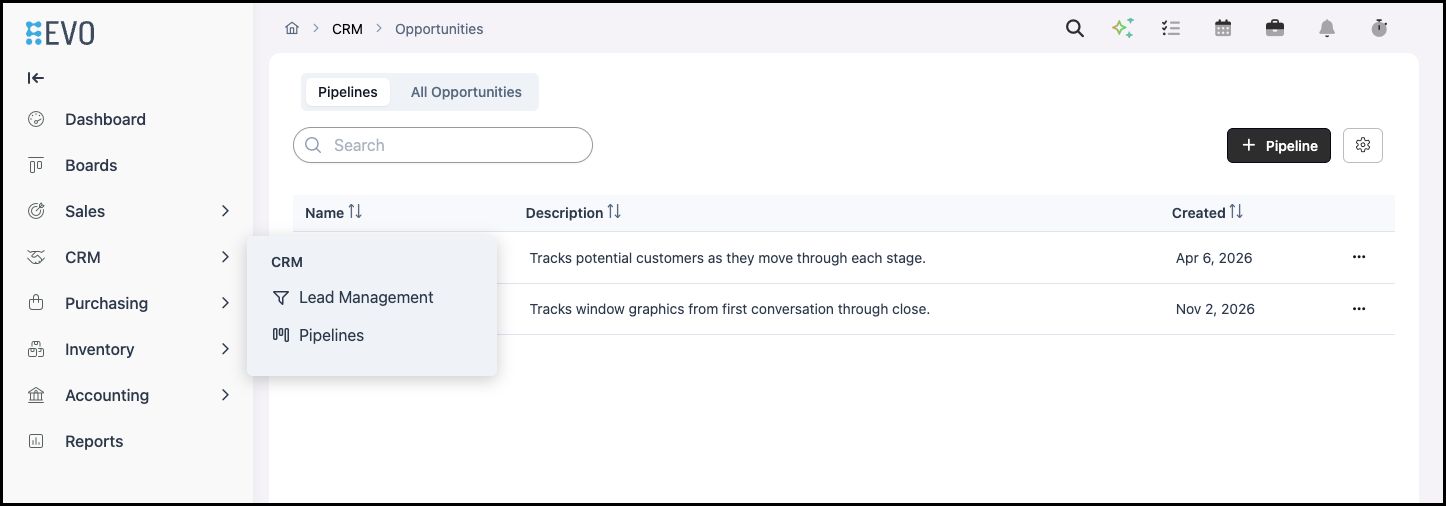
1. Select the Pipeline.

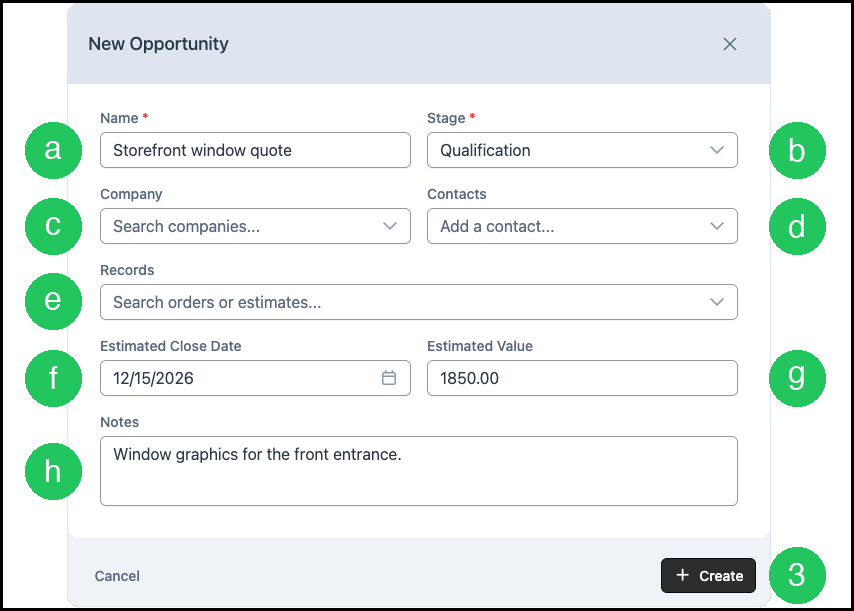
2. Click Opportunity. New Opportunity opens.

a. Name is required.
b. Stage is required. It lists the Stages on this Pipeline.
c. Company searches Companies you already have.
d. Contacts adds a Contact.
e. Records searches Estimates and Orders.
f. Estimated Close Date is the date you expect to close.
g. Estimated Value is the amount you enter for this Opportunity.
h. Notes is optional detail that stays with the Opportunity.
3. Click Create.
Frequently Asked Questions
1. Why is Create unavailable?
Answer: Enter a Name and select a Stage. Create becomes available when both are set.
2. Why does the card show Manual?
Answer: Estimated Value was entered on the Opportunity. The card shows Manual for that amount. Leave Estimated Value blank when the amount should come from linked Estimates and Orders.