
Reason Lists stores the reasons selected when a record needs an explanation. The lists are maintained in Sales Settings, with a tab for tax exempt, payment voided, credit given, order voided, estimate lost, estimate voided, and recurring template canceled reasons. Estimate and Order Options controls when an estimate, order, or recurring template requires a reason from the matching list.
Table of Contents
Reason Lists Screen
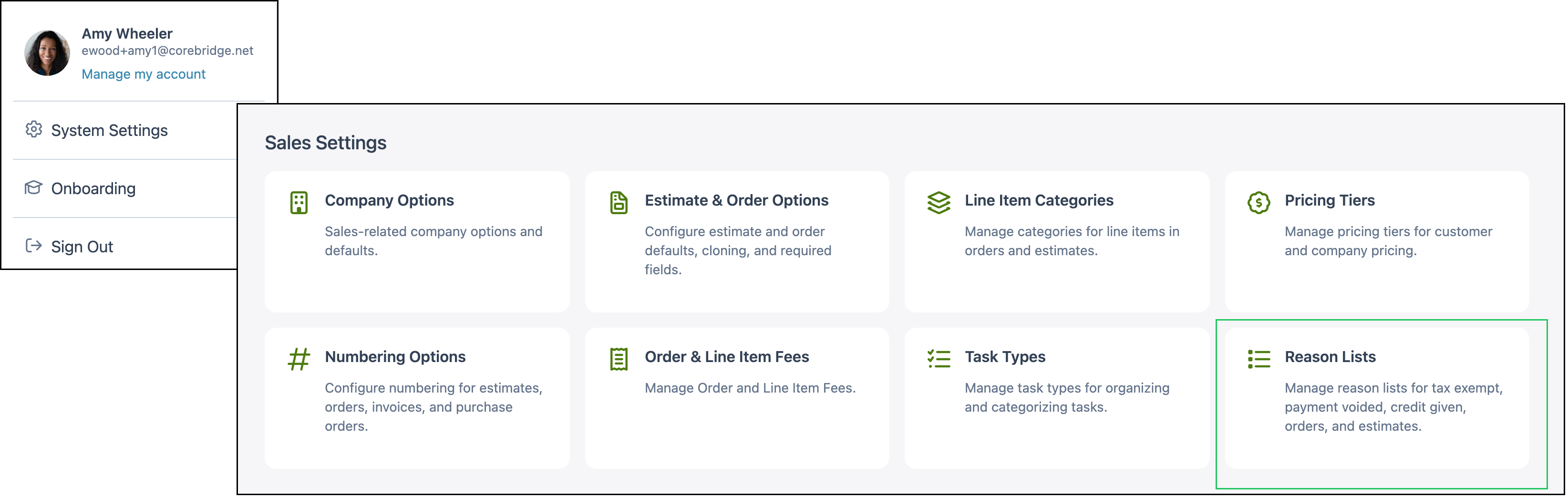
Navigate to System Settings / Sales Settings / Reason Lists.
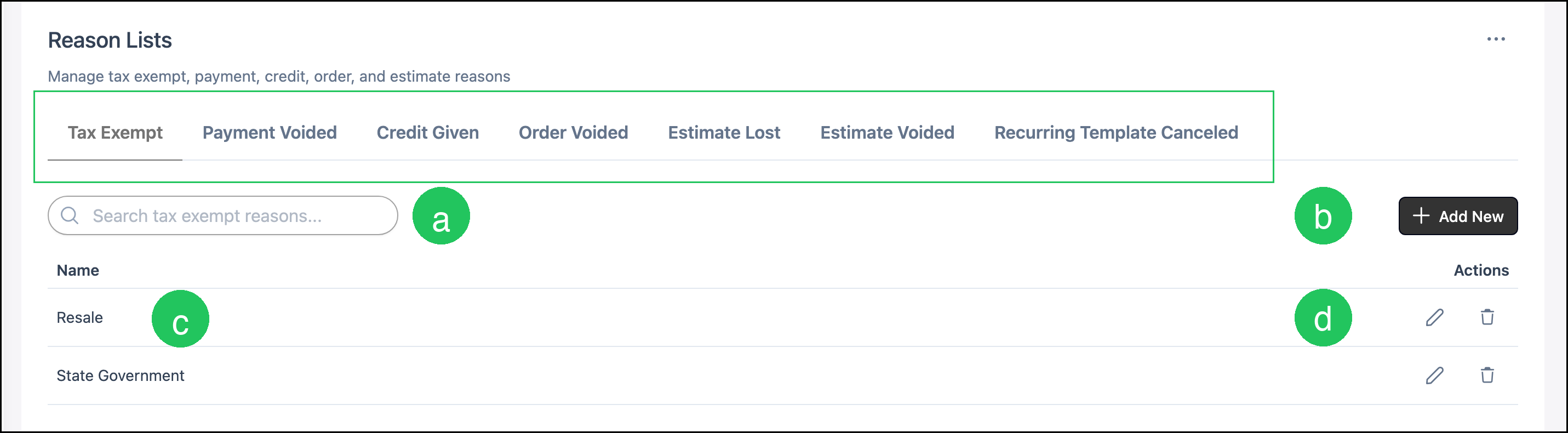
The tabs are the reason lists:
- Tax Exempt stores reasons for a tax exempt record.
- Payment Voided stores reasons for a voided payment.
- Credit Given stores reasons for credit that is given.
- Order Voided stores reasons for a voided order.
- Estimate Lost stores reasons for a lost estimate.
- Estimate Voided stores reasons for a voided estimate.
- Recurring Template Canceled stores reasons for a canceled recurring template.
a. Search finds a reason on the selected tab. The field text matches that tab, such as Search tax exempt reasons.
b. Add New opens the add dialog for the selected tab. On Tax Exempt, the dialog title is Add Tax Exempt Reason.
c. Name is the reason.
d. Edit opens the edit dialog for that reason. Name is required.
Note: The control beside Edit removes that reason from the list.
Adding a Reason
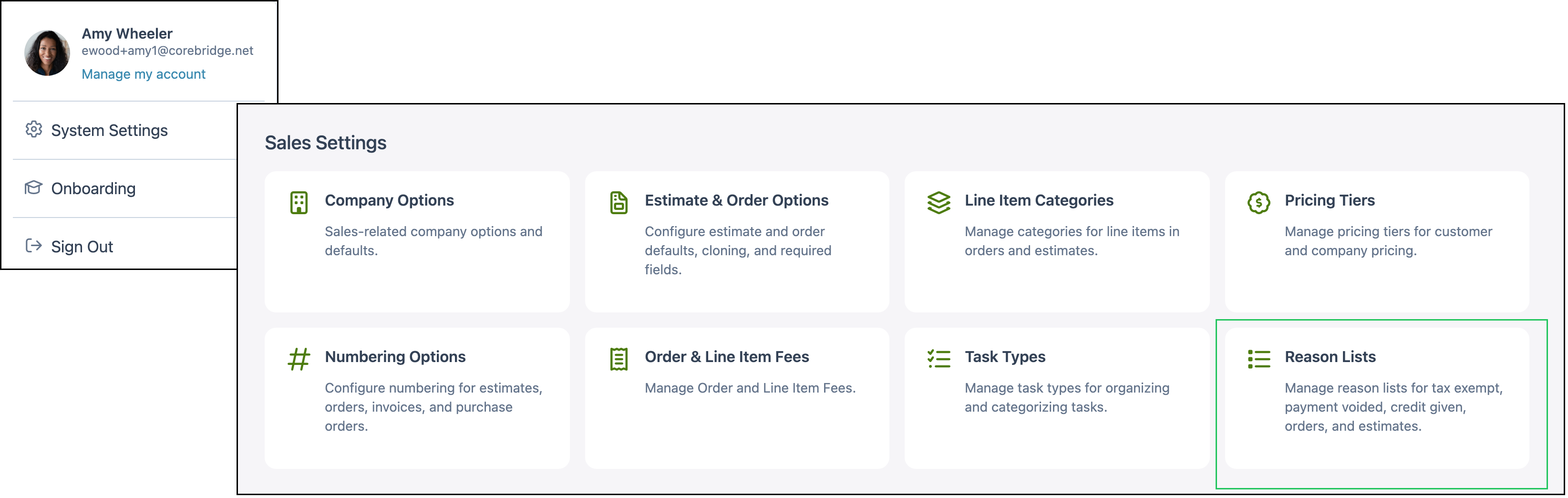
Navigate to System Settings / Sales Settings / Reason Lists.
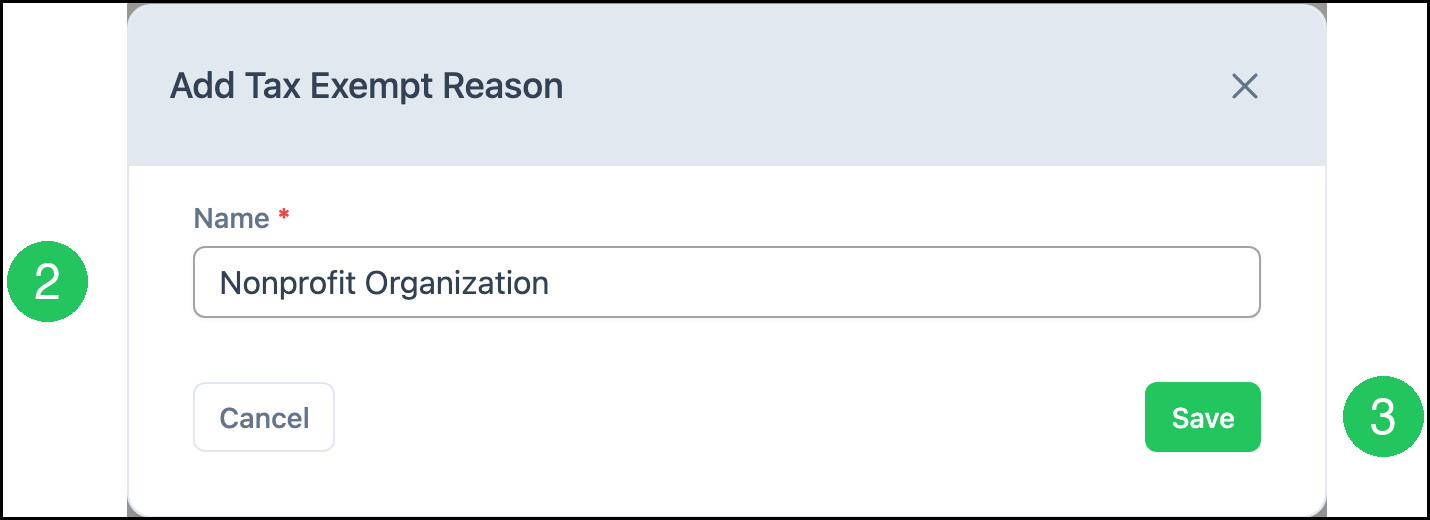
This example uses the Tax Exempt tab.
1. Click Add New.

2. Enter a Name.
Note: Name is required.
3. Click Save.
Note: The dialog title matches the selected tab, such as Add Payment Voided Reason or Add Estimate Lost Reason.
Requiring a Reason
Navigate to System Settings / Sales Settings / Estimate & Order Options.
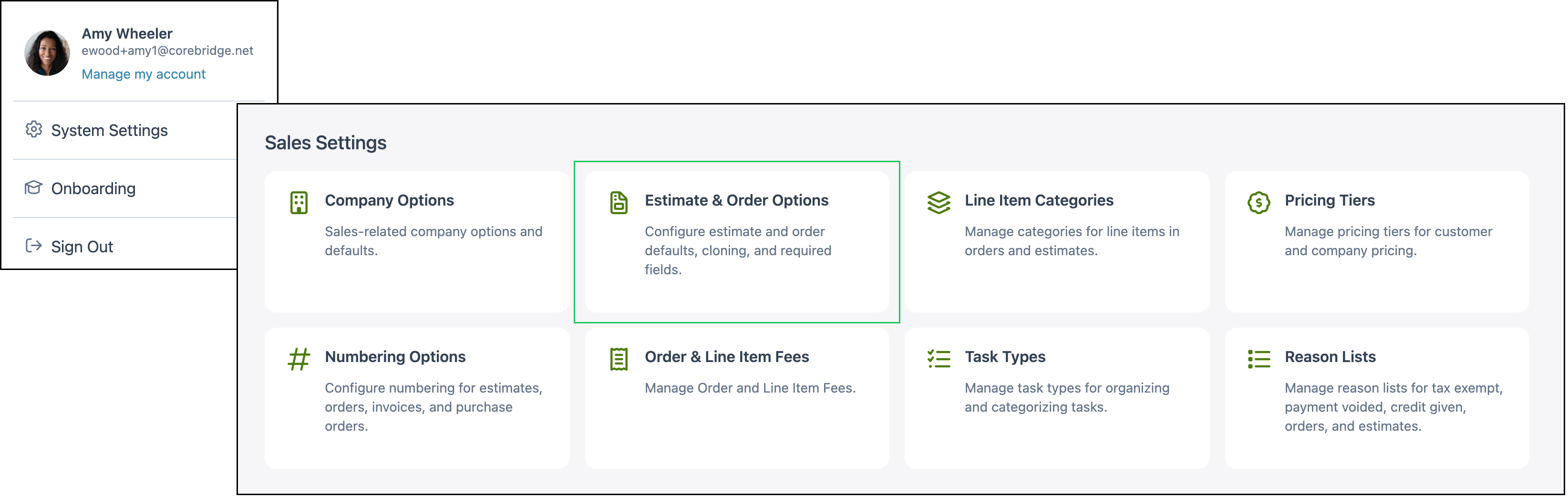
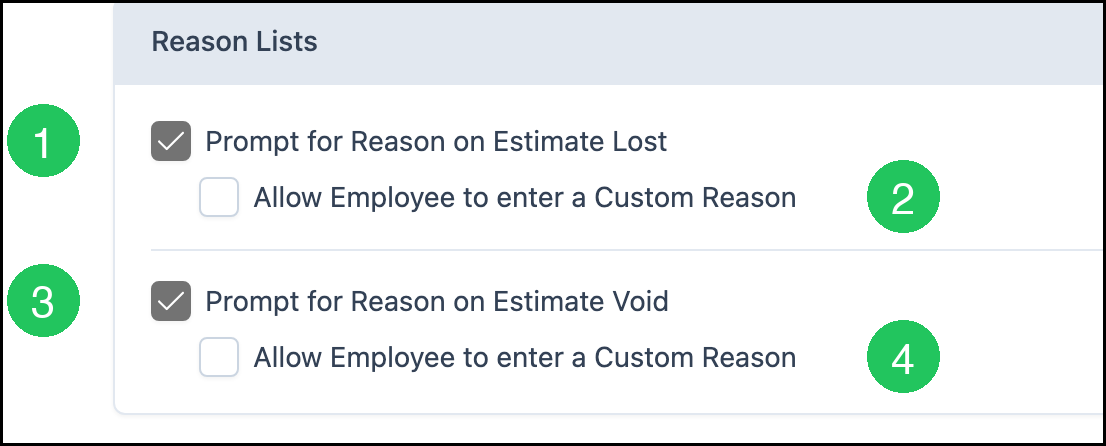
On the Estimates tab, Reason Lists holds the prompts for lost and voided estimates.
1. Select Prompt for Reason on Estimate Lost.
2. Select Allow Employee to enter a Custom Reason when an employee can type a reason that is not on the Estimate Lost list.
3. Select Prompt for Reason on Estimate Void.
4. Select Allow Employee to enter a Custom Reason when an employee can type a reason that is not on the Estimate Voided list.
Note: The Orders tab has Prompt for Reason when Voiding an Order and Allow Employee to enter a Custom Reason. The Recurring Templates tab has Prompt for Reason when Cancelling a Recurring Order and Allow Employee to enter a Custom Reason.
Frequently Asked Questions
1. Does adding a reason turn on the prompt?
Answer: Reason Lists stores the names. Estimate and Order Options turns on the prompt for a lost estimate, a voided estimate, a voided order, or a canceled recurring template.
2. Can an employee type a reason that is not on the list?
Answer: Yes, when Allow Employee to enter a Custom Reason is selected under that prompt on Estimate and Order Options.
3. Which list is used when an estimate is marked lost?
Answer: The Estimate Lost tab. Prompt for Reason on Estimate Lost on the Estimates tab of Estimate and Order Options requires a reason from that list.