In-Store Credit lets you track customer credit balances on a company record. You can add non-refundable credit manually, refund payments to create refundable credit, and review credit activity in the transaction history.
Table of Contents
- Important Information
- Managing In-Store Credit
- Adding Non-Refundable Credit
- Reducing Non-Refundable Credit
- Refunding Refundable Credit to the Customer
- Transaction History
- Related Articles
Important Information
There are two types of In-Store Credit used in CoreBridge.
- Non-Refundable credit can be applied toward orders only. Use Add Credit on the company record to create non-refundable credit.
- Refundable credit can be applied toward orders or paid back to the customer. Refunding a payment to In-Store Credit creates refundable credit.
Managing In-Store Credit
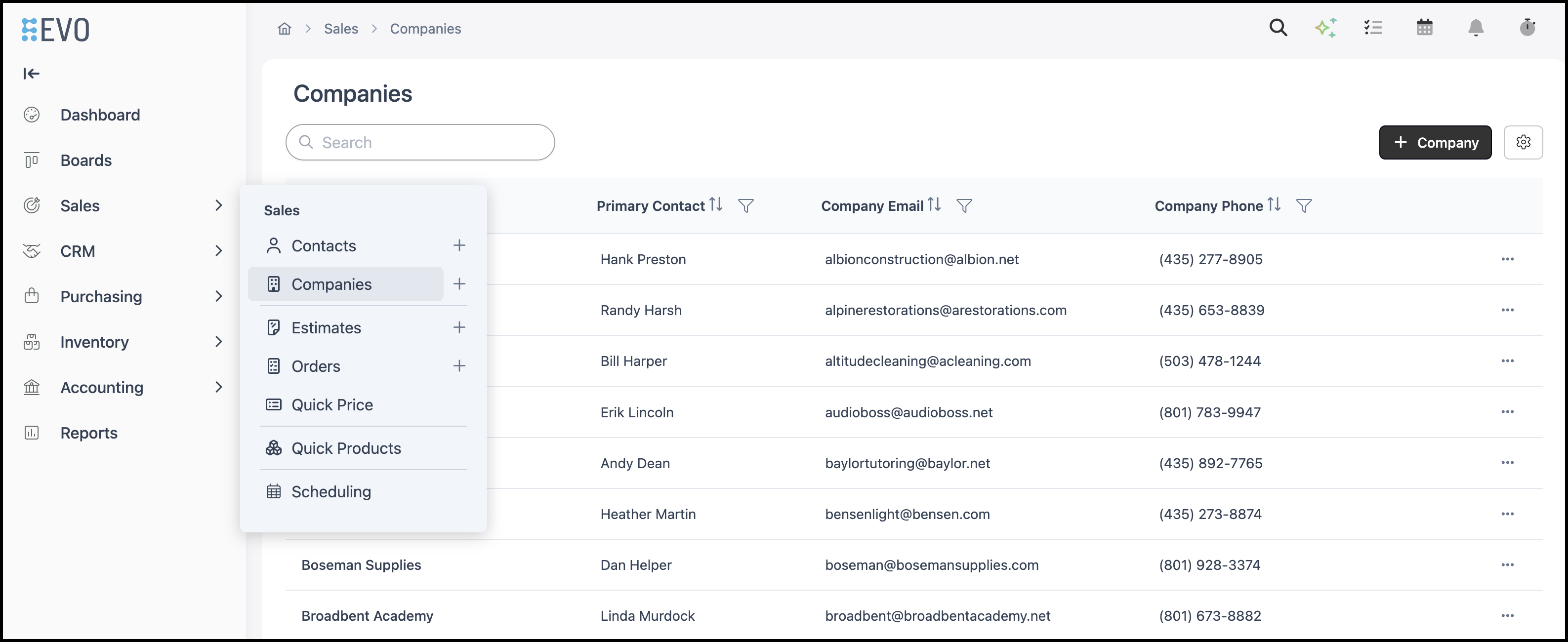
Navigate to Sales / Companies and select the appropriate Company.
1. Click Manage Credit to open the In-Store Credit dialog.

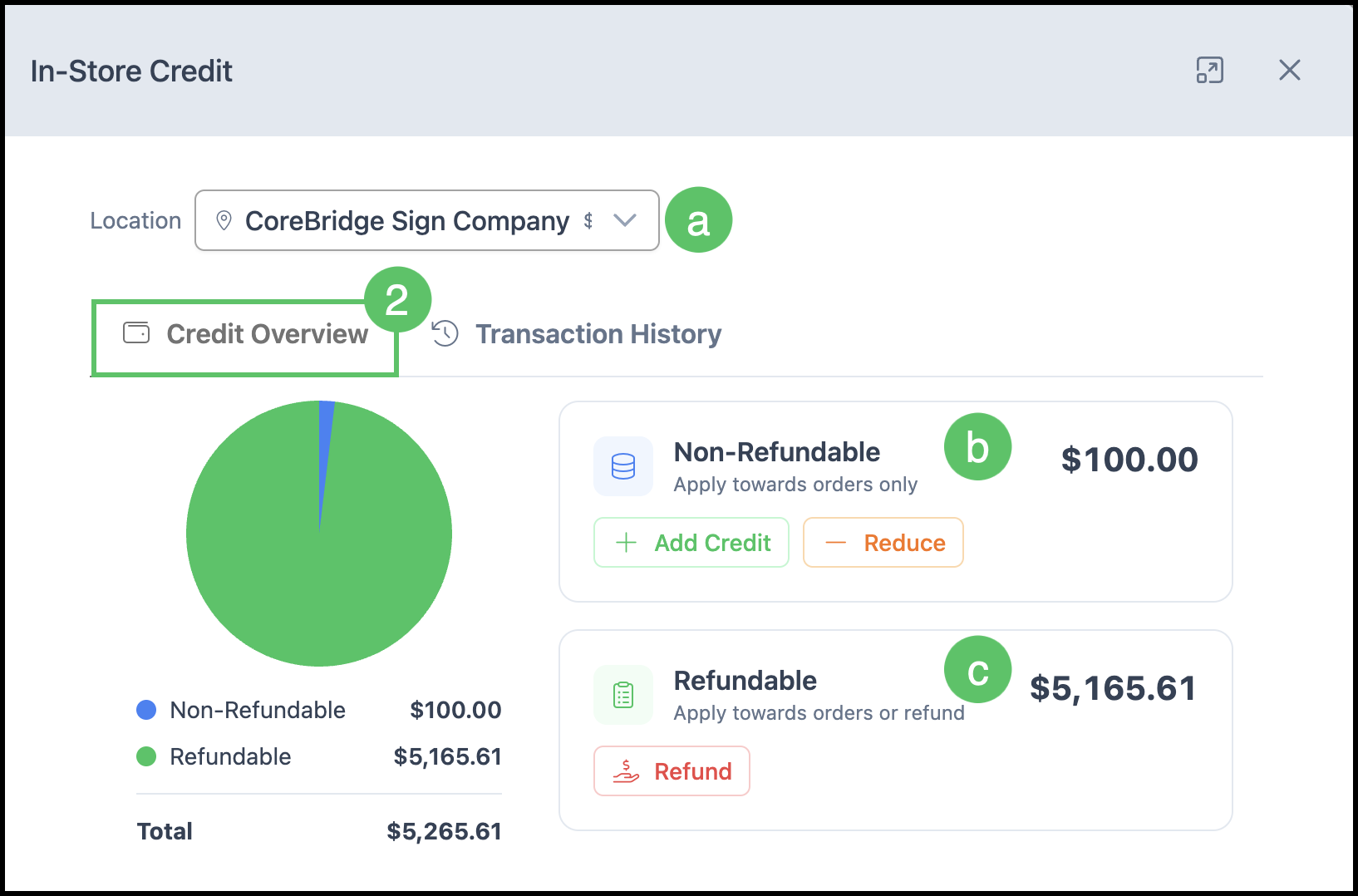
2. Select the Credit Overview tab.
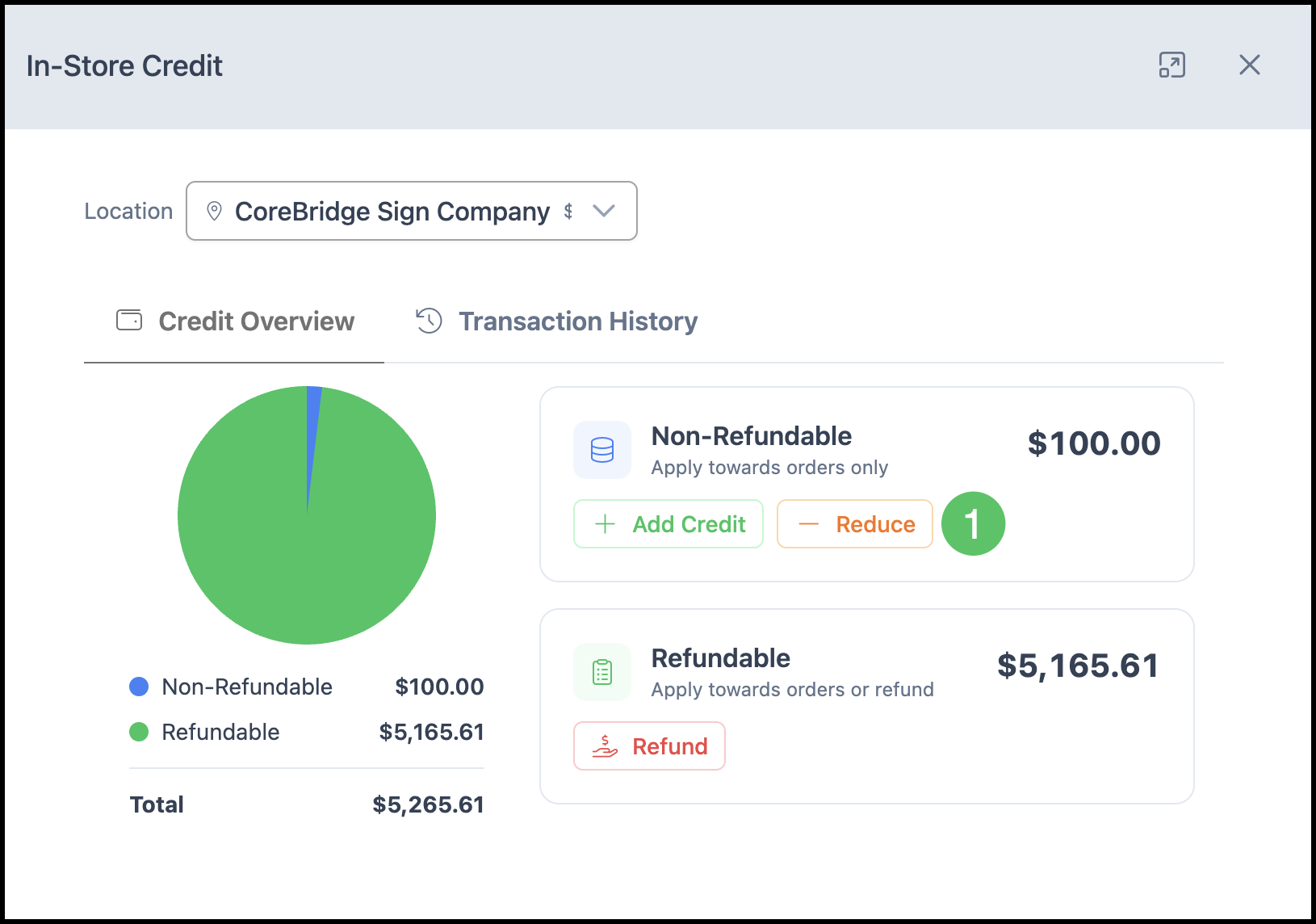
a. Location Dropdown - Systems with multiple Locations can switch between Locations using the dropdown menu.
b. Non-Refundable - Displays the current non-refundable credit balance and provides options to add or reduce the available amount.
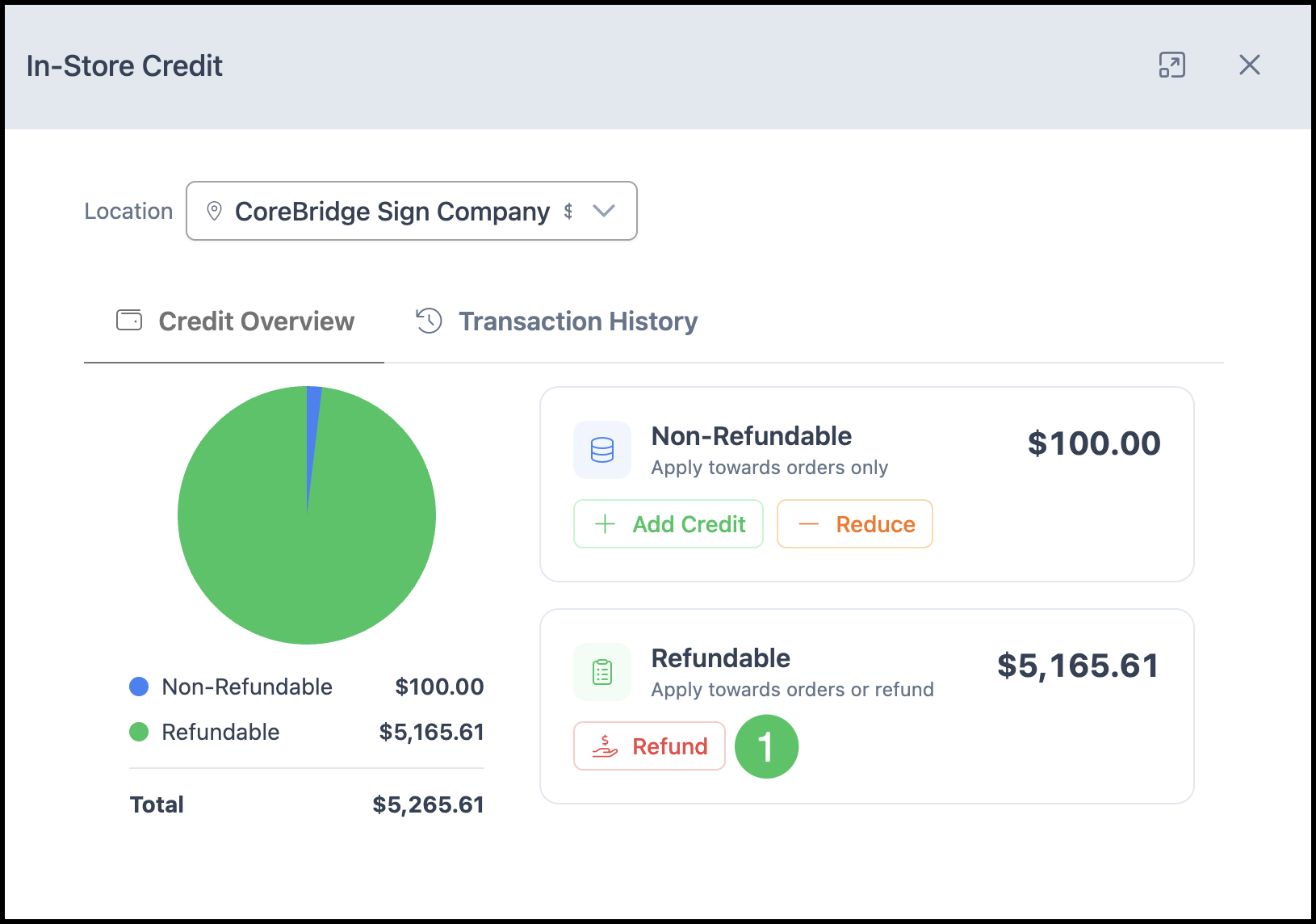
c. Refundable - Displays the current refundable credit balance and provides the option to issue a refund.
Adding Non-Refundable Credit
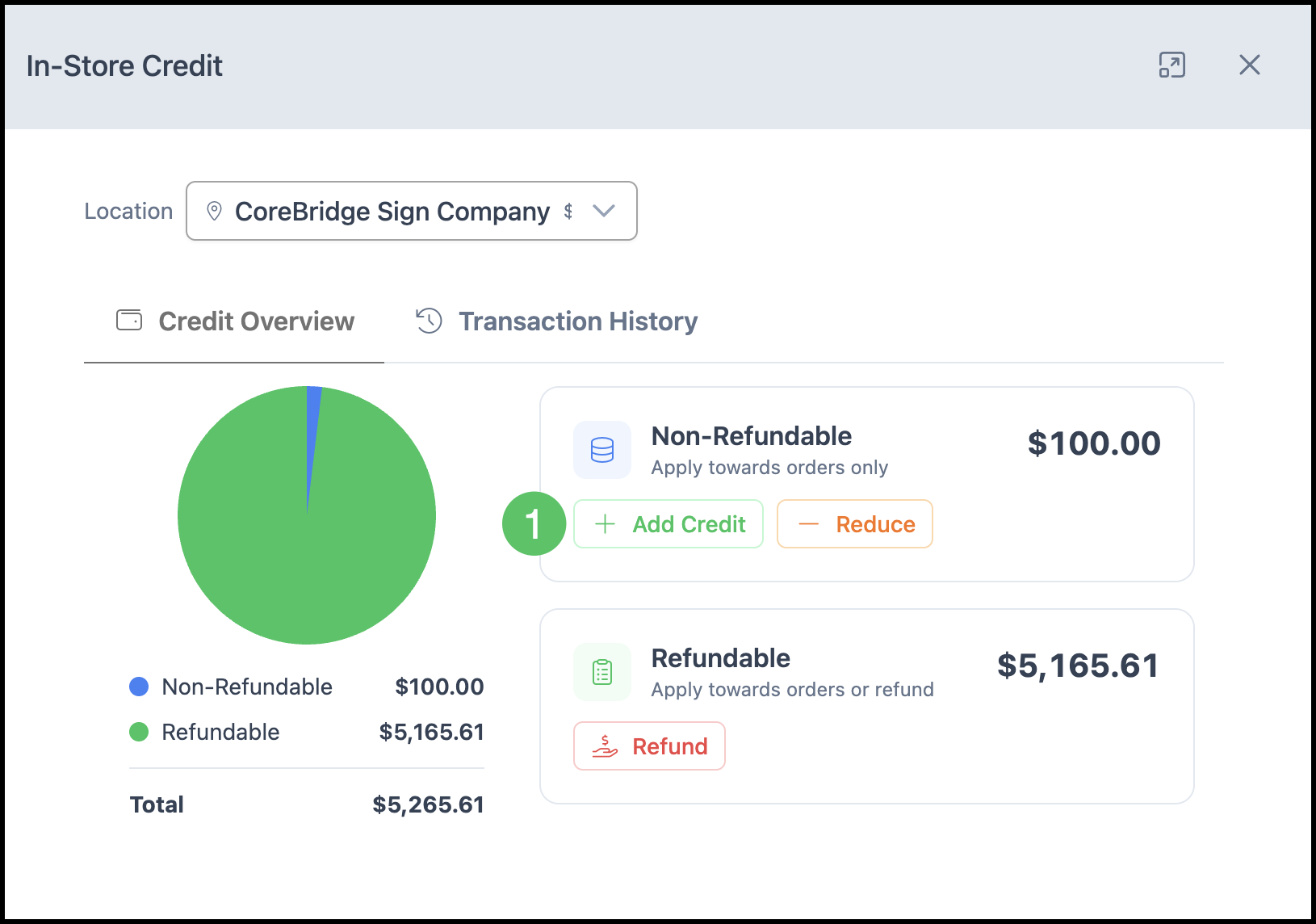
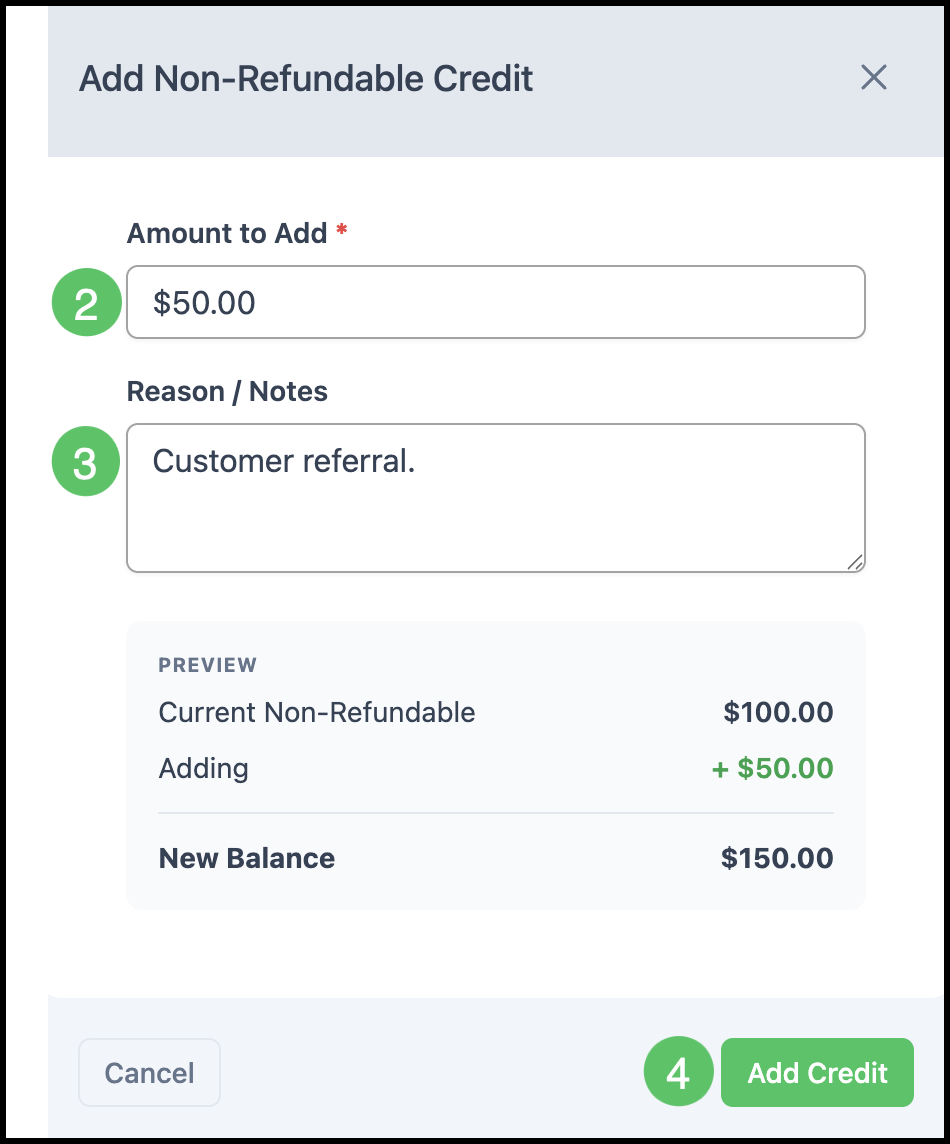
1. Click Add Credit.
2. Enter the Amount to Add.
3. Optionally enter Reason / Notes.
4. Click Add Credit.
Reducing Non-Refundable Credit
1. Click Reduce.
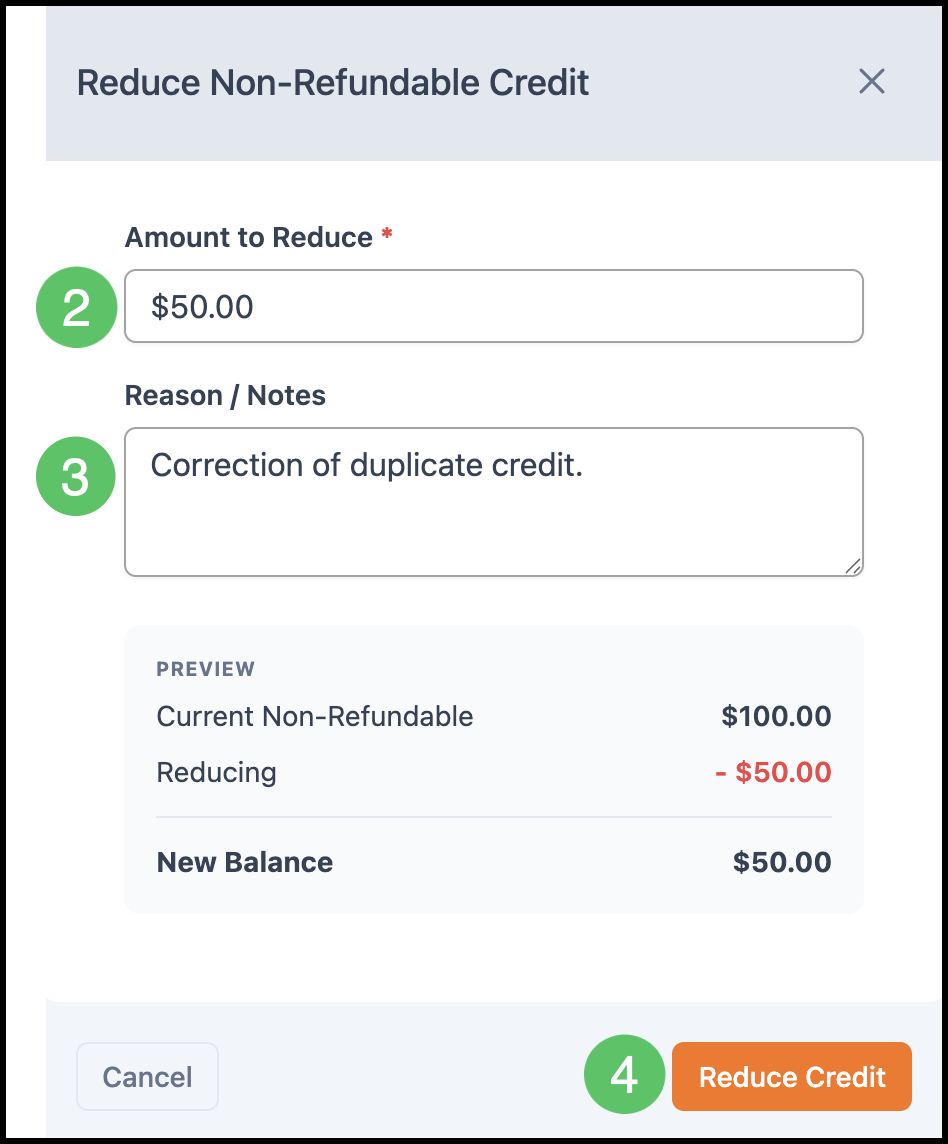
2. Enter the Amount to Reduce.
3. Optionally enter Reason / Notes.
4. Click Reduce Credit.
Refunding Refundable Credit to the Customer
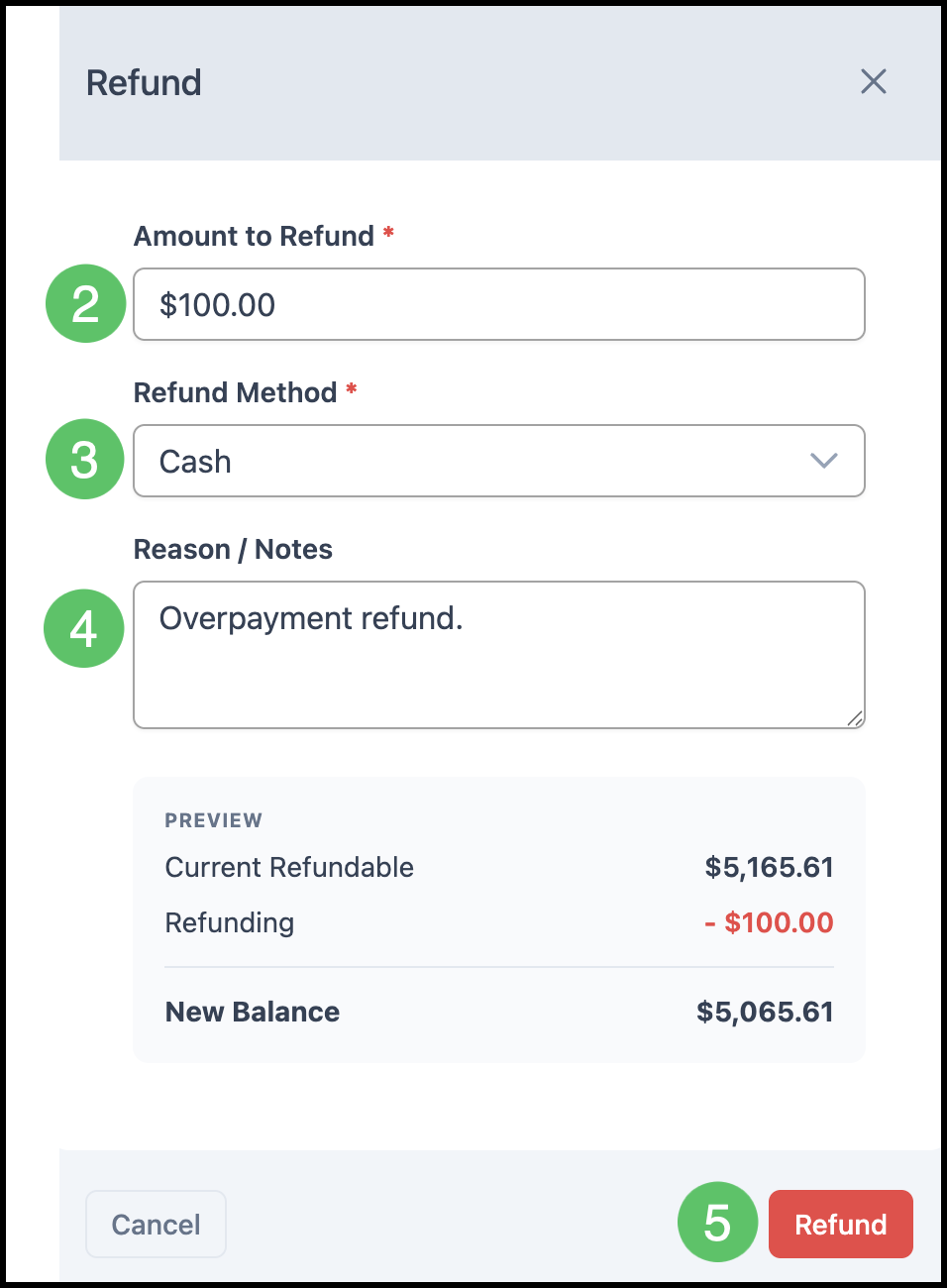
1. Click Refund.
Note: Use Refundable Credit when returning available credit to the customer by cash or check. This is different from refunding a payment back to credit.
2. Enter the Amount to Refund.
3. Select a Refund Method such as Cash or Check.
4. Click Refund.
Transaction History
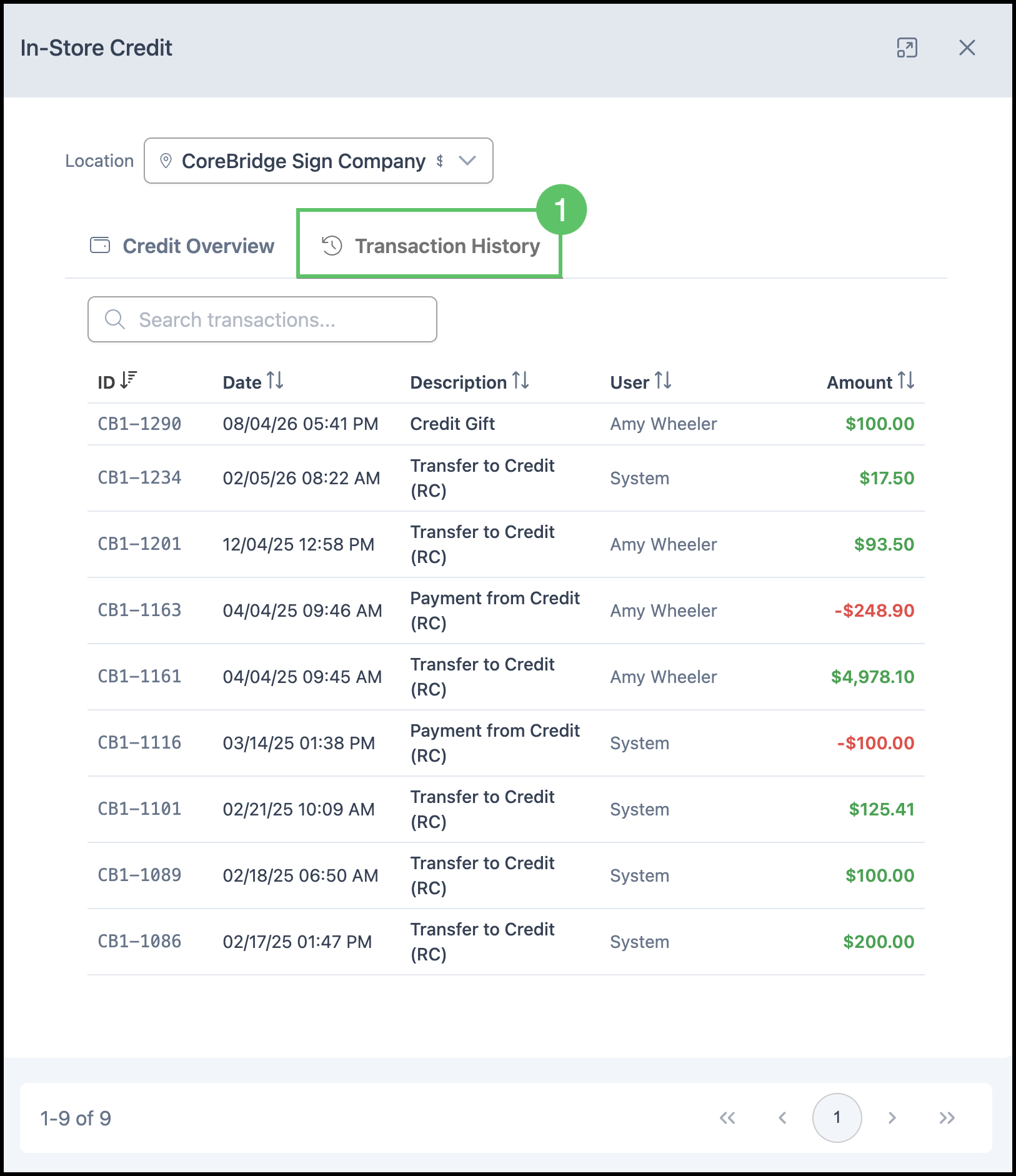
1. In the In-Store Credit dialog, select the Transaction History tab to review credit additions, reductions, refunds, and payments applied from credit.
Note: Examples include Transfer to Credit (RC) when a payment is refunded to credit, and Payment from Credit (RC) when credit is applied to an order.