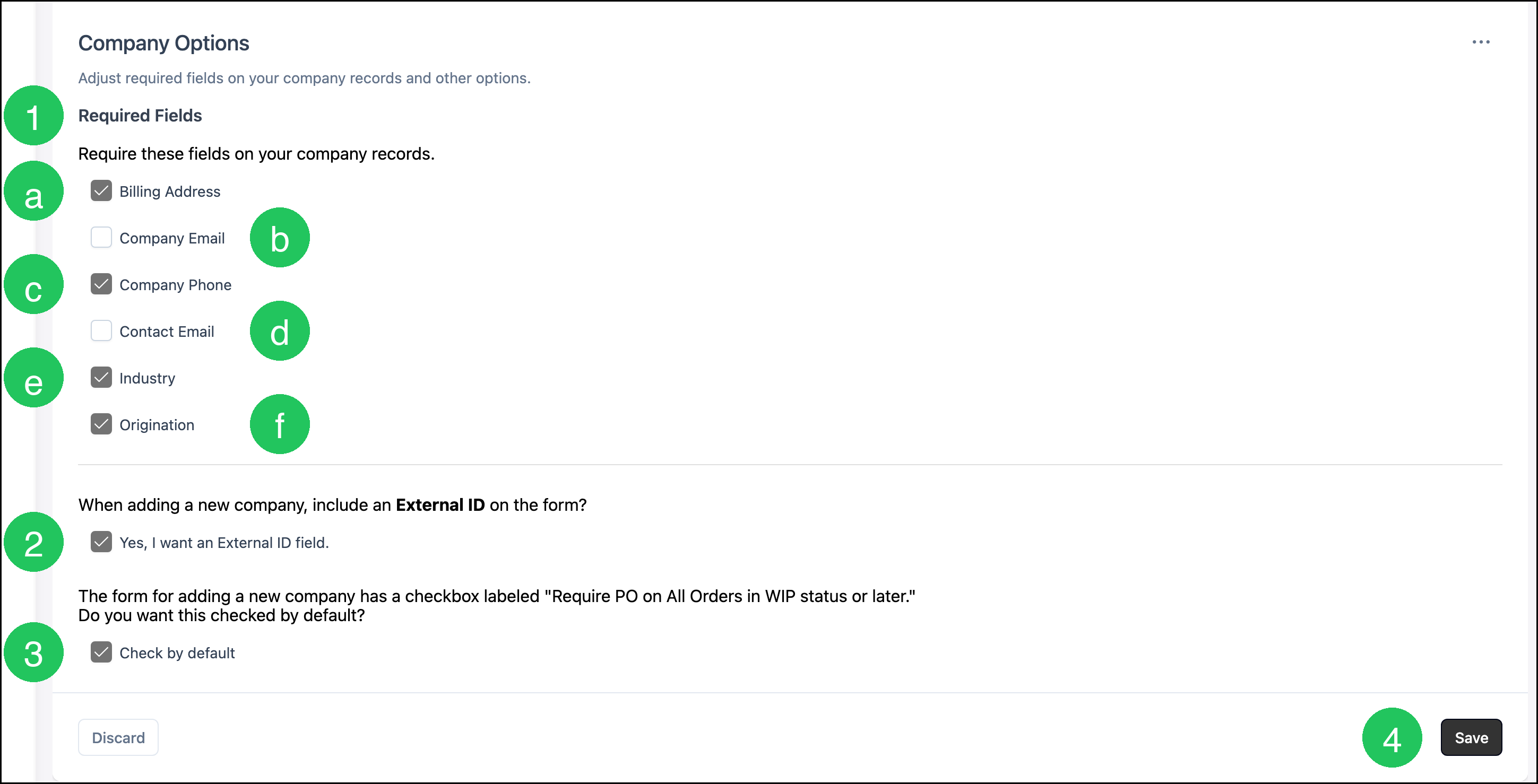
Company Options sets which fields are required on a Company, whether an External ID field appears when a Company is added, and whether Require PO on All Orders in WIP status or later starts checked on a new Company. These choices are made on the Company Options screen. A required field shows a red asterisk and must be completed before that Company can be saved.
Company Options
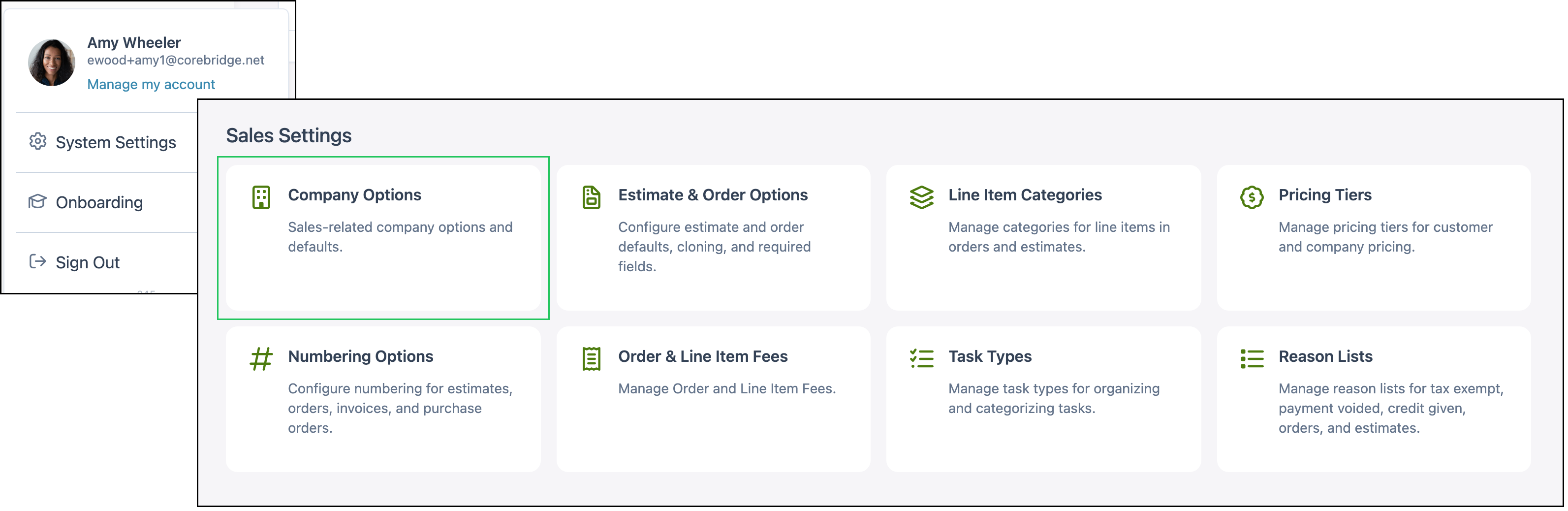
Navigate to System Settings / Sales Settings / Company Options.
1. Select the fields under Required Fields that must be completed on a Company.
Note: A required field shows a red asterisk. The field must be completed before the Company can be saved.
a. Billing Address requires a billing address when a Company is added.
Note: When Billing Address is selected, a walk-in Customer also needs an address.
b. Company Email is the email for the Company.
c. Company Phone requires a phone number when a Company is added. On Add Company, the required field is Phone under Company Details. The phone on the Primary Contact is separate. An existing Company is edited in Edit Company, which stays available when Company Phone is selected.
d. Contact Email is the email for the Contact associated with the Company.
e. Industry is what the Company specializes in.
f. Origination is how the Customer first found the business.
Note: Required fields that appear on Edit Company, such as Industry and Origination, show a red asterisk there as well.
2. Select Yes, I want an External ID field. to include an External ID when a Company is added. The field stores an identification number from another system.
3. Select Check by default so Require PO on All Orders in WIP status or later starts checked on a new Company.
4. Click Save.
Note: Save becomes available after a choice changes. Discard returns the screen to the last saved choices.