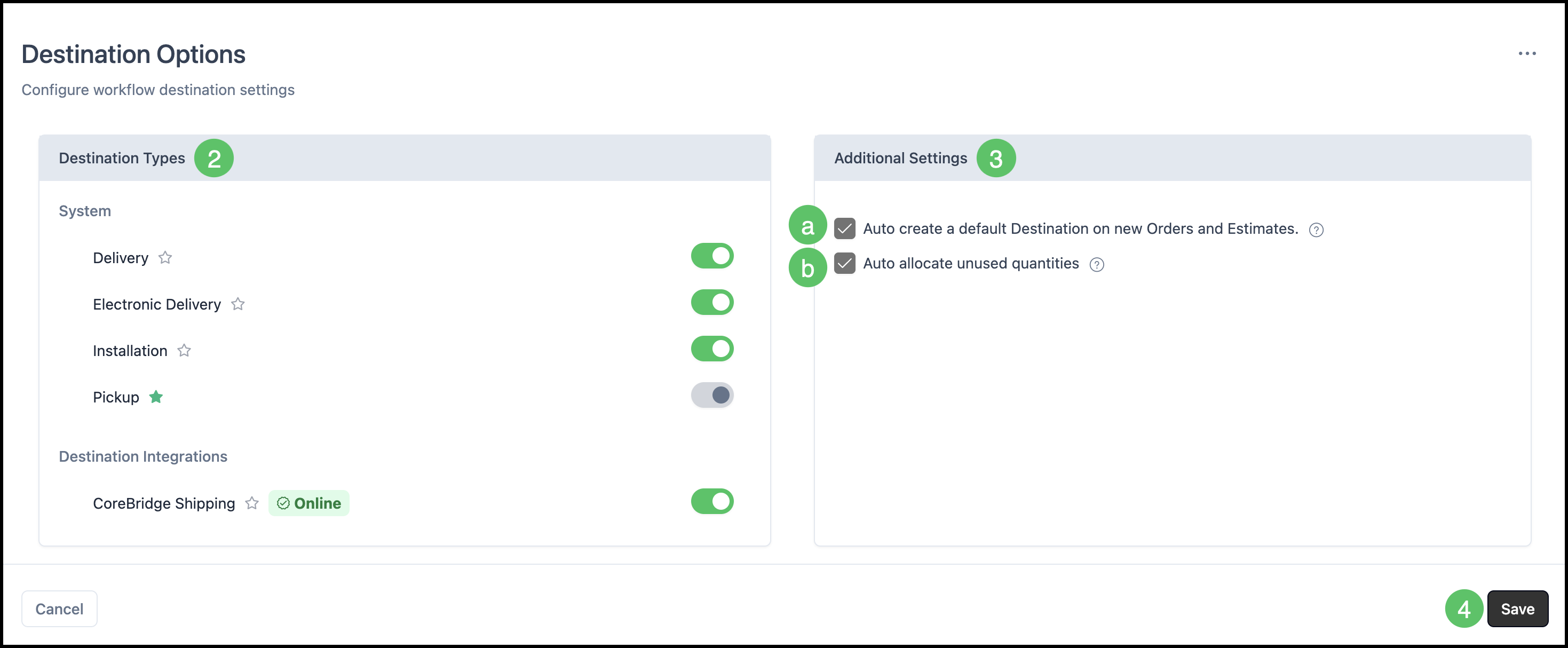
Destinations define how products are delivered to a Customer. Common Destination options include Delivery, Electronic Delivery, Installation, Pickup, and Shipping Online.
This article covers how to configure Destination options and set defaults.
For more information on using Destination, please see Using Destinations.
Table of Contents
Destination Options in Settings
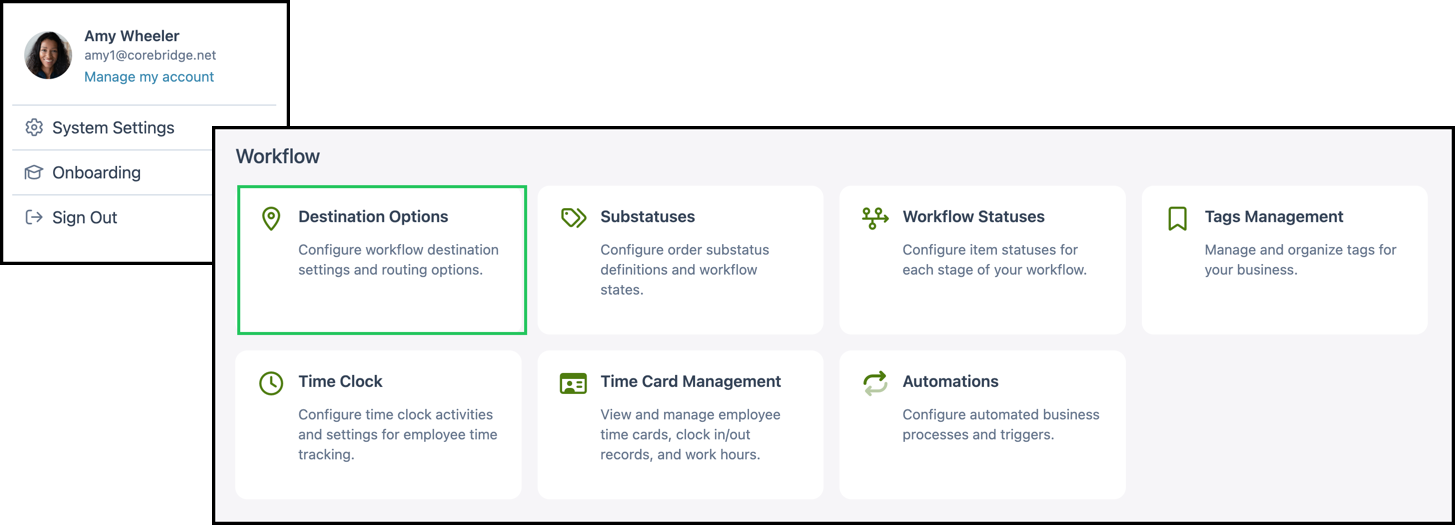
Navigate to System Settings / Workflow / Destination Options.
2. Set your Destination Types. Each row uses a toggle switch so you can enable or disable that type for your business.
Note: Selecting the star icon makes that type the default Destination. The default cannot be toggled off.
For more information on CoreBridge Shipping, please see Setting Up CoreBridge Shipping or Using CoreBridge Shipping.
3. Set Additional Settings.
a. Auto create a default Destination on new Orders and Estimates means that a first Destination row is created automatically using your default type.
b. Auto allocate unused quantities means that remaining line quantities roll to the default Destination when that fits your workflow.
4. Click Save.