
When proofs are posted on an Estimate and the Customer approves, the Estimate can convert to an Order. Whether those proofs appear on the new Order depends on Copy Approvals in Estimate and Order Options. When this option is off, proofs and approvals may not carry over. This is expected behavior.
Table of Contents
- Important Information
- How to Enable Copy Approvals
- What Copy Approvals Does
- Frequently Asked Questions
- Related Articles
Important Information
Enabling Copy Approvals applies to new conversions going forward. Orders that already converted while this option was unchecked do not automatically receive the missing proofs.
The Estimates tab has a matching Copy Approvals option. That option applies when you clone an Estimate. Use the Orders tab when you want proofs to carry over after an Estimate converts to an Order.
How to Enable Copy Approvals
Navigate to Settings / Sales / Estimate and Order Options.
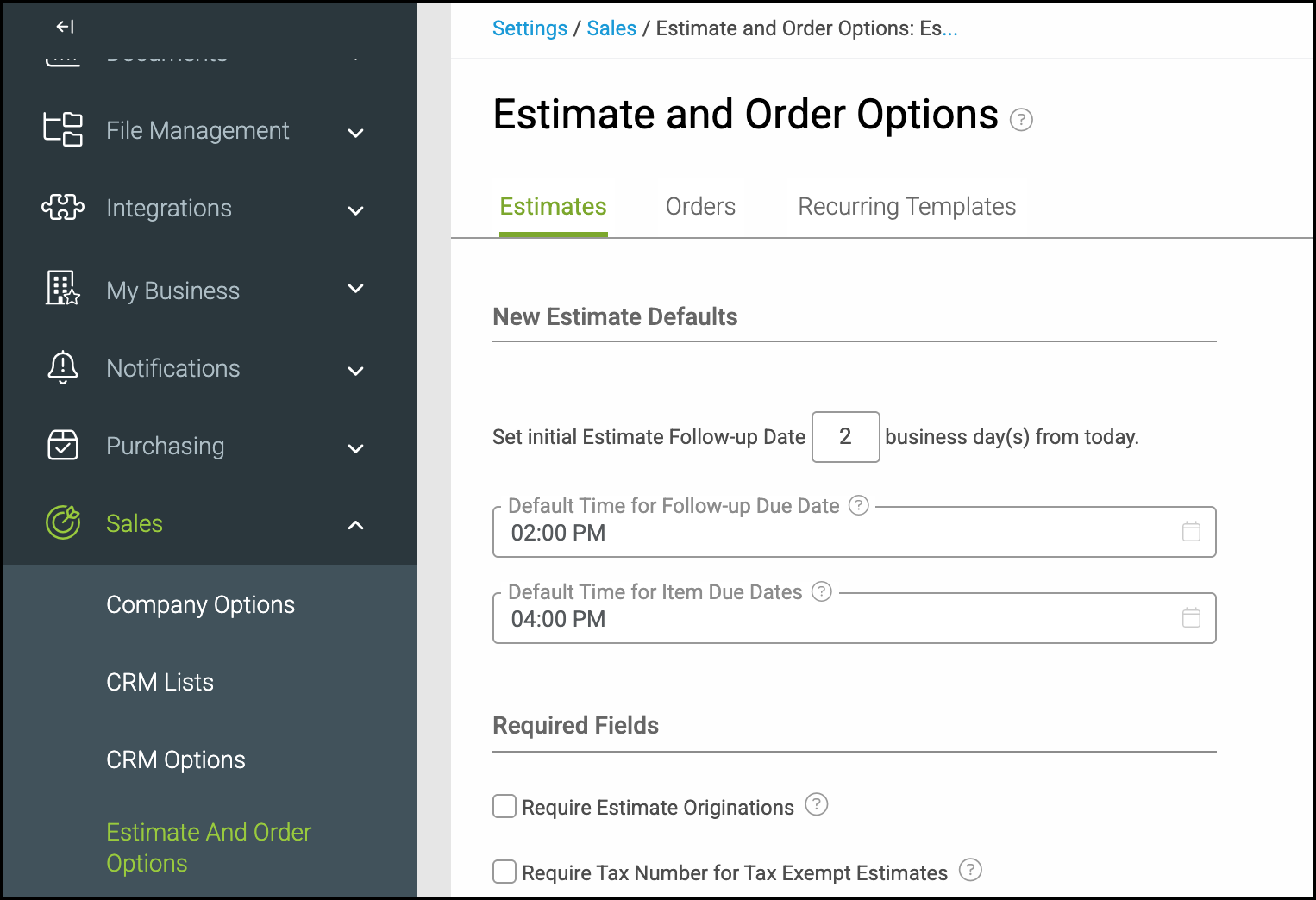
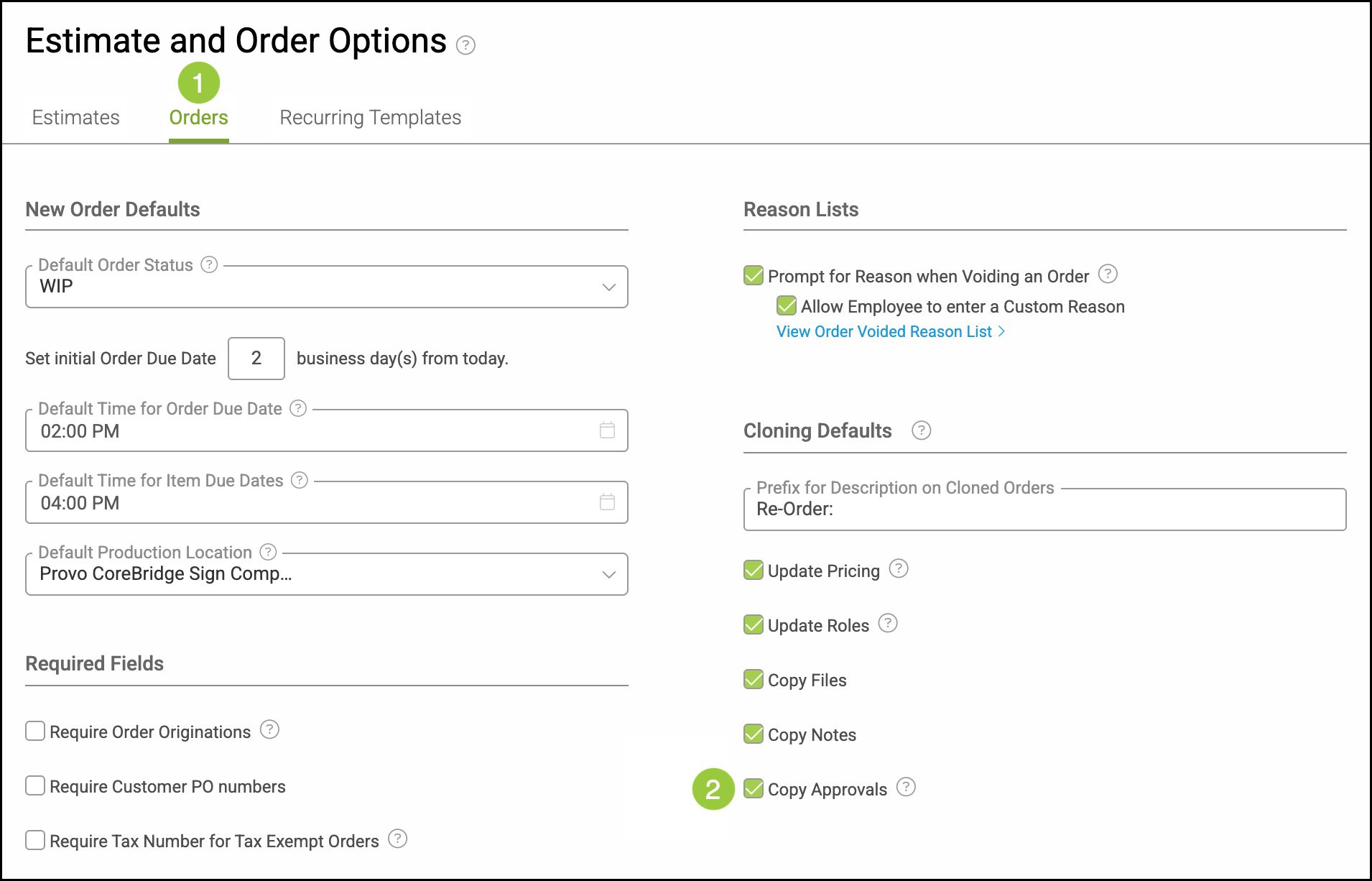
1. Click the Orders tab.
2. Check Copy Approvals.
Note: Changes save automatically. The screen shows Saved when the change is stored.
What Copy Approvals Does
When Copy Approvals is checked, approvals and the related proofs from the Estimate carry over to the newly created Order after the Estimate is approved and converts.
Other Cloning Defaults options on the same screen control related carry-over behavior. They are separate from Copy Approvals:
Copy Files
Copy Notes
Update Pricing
Update Roles
Frequently Asked Questions
1. Why did proofs disappear after the Estimate was approved?
Answer: If Copy Approvals is unchecked on the Orders tab, proofs and approvals from the Estimate may not carry over to the new Order. This is expected behavior. Enable the option before converting future Estimates.
2. Does enabling Copy Approvals add proofs to Orders that already converted?
Answer: No. The setting applies to new conversions after it is enabled. Existing Orders that converted while Copy Approvals was unchecked do not automatically receive missing proofs from this option alone.
3. What is the difference between Copy Approvals and Copy Files?
Answer: Copy Approvals carries over approvals and the related proofs. Copy Files is a separate Cloning Defaults option for files on the record. Check each option you want to carry over.