
The Chart of Accounts provides a structured framework for organizing and categorizing financial transactions. Default General Ledger (GL) Accounts are specific accounts selected from within the Chart of Accounts and assigned to commonly recurring transactions or system processes. These act as predefined destinations for financial entries, reducing manual data entry and ensuring consistency. For more information on chart of accounts, please see Managing Chart of Accounts
Table of Contents
Setting up Default GL Accounts
Setting up Default General Ledger Accounts for material, labor, machine, and assemblies ensures that when new components are added, income and expense are properly allocated for each component. Taxability codes are defaulted by material, labor, and assemblies to default how a component will be taxed.
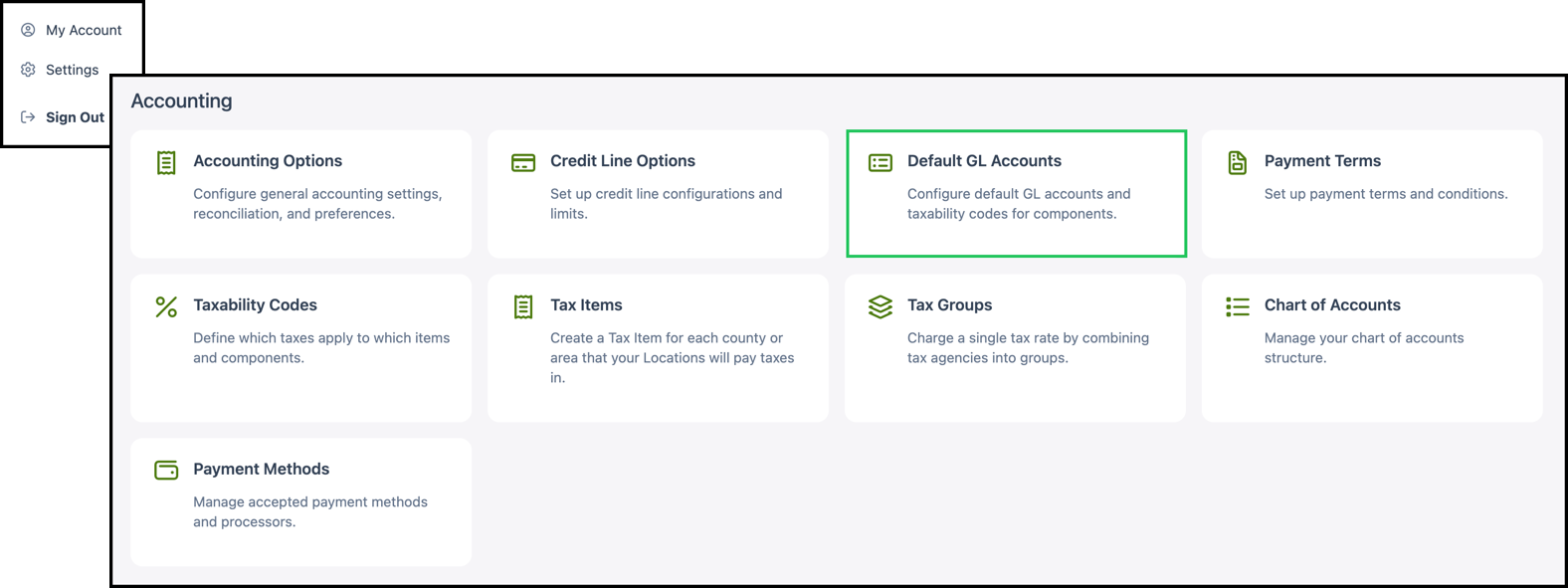
Navigate to Settings / Accounting / Default GL Accounts.
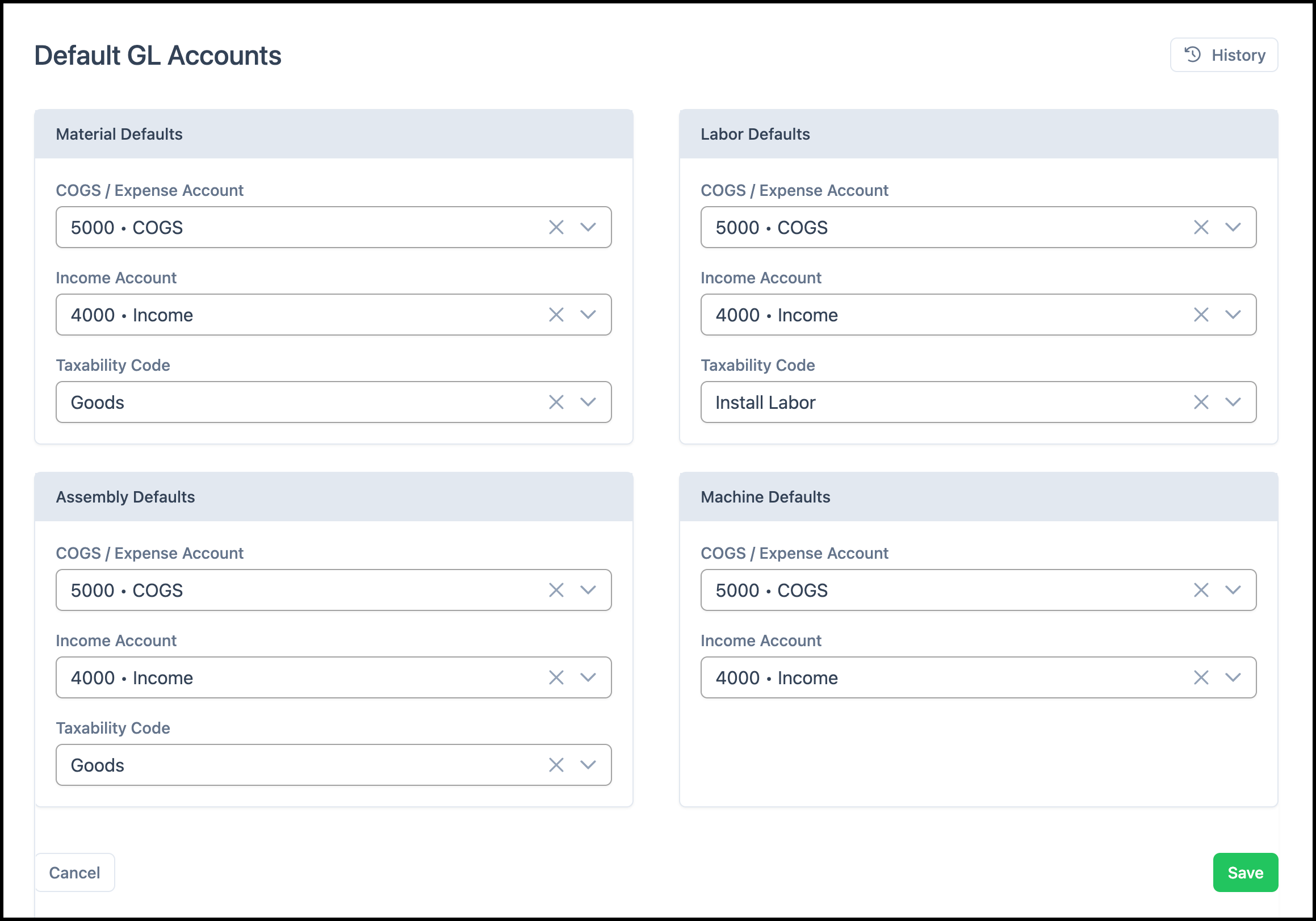
The page is organized into four sections: Material Defaults, Labor Defaults, Assembly Defaults, and Machine Defaults. Use the dropdowns in each section to select the default accounts and, where applicable, the default taxability code. When you have finished making changes, click Save.
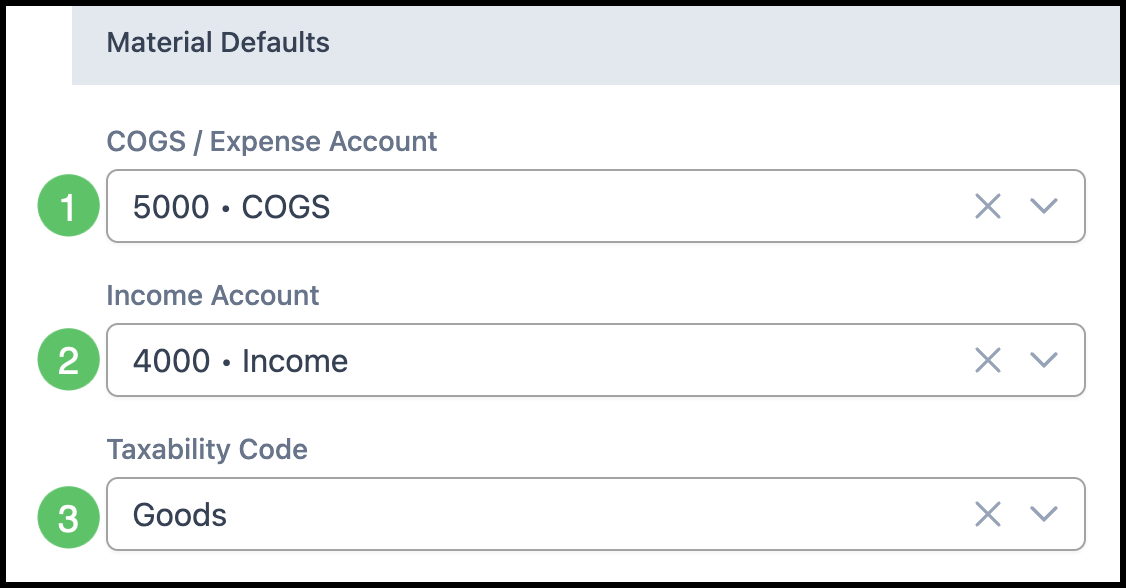
Material Defaults
Materials are the physical goods used to make items. These accounts will be the default when new materials are entered into the system.
Note: Accounts and taxability codes can be changed for individual materials as needed.
1. Select a default COGS / Expense Account.
2. Select a default Income Account.
3. Select a default Taxability Code.
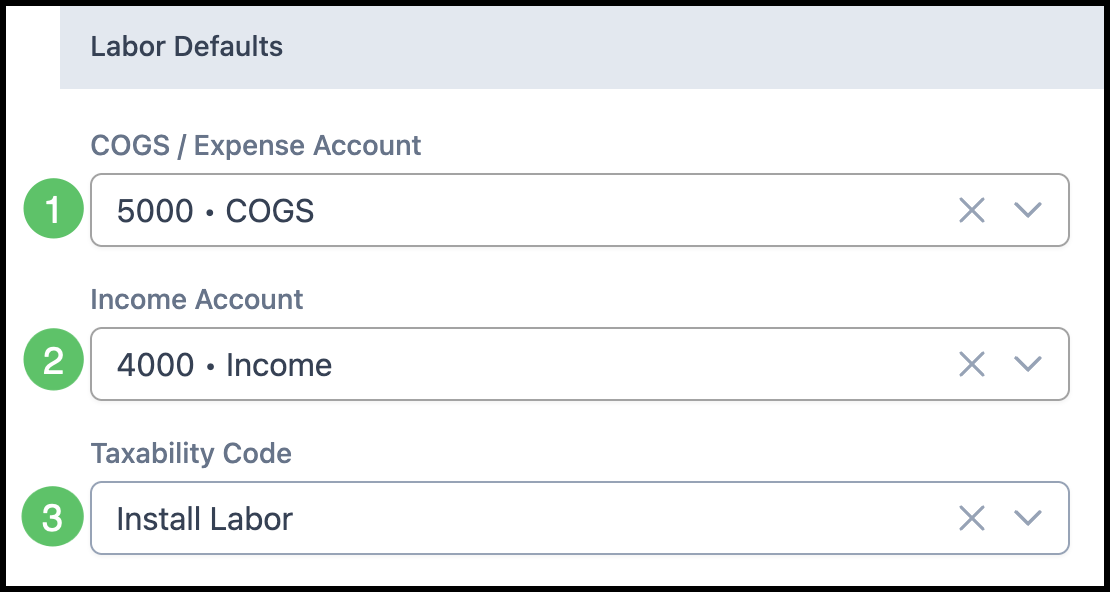
Labor Defaults
Labor is the effort spent on creating items. These accounts will be the default when new labors are entered into the system.
Note: Accounts and taxability codes can be changed for individual labors as needed.
1. Select a default COGS / Expense Account.
2. Select a default Income Account.
3. Select a default Taxability Code.
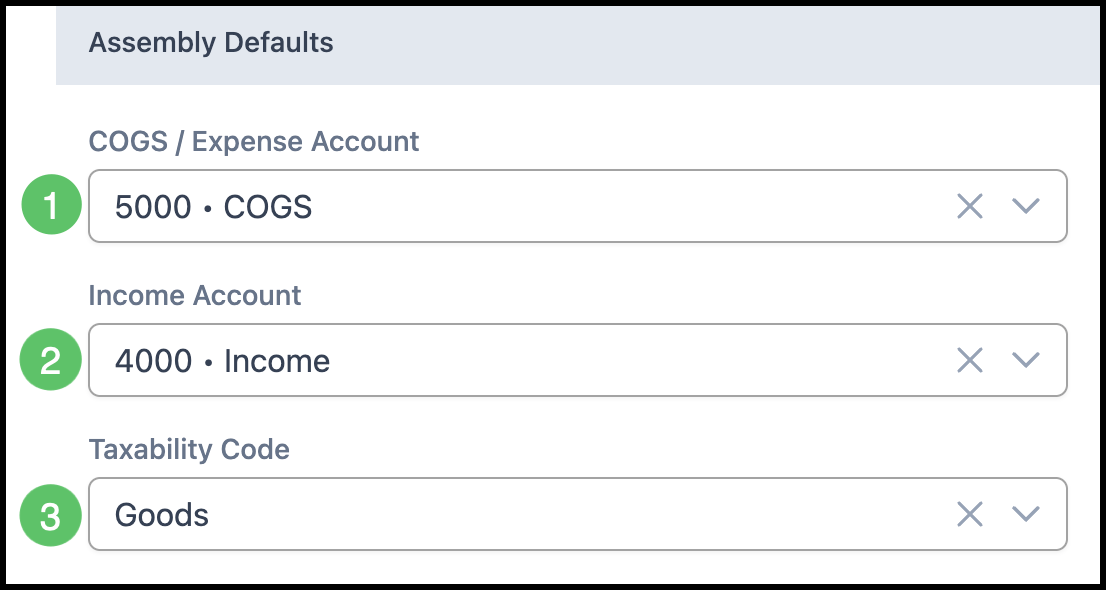
Assembly Defaults
Assemblies are the products produced by adding together material, labor, and machines. These accounts will be the default when new assemblies are created in the system.
Note: Accounts and taxability codes can be changed for individual assemblies, both parent and child assemblies, as needed.
1. Select a default COGS / Expense Account.
2. Select a default Income Account.
3. Select a default Taxability Code.
Machine Defaults
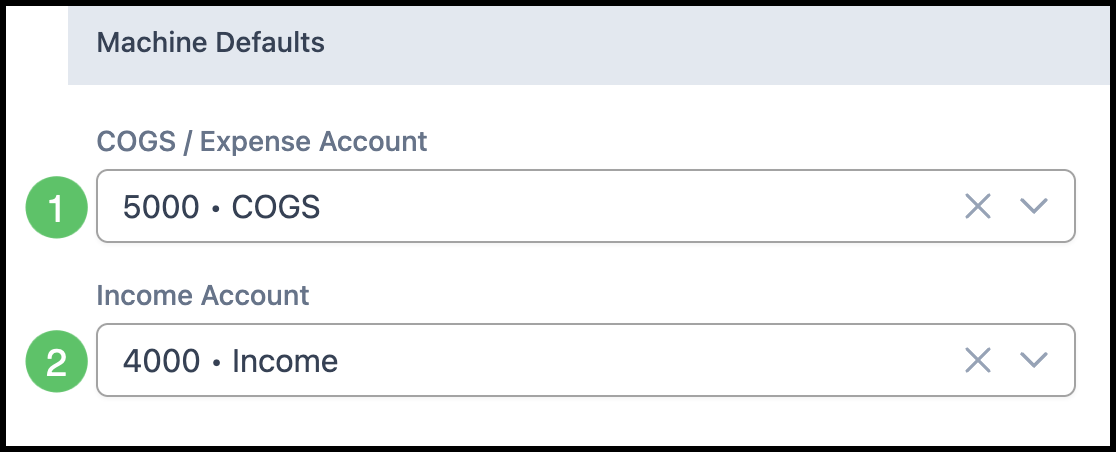
Machines are used to create items. These accounts will be the default when new machines are entered into the system.
Note: Accounts can be changed for individual machines as needed.
1. Select a default COGS / Expense Account.
2. Select a default Income Account.
When you have finished making changes, click Save.