
Currency, date and time format, and unit preferences are all managed in Localization Settings. Updating these settings configures regional formats to match your business's location and reporting needs.
Table of Contents
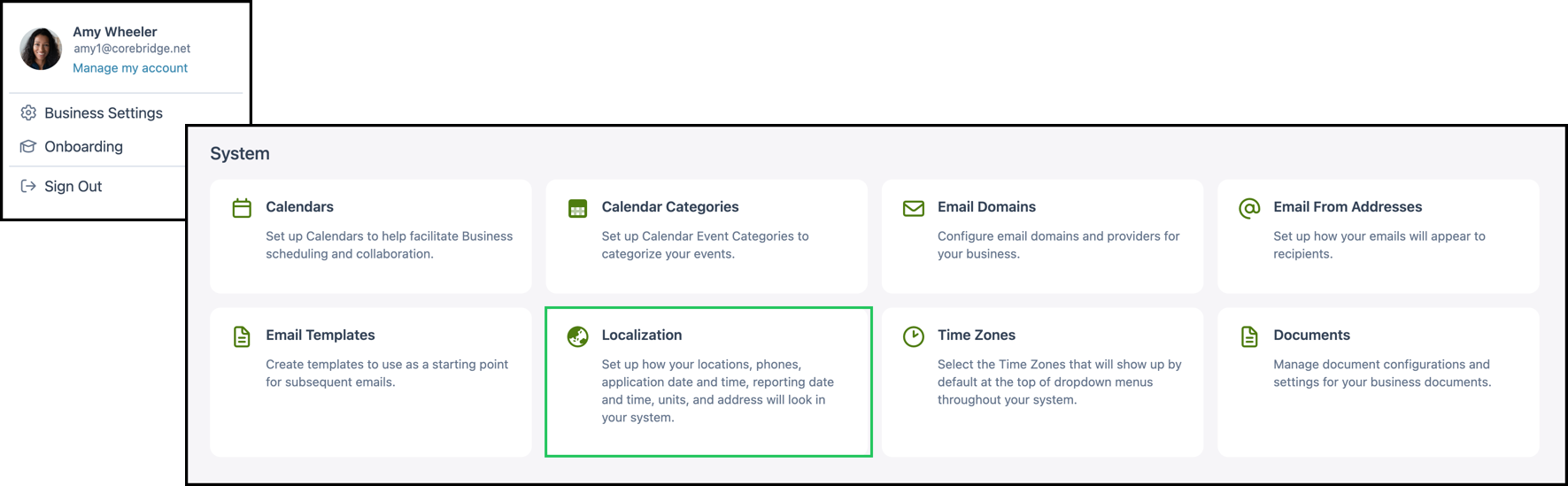
Navigate to Business Settings / System / Localization.
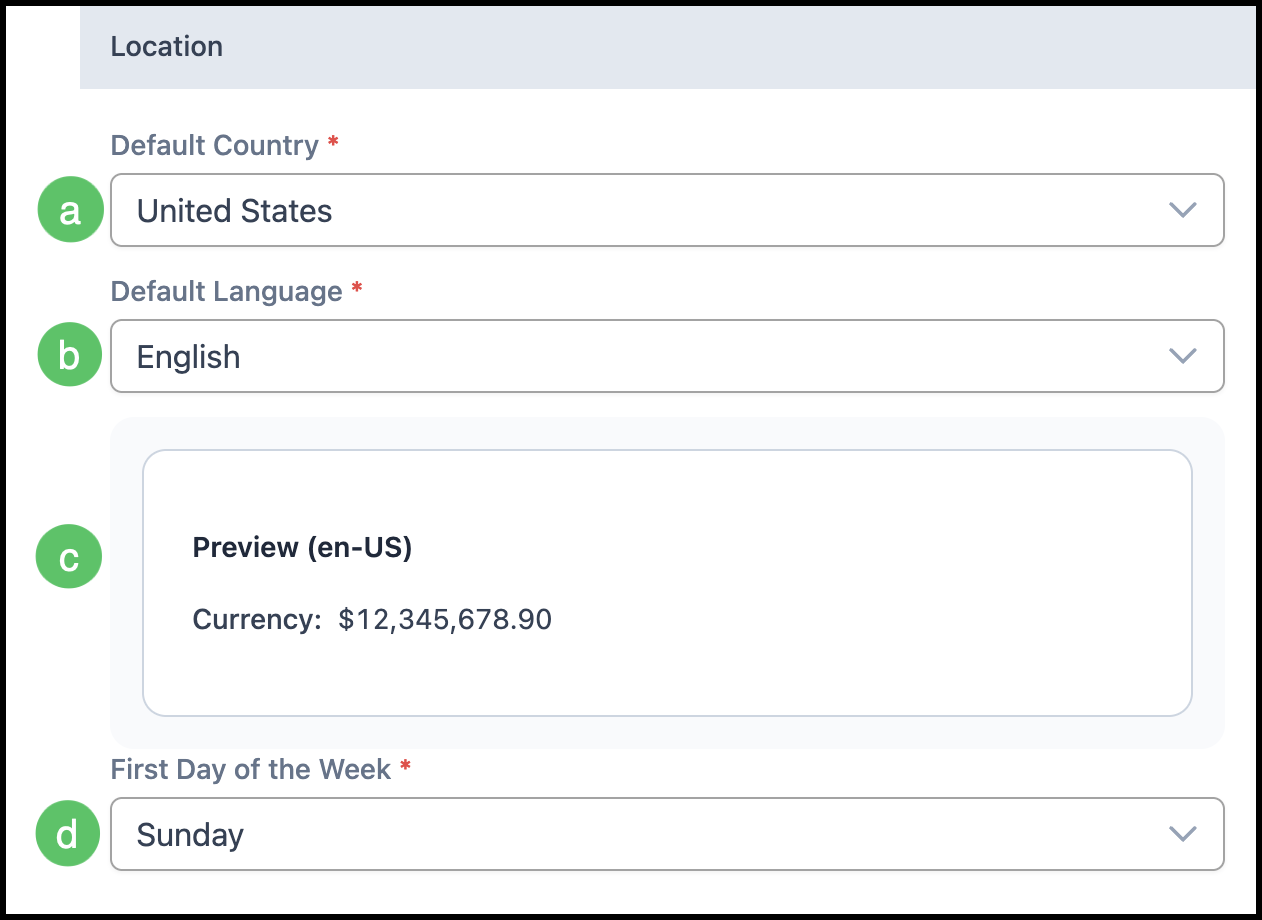
Location
The Location section controls the default country and language for your system, which in turn affects how currency and other regional formats are displayed.
Note: Required fields are marked with a red asterisk.
a. Default Country - The country used for regional defaults.
b. Default Language - The default language for the system.
c. Preview - A preview showing how currency will display based on your Location settings.
d. First Day of the Week - The day that appears as the first day in calendars and week-based views.
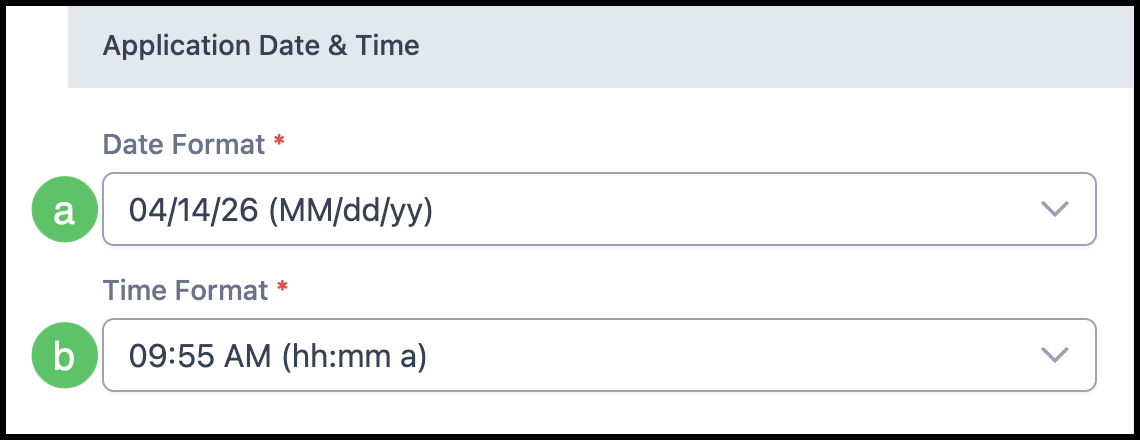
Application Date & Time
The Application Date & Time section defines how dates and times are displayed and entered throughout the application (for example, in forms, Orders, and Estimates).
Note: Required fields are marked with a red asterisk.
a. Date Format - The format used for dates in the application. An example of the selected format is shown in the dropdown.
b. Time Format - The format used for times in the application. An example of the selected format is shown in the dropdown.
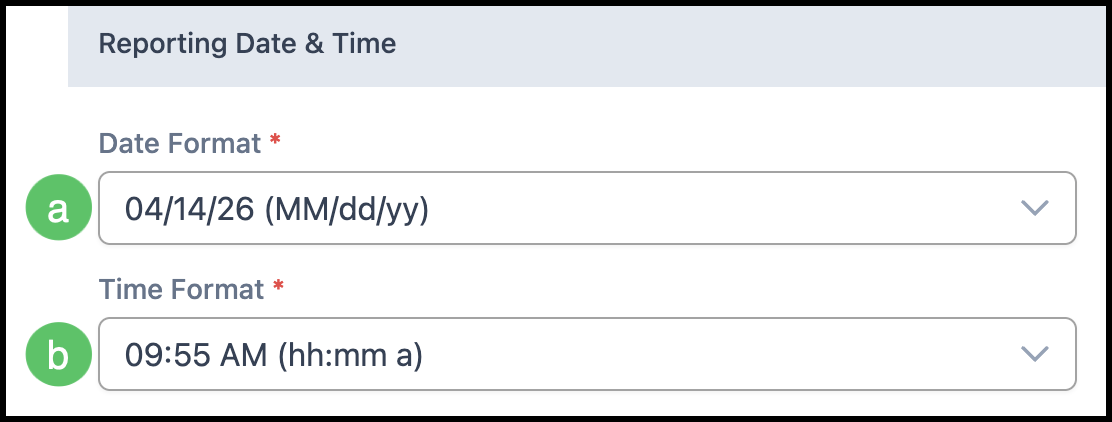
Reporting Date & Time
The Reporting Date & Time section defines how dates and times appear in reports. These settings are independent from Application Date & Time settings, so reports can use a format that fits your reporting needs.
Note: Required fields are marked with a red asterisk.
a. Date Format - The format used for dates in reports. Select from the dropdown.
b. Time Format - The format used for times in reports. Select from the dropdown.
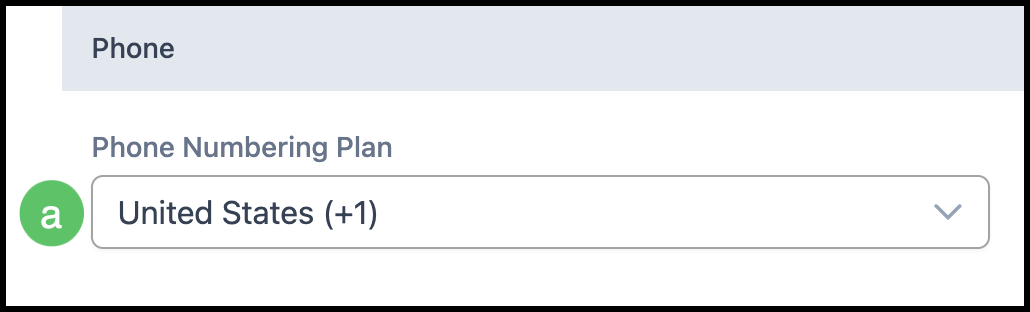
Phone
The Phone section controls how phone numbers are formatted and validated in the system.
a. Phone Numbering Plan - The numbering plan used for phone numbers. Affects how phone numbers are displayed and validated.
Units
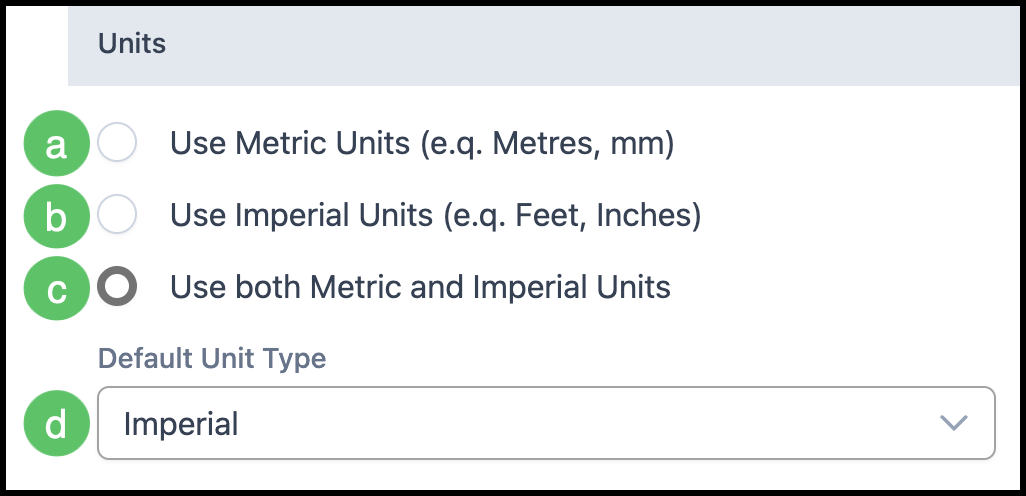
The Units section lets you choose whether the system uses metric units, imperial units, or both, and which type is the default.
a. Use Metric Units - Configures the system to use metric units only.
b. Use Imperial Units - Configures the system to use imperial units only.
c. Use both Metric and Imperial Units - Allows both unit types to be used in the system.
d. Default Unit Type - When both metric and imperial are enabled, this dropdown sets which unit type is used by default.
Address
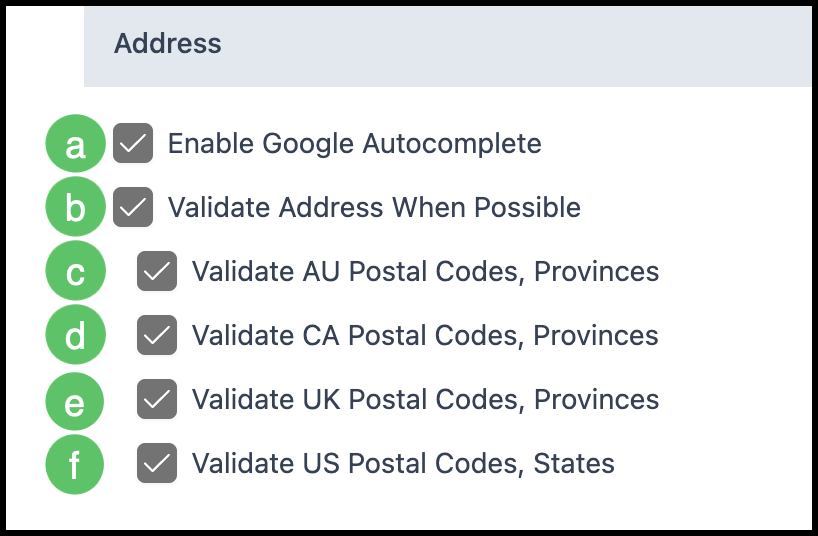
The Address section controls address entry and validation behavior.
a. Enable Google Autocomplete - When enabled, address fields can use Google Autocomplete to suggest addresses as users type.
b. Validate Address When Possible - When enabled, the system will validate addresses when validation is available.
c. Validate AU Postal Codes, Provinces - When enabled, Australian postal codes and provinces are validated.
d. Validate CA Postal Codes, Provinces - When enabled, Canadian postal codes and provinces are validated.
e. Validate UK Postal Codes, Provinces - When enabled, UK postal codes and provinces are validated.
f. Validate US Postal Codes, States - When enabled, US postal codes and states are validated.
When you have finished updating Localization settings, click the Save button to apply your changes. Click Discard to cancel changes and leave the page.