
CoreBridge uses accrual accounting. Income is recorded when an Order is invoiced, not when payment is received. This article explains how that differs from cash accounting, how CoreBridge records income on Orders, and which reports to use when you want to see billed sales versus money received.
Table of Contents
- Important Information
- Accrual Accounting
- Cash Accounting
- How CoreBridge Records Income
- How Payments Relate to Income
- Using Reports
- Accrual vs. Cash Example
- Frequently Asked Questions
- Related Articles
Important Information
- CoreBridge records income when an order is invoiced.
- A payment reduces BALANCE and records money received. It does not wait to record income until the payment date.
- Closed typically means the invoiced order is paid in full. Income was already recorded when the order was invoiced.
- Which method your business uses for tax reporting is a decision for you and a qualified accountant. CoreBridge always records income at invoice. Use Payments reports when you need to review money received.
Accrual Accounting
With accrual accounting, income is recorded when you bill the customer, even if they have not paid yet. Unpaid invoiced amounts remain on BALANCE until payment is applied.
This is the method CoreBridge uses.
Cash Accounting
With cash accounting, income is recorded when payment is received. An unpaid invoice would not count as income until the customer pays.
CoreBridge does not switch income posting to this method. Payments reports show when money was received, which is the view to use when you need cash activity.
How CoreBridge Records Income
Navigate to Sales / Orders and open an invoiced Order.
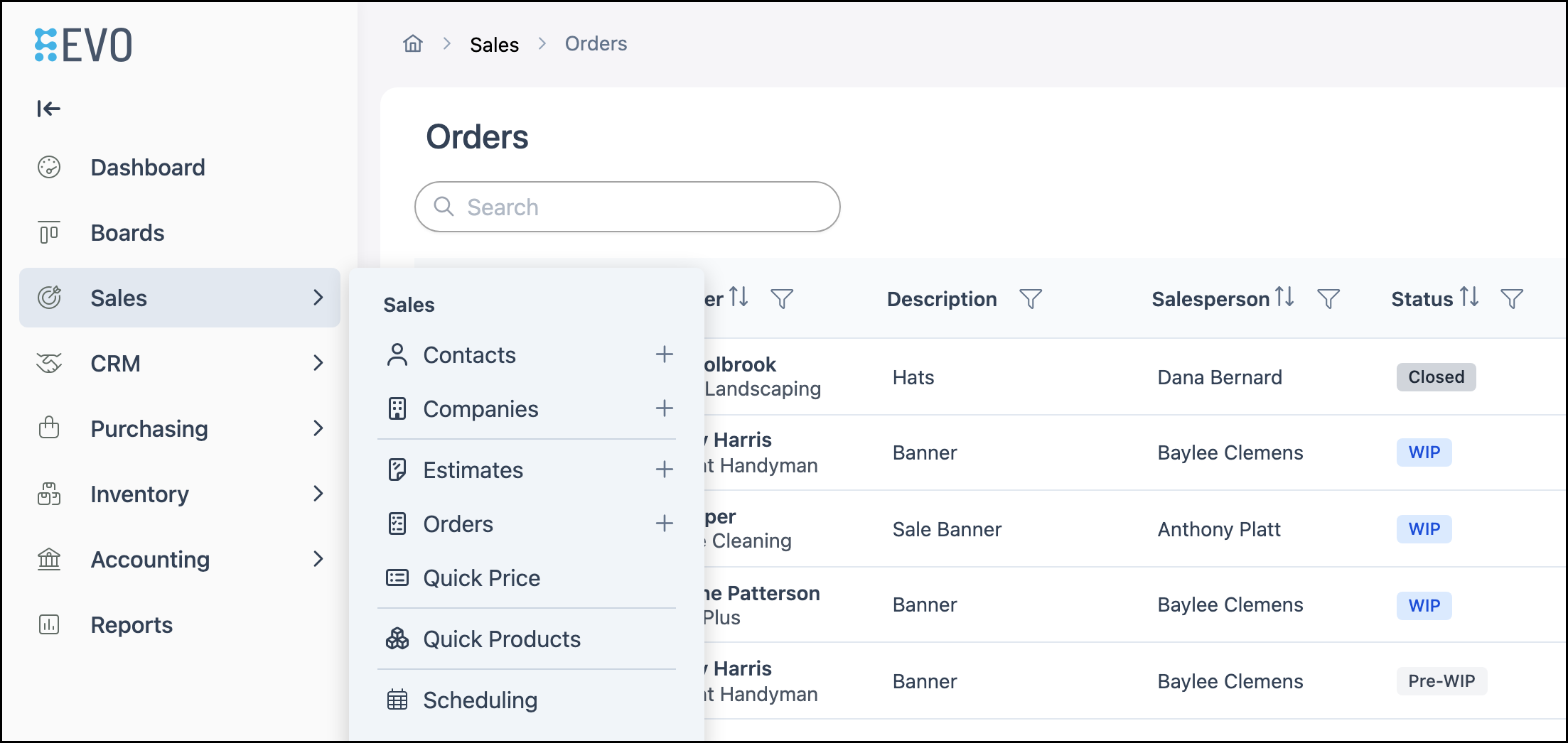
On the Orders list, invoiced orders often use an invoice number (for example, INV-). Status can include Closed after the order is invoiced and paid in full.
Note: This example shows an Order that has been paid in full.
a. CLOSED - Order status after invoicing, and typically after the balance is paid.
b. BALANCE - Amount still unpaid. $0.00 when paid in full.
c. Total - Billed amount. Payments do not change Total unless you change the billed lines.
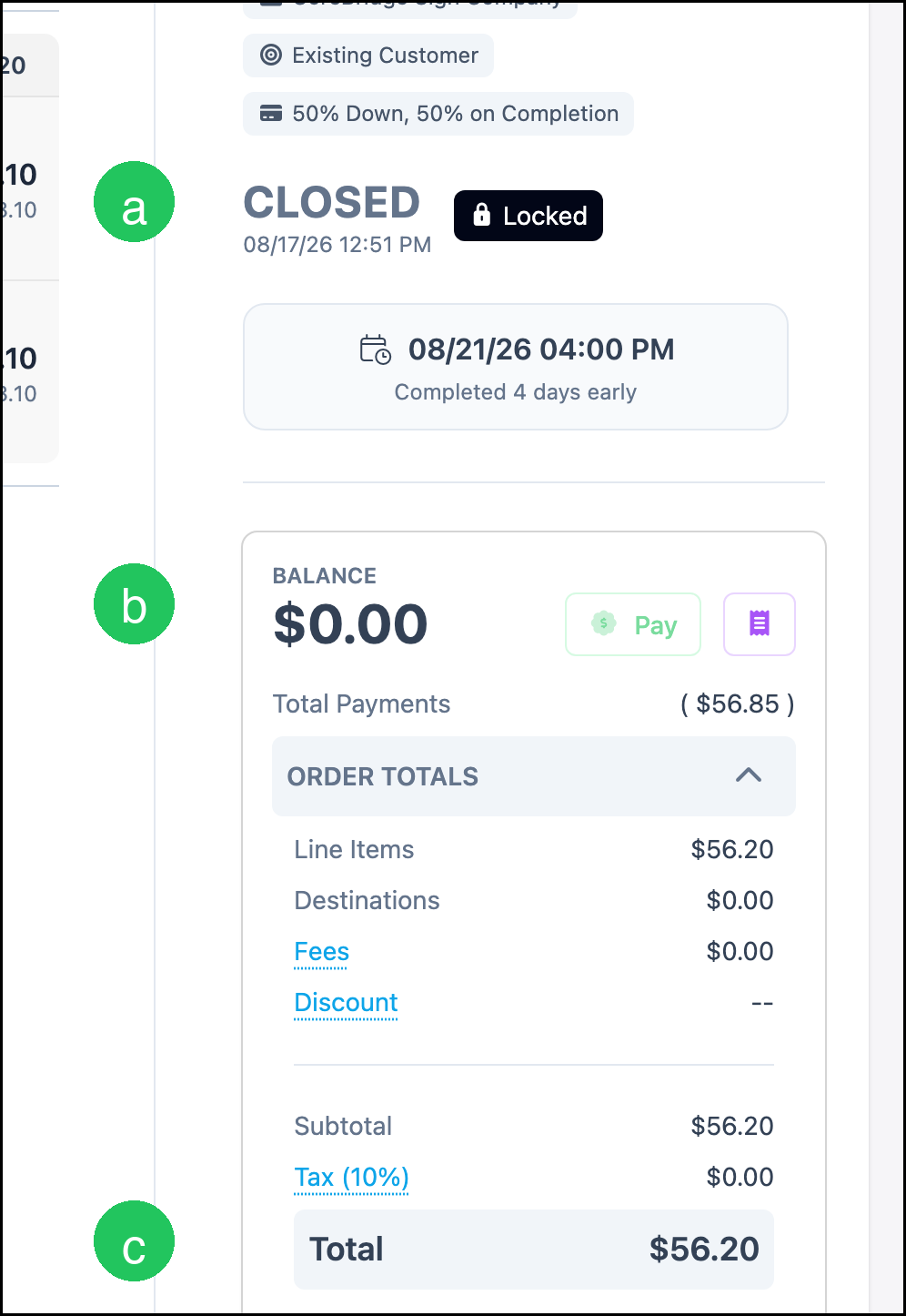
Note: Line Items on a Closed order can still show Invoiced. That is the point when income was recorded.
How Payments Relate to Income
Taking a payment reduces BALANCE and appears on Payments reports. You can take a payment with Pay on the order, or from Accounting / Make Payments. For the payment steps, see Taking Payments.
Using Reports
Navigate to Reports.
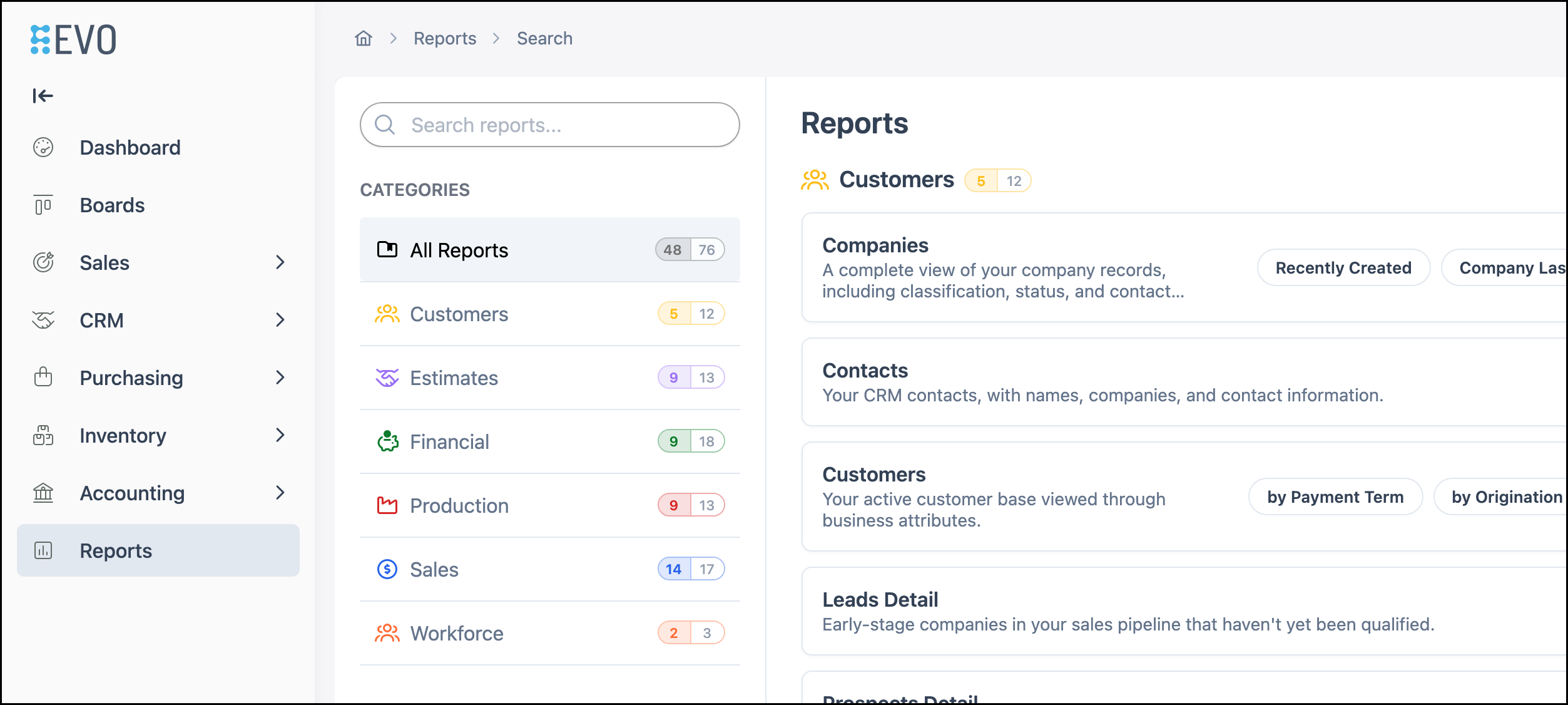
Use search on the Reports page to find the reports that match what you need to review.
a. Invoiced Orders reports - Billed income for the period (accrual).
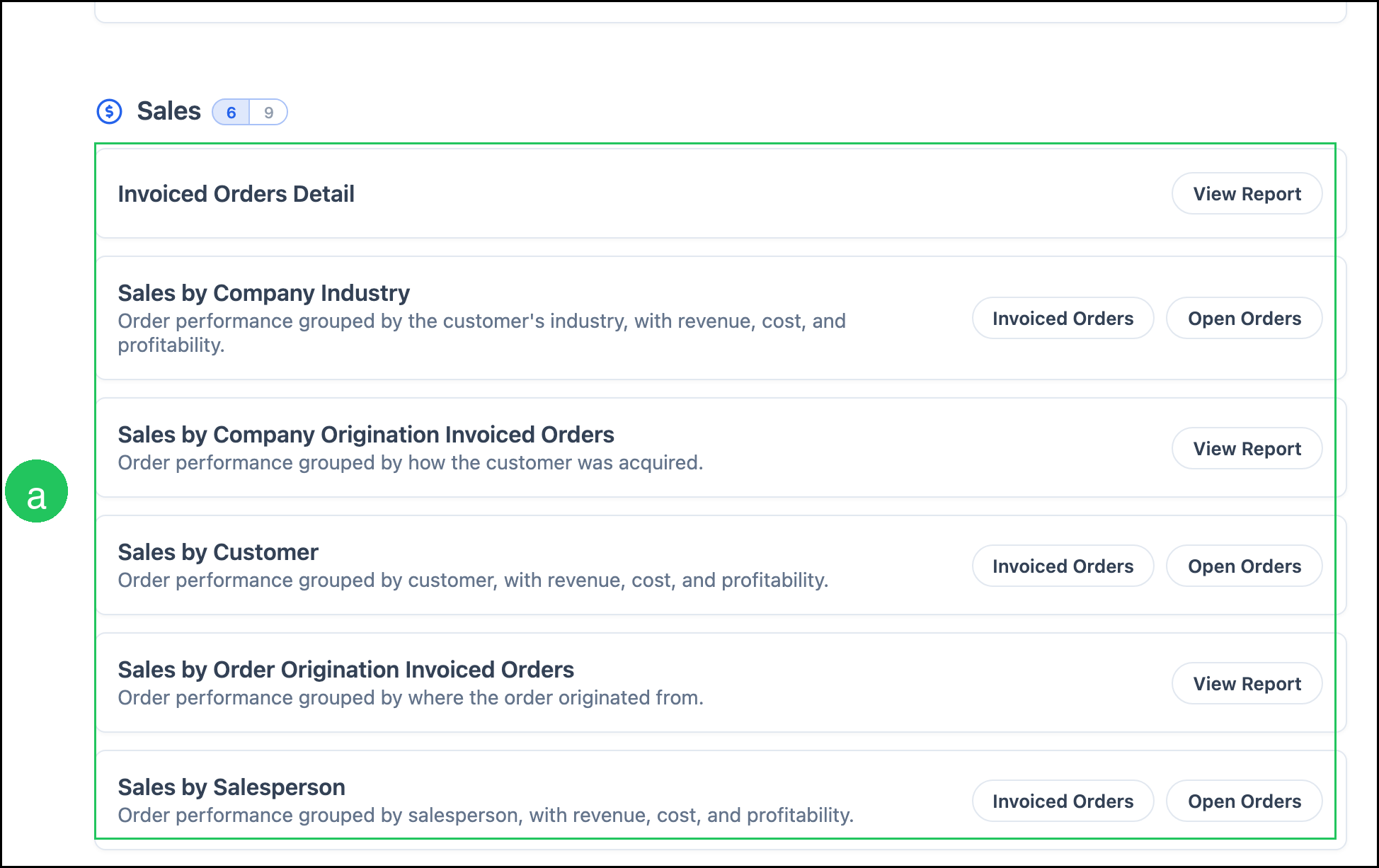
b. Payments reports - Money received (cash activity).
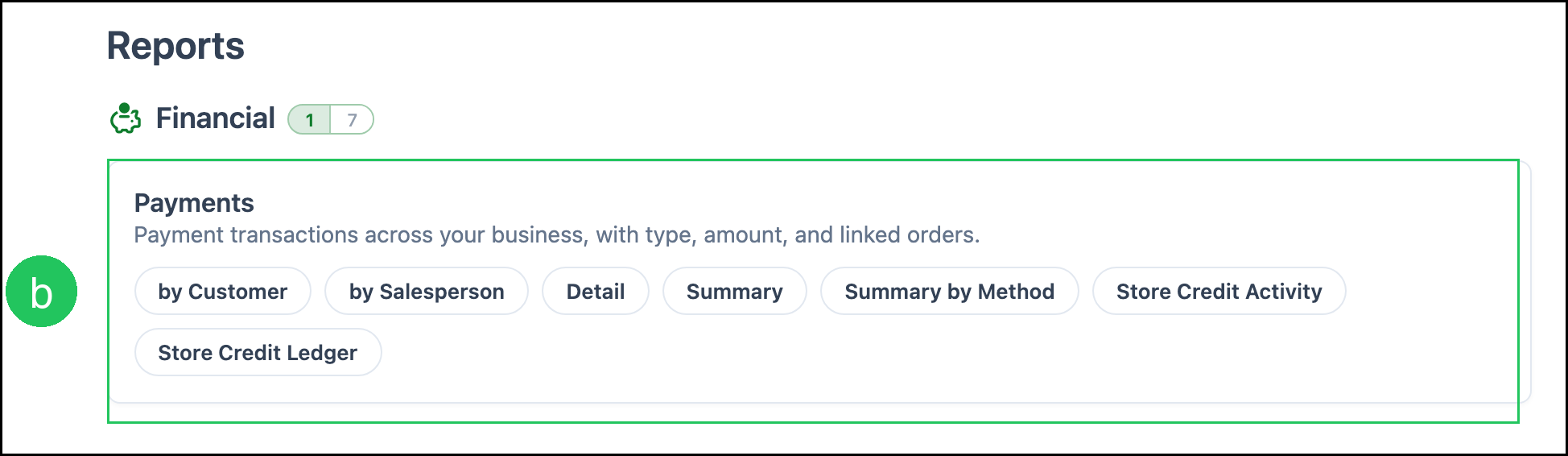
Note: For a full list of reports, see Available Reports. For how reporting works, see Reporting Overview.
Accrual vs. Cash Example
You invoice an order for $1,000 in April. The customer pays in May.
- Accrual: $1,000 income in April. Until payment, BALANCE remains.
- Cash: $1,000 income in May when payment is received.
In CoreBridge, the $1,000 is recorded as income when you invoice in April. The May payment reduces BALANCE and appears on Payments reports for May.
Frequently Asked Questions
1. What is the difference between accrual and cash accounting?
Answer: Accrual accounting records income when you invoice the customer. Cash accounting records income when payment is received.
2. Does taking a payment create income in CoreBridge?
Answer: No. Income is recorded when the order is invoiced. The payment reduces BALANCE and appears on Payments reports.
3. What is the difference between Invoiced and Closed?
Answer: Invoiced means the order has been billed, which is when income is recorded. Closed typically means the invoiced order is paid in full. Line Items can still show Invoiced on a Closed order.
4. Which reports show billed income versus money received?
Answer: Use Invoiced Orders reports for billed income. Use Payments reports for money received.
5. Can I set CoreBridge to cash-basis accounting?
Answer: CoreBridge records income when an order is invoiced. Use Payments reports when you need to review money received. Consult a qualified accountant for the method your business uses for tax reporting.