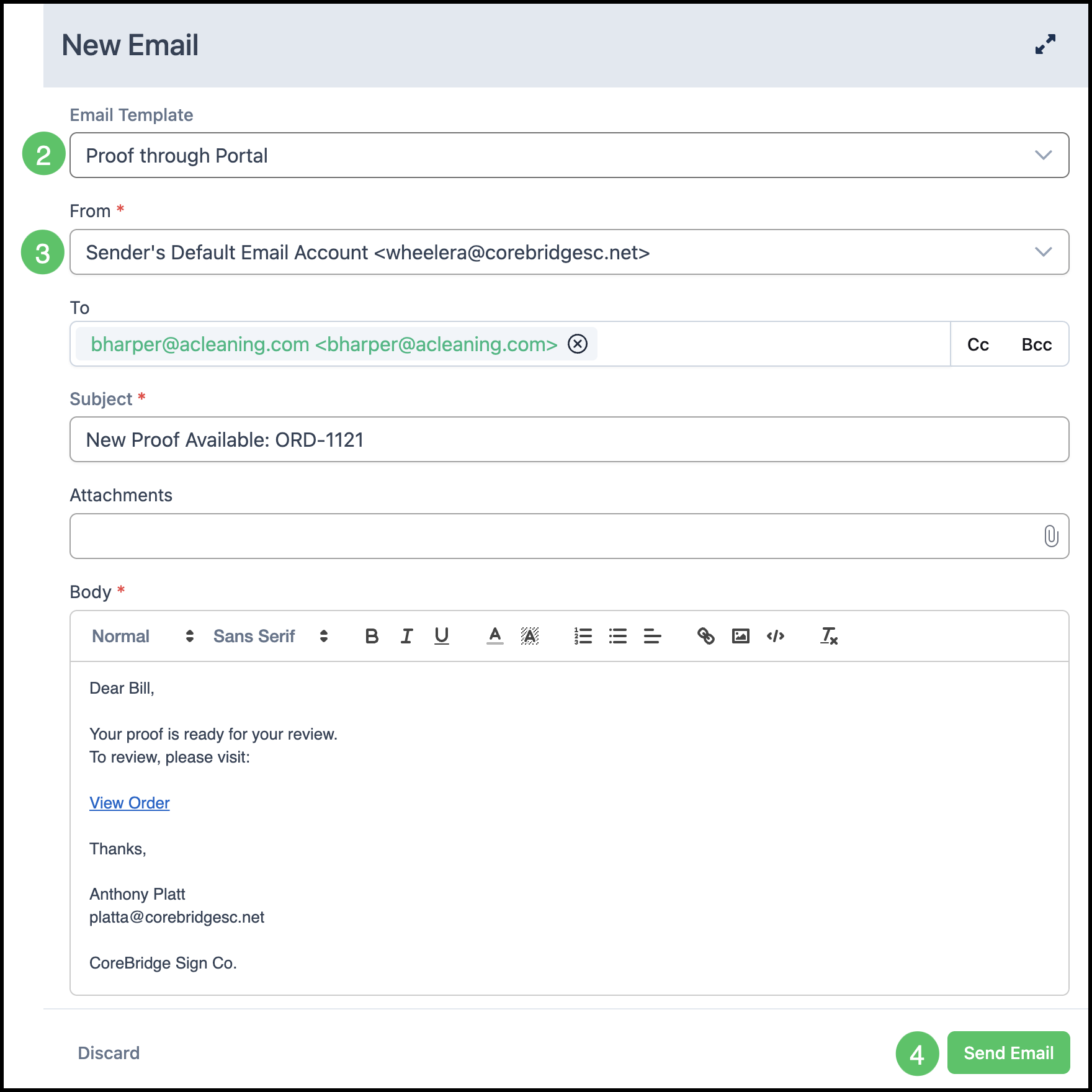
Email Templates can be used to quickly send pre-created emails to customers. This can save time and ensure that email content and formatting is consistent. This article explains how to send an email using an Email Template from a record such as an Order or an Estimate.
For more information on template creation, please see Creating and Editing Email Templates.
Table of Contents
Using Email Templates
To send an email using a template:
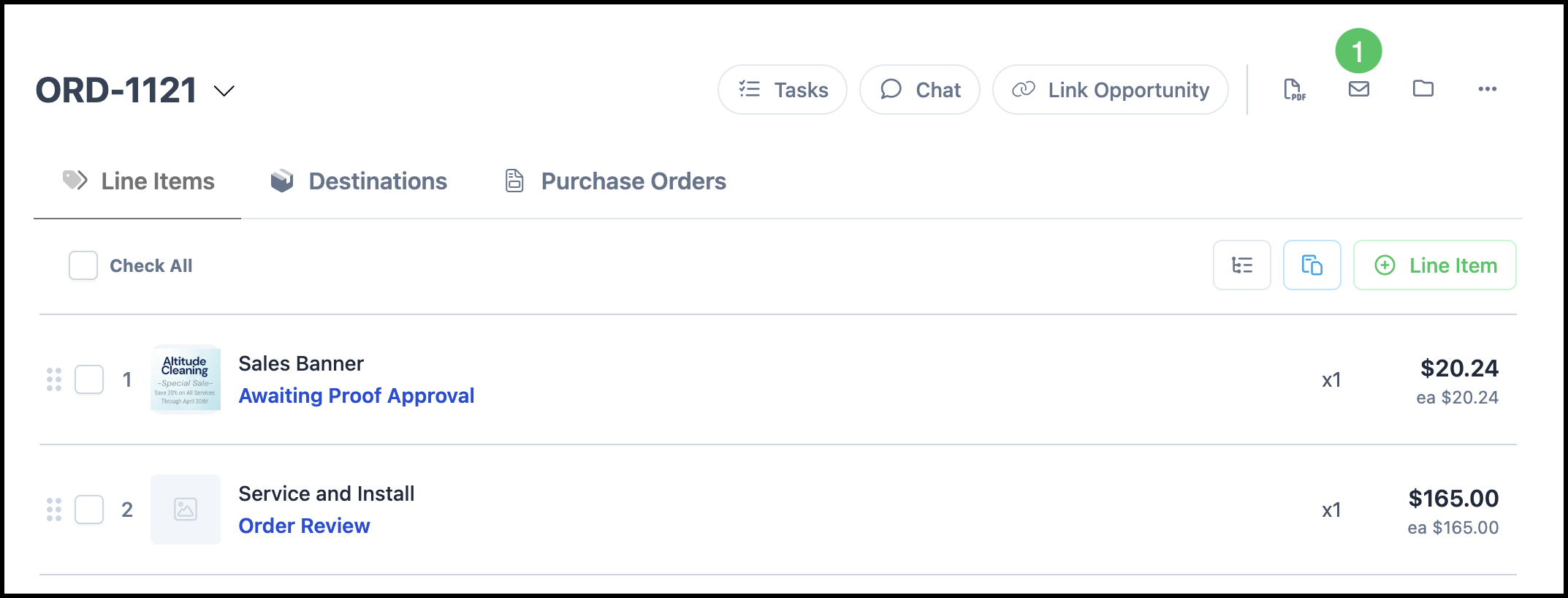
Navigate to the record the template is for (for example, open an Order from Sales / Orders or an Estimate from Sales / Estimates).
1. Click the email icon to open the email composer.
2. Select the desired Email Template from the list or dropdown. The subject and body will populate from the template; merge fields will fill in with data from the current record.
3. Enter or change any information as needed (for example, recipient, subject, or body).
Note: If the template includes an Estimate or Invoice document, click the attachment to preview it in a dialog. The attached PDF is generated when the email is sent and reflects the record at that time.
4. Select Send Email.
Note: Only templates whose record type matches the record you are on (for example, Order templates when you are on an Order) will be available to select.