
While CoreBridge is not a full accounting software, all transactions are recorded and can be reconciled with different supported accounting software integrations. This ensures all pertinent financial information is clearly recorded and easily traceable.
Note: CoreBridge can help with integration setup and how the integration works within the system. Questions related to the third-party service itself should be directed to that provider.
Table of Contents
- Benefits of Integrating with an Accounting Software
- Integrating Your CoreBridge System With an Accounting Software
Benefits of Integrating with an Accounting Software
- By integrating with an accounting software, all transactions can be seamlessly reconciled to ensure all data is accounted for.
- Easily view discrepancies between CoreBridge and your accounting software, allowing corrections to be made quickly.
- Integrating with an accounting software creates a clear and traceable history of transactions that can easily be reviewed later.
Integrating Your CoreBridge System With an Accounting Software
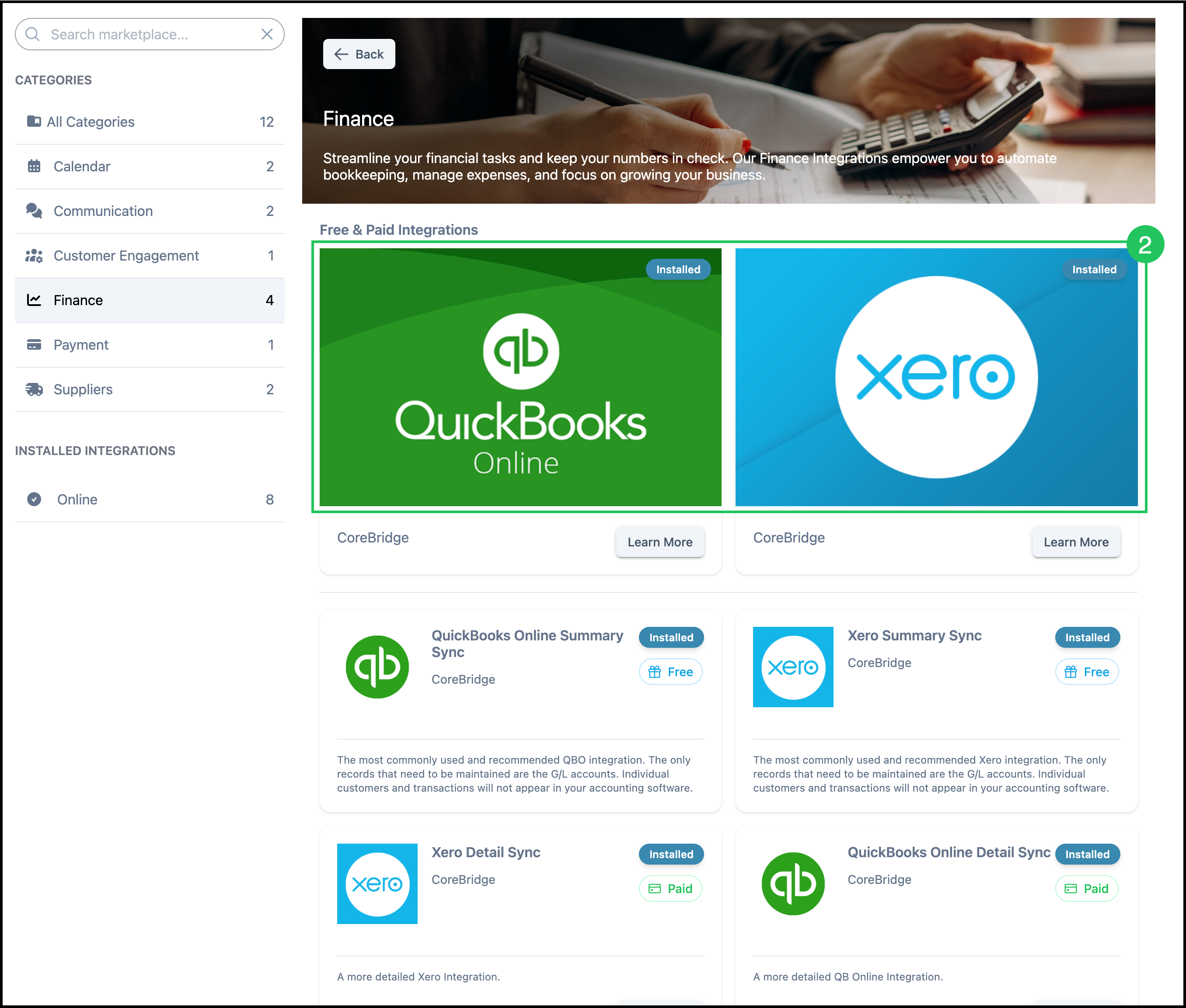
CoreBridge supports two accounting software integrations: QuickBooks Online and Xero. Both can be found in the Integrations Marketplace under the Finance category.
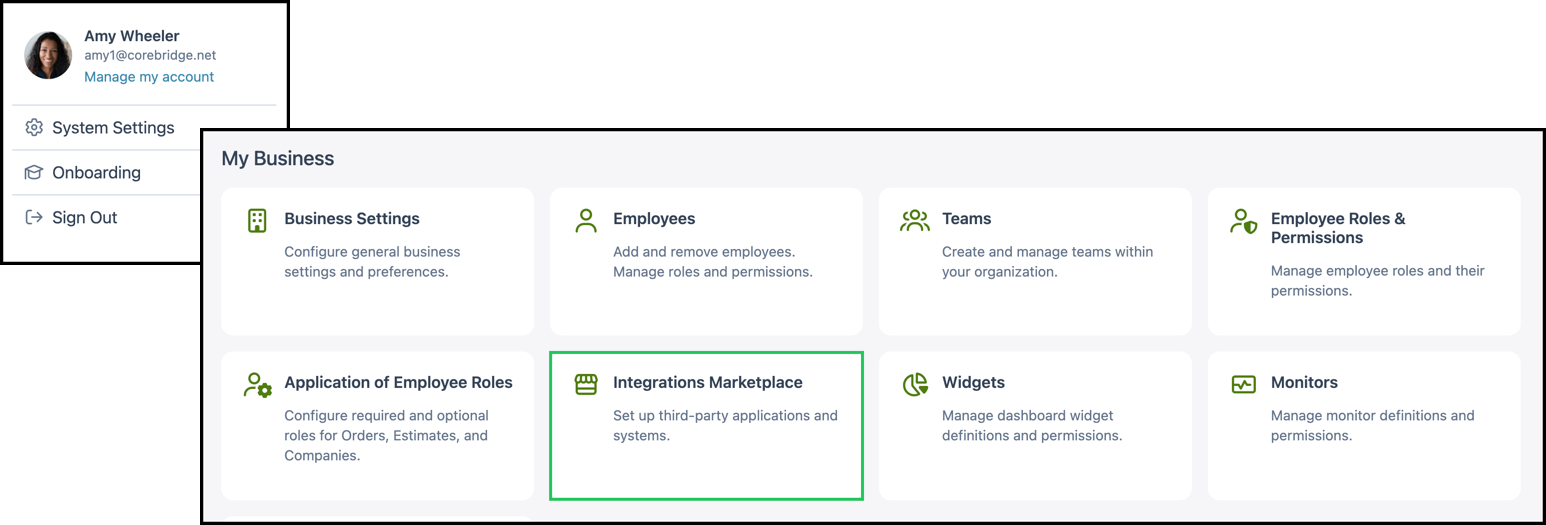
Navigate to System Settings / My Business / Integrations Marketplace.
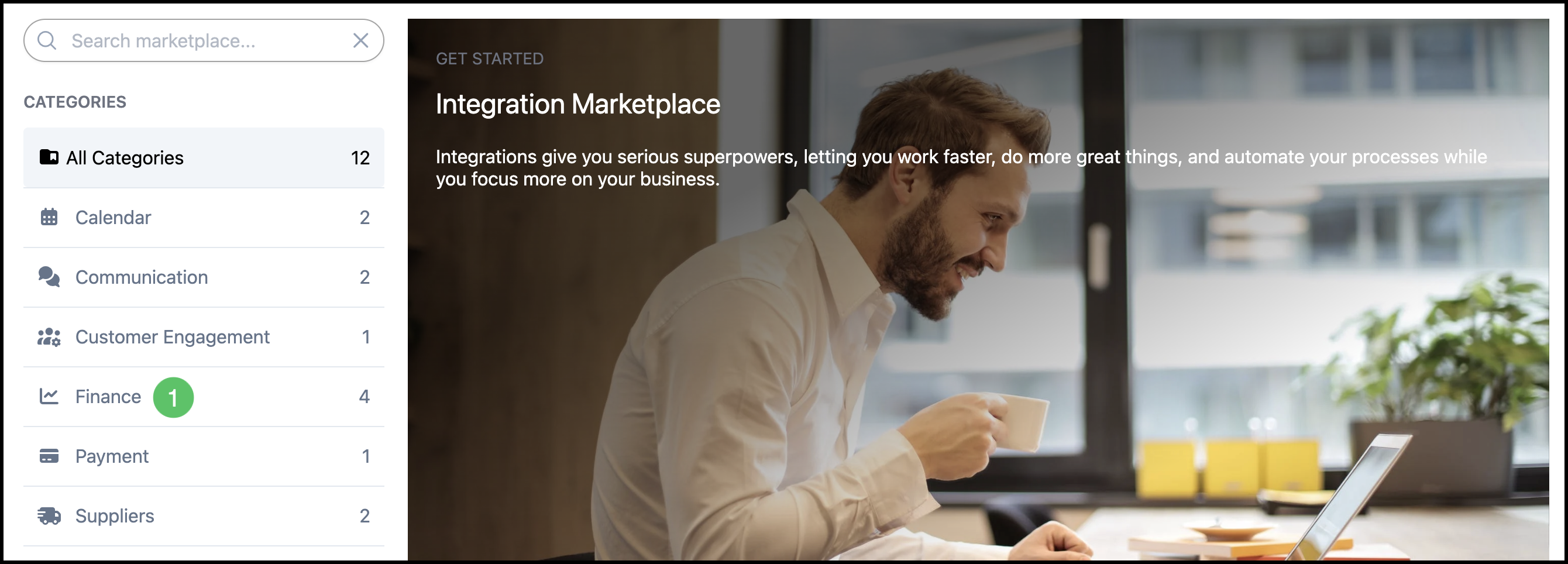
1. Select Finance to view accounting integrations.
2. Select an integration to install and follow the setup steps provided.
Note: Only one accounting software integration may be active at a time. To switch to a different accounting integration, you may need to disable or remove the current one before enabling another.