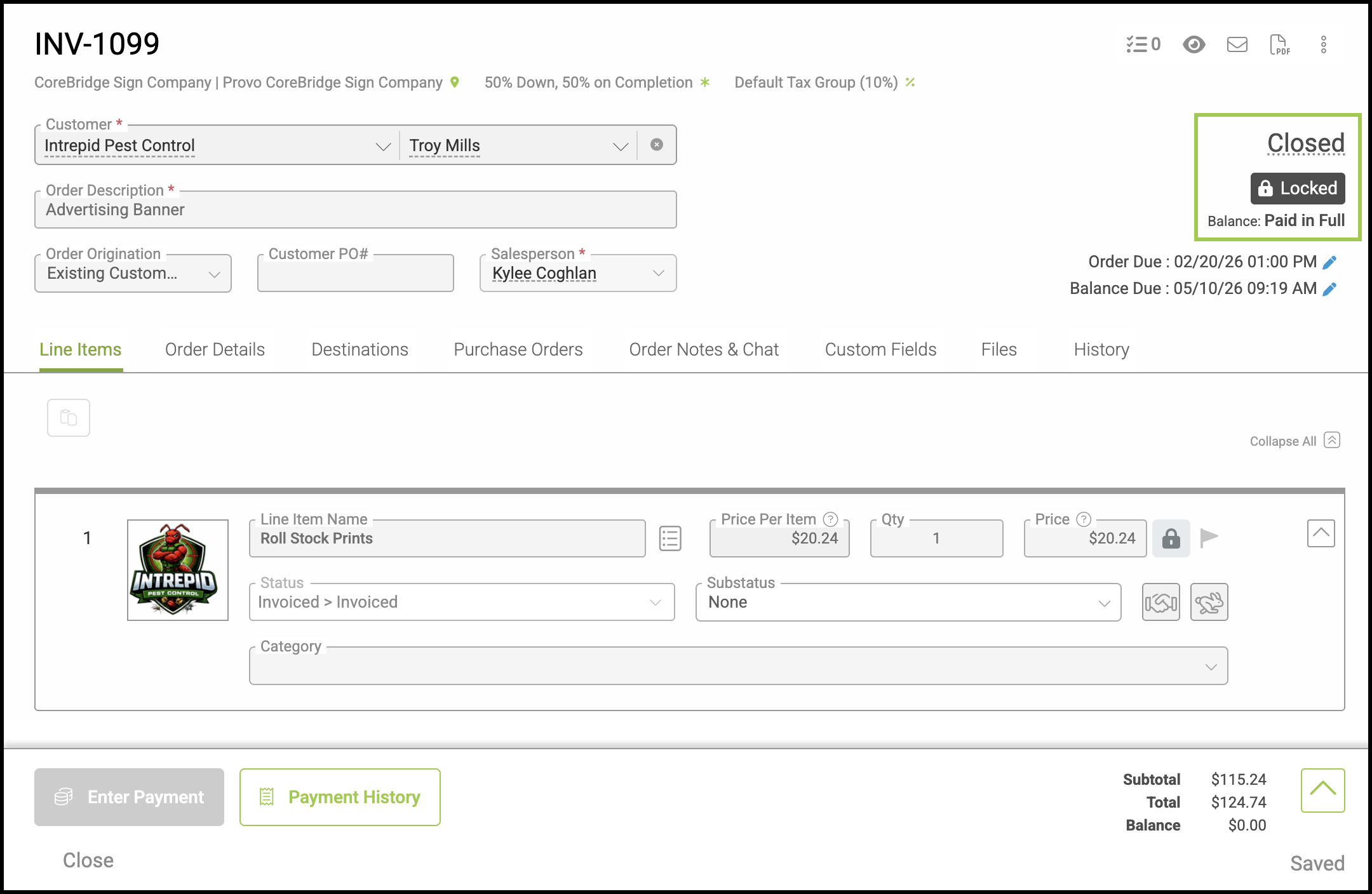
Bad Debt is used to account for outstanding balances that are no longer expected to be collected. This typically applies to invoices that remain unpaid or have a remaining balance that is not practical to pursue.
Recording Bad Debt allows you to close out those receivables and reflect the loss accurately in your financial records. The total shown represents the amount marked as Bad Debt for the current reconciliation period and is recorded as an expense.
Table of Contents
Important Details
- This option is available only to System Administrators.
- The Order must be in Invoiced status.
Writing Off Bad Debt
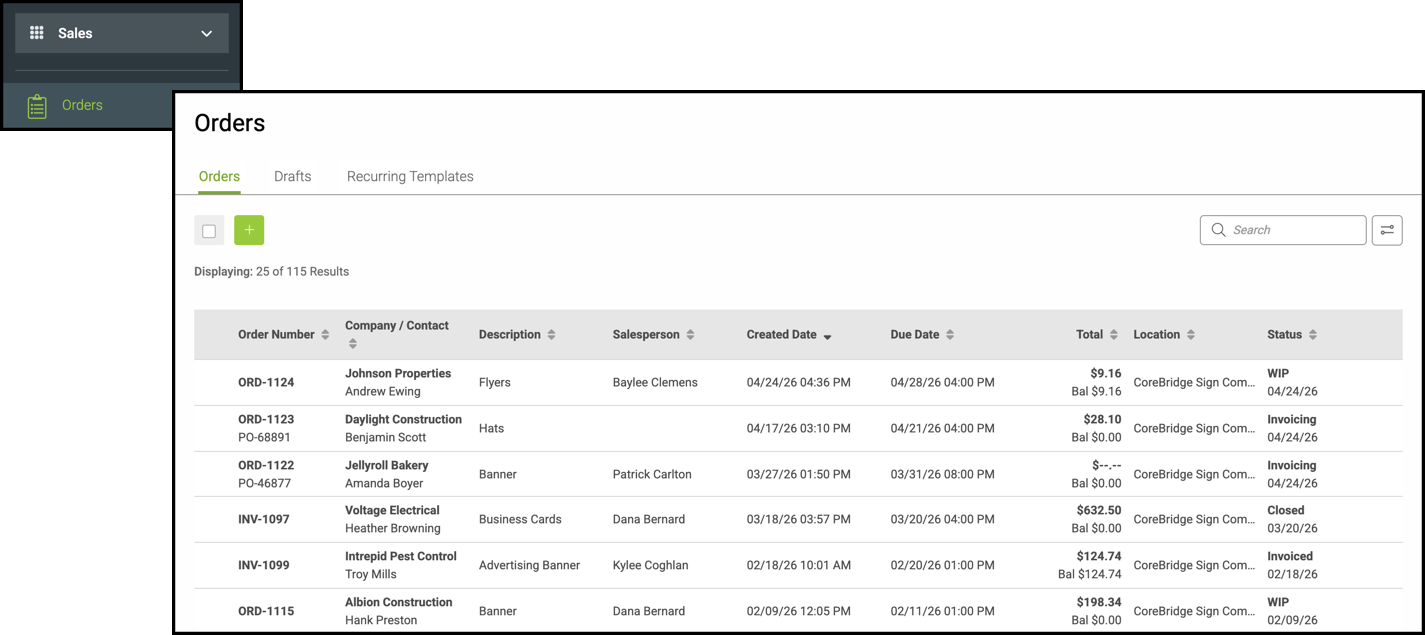
Navigate to Sales / Orders and open the Order that includes the invoice you want to write off.
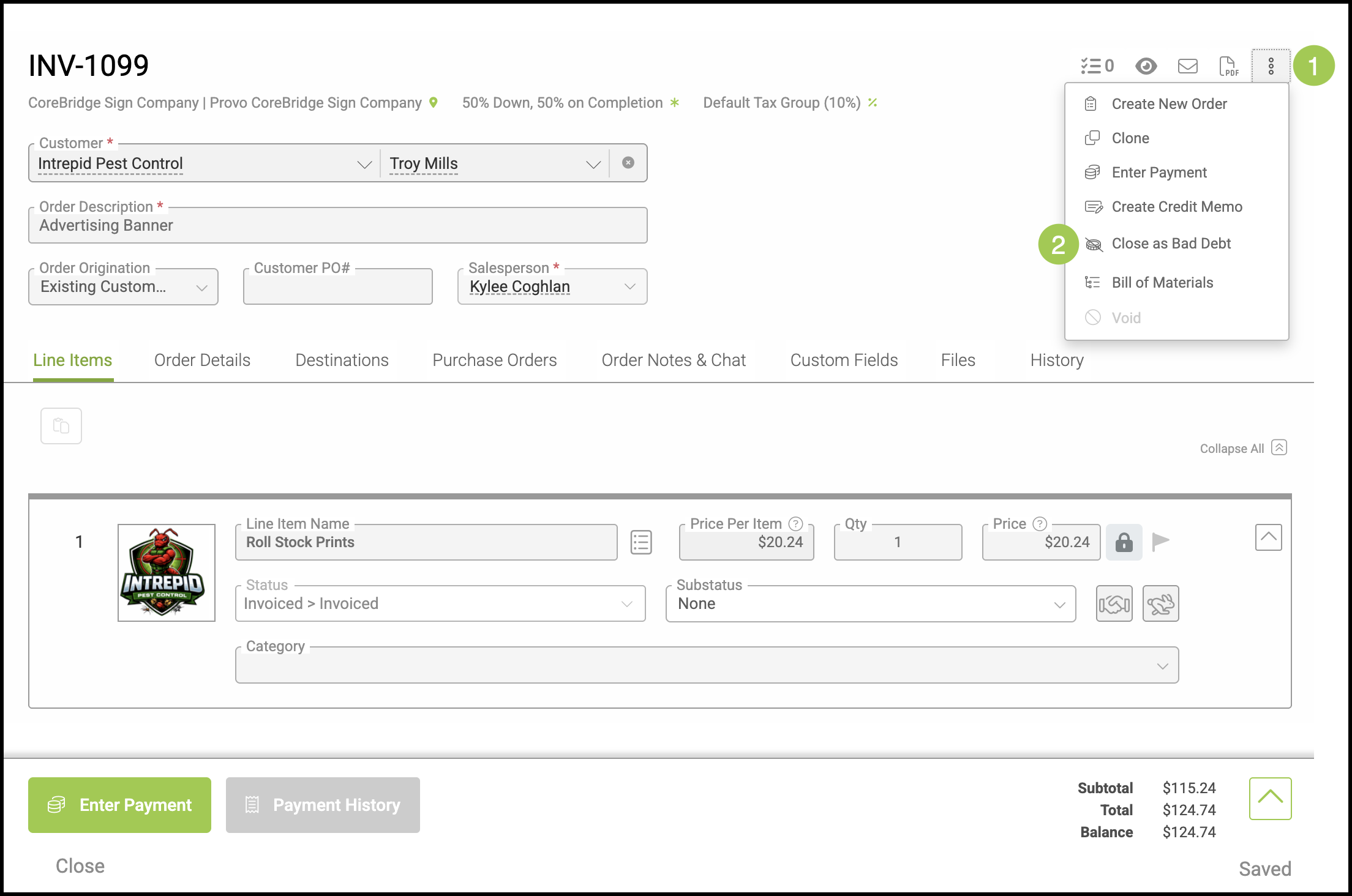
1. Click the Actions menu.
2. Select Close as Bad Debt.
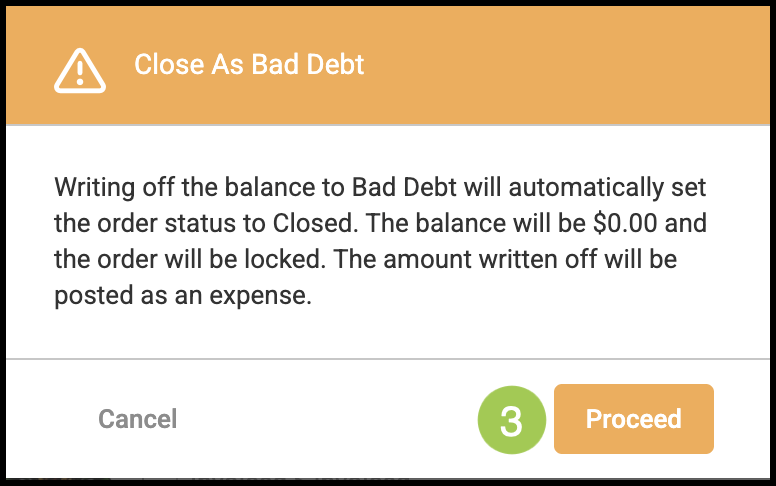
3. Click Proceed.
Note: This will close the Order and posts this amount as an expense. See example below.
Example: