
Introducing CoreBridge EVO™, a modern interface designed to make CoreBridge easier to navigate and more efficient to use. The updated experience combines familiar functionality with an improved layout and organization, while ongoing enhancements continue to refine and expand the platform.
For more information on how to use CoreBridge EVO™, please visit the New CoreBridge EVO™ Interface section of our knowledge base.
Note: As part of this update, the previous interface will now be referred to as CoreBridge Legacy.
What's Changing?
CoreBridge EVO™ features a modernized layout and improved system organization, making tools and information easier to access.
Key updates include:
A refreshed visual design
Updated navigation structure
Improved organization of features
Ongoing enhancements and new functionality
Additional improvements will continue to be introduced as part of our ongoing commitment to enhancing CoreBridge.
What's Staying the Same?
All existing system data will remain unchanged.
No data migration is required
No account updates are necessary
No information will be removed
All customer records, existing estimates and orders, settings, and configurations will remain exactly as they are today. The update affects how the system looks and is navigated, not the underlying data.
Accessing CoreBridge EVO™
A CoreBridge EVO™ link will appear in the left-hand navigation menu.
To access EVO:
1. Click Open in EVO.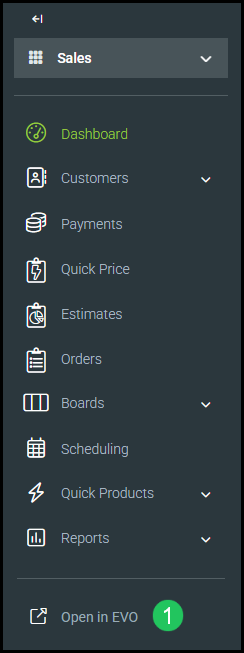
2. Log in using the same username and password used for your CoreBridge Legacy system.
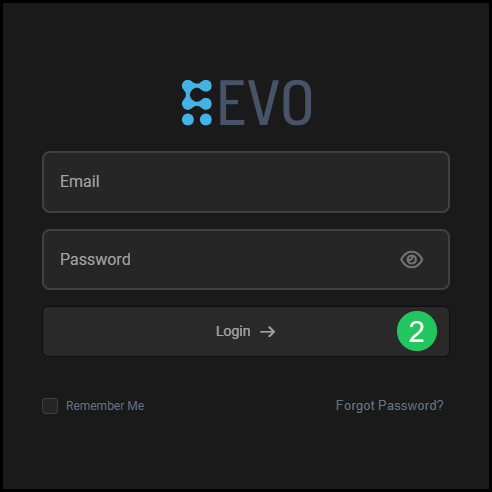
After logging in, you will be directed to the same area of the system you were currently in.
Switching Between EVO and Legacy
CoreBridge EVO™ delivers the full functionality you rely on today, with ongoing enhancements designed to further improve usability, performance, and efficiency. Our team is committed to continually refining the experience to help you work more efficiently.
If needed, you can access the Legacy interface by selecting Legacy from the blue banner at the top of the screen.

Additional updates and documentation will be provided as enhancements are released. For any questions or concerns, please reach out to supportdesk@corebridge.net.