
Royalties in CoreBridge calculate and track royalty amounts across one or more Locations based on defined reporting periods. Royalty settings are managed through Royalty Groups, which determine how royalties are calculated for qualifying sales.
After each period ends, royalty amounts are calculated and recorded in the Accounting ledger. Closed periods are available in the Accounting ledger, search results, and royalty document period lists. The current open period provides a preview of royalty activity and is not considered finalized until the period closes. Calculations may also be updated through overnight processing or reconciliation.
Note: Royalty calculations are processed nightly. Completing a reconciliation can also queue a recalculation.
For creating and publishing Royalty Groups, see Royalties Overview. For the Accounting ledger screens, see Royalty Ledger.
Table of Contents
Royalties Process
Royalty amounts are based on the settings defined in each Royalty Group, qualifying sales activity, and the applicable reporting period. Invoicing an Order does not immediately add royalty amounts to the Royalty Ledger. The following process explains how royalty information is calculated and recorded.
1. Configure and Publish the Royalty Group
Royalty Groups are configured at System Settings / My Business / Royalty Settings. For royalties to calculate, the Royalties feature must be enabled and a Royalty Group must be Published and Active.
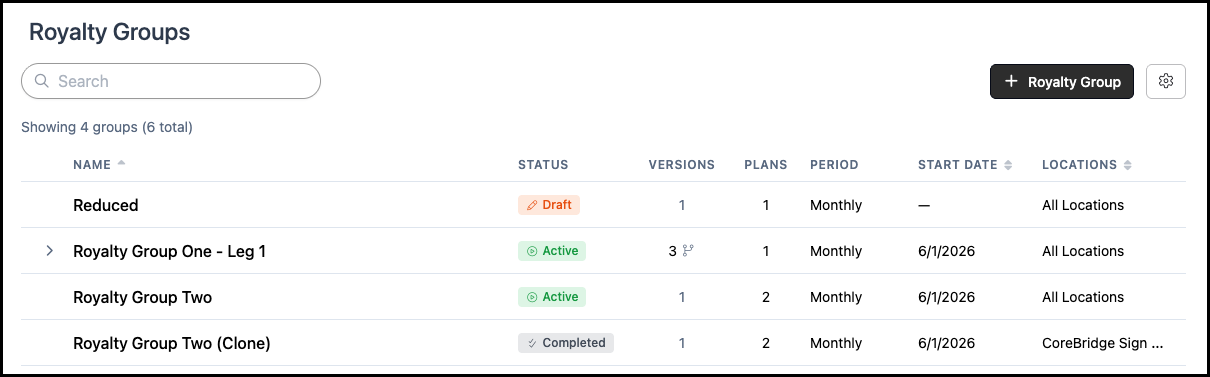
Each Royalty Group includes settings such as the reporting period, calculation basis, start date, applicable Locations, royalty plans, and mapped income accounts. Draft groups are not included in royalty calculations, while Completed groups no longer calculate new royalty activity.
For more information on this process, please see Royalties Overview.
2. Record Qualifying Sales
Sales are included when they meet the criteria established in the Royalty Group, including the applicable Location, start date, calculation basis, and income account settings.
For example, a group using an Invoiced calculation basis includes qualifying sales after the Order is invoiced and the applicable income is recorded in the general ledger. Invoicing alone does not immediately add the amount to the Royalty Ledger.
3. Process Royalty Calculations
Royalty calculations are processed through nightly system processing or following a reconciliation that initiates recalculation. Refreshing the page does not initiate a new calculation.
Royalty information for a closed period becomes available in the Royalty Ledger, search results, and royalty documents after calculation processing is complete.
4. Review Open and Closed Periods
The current reporting period remains open until the calendar period ends. For example, a Monthly Royalty Group remains open throughout the current month.
Finalized amounts are recorded in the Royalty Ledger and become available as royalty document periods after the period closes. The Current Period provides a preview of the open period and may display an estimated amount, including $0.00, until processing is complete.
For more information, please see Understanding Blank or $0 Calculation below.
Royalties in Settings
The Royalty Settings area is where royalty calculation rules are configured and managed, including Royalty Groups, plans, and legs. These settings determine which royalty activity qualifies for calculation based on criteria such as status, dates, Locations, and assigned plans. Calculated royalty amounts are viewed separately in Accounting. These settings are found in System Settings / Royalty Settings.
For more information on creating Royalty Groups, plans, and legs please see Royalties Overview.
Viewing Royalties
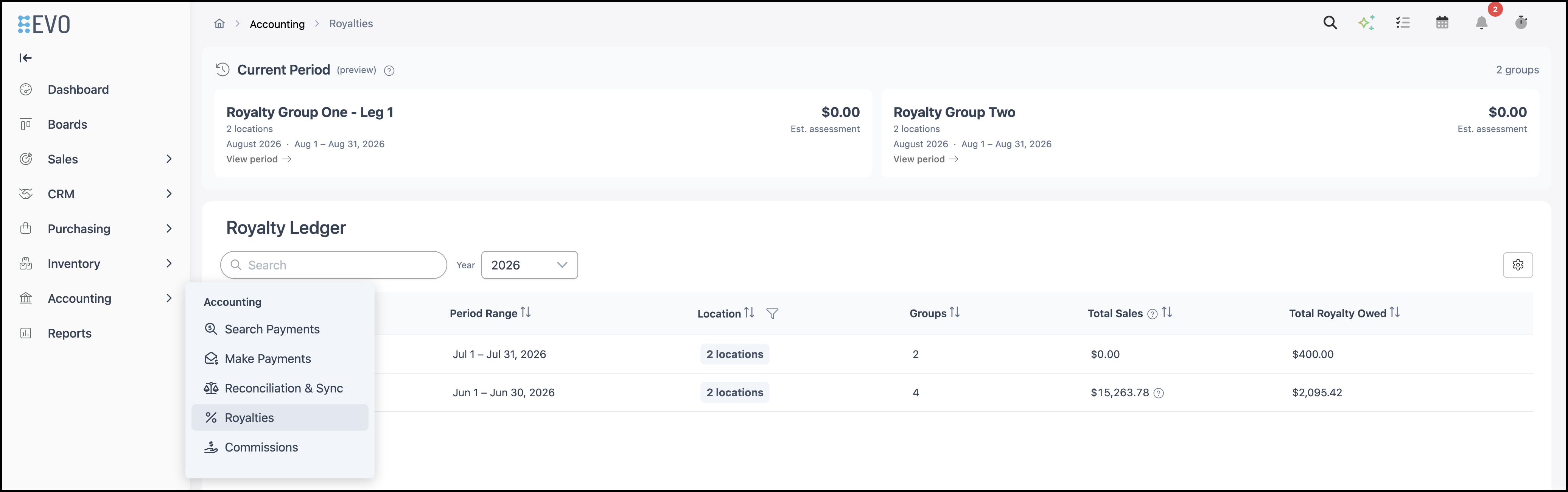
The Royalties area of the Accounting module provides access to the Royalty Ledger, where calculated royalty activity can be reviewed. The ledger provides a record of royalty amounts for completed calculation periods based on the rules established in Royalty Settings. Royalties are found in Accounting / Royalties.
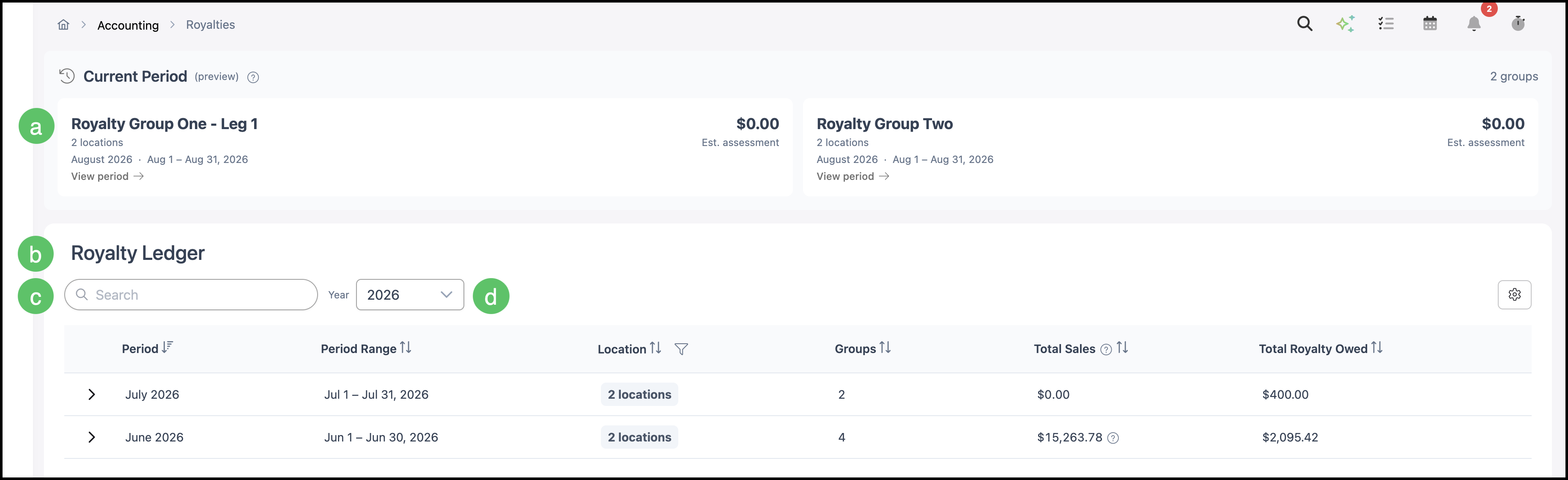
a. Current Period (preview) - Open-period estimate for Active groups. Does not fill the ledger or document period list by itself.
b. Royalty Ledger - Closed calculated periods.
c. Search - Filters closed ledger rows that already exist.
d. Year - Filters the closed ledger by year.
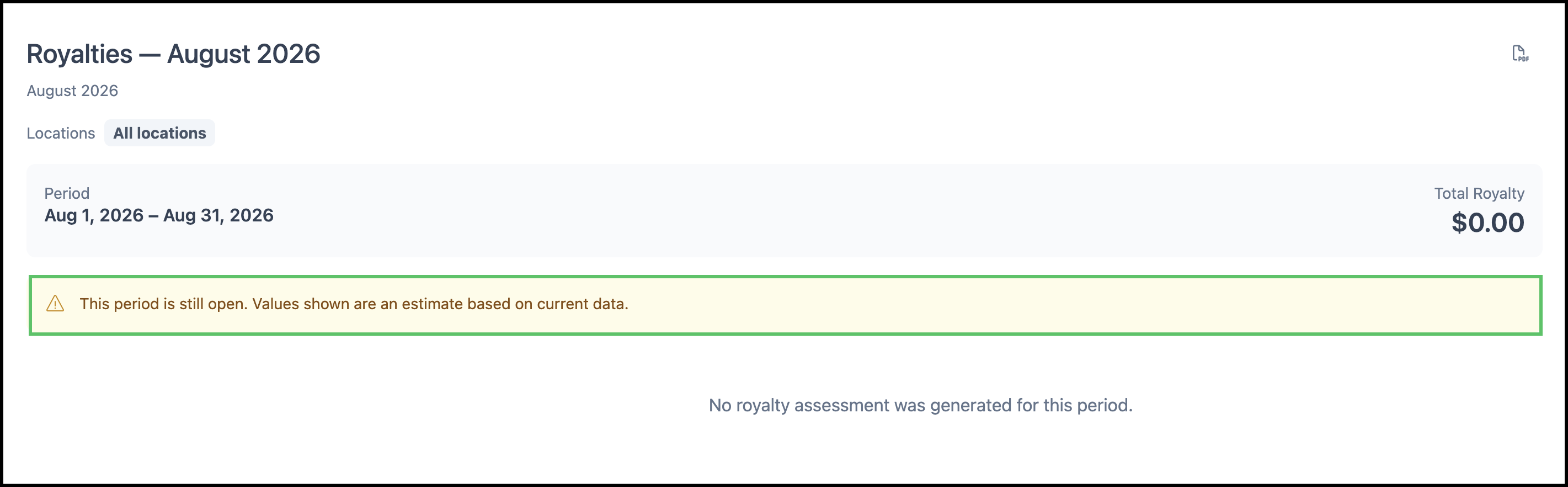
When you open the current period, a banner explains that the period is still open and values are estimates.
Royalty Documents
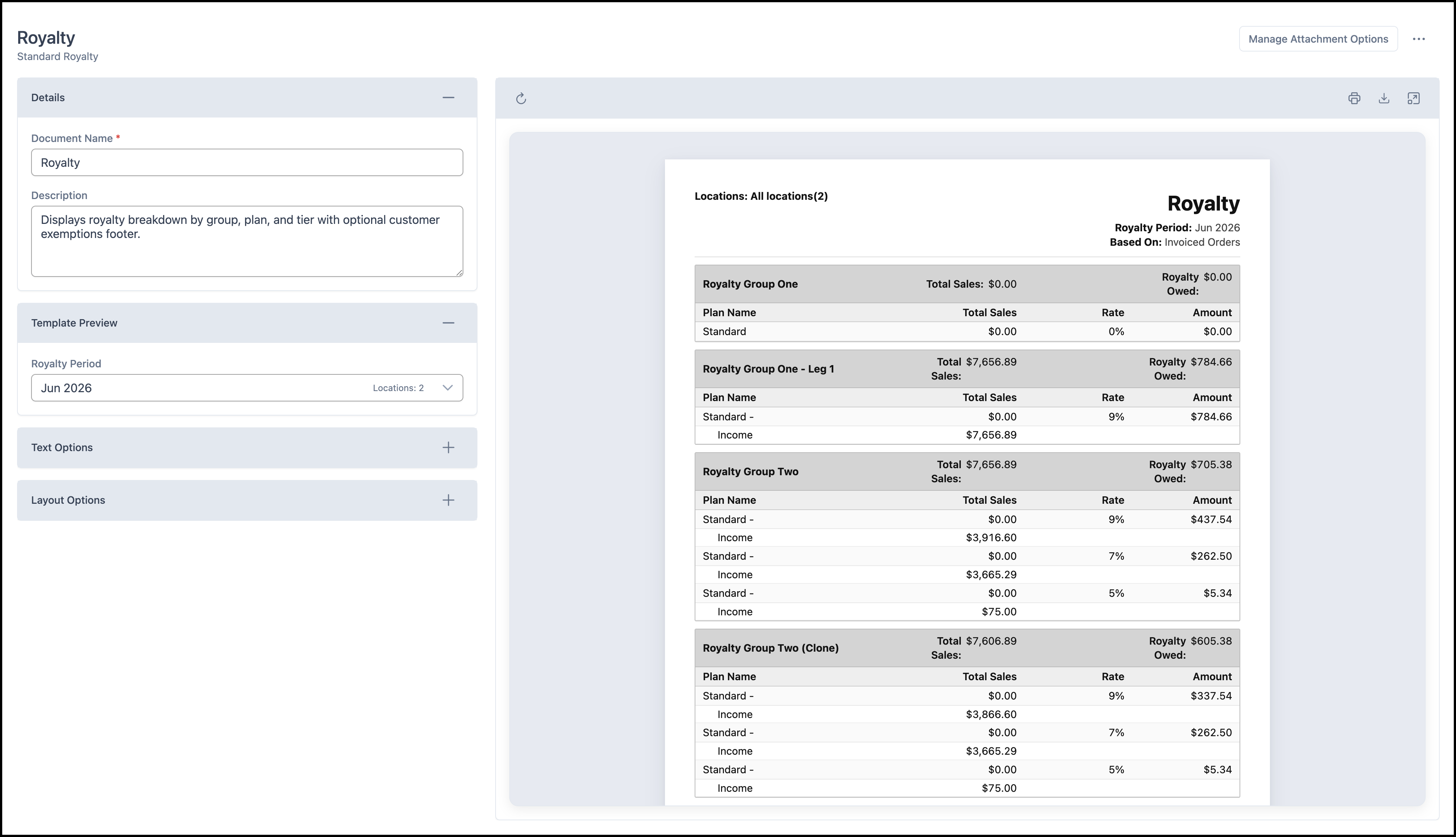
Royalty document templates are managed under System Settings / Documents. The Royalty Period dropdown on those documents is filled from closed Royalty Ledger periods. If the ledger has no closed periods yet, the Royalty Period list can be blank. That is expected until a closed period has been calculated and saved.
For more information on documents, please see Document Options.
Understanding Blank or $0 Calculation
When Accounting, search, or documents look empty or show $0.00, check the following:
- Is there an Active published Royalty Group (not Draft or Completed)?
- Do Locations, start date, basis, and plan look correct?
- Is there matching invoiced or GL income for that basis?
- Are you looking at the open month (preview) vs a closed month (ledger and documents)?
- Has calculation run (overnight and/or after reconciliation)?
- For documents: is the Royalty Ledger populated for that year? If not, the Royalty Period list will be blank.
Frequently Asked Questions
1. Why is Accounting / Royalties empty or showing $0.00?
Answer: Confirm you have an Active published Royalty Group, matching sales for the basis and Locations, and that you are looking at a closed period in the Royalty Ledger. The open month under Current Period (preview) is an estimate and often shows $0.00 until the period closes and calculation runs. Also allow time for nightly processing or a recalculation after reconciliation.
2. Why is the Royalty Period dropdown blank on a royalty document?
Answer: That dropdown is filled from closed Royalty Ledger periods. If the ledger has no closed calculated rows yet, the period list stays blank.
3. Does invoicing an order immediately update the Royalty Ledger?
Answer: No. Matching sales are required, but official ledger and document numbers appear after closed-period calculation (nightly processing and/or after reconciliation), not the instant an order is invoiced.
4. What is the difference between Preview Calculation on a plan and Current Period (preview)?
Answer: Preview Calculation on a plan is a manual sales-amount test while you configure the plan. Current Period (preview) on Accounting / Royalties is the open-period estimate for Active groups.
5. Where do I set up Royalty Groups?
Answer: Navigate to System Settings / My Business / Royalty Settings. See Royalties Overview for create, publish, plans, legs, clone, and complete.