
Email integrations connect CoreBridge with a supported email provider so estimates, invoices, and messages send from your business email. Google Gmail and Microsoft Outlook are in the Communication category of Integrations Marketplace. After an email integration is installed, an email domain and an authorized email from address send that mail.
Note: CoreBridge can help with integration setup and how the integration works in CoreBridge. Questions about the email provider itself go to that provider.
Table of Contents
- Benefits of Integrating with an Email Provider
- Integrating Your CoreBridge System With an Email Provider
- Related Articles
Benefits of Integrating with an Email Provider
- Estimates, invoices, and messages send from your business email address.
- Each mailbox is authorized through the provider sign-in.
- Permissions control which employees and locations can use each email domain and email from address.
Integrating Your CoreBridge System With an Email Provider
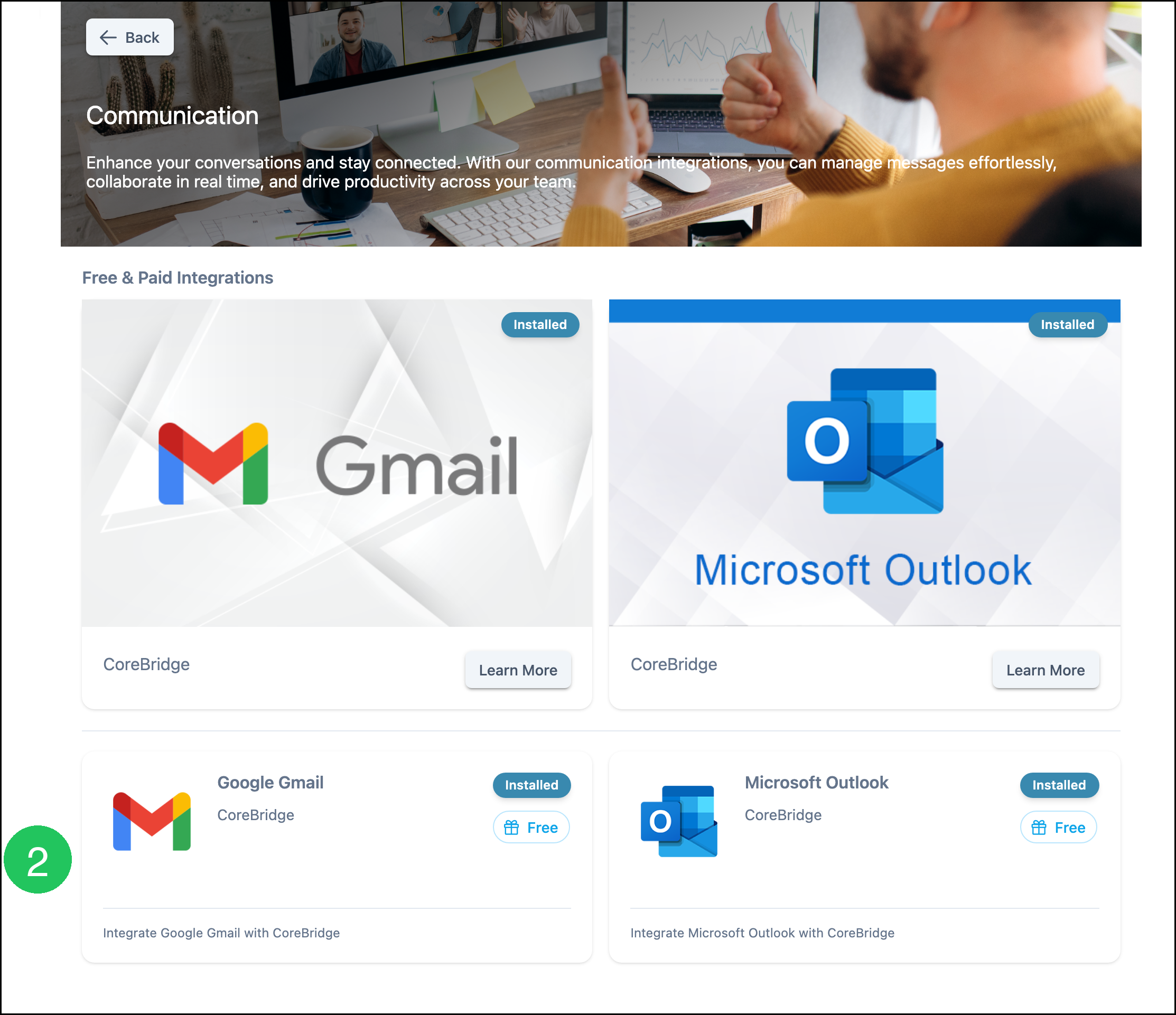
The email integrations in Communication are:
- Google Gmail
- Microsoft Outlook
Google Gmail connects Google Gmail mailboxes so CoreBridge can send from those addresses. Microsoft Outlook connects Microsoft Outlook or Microsoft 365 mailboxes so CoreBridge can send from those addresses. Both integrations are free, and both can be installed.
Note: The Email Provider list on an email domain also includes SMTP. SMTP sends mail without a Communication integration. For more information, see Creating Email Domains.
Note: Google Calendar and Microsoft Calendar sync calendars with CoreBridge. They are in the Calendar category, separate from these email integrations. For more information, see Google Calendar and Microsoft Calendar.
Navigate to System Settings / My Business / Integrations Marketplace.
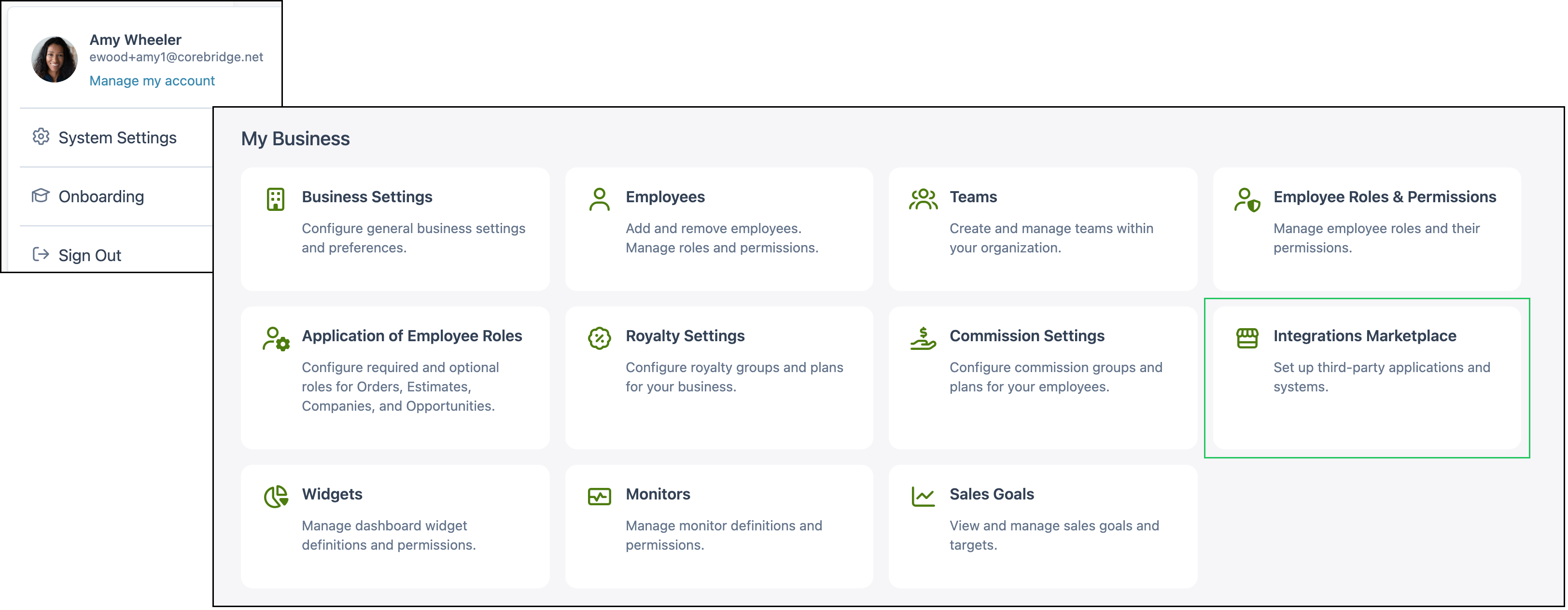
1. Select Communication.

2. Select an email integration and follow the setup steps on that integration.
Related Articles
Adding Email From Addresses
Creating Email Domains
Google Calendar
Google Gmail
Integrations Marketplace Overview
Microsoft Calendar
Microsoft Outlook