
This article explains how CoreBridge Support ticket status works, how to continue the same conversation after a ticket is marked Resolved, and how to submit or view tickets on the Support portal.
Table of Contents
- When tickets are marked Resolved
- How to continue after a ticket is Resolved
- When tickets stay open for product work
- Submitting and viewing tickets
- Frequently Asked Questions
- Related Articles
When tickets are marked Resolved
Support marks a ticket Resolved when we believe we have answered your question or completed the request you opened.
How to continue after a ticket is Resolved
If you still need help on the same issue, reply to the Support email for that ticket, or continue from the Support portal. Your reply returns the ticket to our queue so we can continue from the same thread.
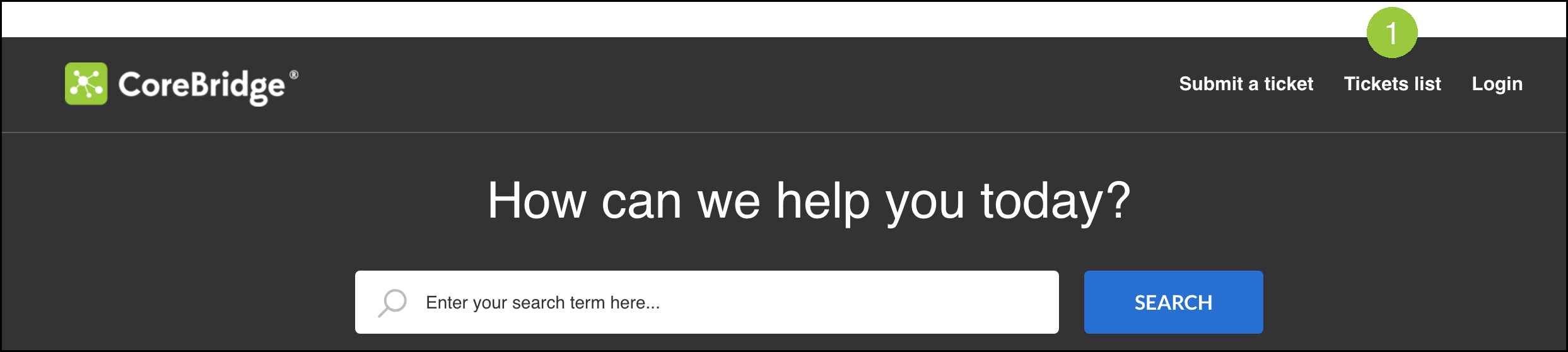
To continue from the portal, navigate to supportdesk.corebridge.net.

1. Click Tickets list.
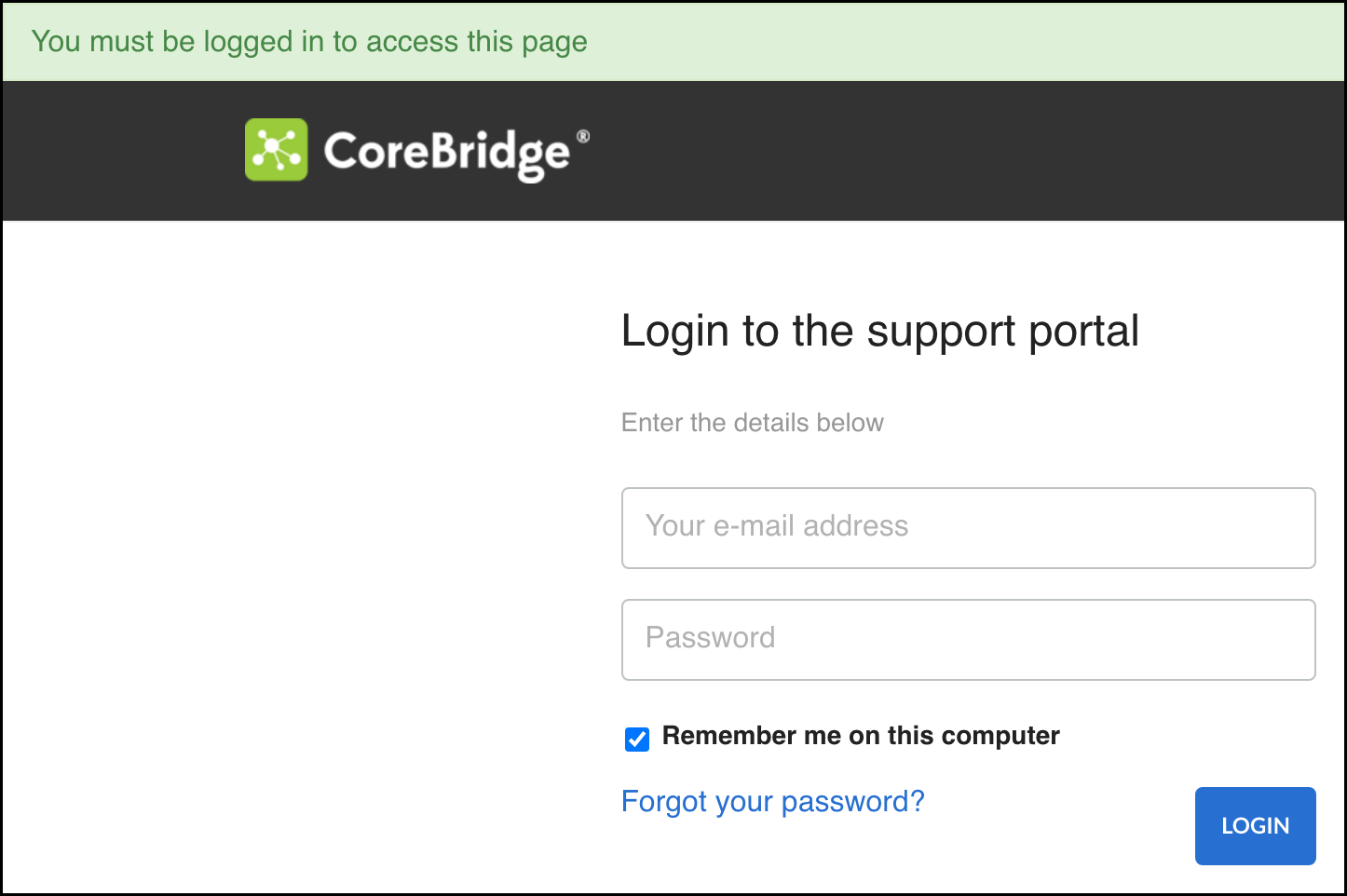
Note: If you are not logged in, the portal prompts you to Login before you can view your tickets.
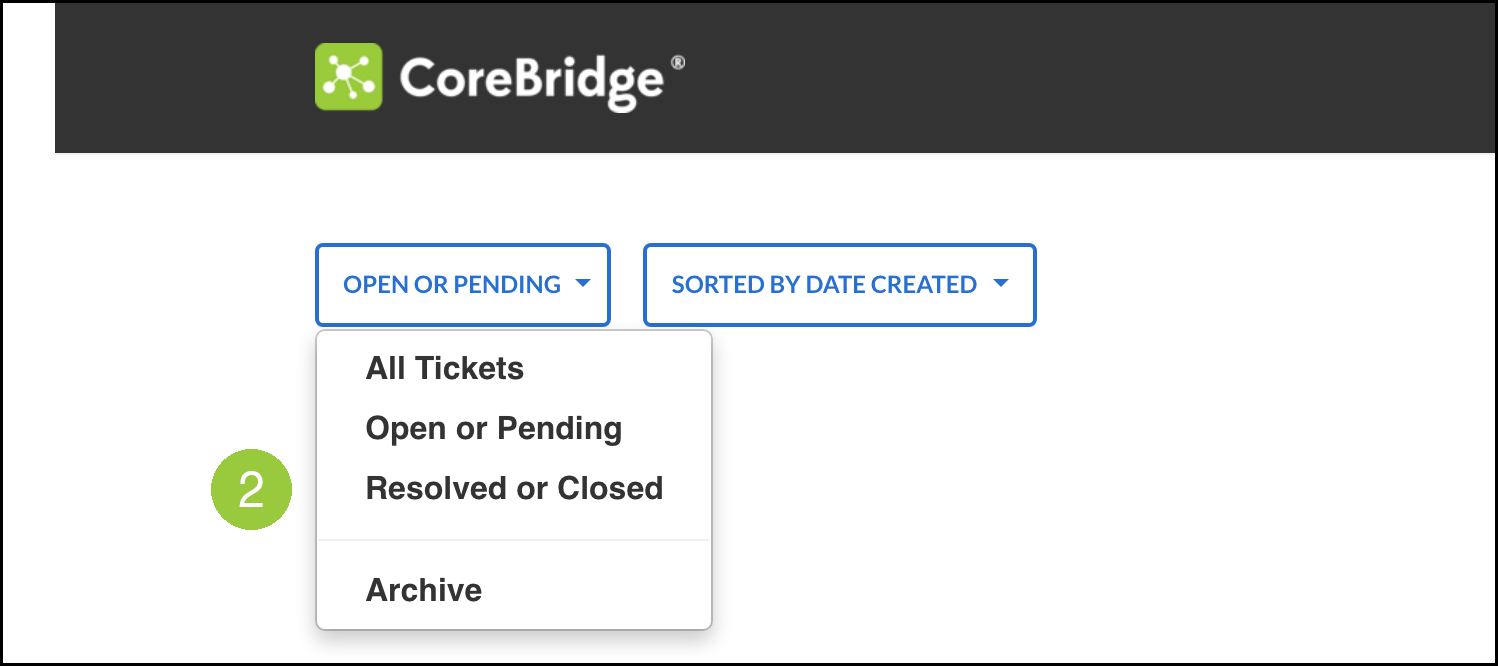
2. Select Resolved or Closed.
Open the ticket and add what is still open or what you need next.
When tickets stay open for product work
When your request is a bug or feature that our product team is tracking, Support keeps the ticket open for product work (for example In Development) instead of resolving it while that work is still outstanding.
Submitting and viewing tickets
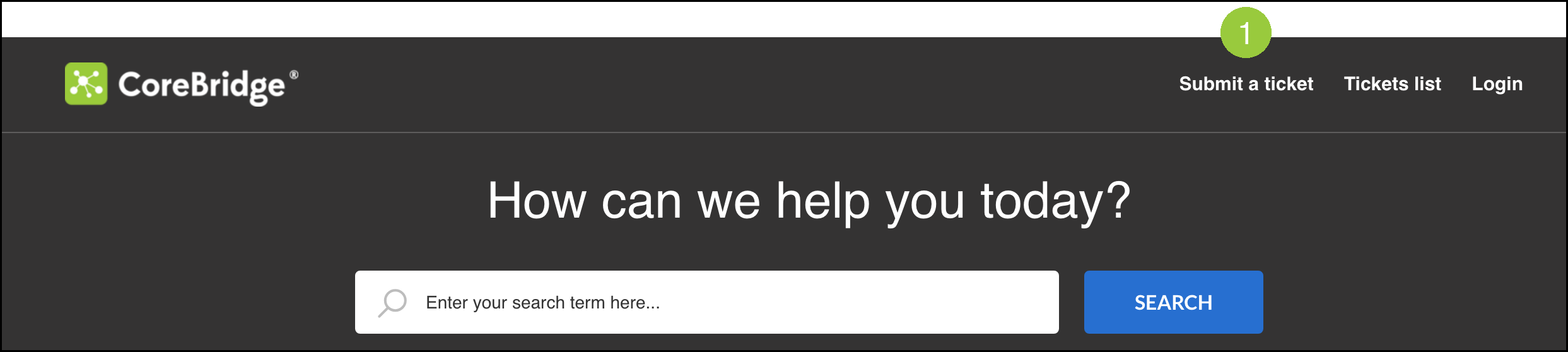
Navigate to supportdesk.corebridge.net.
1. Click Submit a ticket.
a. Your Email - The email address Support uses for this ticket.
b. Name - Your name. This field can appear after you enter Your Email.
c. Subject - A short summary of the request.
d. Description - The details of the question or issue.
e. System URL - The web address of your CoreBridge system.
2. Click Submit.
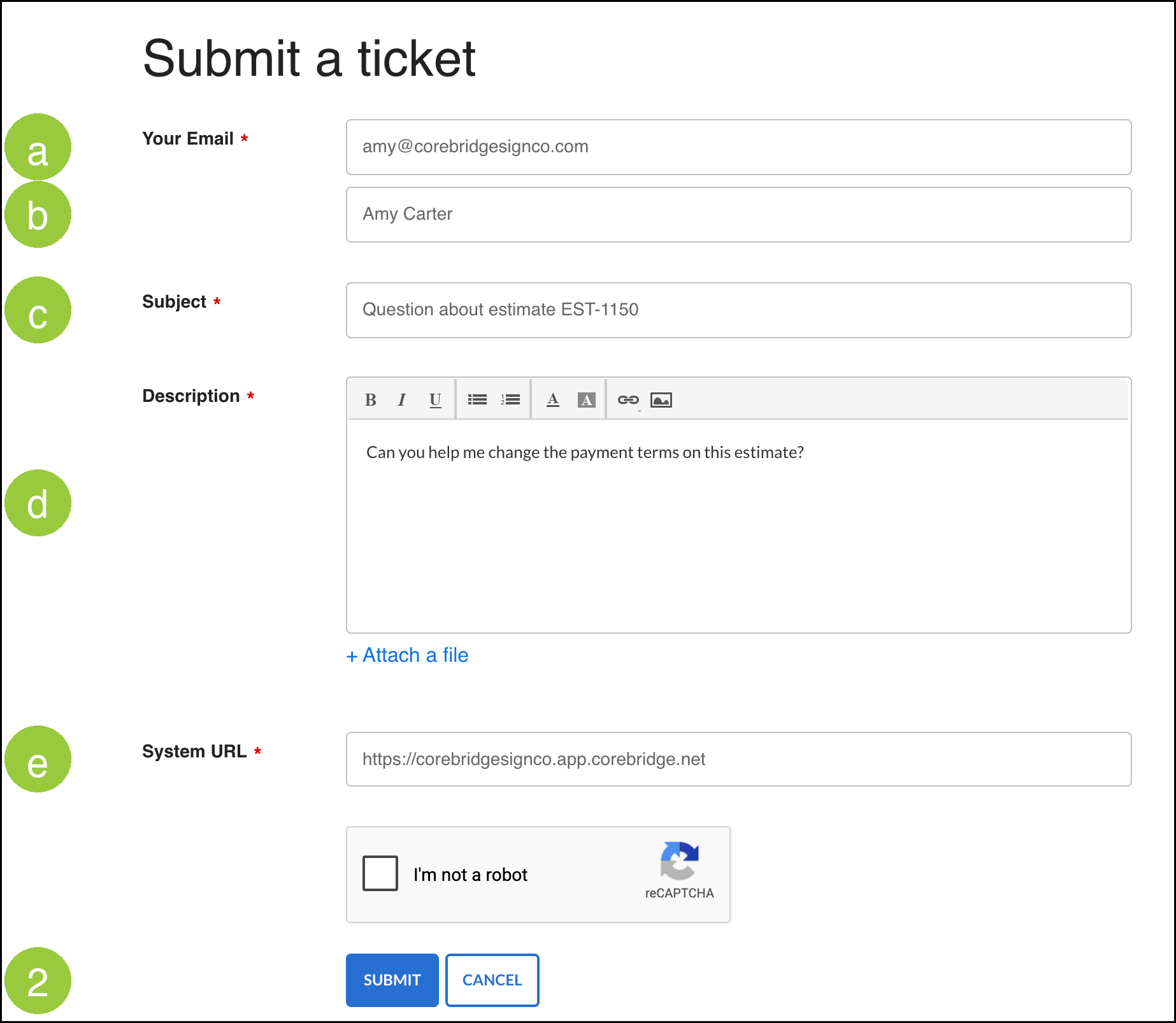
Note: If you are not logged in, the form can include I'm not a robot. Complete it before you click Submit.
Use Tickets list to review tickets for your account. The list includes views such as Open or Pending and Resolved or Closed.
Frequently Asked Questions
1. Can I follow up on a Resolved ticket without opening a new ticket?
Answer: Yes. Reply to the Support email for that ticket, or open the ticket from Tickets list and add what is still open. Your reply returns the ticket to our queue.
2. Where do I find a Resolved ticket on the Support portal?
Answer: Click Tickets list, then select Resolved or Closed.
3. Why is my ticket still open after Support replied?
Answer: When the request is a bug or feature that our product team is still tracking, Support keeps the ticket open for product work (for example In Development) instead of marking it Resolved.