
A Line Item Category classifies a line on an Estimate or Order. The list is maintained in Sales Settings, and Estimate and Order Options controls whether Line Item Category appears during entry and whether a line must have one. A Material or Labor can store a Default Line Item Category that is applied when that component is added as its own line.
Table of Contents
- Line Item Categories Screen
- Adding a Line Item Category
- Showing Line Item Category on Estimates and Orders
- Choosing a Line Item Category
- Frequently Asked Questions
- Related Articles
Line Item Categories Screen
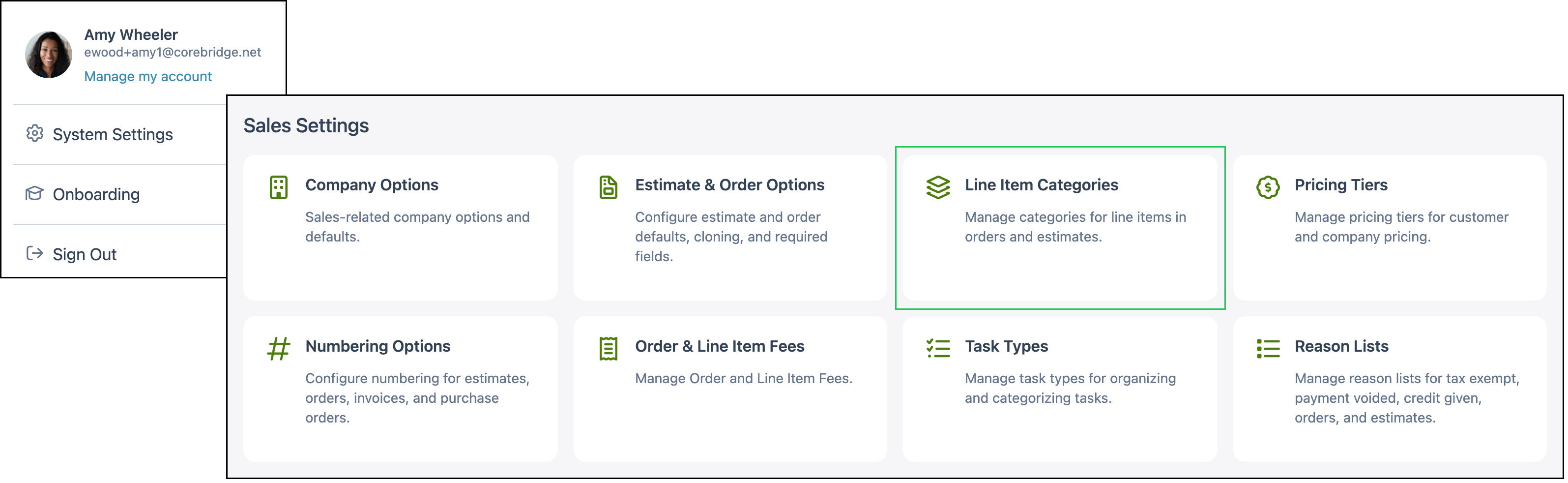
Navigate to System Settings / Sales Settings / Line Item Categories.
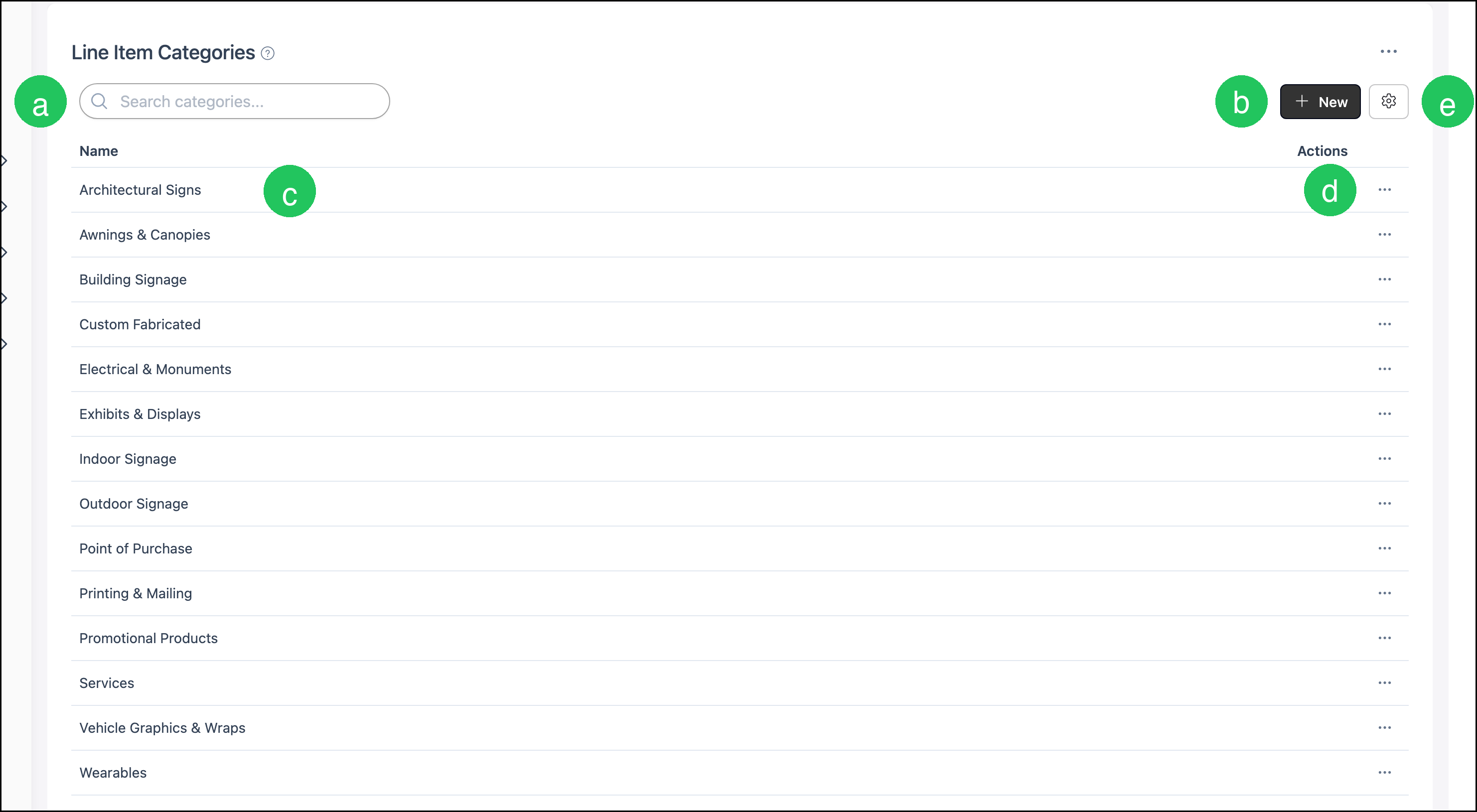
a. Search finds a category by name.
b. New opens Add Line Item Category.
c. Name is the category name.
d. Actions opens More Actions for that row. Set Inactive hides the category from the active list. Delete removes a category that is not in use.
e. Search Settings includes Include Inactive, which shows categories that were set inactive.
Note: The menu beside Search Settings opens History.
Adding a Line Item Category
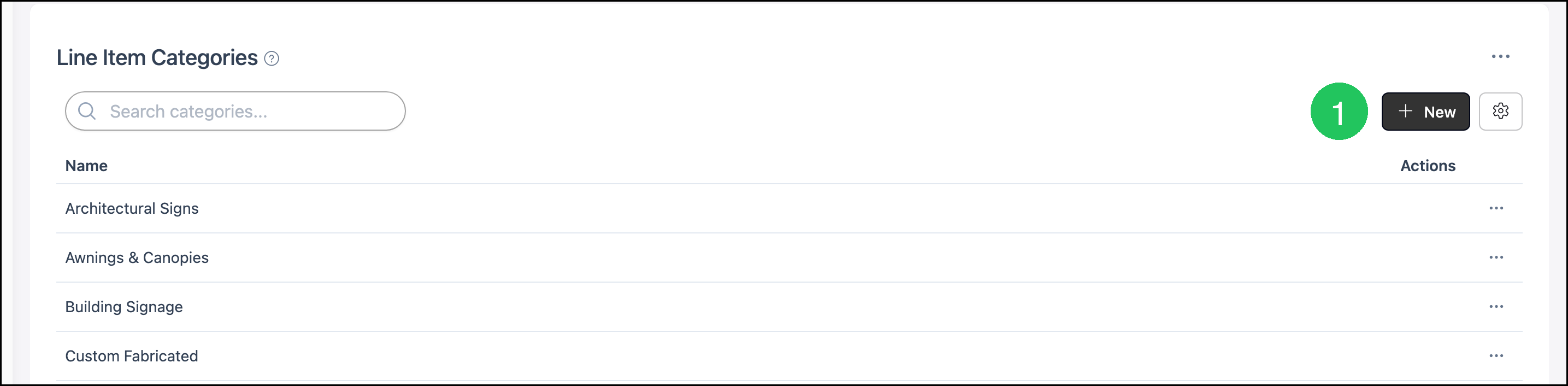
Navigate to System Settings / Sales Settings / Line Item Categories.
1. Click New.
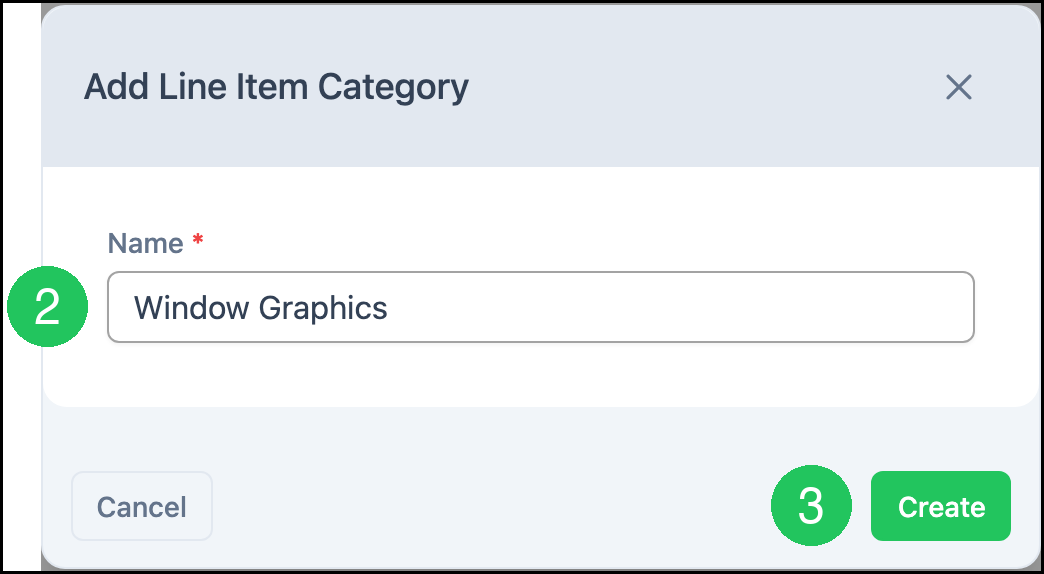
2. Enter a Name.
Note: Name is required.
3. Click Create.
Showing Line Item Category on Estimates and Orders
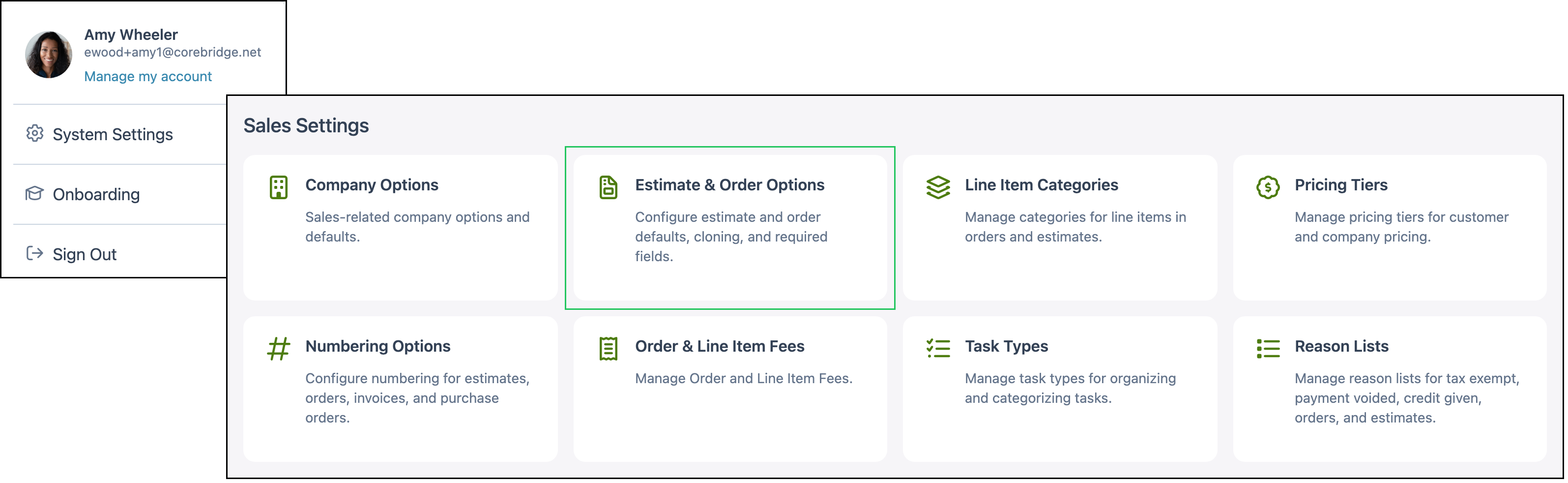
Navigate to System Settings / Sales Settings / Estimate & Order Options.
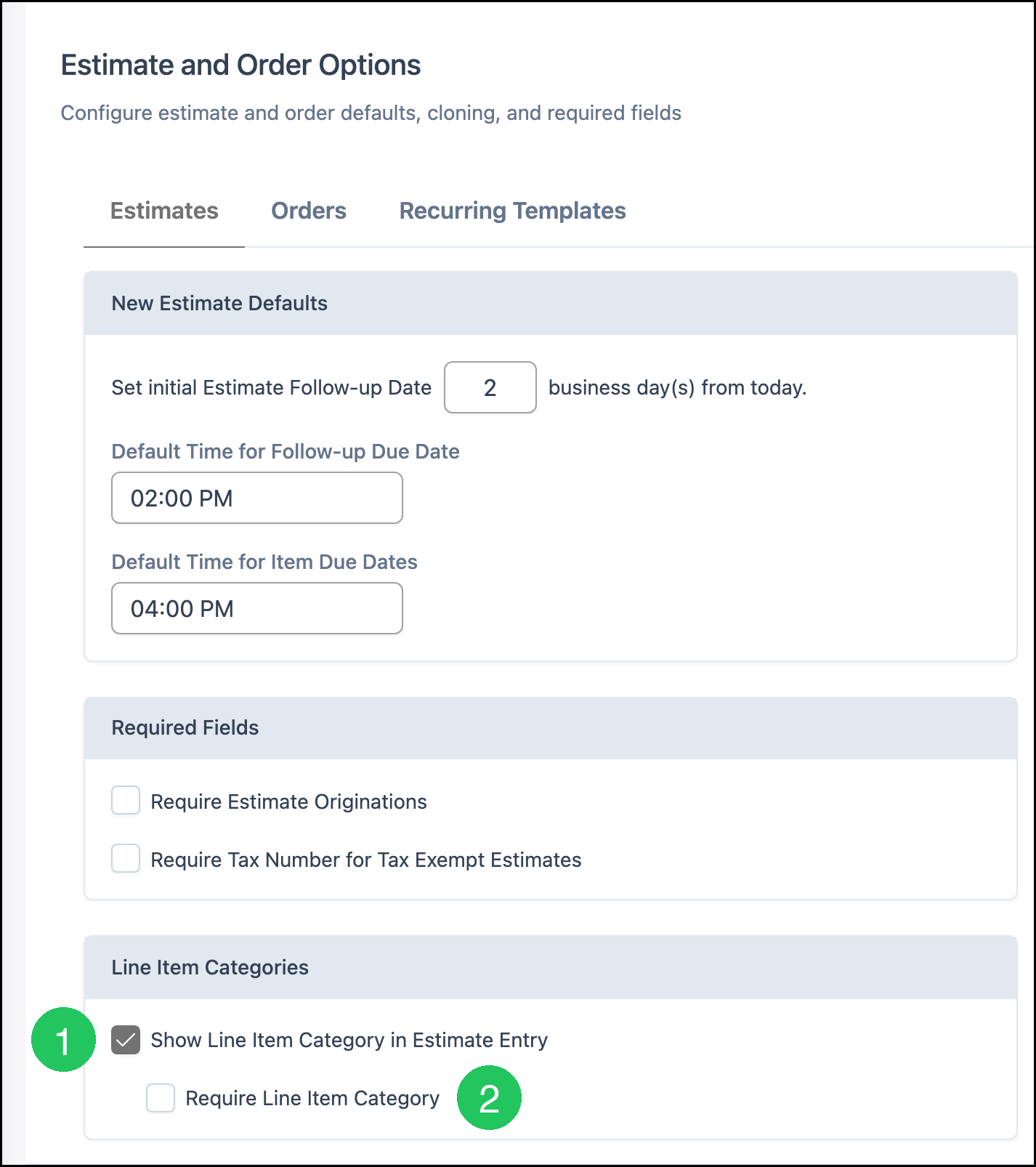
1. On the Estimates tab, select Show Line Item Category in Estimate Entry.
2. Select Require Line Item Category when each estimate line must have a category.
Note: The Orders tab has Show Line Item Category in Order Entry and Require Line Item Category. Set those separately. Require Line Item Category is available after the Show option is selected on that tab.
Choosing a Line Item Category
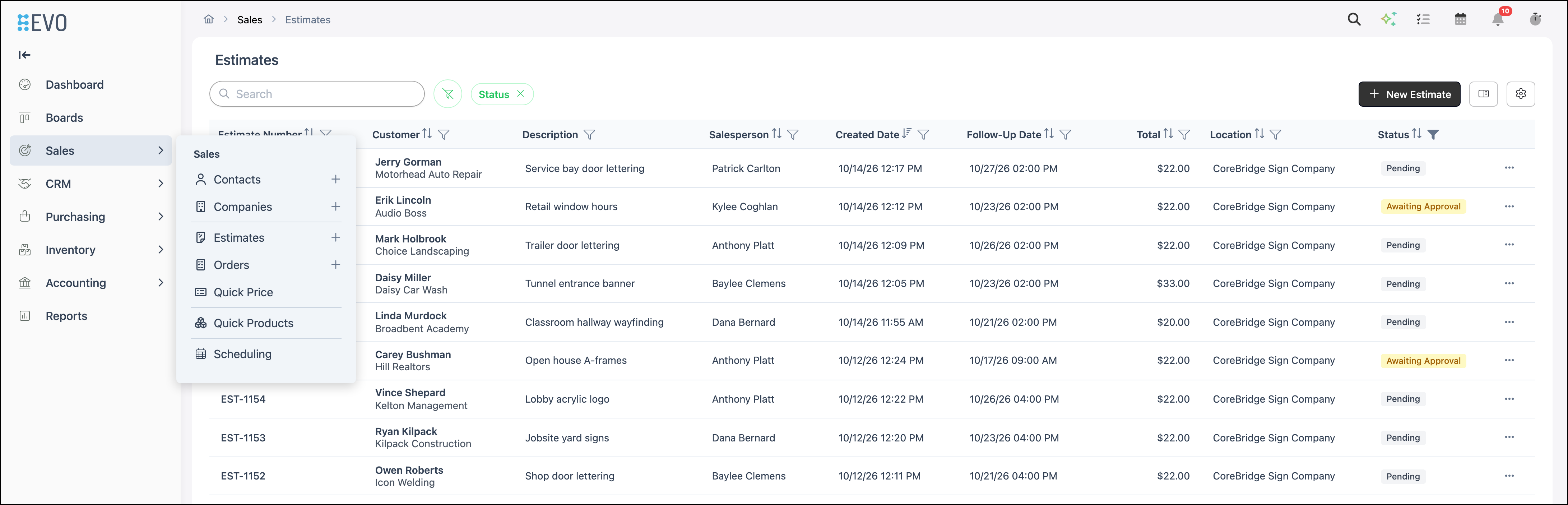
Navigate to Sales / Estimates.
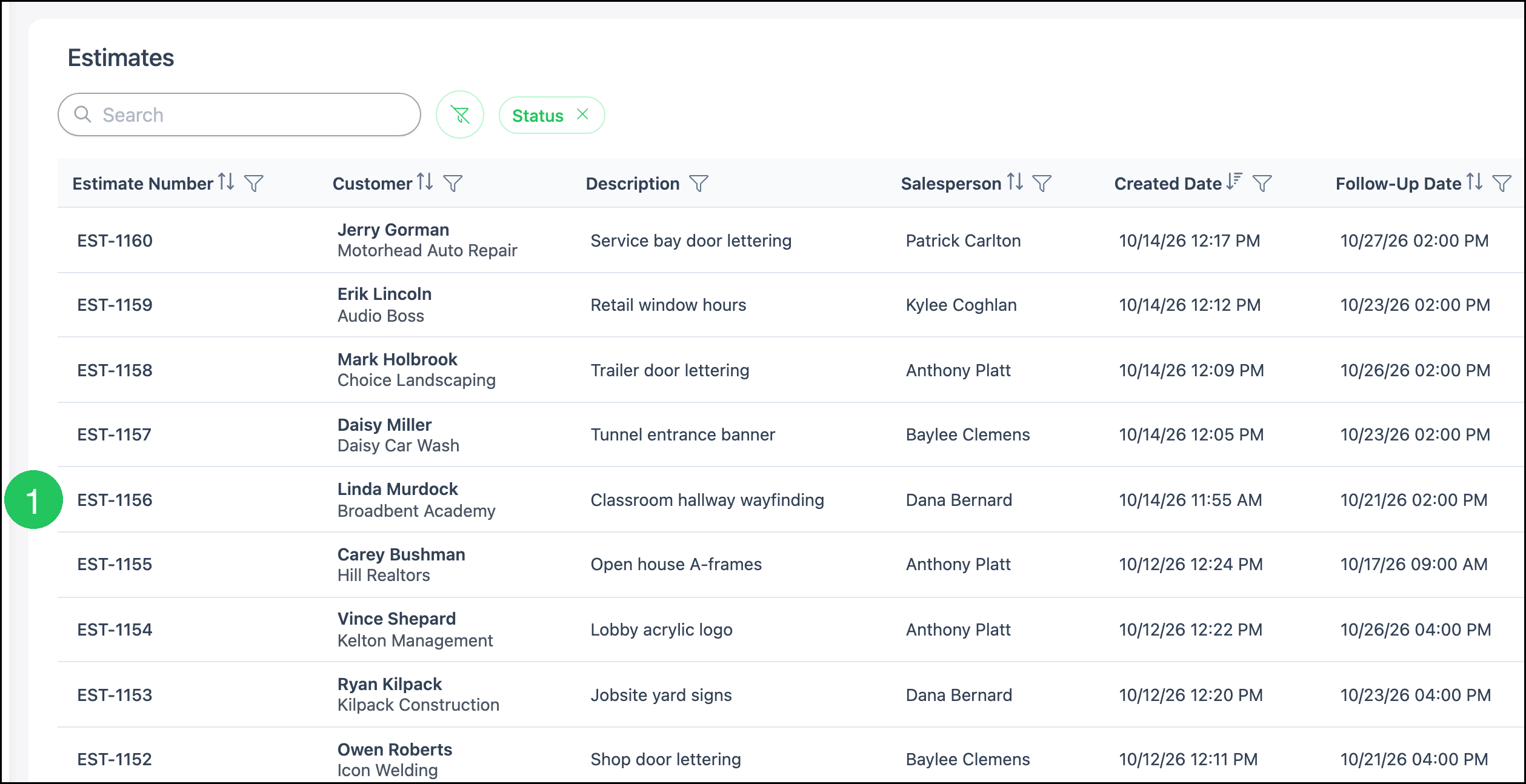
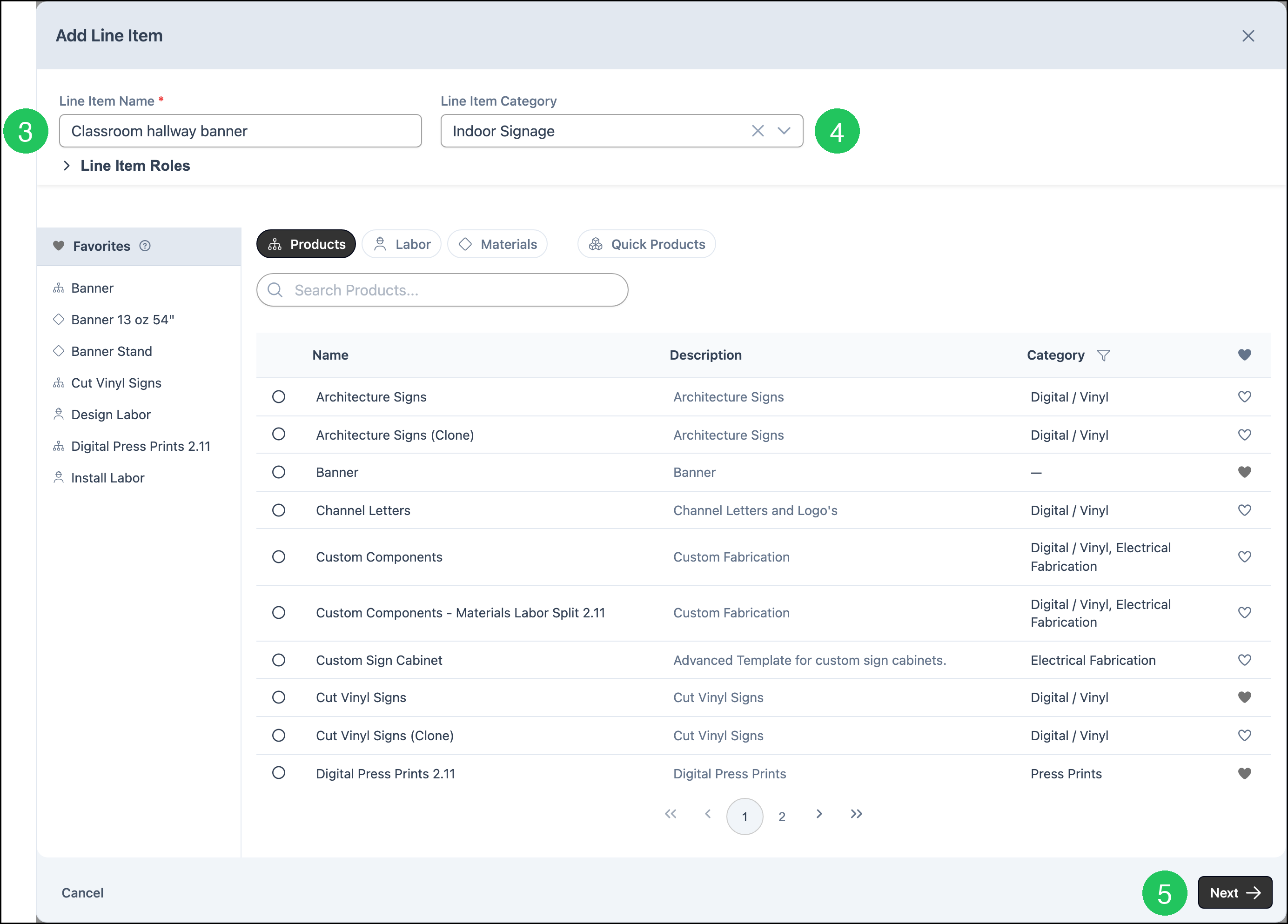
1. Open the Estimate. This example uses EST-1156.
2. Click Line Item.

3. Enter a Line Item Name.
4. Select a Line Item Category. This example uses Indoor Signage.
5. Click Next.
Note: The Category column in the product list is the product category. It is not the Line Item Category.
Note: Default Line Item Category on a Material or Labor is applied when that component is added as its own line.
Frequently Asked Questions
1. Is a Line Item Category the same as a Component Category?
Answer: No. A Line Item Category classifies a line on an Estimate or Order. Component Categories organize Materials, Labors, Machines, and Products.
2. Why is Delete unavailable?
Answer: Delete is unavailable when the category is already in use. Set Inactive hides it from the active list. Include Inactive in Search Settings shows it again.
3. Do Estimates and Orders use the same Line Item Category settings?
Answer: No. Show Line Item Category in Estimate Entry and Show Line Item Category in Order Entry are set separately. Require Line Item Category follows the Show option on that same tab.