
Copy Approvals is a Cloning Default on Estimate and Order Options. When Copy Approvals is selected, Line Item proofs and approvals copy onto the cloned Estimate or Order.
Table of Contents
- Important Information
- Enabling Copy Approvals for Estimates
- Enabling Copy Approvals for Orders
- Copy Approvals on the Clone Dialog
- Frequently Asked Questions
- Related Articles
Important Information
The Estimates tab and the Orders tab each have their own Cloning Defaults. Enable Copy Approvals on each tab you use when cloning.
When you clone an Estimate or Order, the Clone dialog starts from your saved Cloning Defaults. You can select or clear Copy Approvals for that clone before you click Clone.
Note: Copy Approvals is available when Artwork Approvals is included for your shop. If you do not see Copy Approvals, contact CoreBridge Support.
Enabling Copy Approvals for Estimates
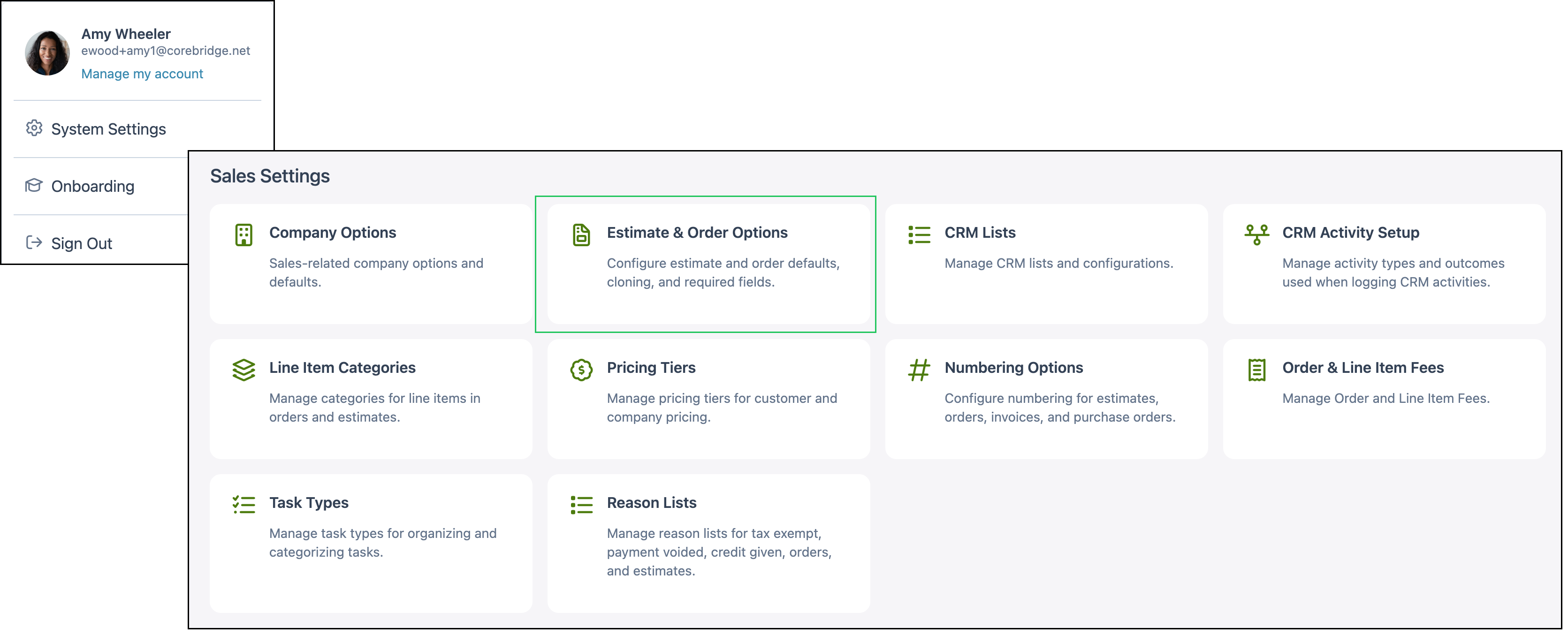
Navigate to System Settings / Sales Settings / Estimate & Order Options.
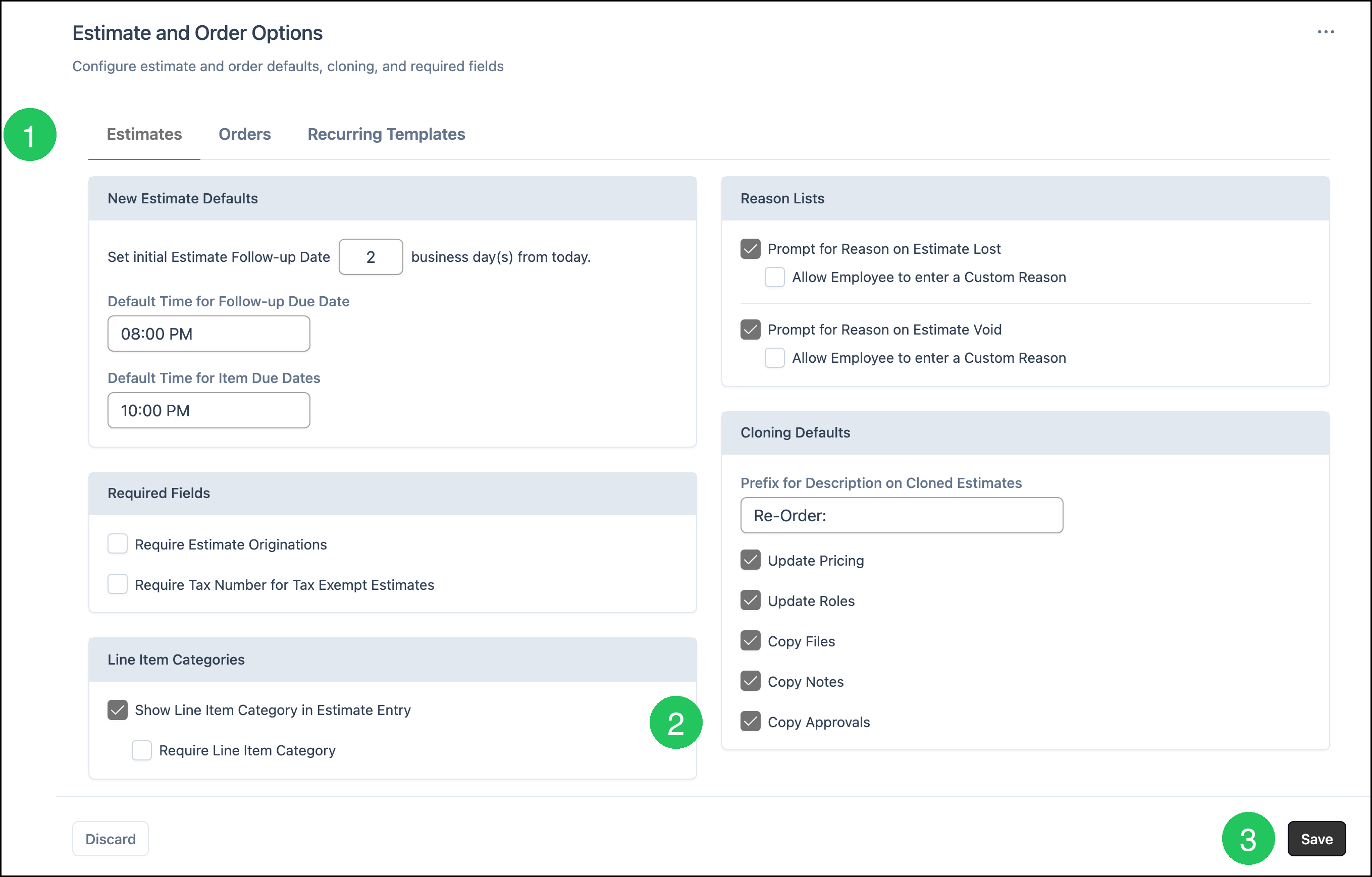
1. Click the Estimates tab.
2. Select Copy Approvals.
3. Click Save.
Enabling Copy Approvals for Orders
The Orders tab is on the same Estimate and Order Options screen.
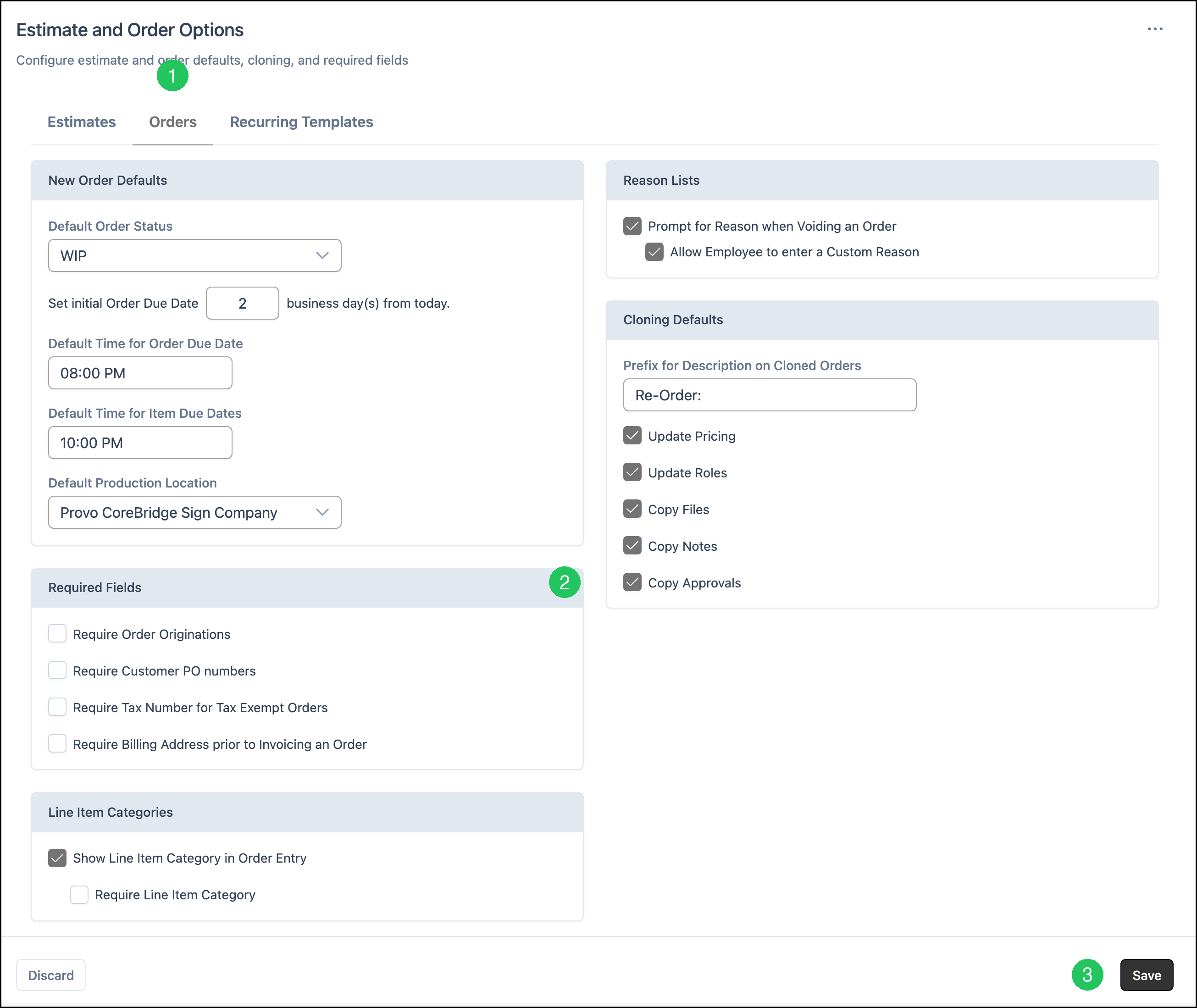
1. Click the Orders tab.
2. Select Copy Approvals.
3. Click Save.
Copy Approvals on the Clone Dialog
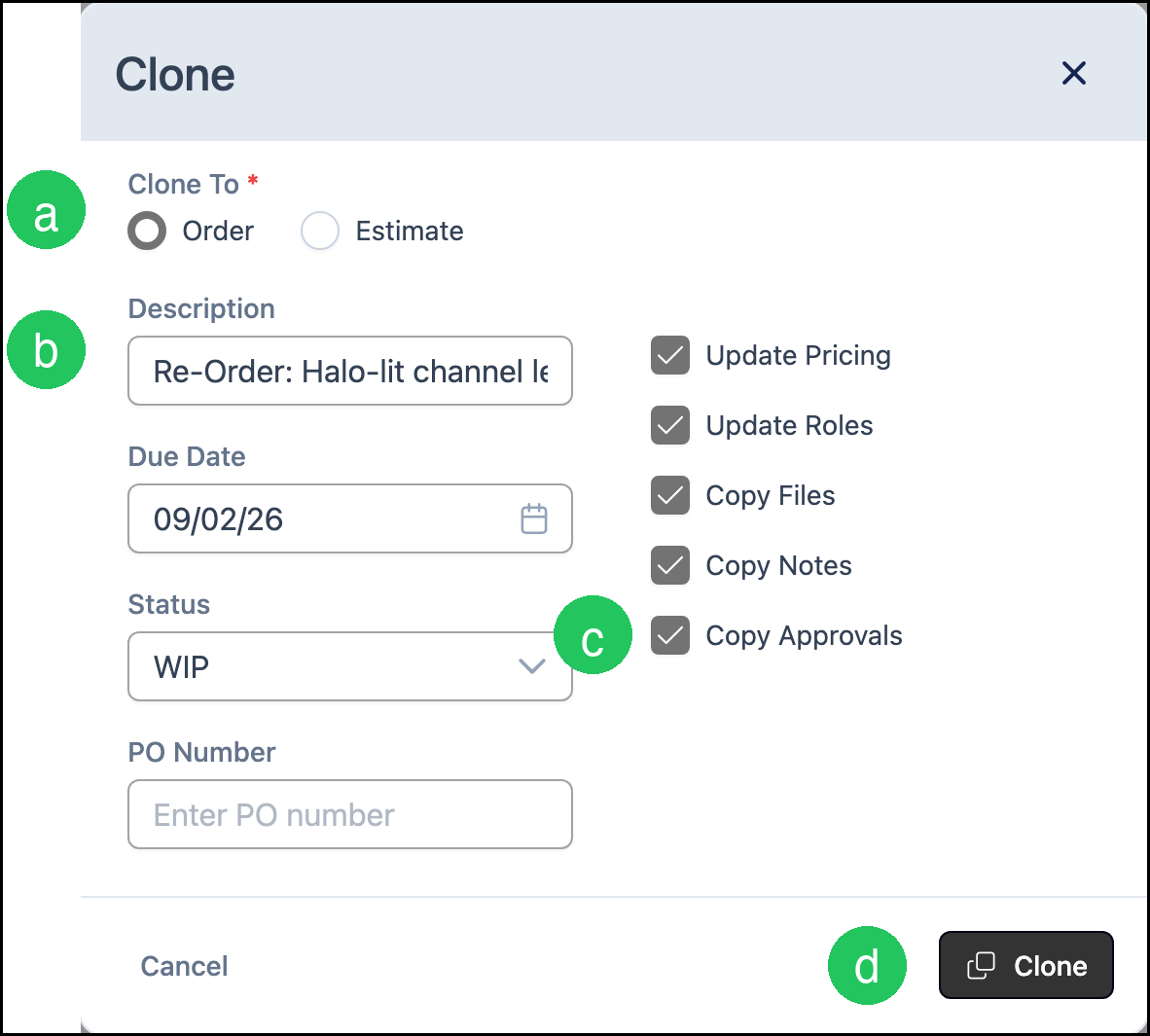
When you clone an Estimate or Order, the Clone dialog includes Copy Approvals. For more information about opening Clone from More Actions, see Estimate and Order Tools Menu.
a. Clone To - Whether the clone is created as an Order or an Estimate.
b. Description - The description for the clone. Your Cloning Defaults prefix is added at the start of the original description.
c. Copy Approvals - When selected, Line Item proofs and approvals copy onto the clone.
d. Clone - Creates the clone.
Frequently Asked Questions
1. Do I need to enable Copy Approvals on both the Estimates tab and the Orders tab?
Answer: Yes, if you clone both Estimates and Orders. Each tab has its own Cloning Defaults.
2. Can I change Copy Approvals for a single clone?
Answer: Yes. The Clone dialog starts from your saved Cloning Defaults. Select or clear Copy Approvals before you click Clone.
3. What copies when Copy Approvals is selected?
Answer: Line Item proofs and approvals from the source Estimate or Order copy onto the clone.
4. Why do I not see Copy Approvals?
Answer: Copy Approvals is available when Artwork Approvals is included for your shop. Contact CoreBridge Support if the option is missing.
Related Articles
Customer Portal Options
Employee Roles and Permissions in Settings
Estimate and Order Options
Estimate and Order Tools Menu
Estimates Overview
Line Item Statuses
Line Items Overview
Orders Overview