
The S&S Activewear integration connects CoreBridge to your S&S Activewear account so you can import products as Vendor Catalog Items, update those items, and check inventory. S&S Activewear is a major apparel and promotional products supplier. After you Connect, catalog and inventory data stay available for Estimates, Orders, and purchasing.
Note: CoreBridge can help with integration setup and how the integration works within the system. Questions related to the third-party service itself should be directed to that provider.
Table of Contents
- Benefits of Integrating With S&S Activewear
- How to Integrate With S&S Activewear
- Functionality
- S&S Activewear Details
- History
- Frequently Asked Questions
- Related Articles
Benefits of Integrating With S&S Activewear
- Sync Vendor Catalog Items from S&S Activewear so product data stays current.
- Access a wide selection of apparel and promotional products from a major supplier.
- Check inventory so Estimates and Orders use up-to-date availability.
How to Integrate With S&S Activewear
To integrate S&S Activewear with CoreBridge, navigate to System Settings / My Business / Integrations Marketplace.
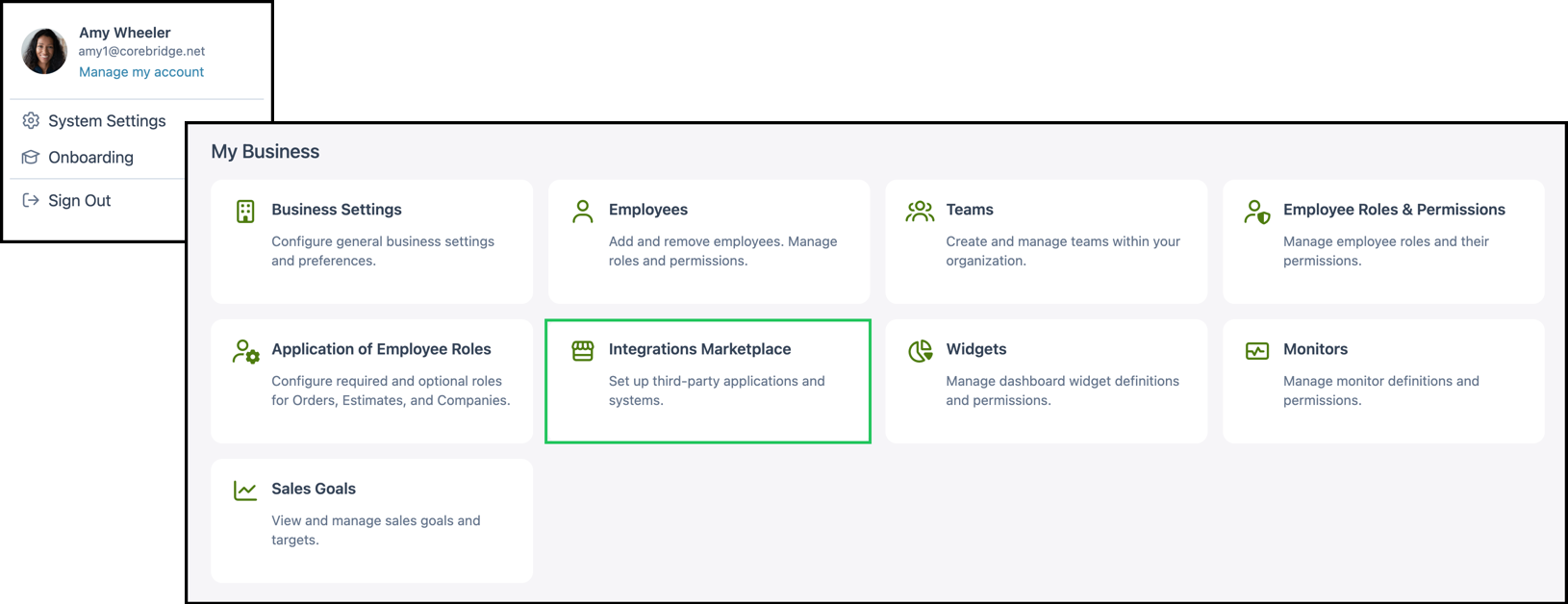
1. Select the Suppliers category.
Note: You can also find S&S Activewear using All Categories or the search bar.
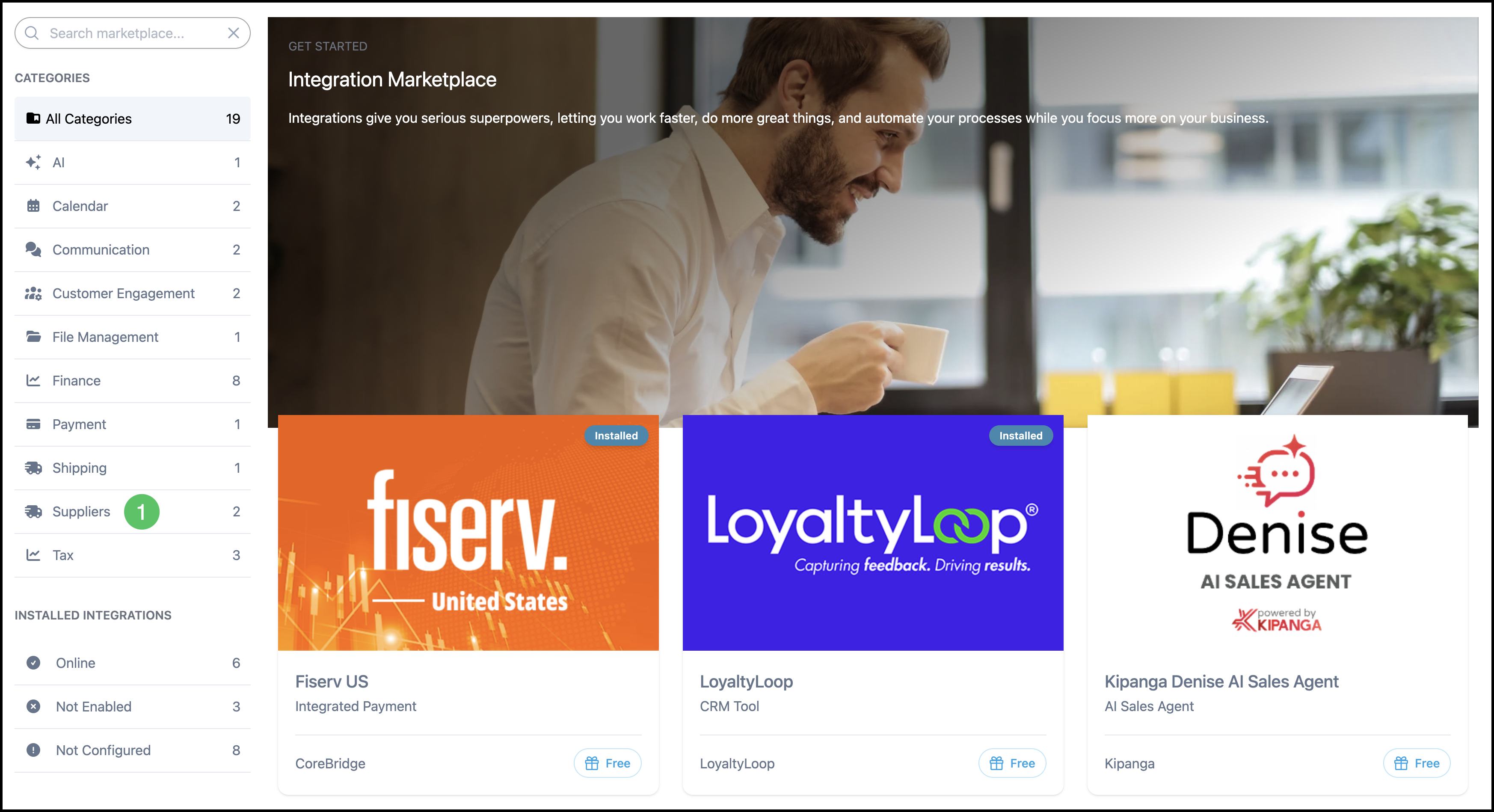
2. Select the S&S Activewear integration.
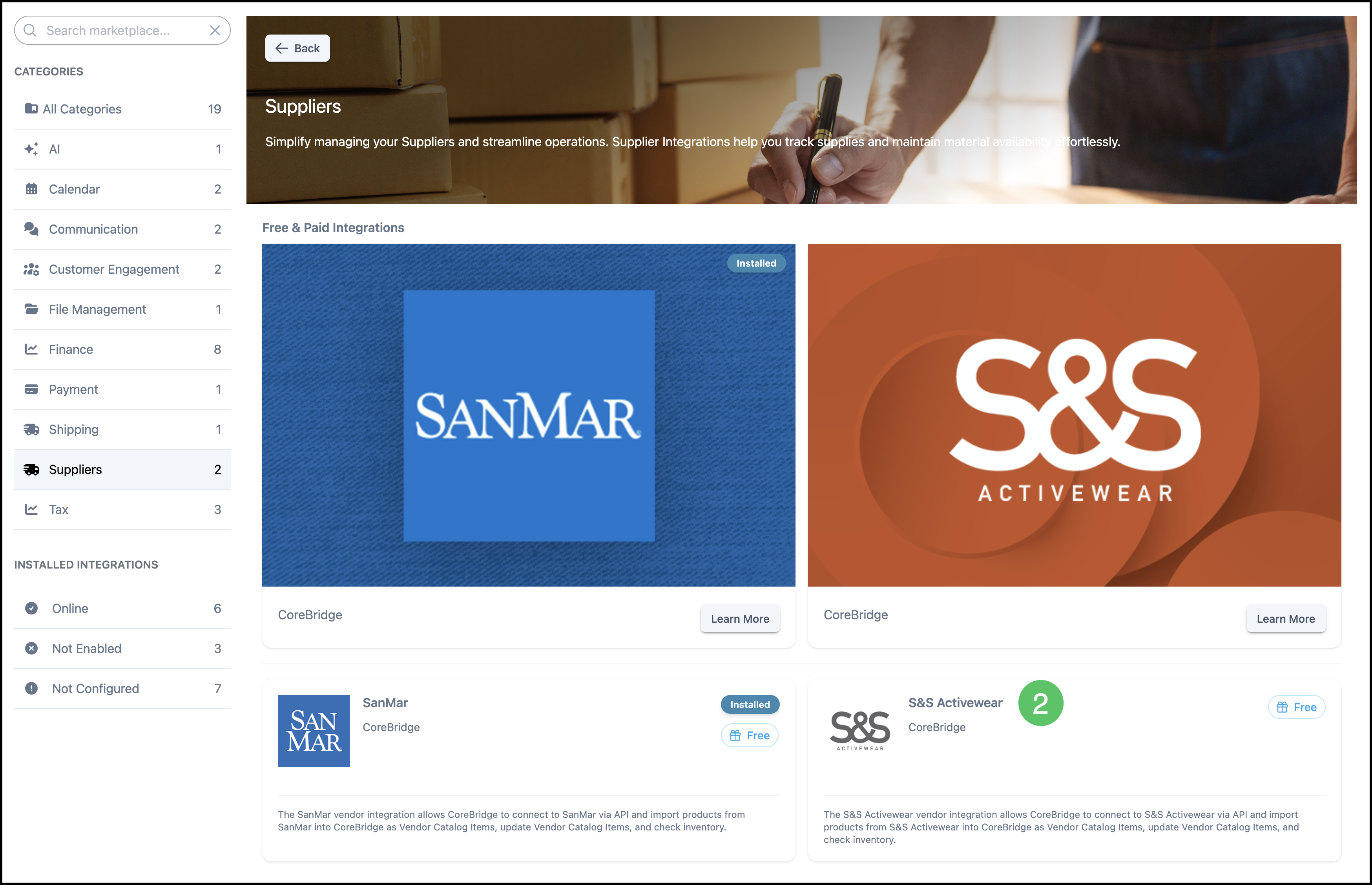
3. Click Install.
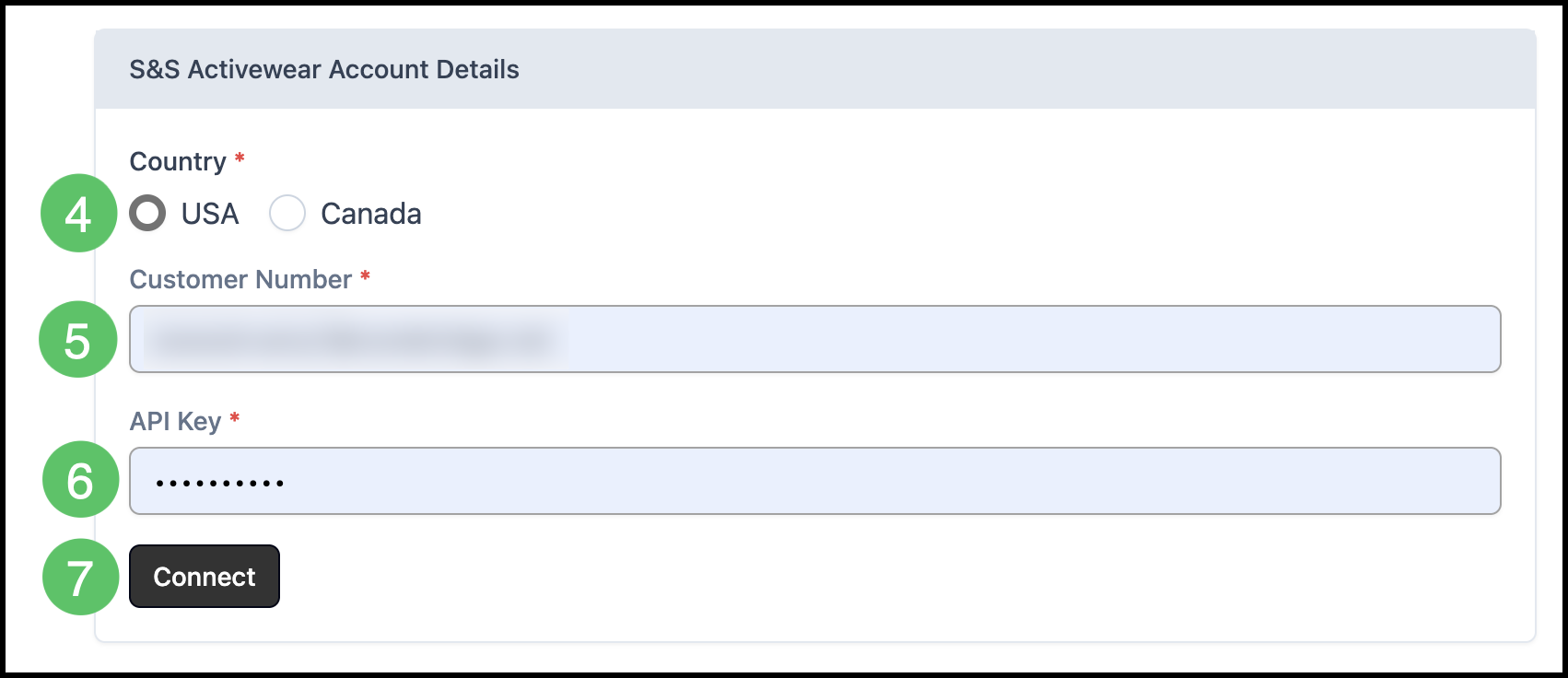
4. Choose your country location.
5. Fill in your Customer Number. This number is the same as your Account Number with S&S Activewear.
6. Fill in the API Key.
7. Click Connect.
Note: The Account Number can be found on the S&S Activewear website under My Account. The API Key can also be found on the same page, by clicking Show next to API Key.
Functionality
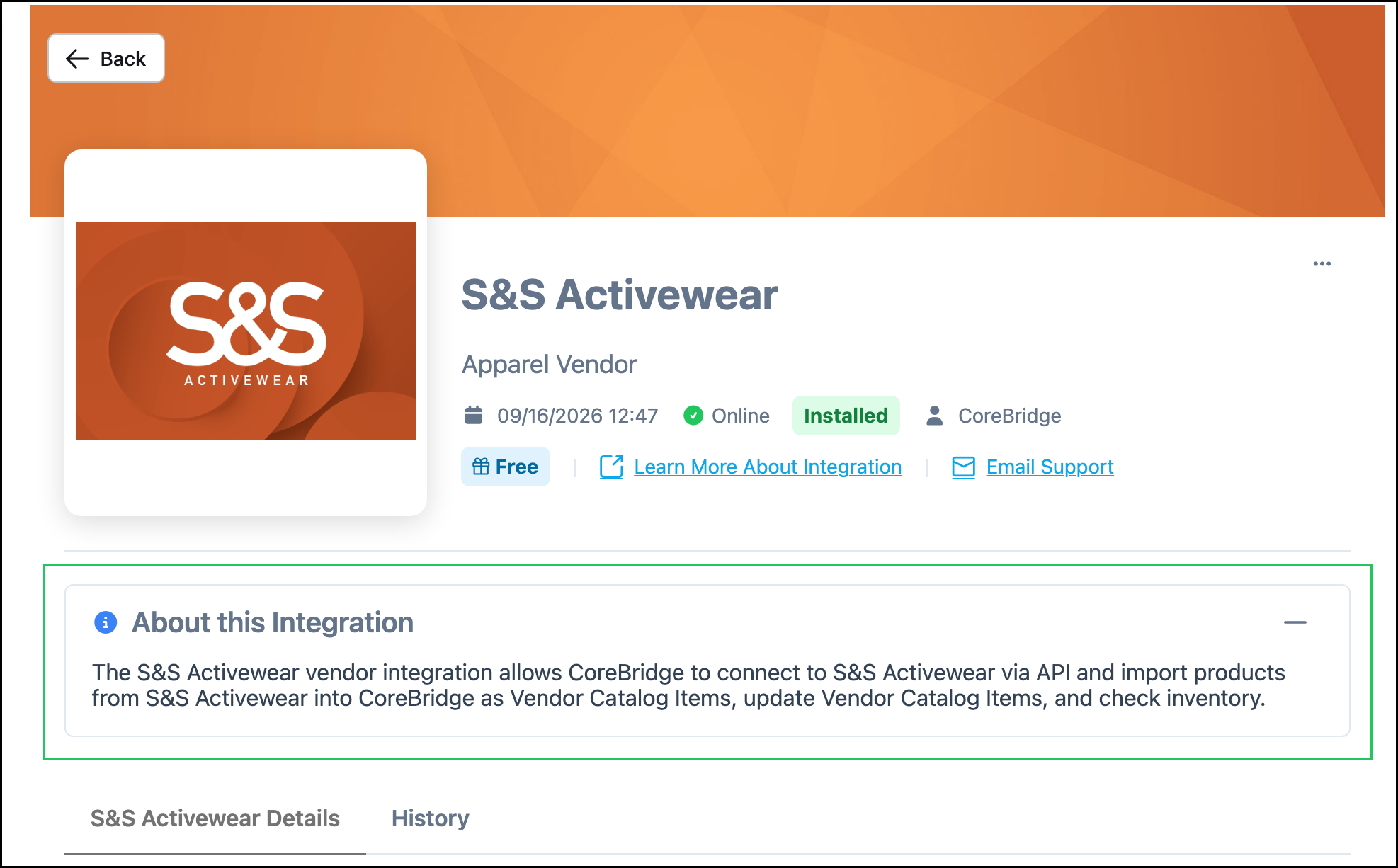
After you click Connect, the S&S Activewear integration can import products from S&S Activewear as Vendor Catalog Items, update those items, and check inventory. You do not add S&S Activewear as a Vendor to turn the integration on.
The About this Integration section on the S&S Activewear screen describes what the integration can do:
- Import products from S&S Activewear into CoreBridge as Vendor Catalog Items.
- Update Vendor Catalog Items from S&S Activewear.
- Check inventory.
Note: If you need a vendor record for purchase orders, see Creating Vendors.
Imported S&S products are used as Vendor Items on Materials. For Materials with Variants, including garments, link Vendor Items at the variant level. See Vendor Items and Materials with Variants Overview.
S&S Activewear Details
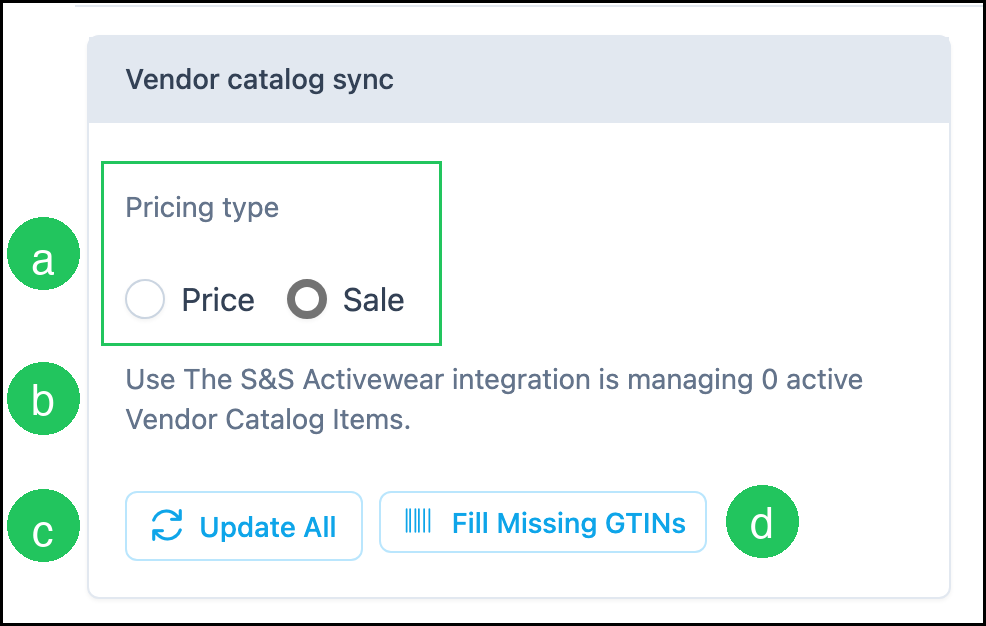
After you Connect, the S&S Activewear Details tab includes Vendor catalog sync.
a. Pricing type is Price or Sale. This is the pricing used when Vendor Catalog Items sync.
b. The integration shows how many active Vendor Catalog Items it is managing.
c. Update All updates Vendor Catalog Items from S&S Activewear.
d. Fill Missing GTINs fills missing GTIN values on Vendor Catalog Items.
Note: Edit Credentials lets you update the Country, Customer Number, and API Key used to connect.
Note: More Actions includes Set Inactive and Uninstall.
History
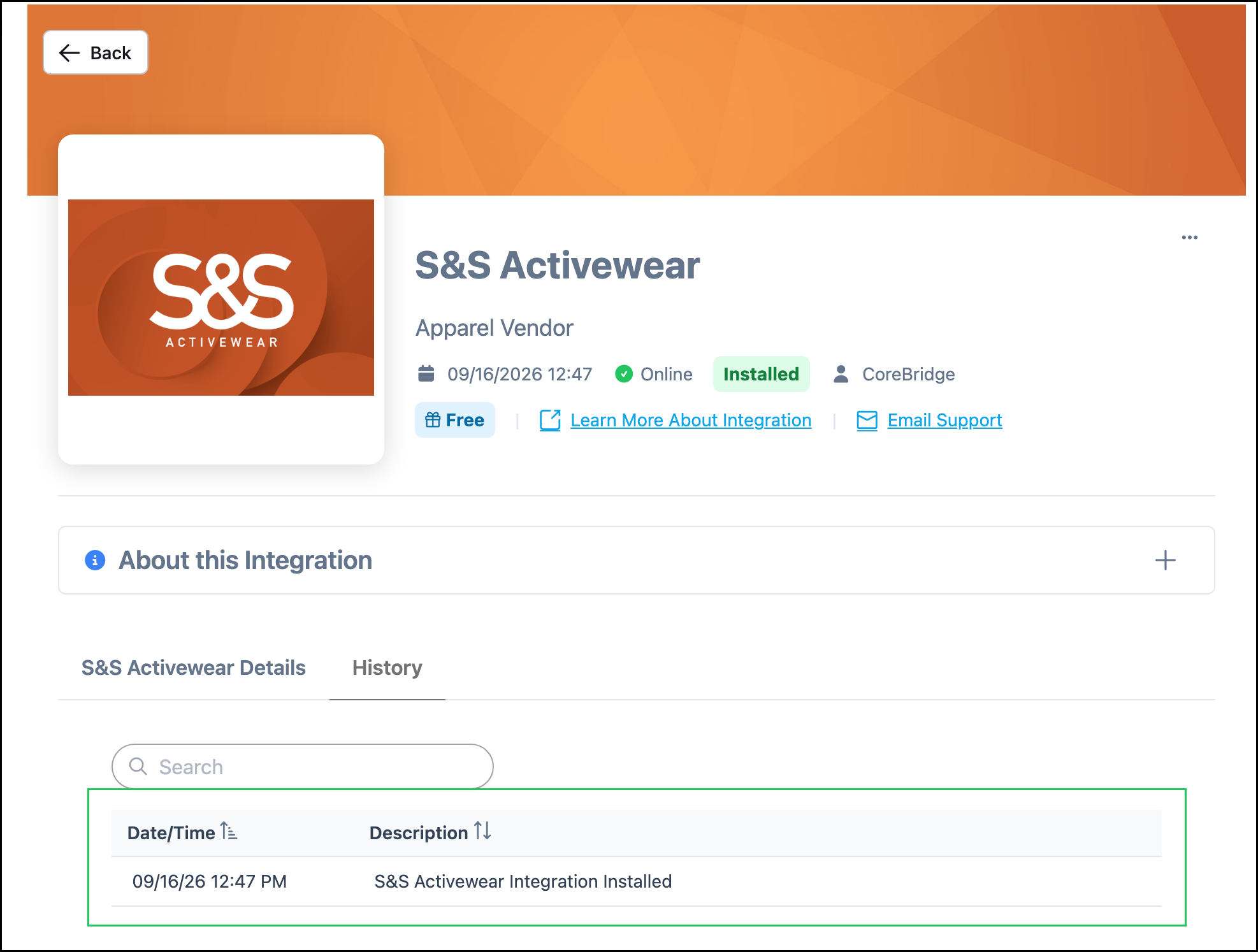
The History tab lists integration events. Each row shows Date/Time and Description. Use Search to find a specific event.
Frequently Asked Questions
1. Do I need to add S&S Activewear as a Vendor after I connect?
Answer: No. Connecting the integration is done from Integrations Marketplace. Add a vendor only if you need a vendor record for purchasing. See Creating Vendors.
2. Where do imported S&S products appear?
Answer: Imported products are Vendor Catalog Items. Link them as Vendor Items on Materials, including at the variant level for garments. See Vendor Items.
Related Articles
Integrations Marketplace Overview