
Training provides the lessons each employee completes on the Onboarding screen. The Training tab shows that employee's lessons, Training Progress, and the video and article for each lesson. Each employee completes Training under their own sign-in, and a lesson marked complete stays with that employee.
Table of Contents
Important Information
- Training is personal. The lessons and checks on the Training tab belong to the employee who is signed in.
- The Owner and Employee Administrators share the Setup checklist. They also complete their own lessons on Training.
- Employees who are not an Owner or Employee Administrator use Training.
- A lesson that appears on both Setup and Training has its own check on each tab.
- Select the checkbox in the Lesson Name column to mark a lesson complete. Opening a video or article does not mark the lesson complete.
Training Tab
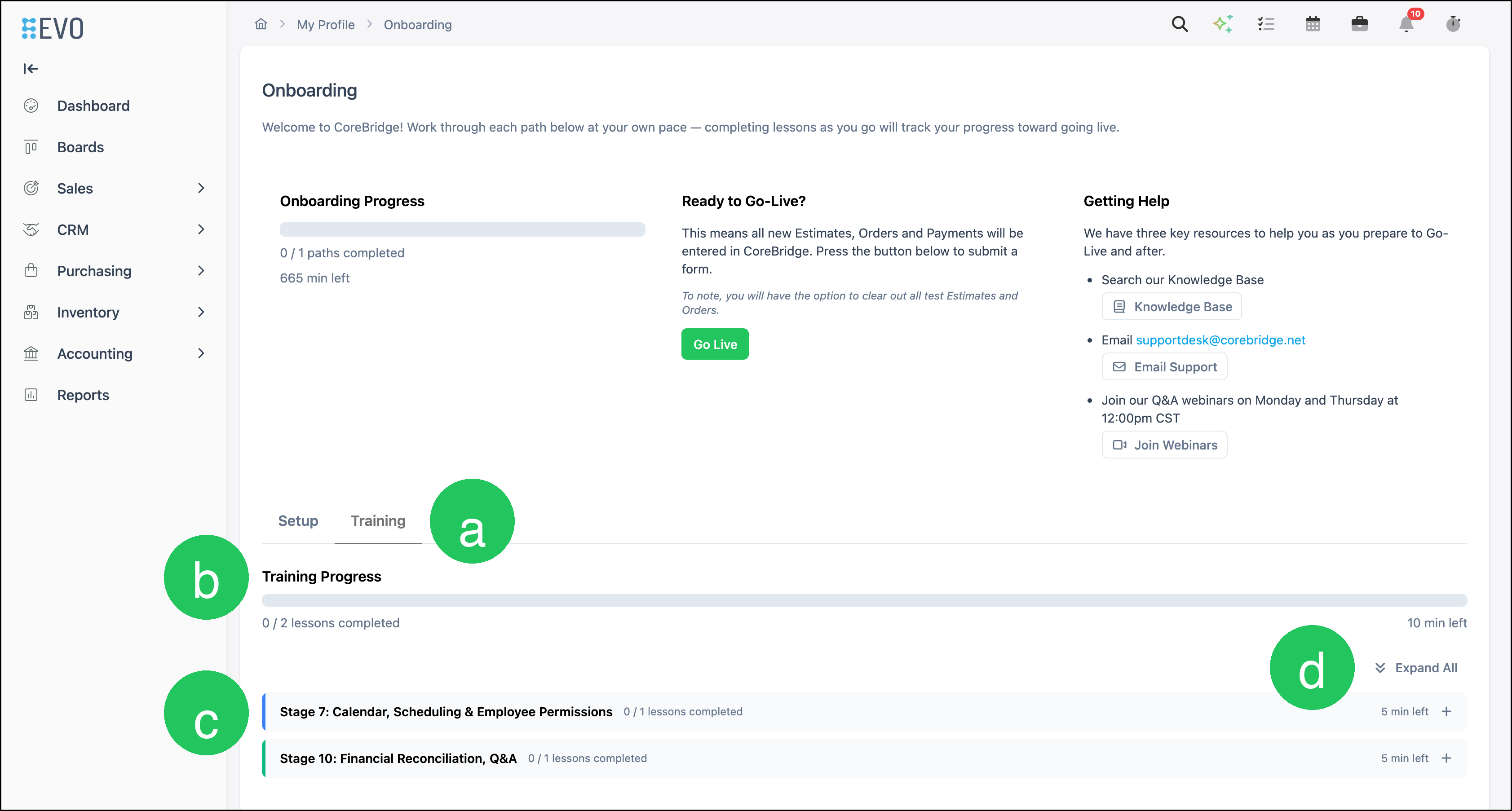
a. Training - The personal lessons for the employee who is signed in.
b. Training Progress - Lessons completed and time remaining for that employee.
c. Stage - A stage groups the lessons for that part of training. Stages start collapsed.
d. Expand All - Opens every stage on the Training tab.
Complete Your Training
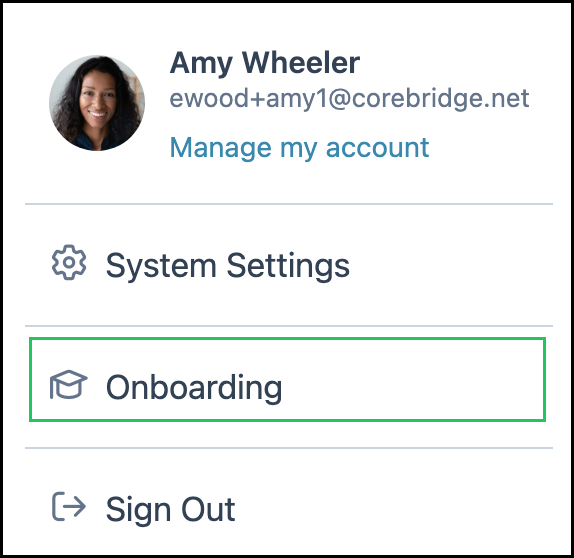
Open the Account menu and select Onboarding.
Note: You can also open Onboarding from My Profile by clicking View Onboarding.
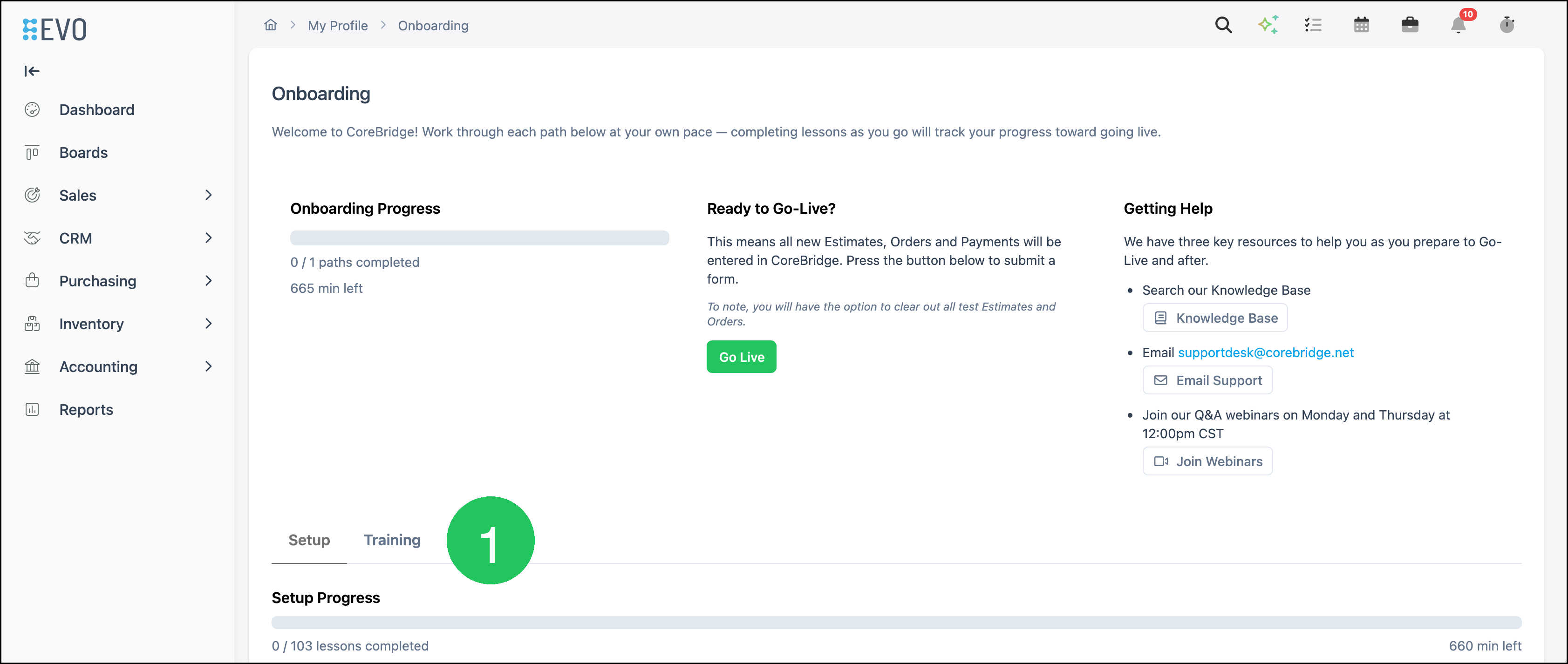
1. Click Training.
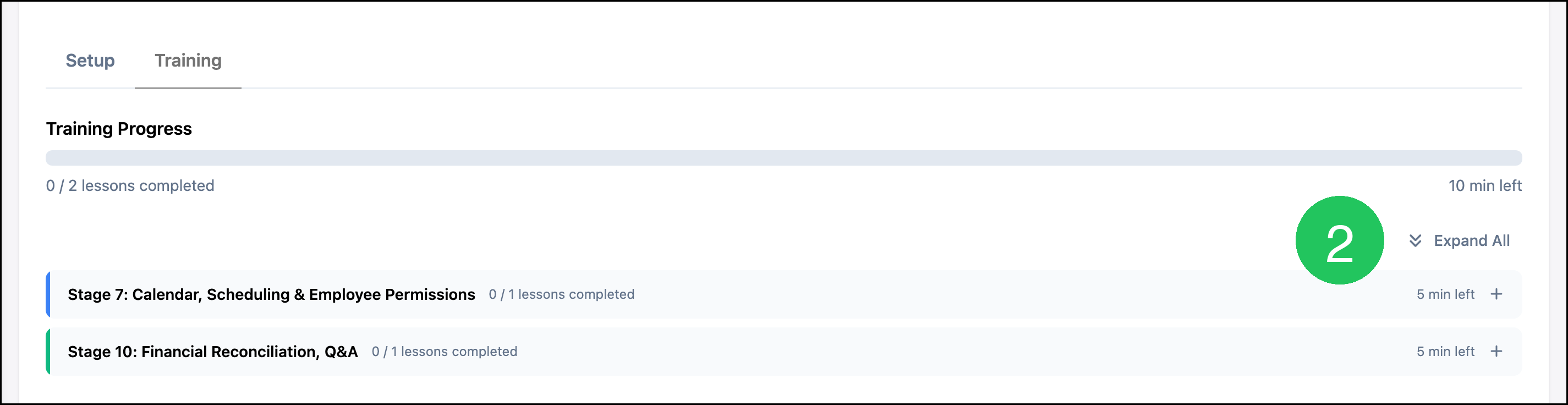
2. Click Expand All.
Note: A stage heading expands or collapses that stage.
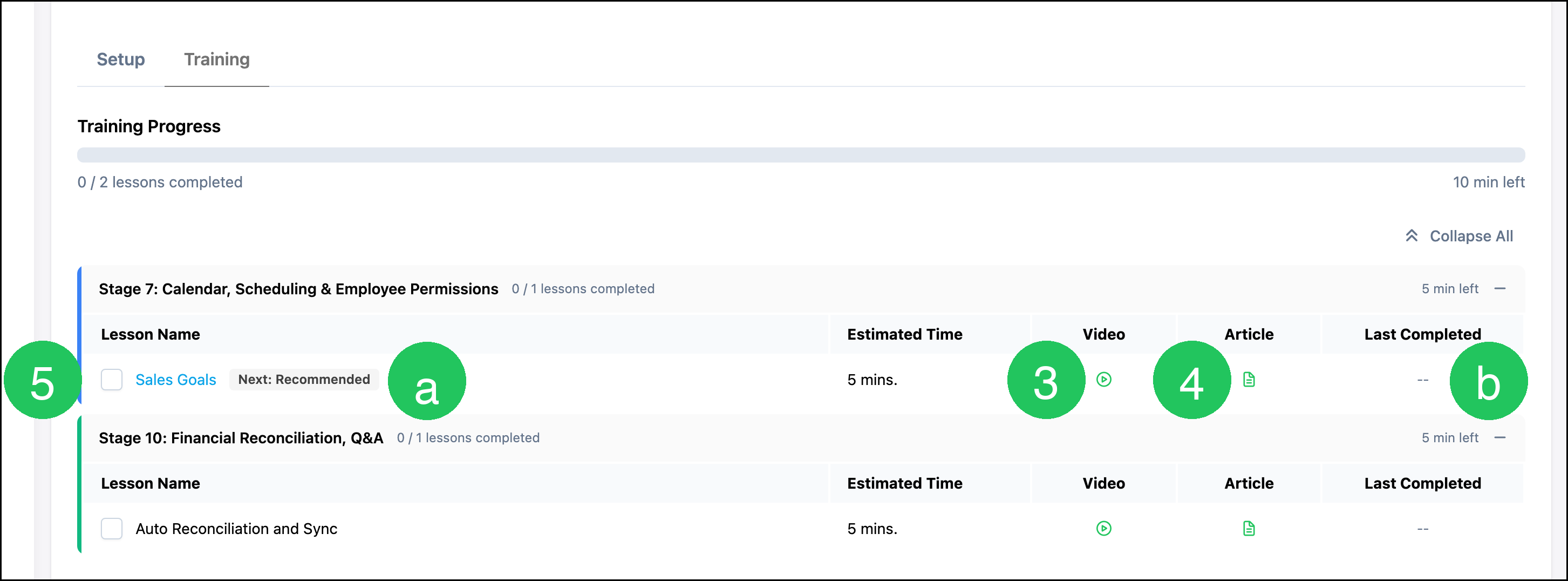
3. Click the icon in the Video column to open the lesson video.
4. Click the icon in the Article column to open the lesson article.
5. Select the checkbox in the Lesson Name column to mark the lesson complete.
Note: Opening a video or article does not mark the lesson complete.
a. Next: Recommended - Identifies the next lesson.
b. Last Completed - The date and time recorded when the lesson is marked complete.
Note: When the lesson name is a link, it opens that area of CoreBridge.
Frequently Asked Questions
1. Does each employee complete Training separately?
Answer: Yes. Training progress stays with the employee who is signed in. Each employee opens Onboarding and completes the lessons on the Training tab under their own sign-in.
2. If one person marks a Training lesson complete, does everyone else see it complete?
Answer: No. The check stays with the employee who marked the lesson. Another employee completes that lesson on their own Training tab. On Setup, the Owner and Employee Administrators share the checks.
3. Does opening a video or article mark the lesson complete?
Answer: No. Select the checkbox in the Lesson Name column. Last Completed shows the date and time recorded for that lesson.
4. Who sees the Training tab?
Answer: Every employee uses Training. The Owner and Employee Administrators also see Setup. Employees who are not an Owner or Employee Administrator use Training.