
Enabling eChecks in CoreBridge lets you process bank payments on an order while also allowing customers to pay by eCheck through the Customer Portal when the integration is enabled.
Note: eChecks are available when using Fiserv US as your integrated processor.
Table of Contents
Before You Begin
Fiserv US must be installed and online before you can enable eChecks. You need access to Settings and permission to configure integrations. For more information, see Fiserv US - A CoreBridge Integrated Merchant Services Provider.
eCheck is an optional add-on to a standard Fiserv US merchant account. If you already use Fiserv US and want to add eCheck, complete the CoreBridge | Fiserv US form. In Comments, include your current Fiserv US merchant ID and note that you want eCheck.
Note: Questions about Fiserv merchant accounts, rates, or banking should be directed to Fiserv or your payment provider. CoreBridge can help with how the integration works in the system.
Enabling eChecks
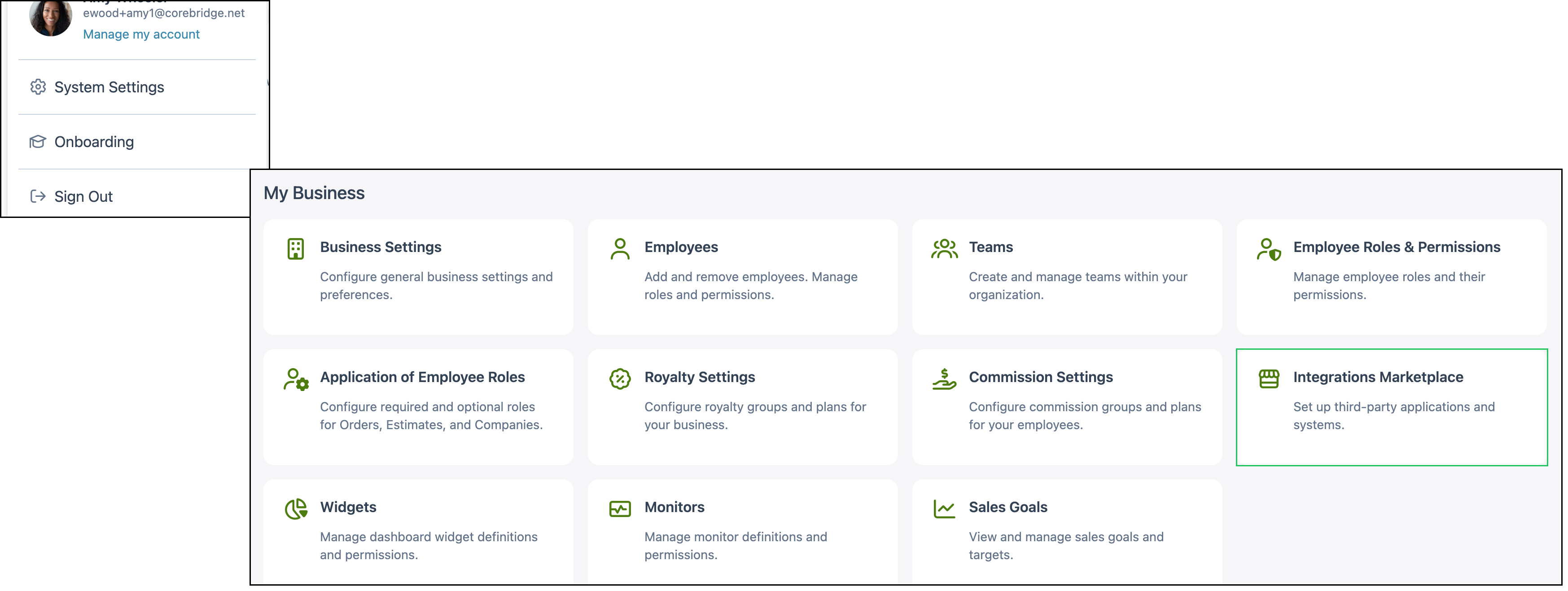
Navigate to System Settings / My Business / Integrations Marketplace.
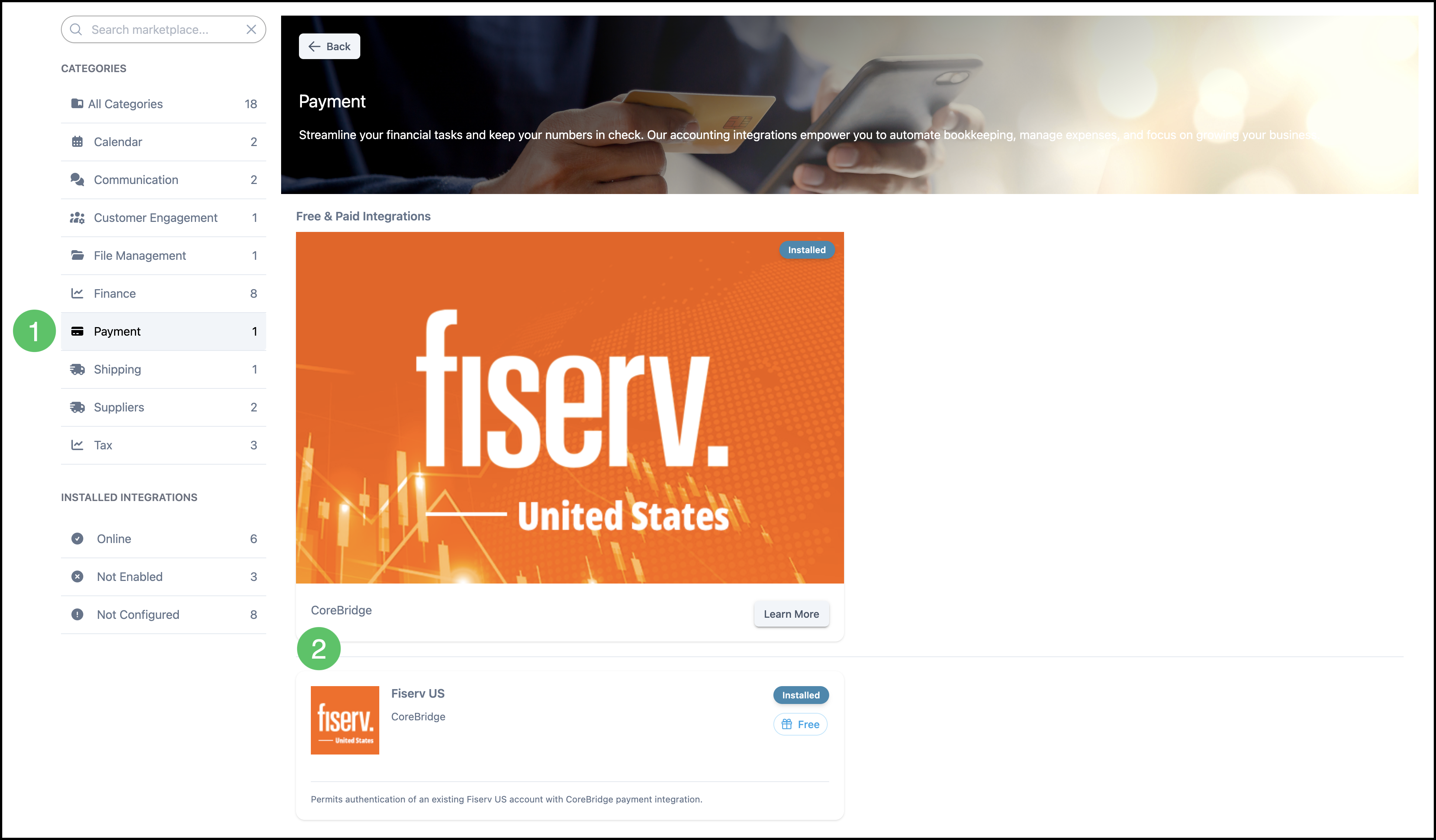
1. Click the Payment category.
2. Click the Fiserv US card.
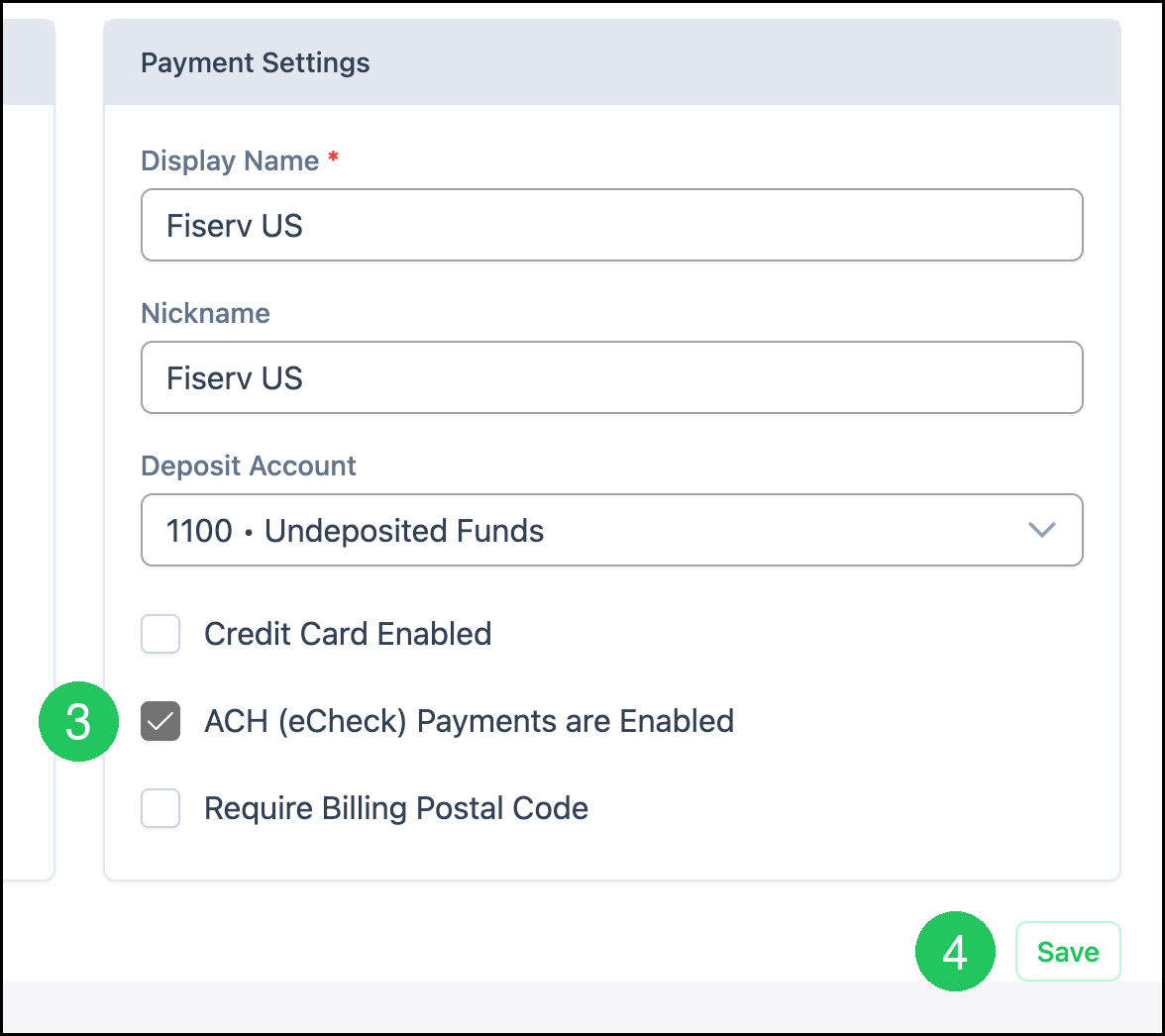
3. Select ACH (eCheck) Payments are Enabled.
4. Click Save.
Note: Credit Card Enabled can remain selected. Selecting ACH (eCheck) Payments are Enabled does not turn off card payments.
Using eChecks
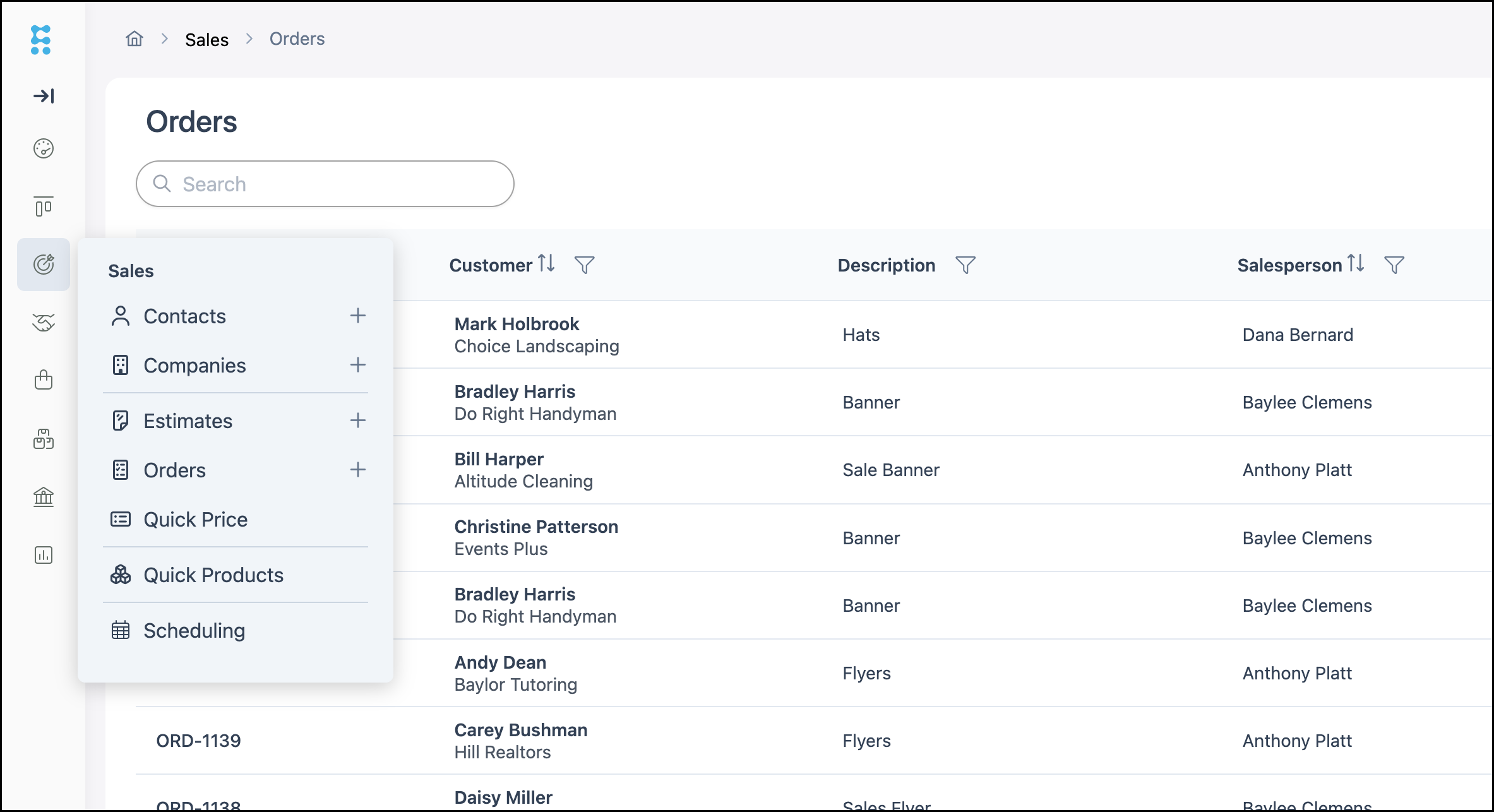
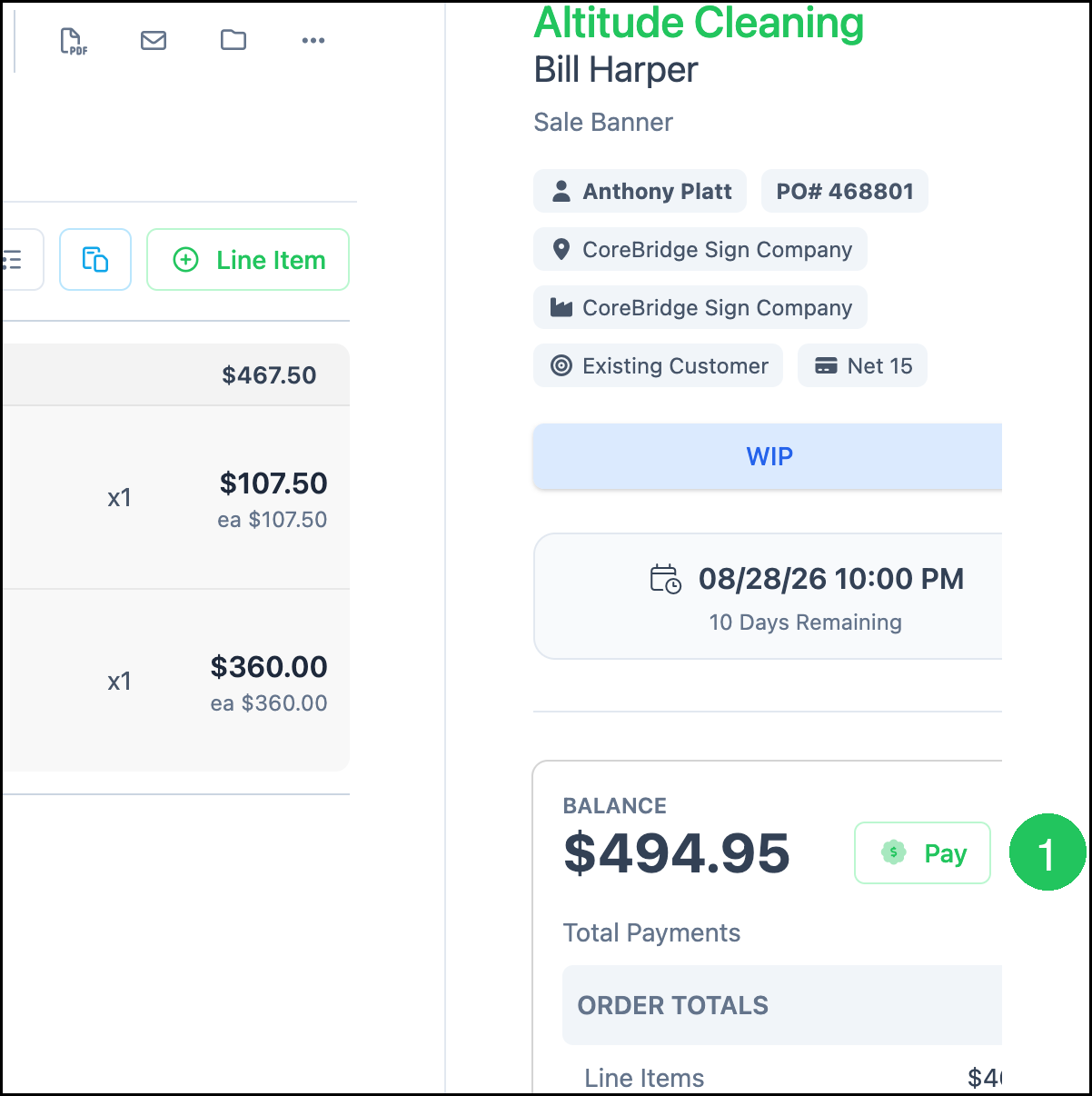
Navigate to Sales / Orders and open an Order with a remaining balance.
1. Click Pay.
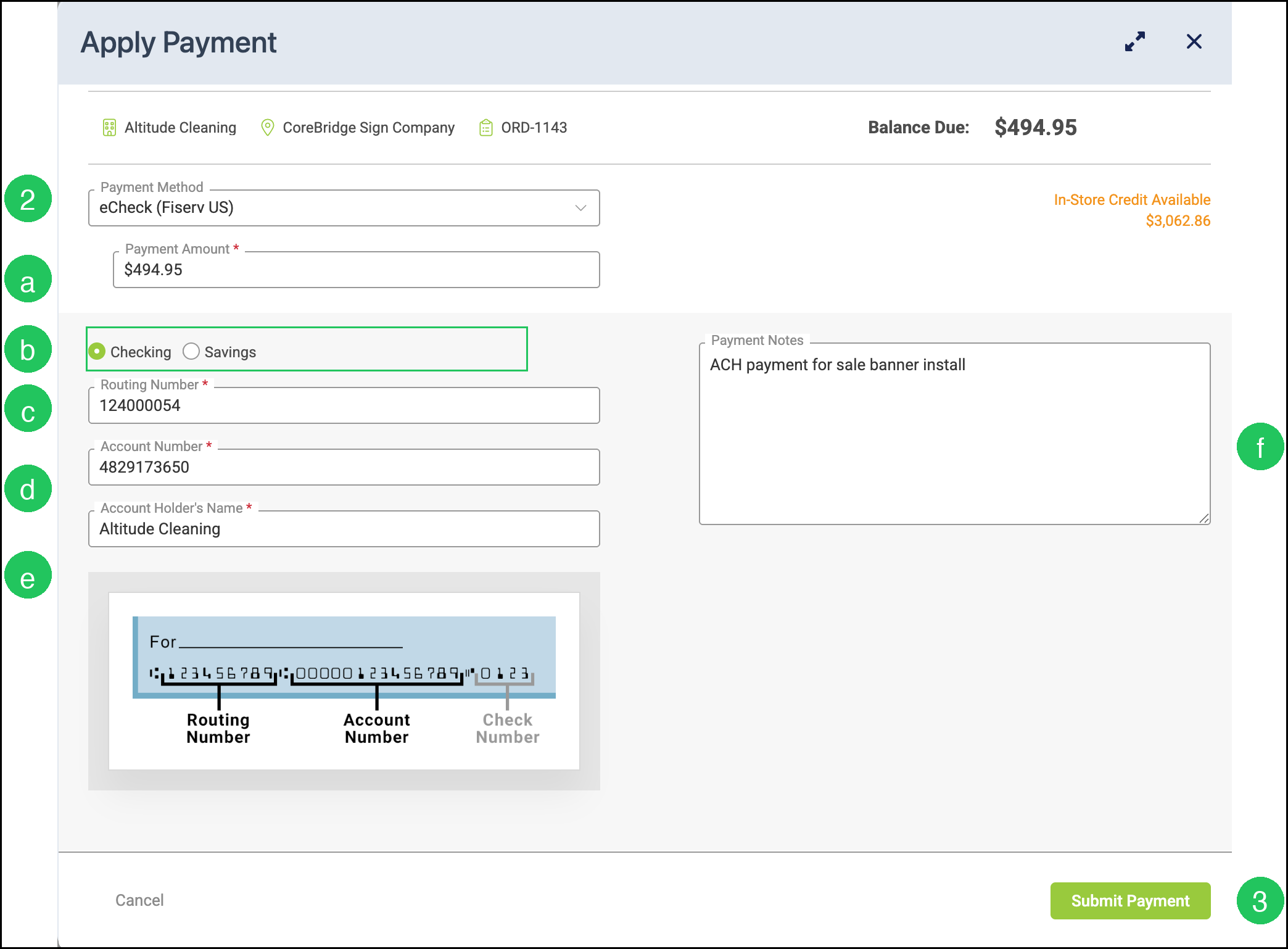
2. Select eCheck (Fiserv US) from the Payment Method dropdown.
a. Payment Amount - The amount to apply. This field auto-fills with the balance due and can be changed.
b. Checking / Savings - The type of bank account.
c. Routing Number - The 9-digit routing number from the customer's check.
d. Account Number - The customer's bank account number.
e. Account Holder's Name - The name on the bank account.
f. Payment Notes - Optional notes about the payment.
3. Click Submit Payment.
Frequently Asked Questions
1. What is the difference between a decline and a reject / return?
Answer:
- Decline - A decline happens while a transaction is being processed. This can occur if the bank account is recognized as invalid, such as if it is closed, does not exist, or has a history of issues. Once a bank account has been declined, it continues to be declined. Reusing the same account for another payment attempt does not work. The customer needs to use a different payment method.
- Reject / Return - This usually occurs a few days after a transaction. A reject (or return) is a notice from the bank that the money transfer did not go through. When this happens, the original transaction is voided. If the reject is received before the funds are sent, the transaction is not funded. If the funds have already been sent, the money is pulled back from the receiving bank account.
2. Can I take eChecks without Fiserv US?
Answer: eChecks are available when using Fiserv US as your integrated processor.
3. Can customers pay by eCheck in the Customer Portal?
Answer: When the Fiserv US integration is enabled and eChecks are turned on, customers can also make eCheck payments through the Customer Portal.
Related Articles
Fiserv US - A CoreBridge Integrated Merchant Services Provider