
Linking Records attaches an existing Estimate or Order to a Lead or an Opportunity. The linked record is listed on Estimates & Orders.
Table of Contents
- Important Information
- Link Records from a Lead
- Link Records on an Opportunity
- Frequently Asked Questions
- Related Articles
Important Information
- Linking Records uses an Estimate or Order that already exists. Create Estimate and Create Order start a new record.
- From a Lead, the link is added on New Opportunity. From an Opportunity that already exists, the link is added under Estimates & Orders.
- The list shows Orders and Estimates for that Company.
- After a record is linked, it appears in the Estimates & Orders table, and Breakdown lists it. When the Opportunity amount is Manual, Deal Value stays the amount that was entered.
- To remove a linked record, edit the Opportunity and remove it under Records.
Link Records from a Lead
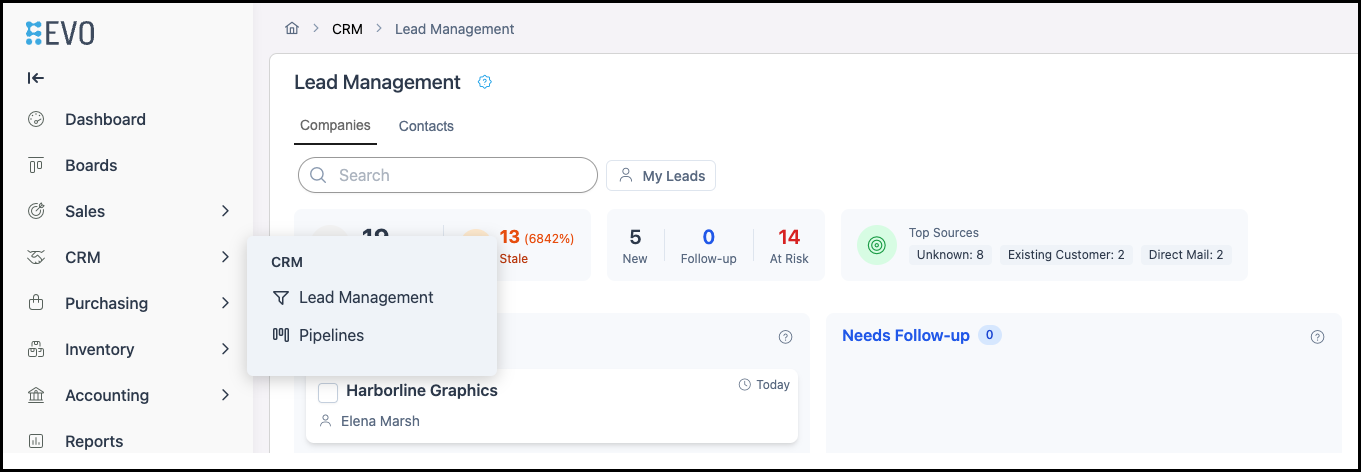
Navigate to CRM / Lead Management.
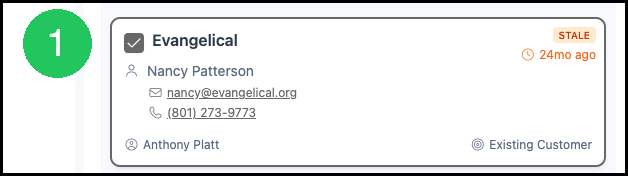
1. Select the Lead.
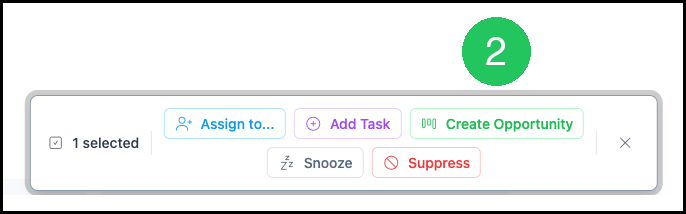
2. Click Create Opportunity.
Note: These options will appear after the Lead is selected.
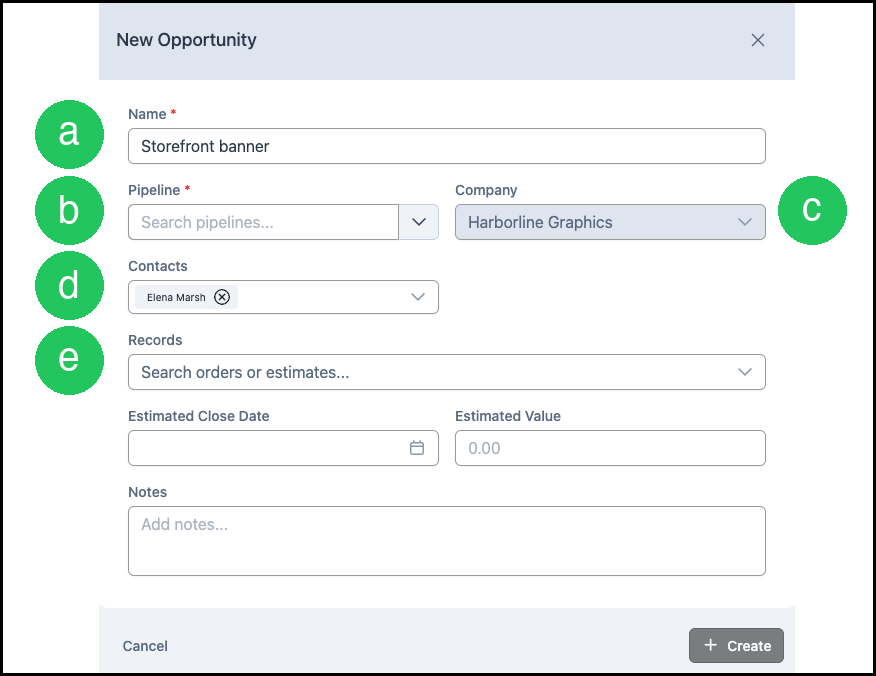
New Opportunity opens. Company and Contacts come from the Lead.
a. Name - Enter a name for the Opportunity.
b. Pipeline - Select the Pipeline for this Opportunity.
c. Company - The Company from the Lead.
d. Contacts - The Contact from the Lead.
e. Records - Search for an existing Estimate or Order for that Company.
Create stays unavailable until Name and Pipeline are filled. After both are filled, click Create.
Link Records on an Opportunity
Navigate to CRM / Pipelines.
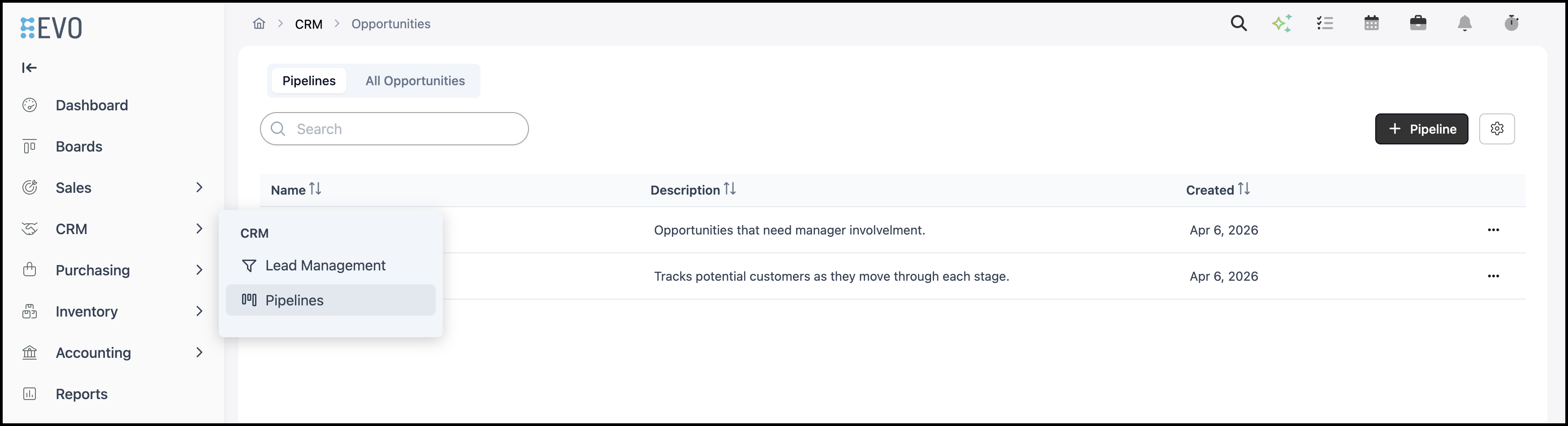
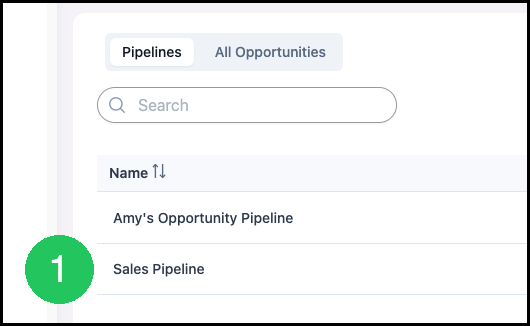
1. Select the Pipeline.
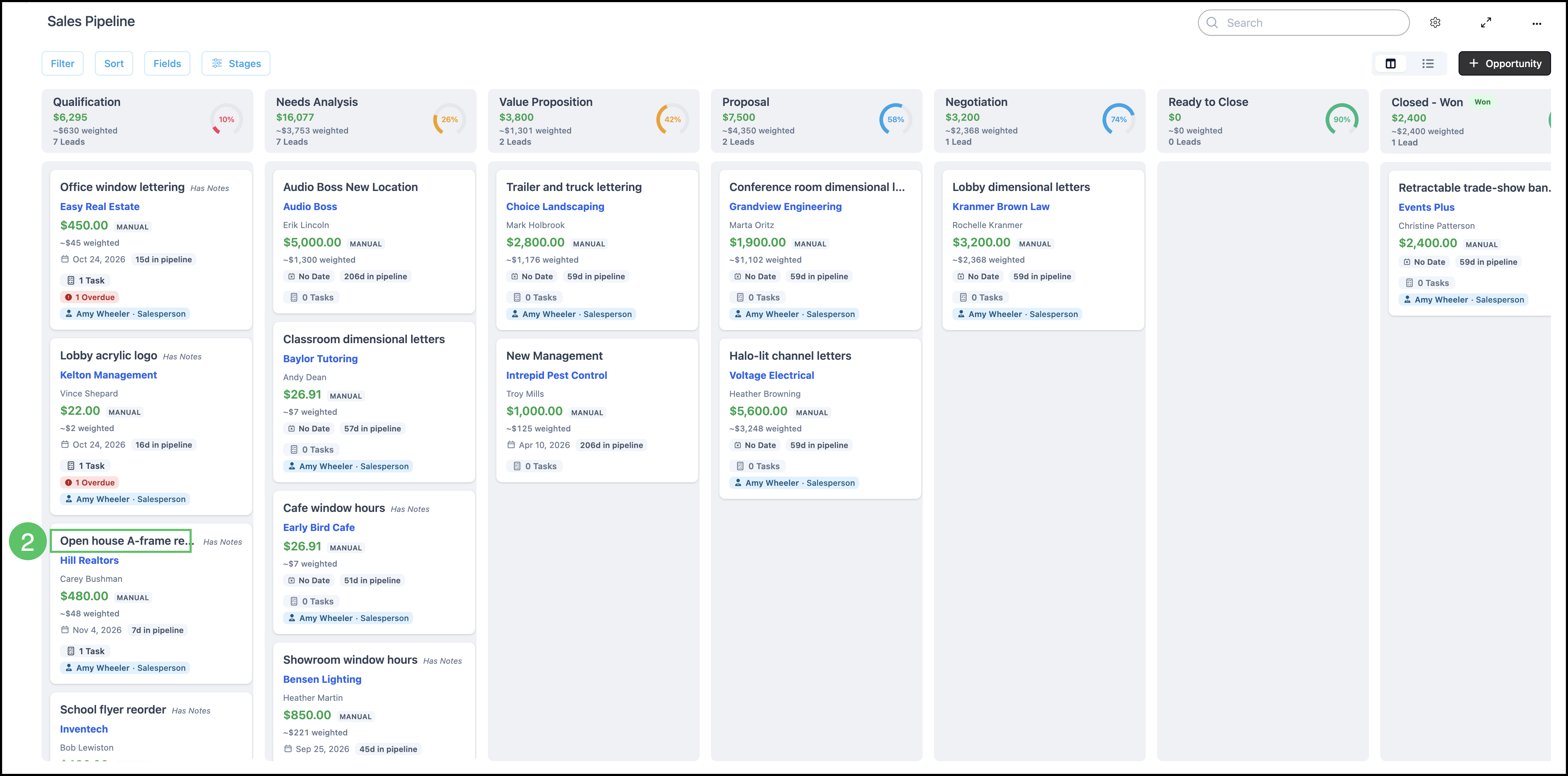
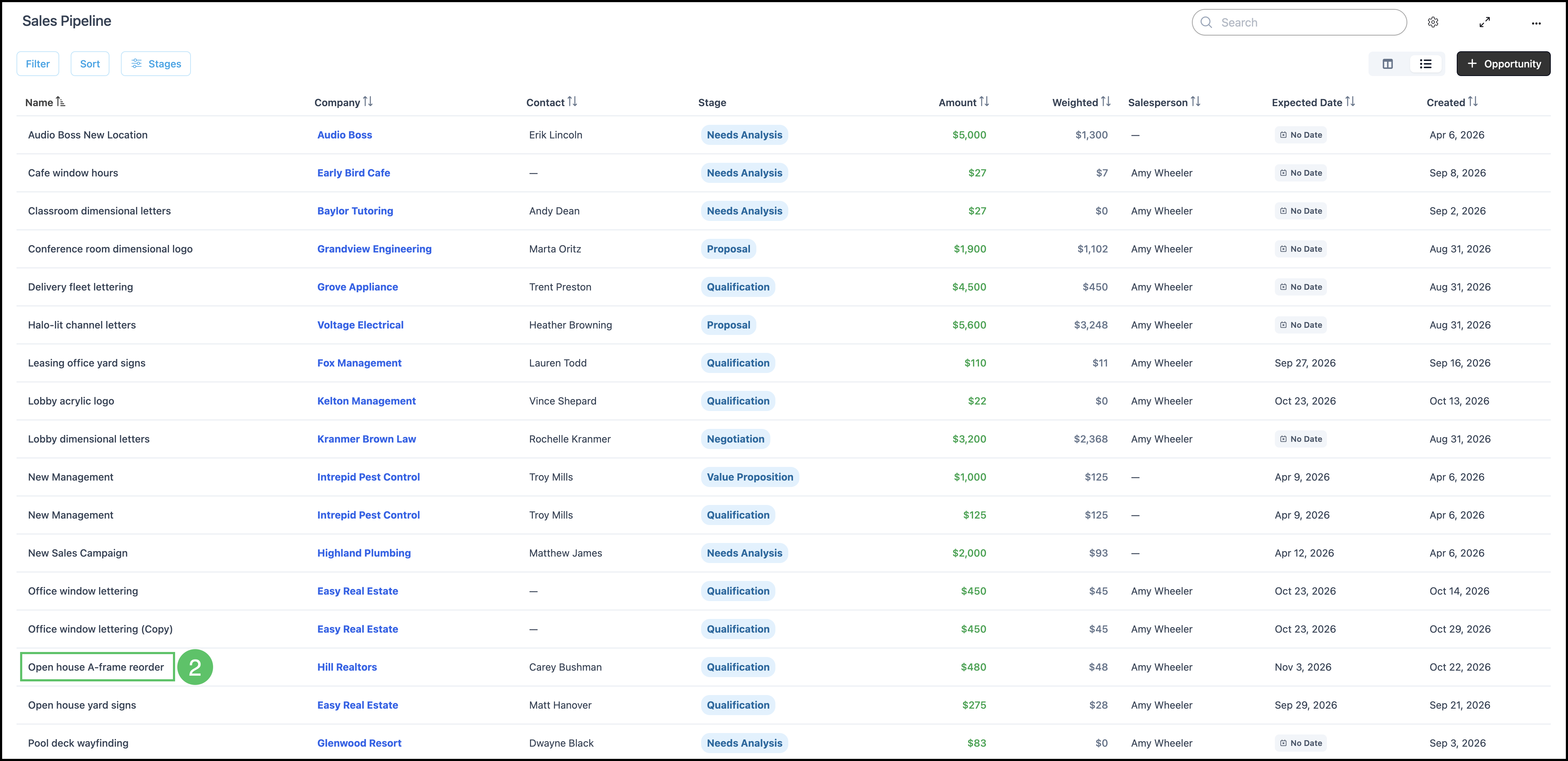
2. Open the Opportunity.
From Card View:
Note: You must click on the Opportunity name to open the Opportunities Detail screen. Clicking on the card will open the side panel.
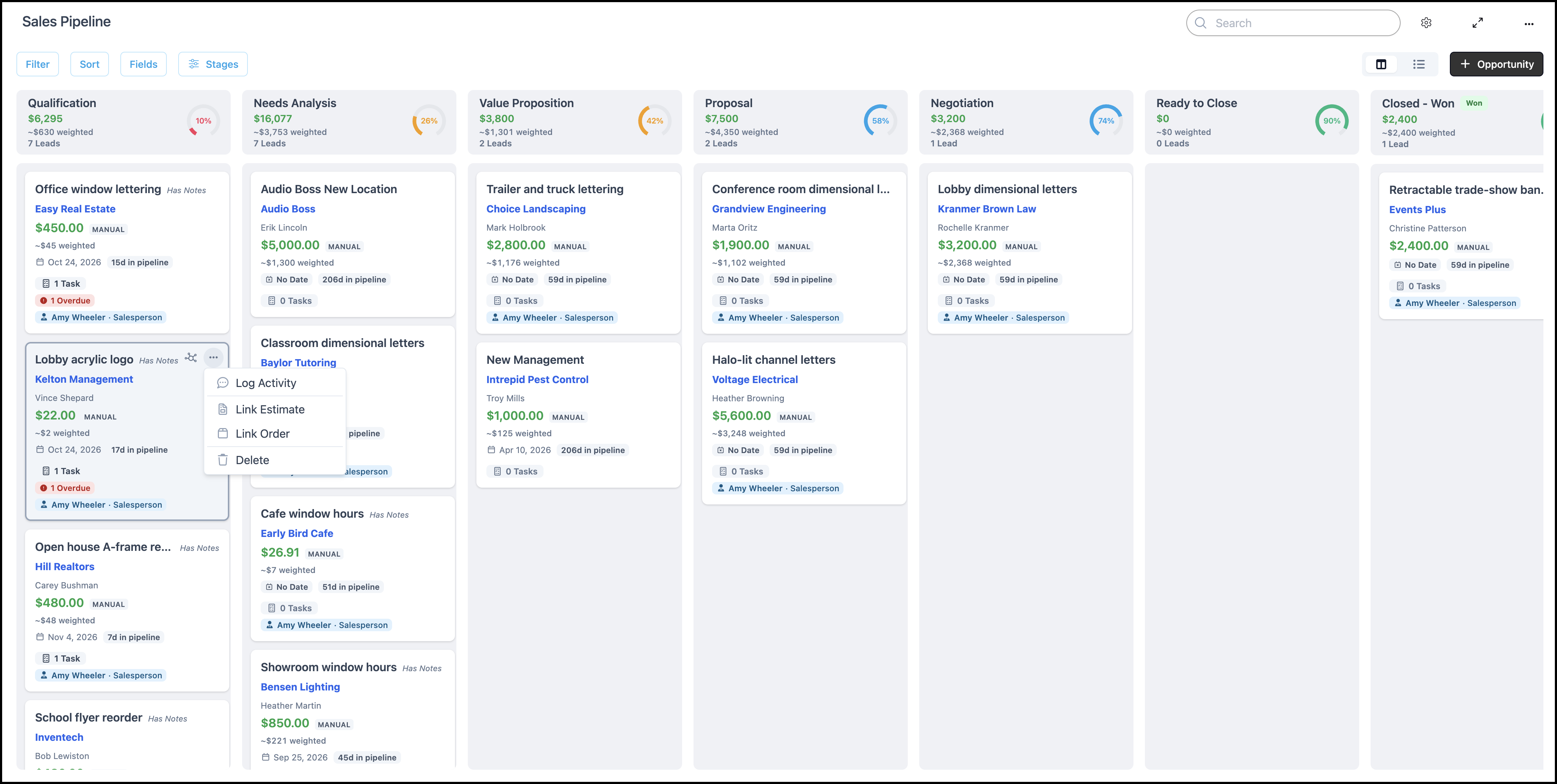
Note: You can also link a record directly on the card using the options under the ellipses. See example below.
From List View:
Note: You must click on the Opportunity name to open the Opportunities Detail screen. Clicking on the line will open the side panel.
3. Under Estimates & Orders, click Link records.

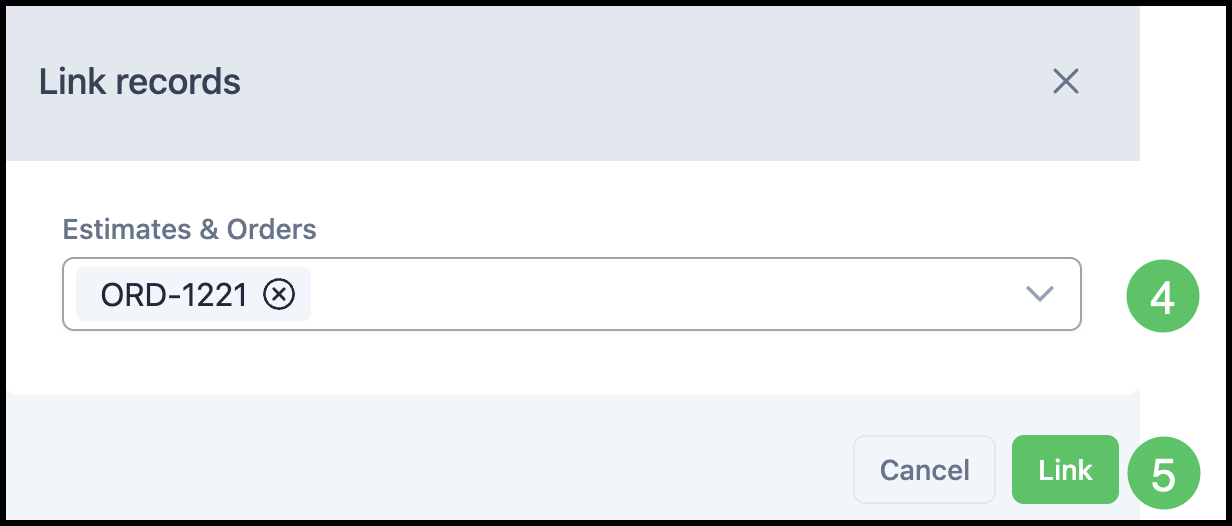
The Link records dialog opens.
4. Search and select the Estimate or Order.
5. Click Link.
Frequently Asked Questions
1. What is the difference between Create Estimate and Link records?
Answer: Create Estimate and Create Order start a new record. Link records attaches an Estimate or Order that already exists for the Company.
2. Why can Deal Value stay different from the linked Estimate or Order?
Answer: When the amount is Manual, Deal Value stays the amount entered on the Opportunity. Breakdown still lists the linked Estimate or Order.
3. How do I remove a linked record?
Answer: Edit the Opportunity and remove it under Records.