
The LoyaltyLoop integration connects CoreBridge to LoyaltyLoop so you can automatically engage customers for feedback and Google reviews after completed work. LoyaltyLoop sends short pulse surveys by email or SMS, tracks Net Promoter Score (NPS), can generate customer testimonials, and can help you cross-sell your services. Setup is done from Integrations Marketplace.
Note: CoreBridge can help with integration setup and how the integration works within the system. Questions about surveys, reviews, or the LoyaltyLoop service itself should be directed to LoyaltyLoop Support at support@loyaltyloop.com.
Table of Contents
- Benefits of Integrating With LoyaltyLoop
- How to Integrate With LoyaltyLoop
- Functionality
- LoyaltyLoop Details
- Frequently Asked Questions
- Related Articles
Benefits of Integrating With LoyaltyLoop
- Automatically engage customers for feedback and Google reviews at the right time.
- Send short pulse surveys by email or SMS.
- Track Net Promoter Score (NPS) and generate customer testimonials for marketing.
- Automatically cross-sell your services to drive more sales.
- Support a single business, multi-unit operators, or franchise networks by connecting all Locations to one LoyaltyLoop account or each Location to its own account.
How to Integrate With LoyaltyLoop
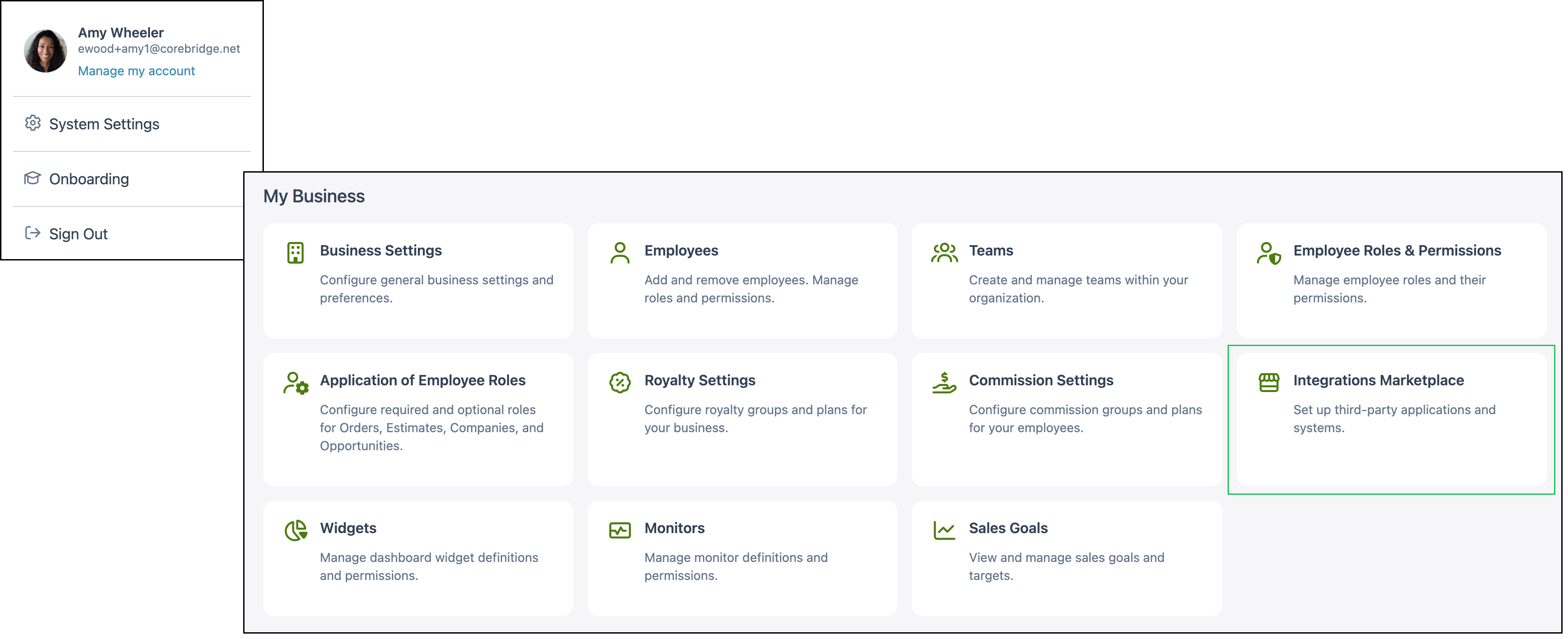
To integrate LoyaltyLoop with CoreBridge, navigate to System Settings / My Business / Integrations Marketplace.
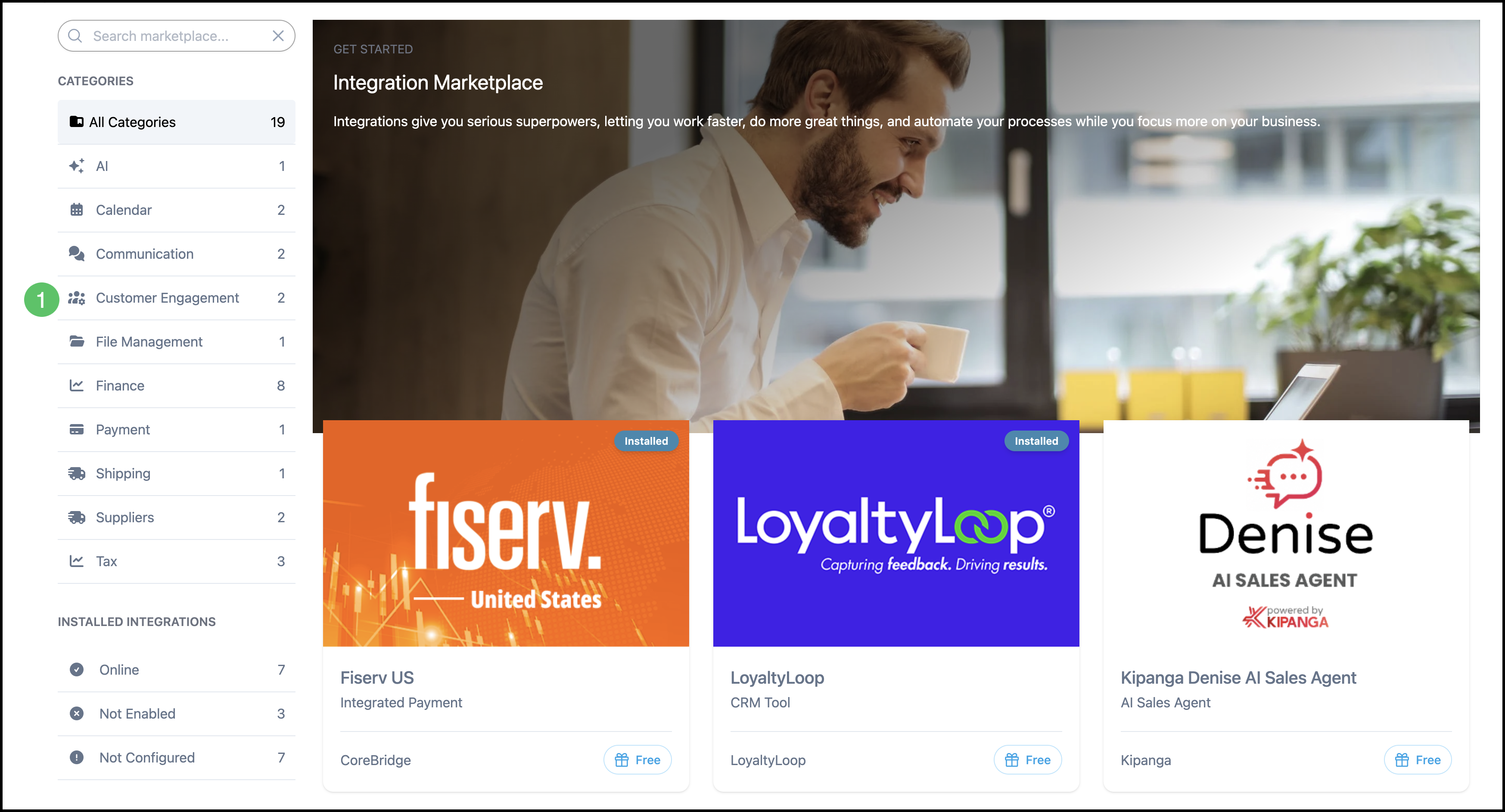
1. Select the Customer Engagement category.
Note: You can also find LoyaltyLoop using All Categories or the search bar.
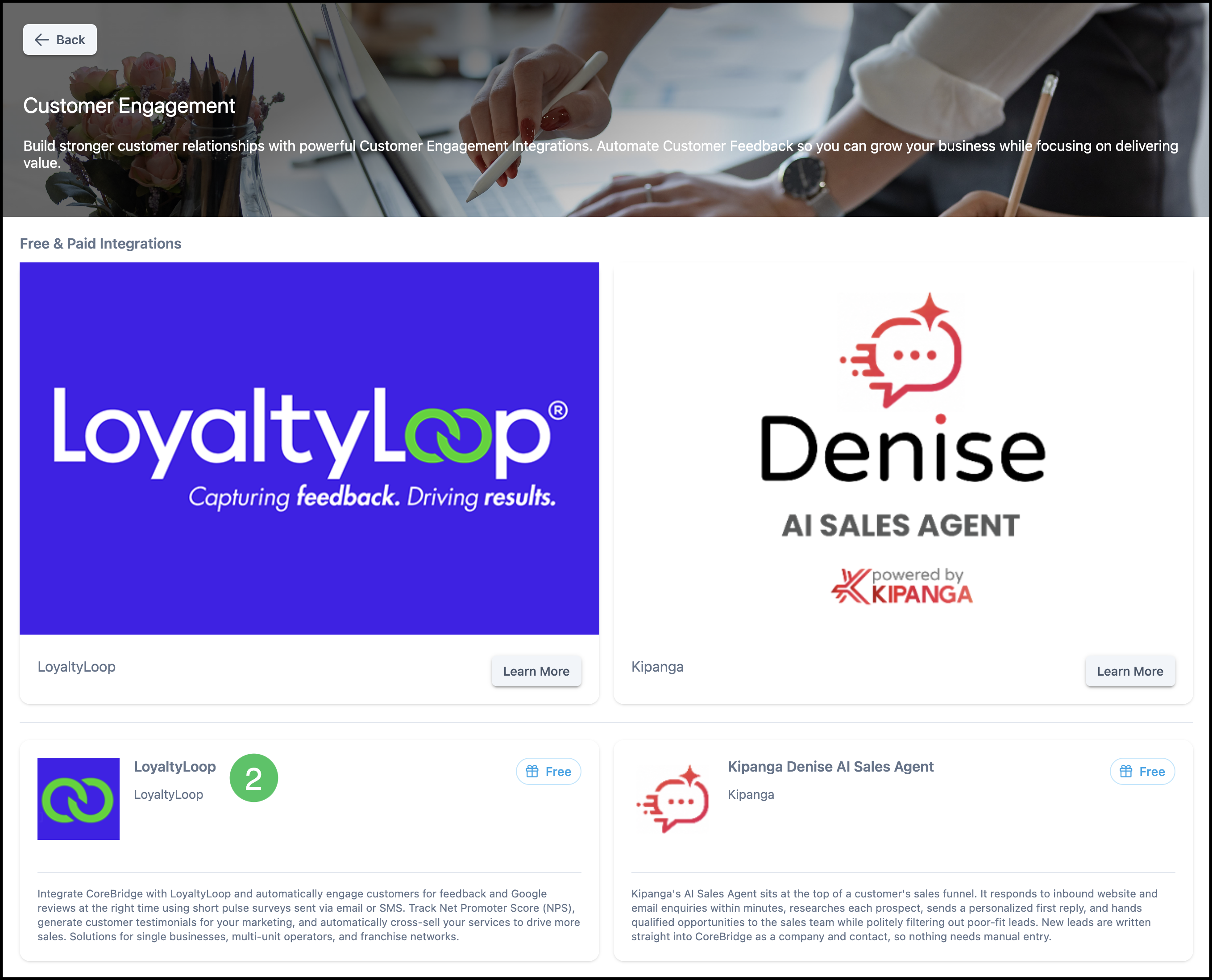
2. Select the LoyaltyLoop integration.
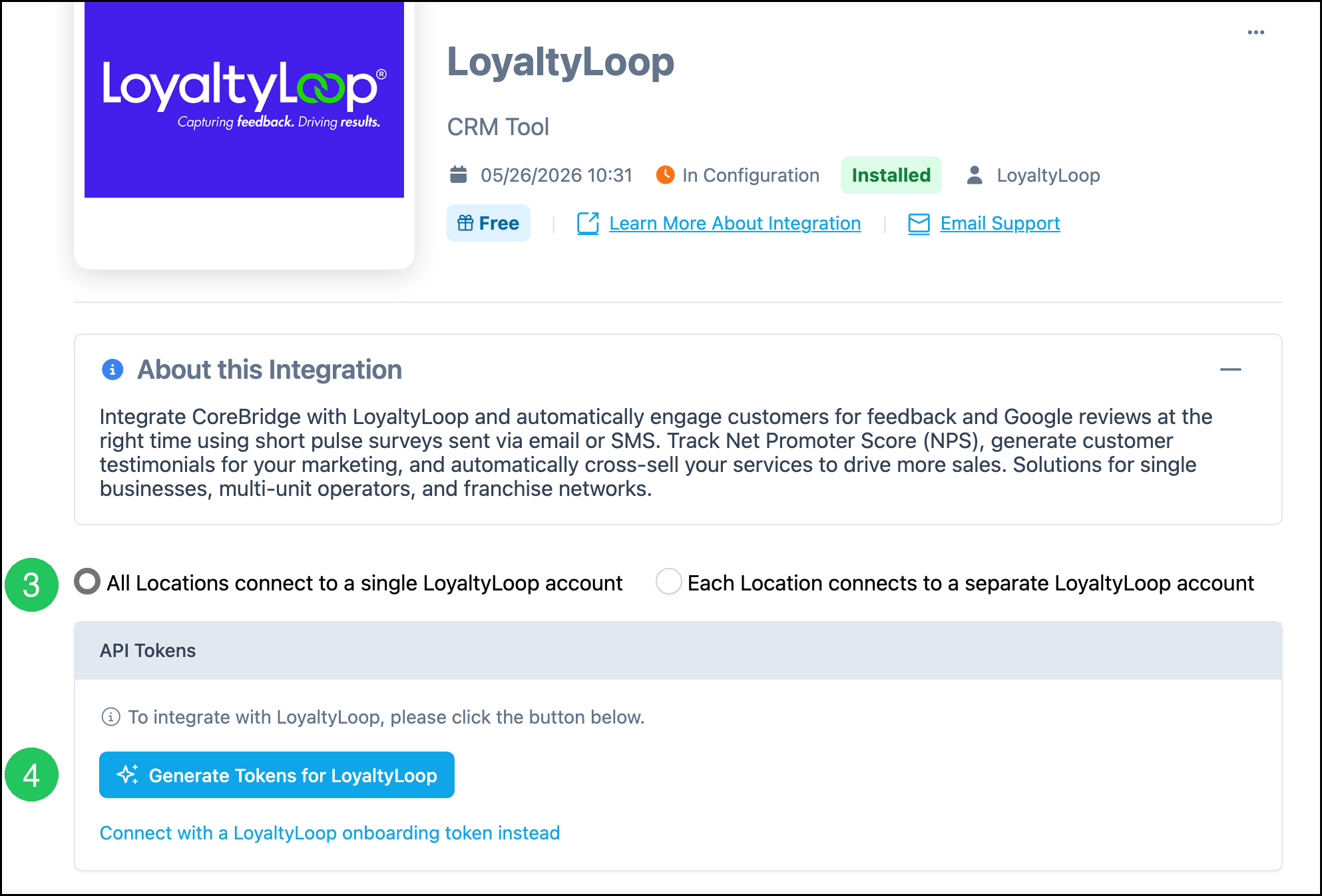
3. Select All Locations connect to a single LoyaltyLoop account or Each Location connects to a separate LoyaltyLoop account.
4. Click Generate Tokens for LoyaltyLoop.
Note: Provide the generated tokens to LoyaltyLoop Support at support@loyaltyloop.com so LoyaltyLoop can complete the connection.
Note: If LoyaltyLoop gave you an onboarding token, click Connect with a LoyaltyLoop onboarding token instead, enter the token, and complete the connect action.
Functionality
After LoyaltyLoop is connected, CoreBridge can automatically engage customers for feedback and Google reviews at the right time. LoyaltyLoop uses short pulse surveys sent by email or SMS. You can track Net Promoter Score (NPS), generate customer testimonials for your marketing, and automatically cross-sell your services.
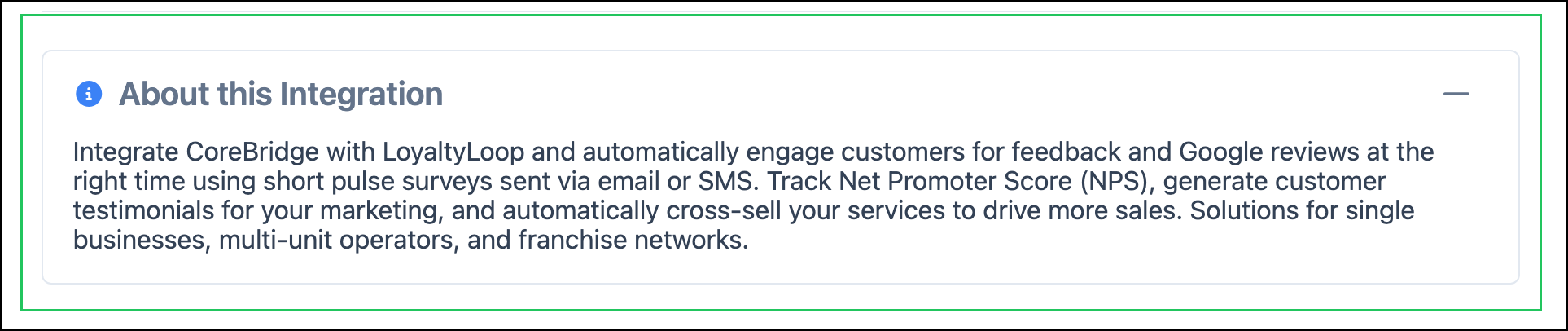
The About this Integration section on the LoyaltyLoop screen describes what the integration can do:
- Integrate CoreBridge with LoyaltyLoop and automatically engage customers for feedback and Google reviews.
- Send short pulse surveys by email or SMS.
- Track Net Promoter Score (NPS) and generate customer testimonials.
- Automatically cross-sell your services to drive more sales.
- Support single businesses, multi-unit operators, and franchise networks.
LoyaltyLoop Details
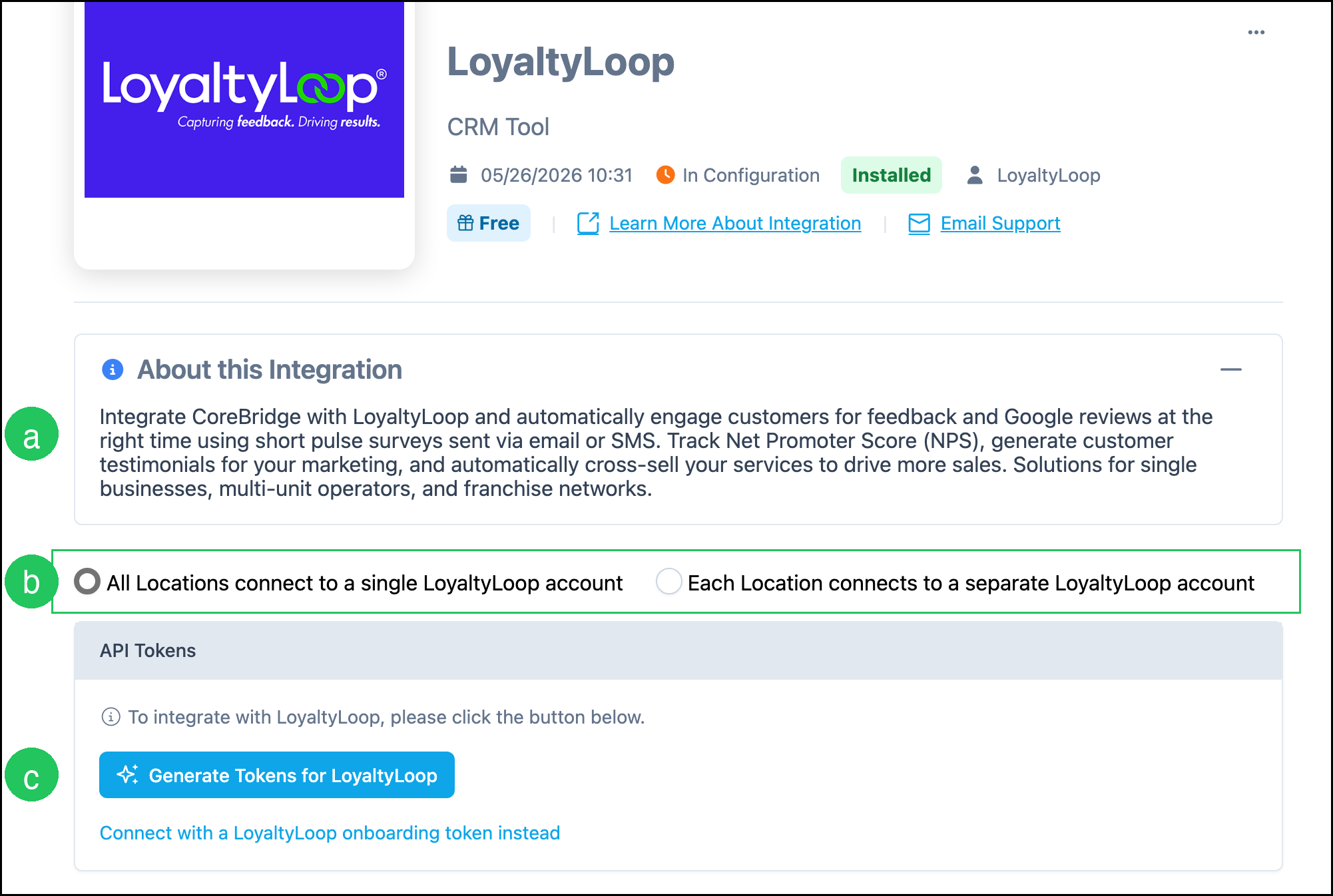
The LoyaltyLoop screen includes status information, location options, and API token actions.
a. About this Integration describes what LoyaltyLoop does after it is connected, including surveys, reviews, NPS, testimonials, and cross-selling.
b. Location options control whether All Locations connect to a single LoyaltyLoop account or Each Location connects to a separate LoyaltyLoop account.
c. Generate Tokens for LoyaltyLoop creates the tokens LoyaltyLoop needs to complete setup. You can also connect with a LoyaltyLoop onboarding token.
Note: Learn More About Integration opens LoyaltyLoop information. Email Support contacts LoyaltyLoop Support.
Note: More Actions includes Uninstall. Set Active is available when the integration is inactive.
Frequently Asked Questions
1. Who should I contact about surveys, reviews, or NPS results?
Answer: Contact LoyaltyLoop Support at support@loyaltyloop.com for questions about the LoyaltyLoop service. CoreBridge can help with installing the integration and generating tokens in CoreBridge.
2. What is the difference between All Locations and Each Location?
Answer: All Locations connect to a single LoyaltyLoop account uses one LoyaltyLoop account for every Location. Each Location connects to a separate LoyaltyLoop account uses a different LoyaltyLoop account per Location. Choose the option that matches how your business is set up in LoyaltyLoop.
3. What if LoyaltyLoop already gave me an onboarding token?
Answer: On the LoyaltyLoop screen, click Connect with a LoyaltyLoop onboarding token instead. Enter the token LoyaltyLoop provided, then complete the connect action. You do not have to generate tokens first when you already have an onboarding token.
4. Do I still need to generate tokens if LoyaltyLoop already shows Installed?
Answer: Installed means the integration is added in CoreBridge. If setup is still in configuration, click Generate Tokens for LoyaltyLoop and send the tokens to LoyaltyLoop Support so they can complete the connection.