
The Royalty Ledger is the historical record of closed royalty calculations by period. Use it to review total sales and royalty owed, open a period for group-level detail, and export a report. Royalties are calculated on a period basis (monthly, quarterly, or yearly). Official ledger rows appear after a period closes and calculation runs.
Note: Royalty calculations are processed nightly. Completing a reconciliation can also queue a recalculation. The open period under Current Period (preview) is an estimate only and does not fill the Royalty Ledger or royalty document period lists by itself.
For setup of Royalty Groups, plans, and publishing, see Royalties Overview. For the end-to-end flow from rules to documents, see Using Royalties.
Table of Contents
- Open vs Closed Periods
- Accessing Royalties
- Understanding the Royalties Page
- Viewing the Current Period
- Viewing Closed Periods
- Exporting a Royalty Report
- Frequently Asked Questions
- Related Articles
Open vs Closed Periods
Royalties are calculated by calendar period rather than updated as a live Order total. While a period is in progress, it remains open. After the calendar period ends, the finalized royalty amounts are added to the Royalty Ledger, helping ensure franchise and royalty reports remain consistent throughout the month.
Example: For a Monthly group during July:
- July (still open) can appear under Current Period (preview) as an estimate. It may show $0.00. It is not written as a final ledger row yet.
- June and earlier (closed) can appear in the Royalty Ledger, period detail, Search, Year filters, and royalty document period lists after calculation has run.
Note: Fixed Amount plans can show royalty owed even when Total Sales is $0.00 for a closed period.
Accessing Royalties
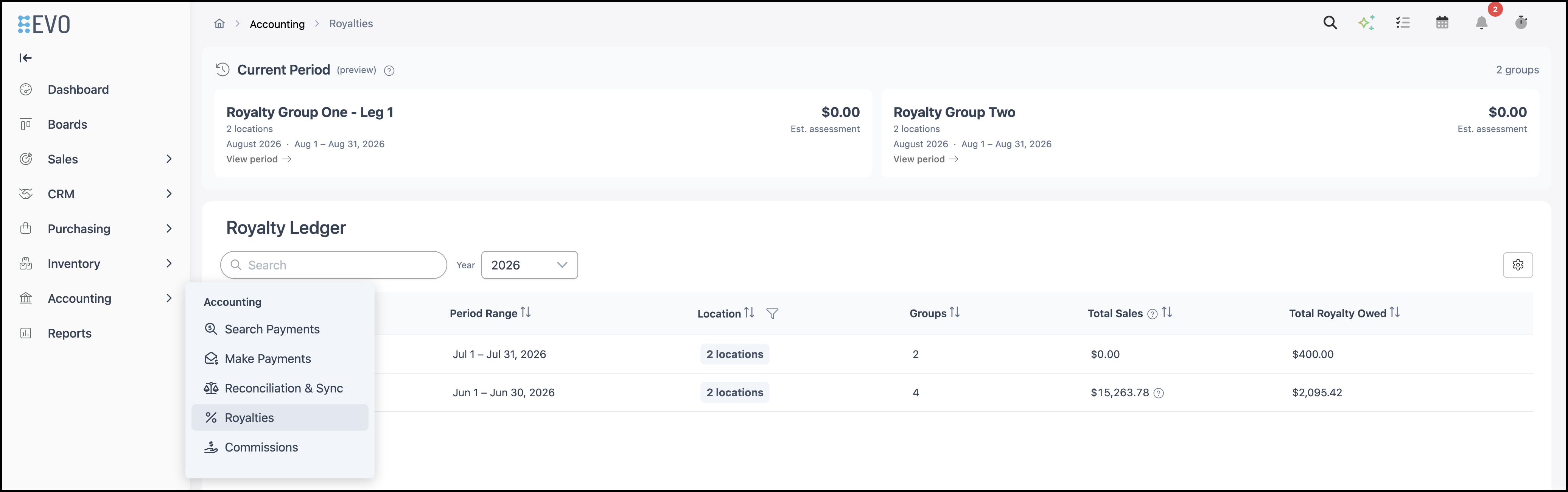
Navigate to Accounting / Royalties.
Note: Royalty settings (Royalty Groups) are managed under System Settings / My Business / Royalty Settings, not on this Accounting page.
Understanding the Royalties Page
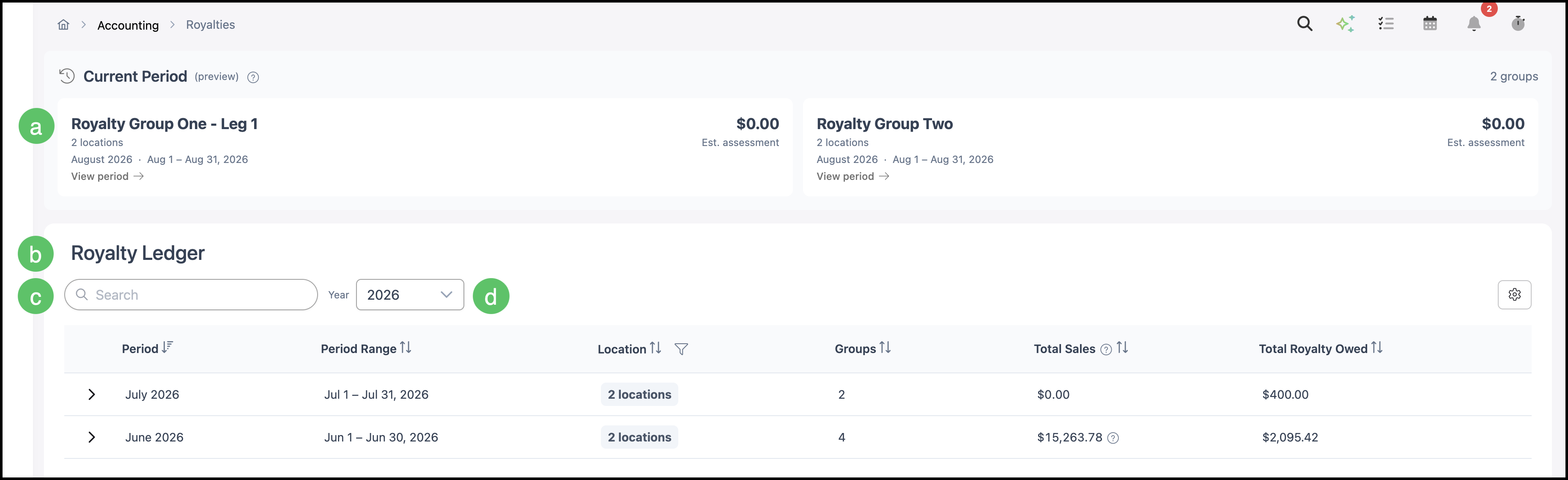
a. Current Period (preview) - Shows the open period for Active Royalty Groups. Values are estimates only. This preview does not fill the Royalty Ledger or royalty document period lists by itself.
b. Royalty Ledger - Lists closed calculated periods with sales and royalty owed.
c. Search - Filters rows that already exist in the closed ledger.
d. Year - Filters the closed ledger by year. An empty grid usually means no closed assessments are saved yet for that year, not that royalties are broken.
Viewing the Current Period
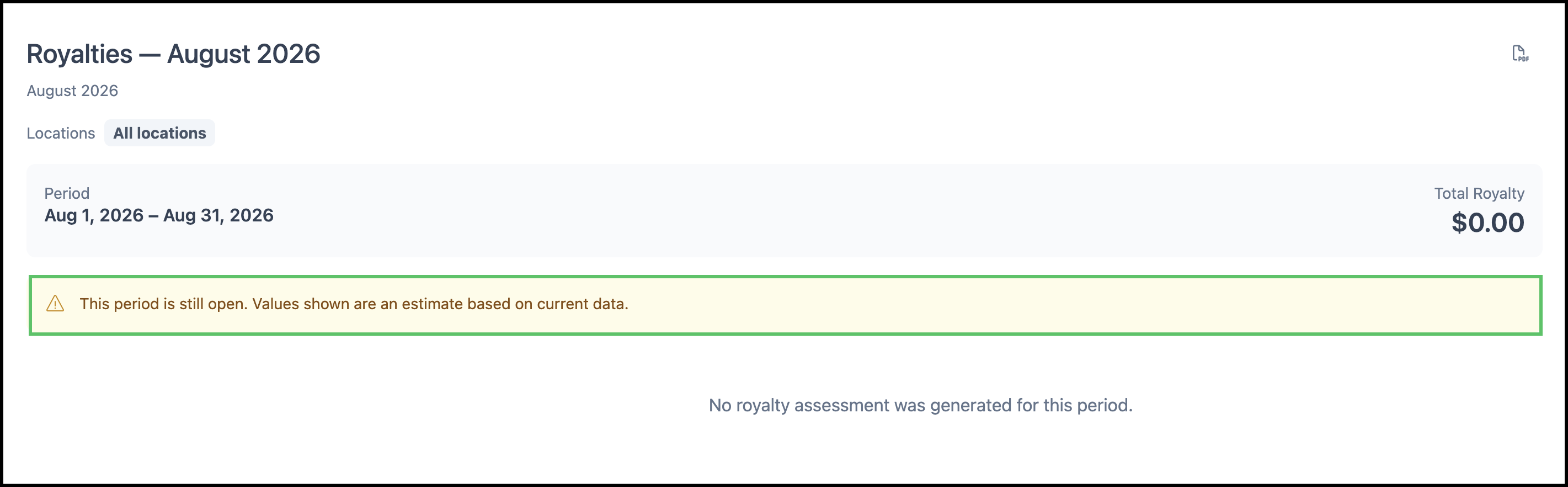
From Current Period (preview), open a group’s open period to review the estimate. A banner explains that the period is still open and values are estimates. The open period can show $0.00 or no assessment yet even when setup looks correct.
Viewing Closed Periods
The Royalty Ledger displays closed calculated periods. Use Search or Year to find a period, then click a period row (for example, June 2026 or July 2026) to open period detail.
On the period detail, you can:
- Review each Royalty Group for that period, including basis (for example, Invoiced) and Active or Completed status.
- Open a group entry for a fuller breakdown (sales by income account and tier, calculation details, and company-level overrides or exemptions applied during the period, when present).
Note: July 2026 can show $0.00 Total Sales and still show royalty owed when a Fixed Amount plan applies.
Exporting a Royalty Report
On the period detail view, use the PDF export control to download a royalty report for that period. The report provides a breakdown of the royalty calculation for the selected period.
Frequently Asked Questions
1. Why is the Royalty Ledger empty or showing No results found?
Answer: Search and Year only filter closed ledger rows that already exist. No closed assessments for that year (or the wrong year selected) means no results. Confirm you have an Active published Royalty Group, matching sales, and that calculation has run for a closed period (nightly processing and/or after reconciliation).
2. Why does the current month show $0.00?
Answer: The open month under Current Period (preview) is an estimate. Official ledger rows for that month typically appear after the calendar period ends and calculation runs. Seeing $0.00 on the open period does not mean the Royalty Ledger is broken.
3. Why can a closed period show $0.00 in Total Sales but still show royalty owed?
Answer: Fixed Amount plans can charge a flat royalty for the period even when there are no matching sales.
4. Does invoicing an order immediately add a row to the Royalty Ledger?
Answer: No. Matching sales are required, but official ledger numbers appear after closed-period calculation, not the instant an order is invoiced.