CoreBridge strives to make the customer import process as easy as possible. To help achieve this, we have outlined these basics of what to expect during this time of transition as you move from Resource to CoreBridge.
Note: While your system is "Down for Maintenance" due to the import occurring, your Customer Portal direct links will not be accessible to customers for proof approval or payments. Once the system is back up, they will be accessible again.
For more information on imported customer and financial information, please see:
Imported Customer Information From Resource
Imported Financial Information From Resource
Table of Contents
Appearance of Orders Imported Into CoreBridge
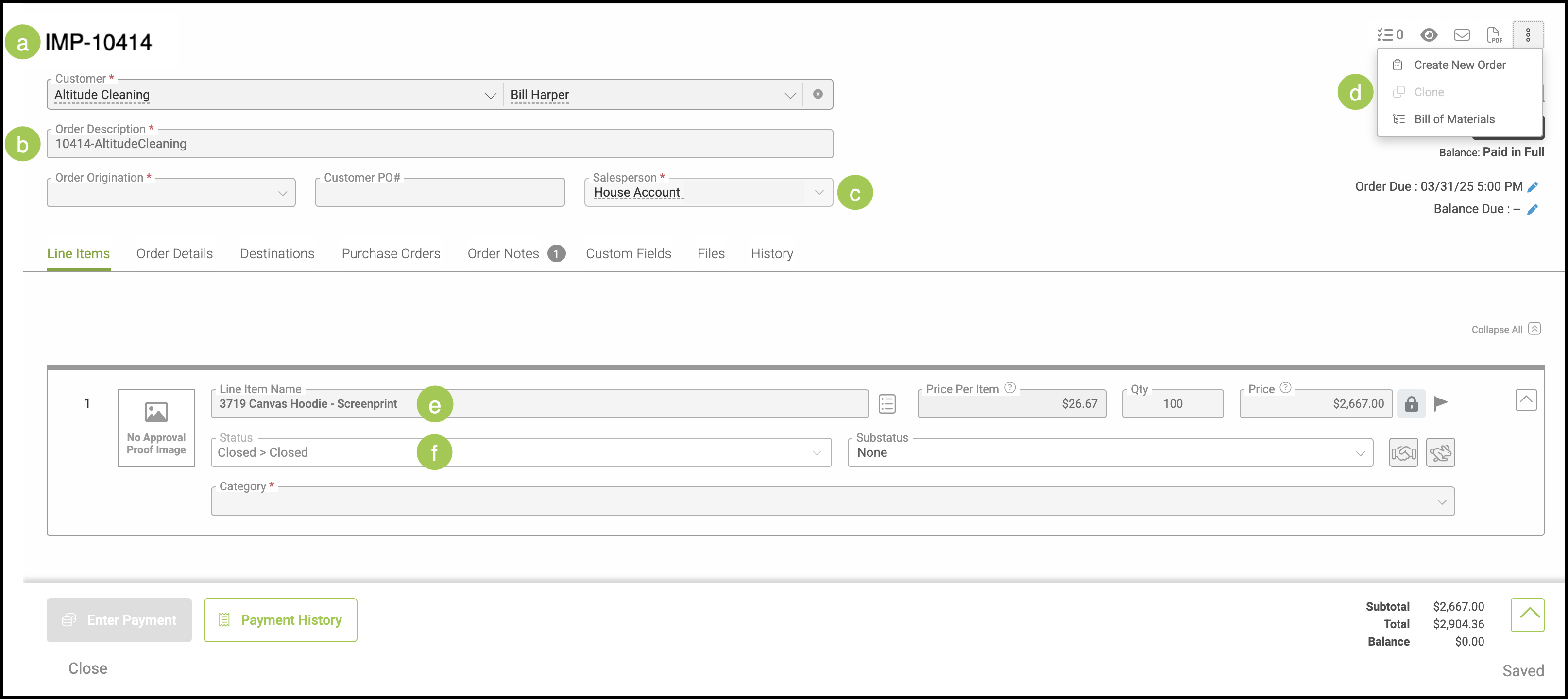
a. Imported Orders will show the prefix as set in My Business / Locations / Location Details / Record Prefixes or will use the default IMP.
b. Order Descriptions will include both the Resource Invoice Number and the Customer Name.
c. The Salesperson will be labeled as House Account.
d. Imported Orders can not be Cloned or Unlocked.
e. Line Item Description from Resource will show in the Line Item Name field.
f. Only Orders that are Closed "Done" in Resource will be imported. Their Order Status will be set as Closed.
Note: Done with Refund, Refund, and Hold records are not imported. Any open estimates or orders will need to be recreated in CoreBridge.
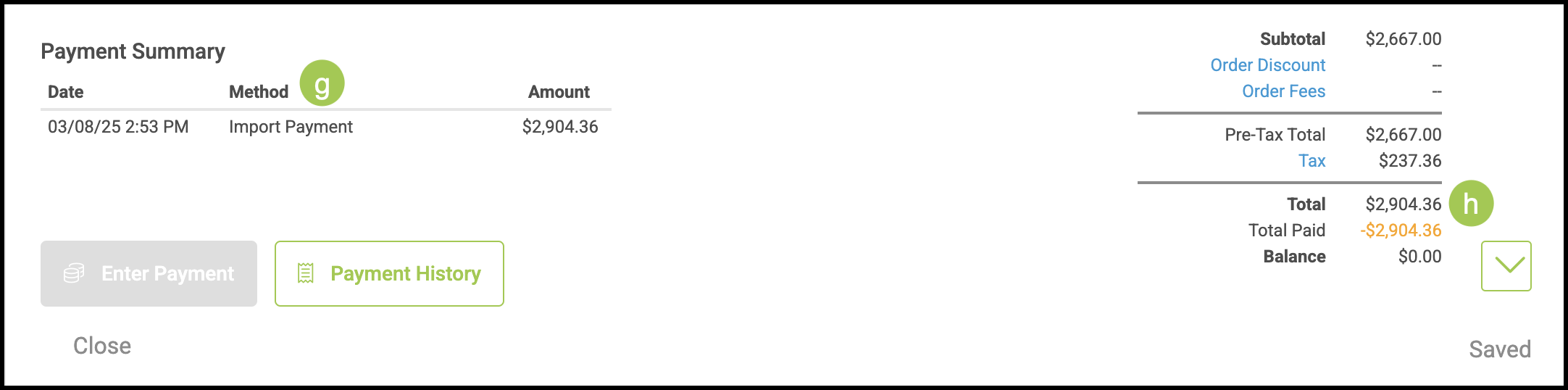
g. All Payments for imported Orders will be listed as Import Payment and utilize Imported Deposit Account.
h. Order Totals may vary slightly due to the way Order Totals round in Resource compared to how Order Totals round in CoreBridge.
Note: For more information on Rounding in CoreBridge please see CoreBridge Financial Rounding.
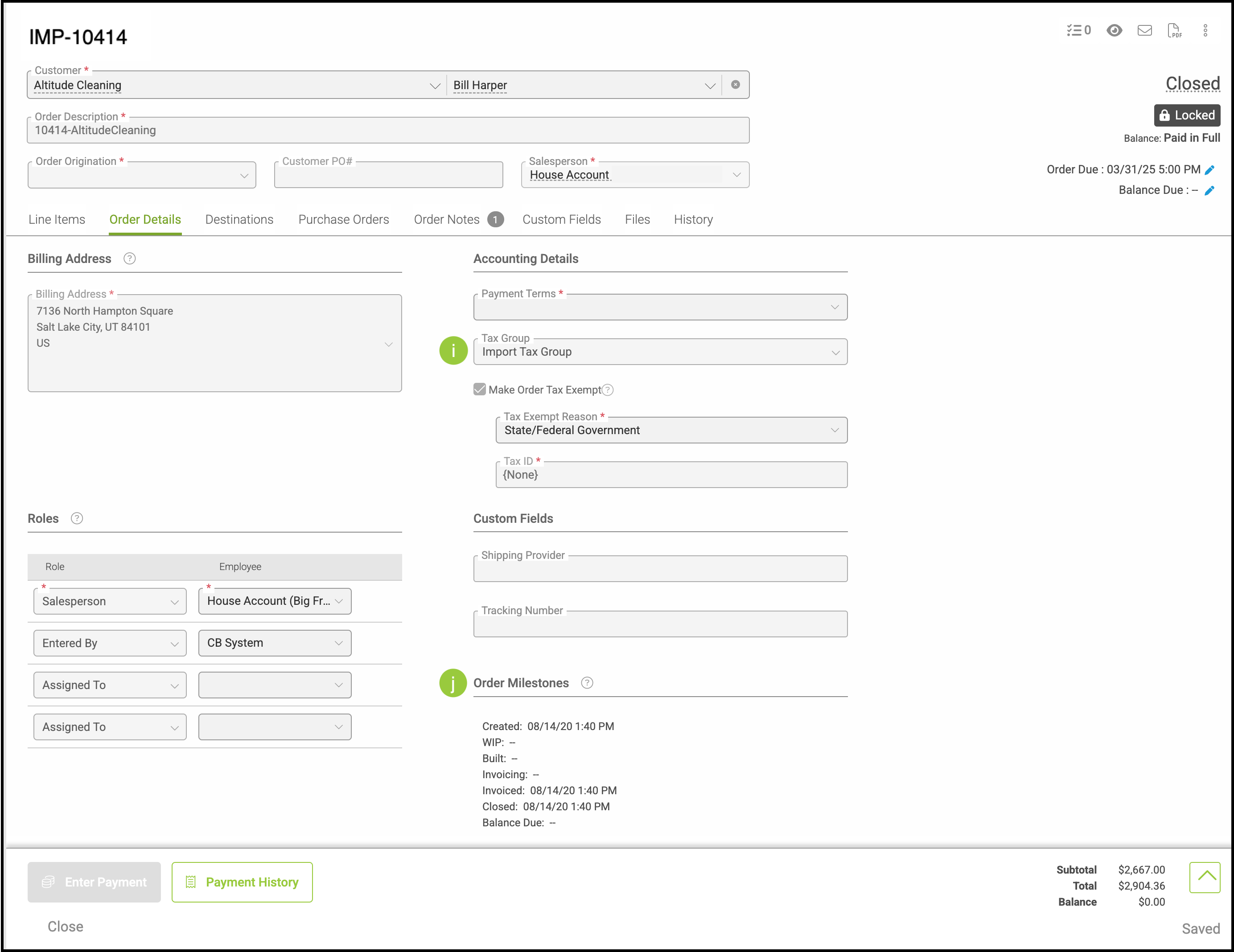
i. All Taxes on imported Orders will be listed as Import Tax and utilize a Tax Group setting of Import Tax Group.
j. All Milestone Dates will be the same based on the last date recorded in Resource.
Note: Order Milestones will include Create Date, Invoiced Date and Closed Date.
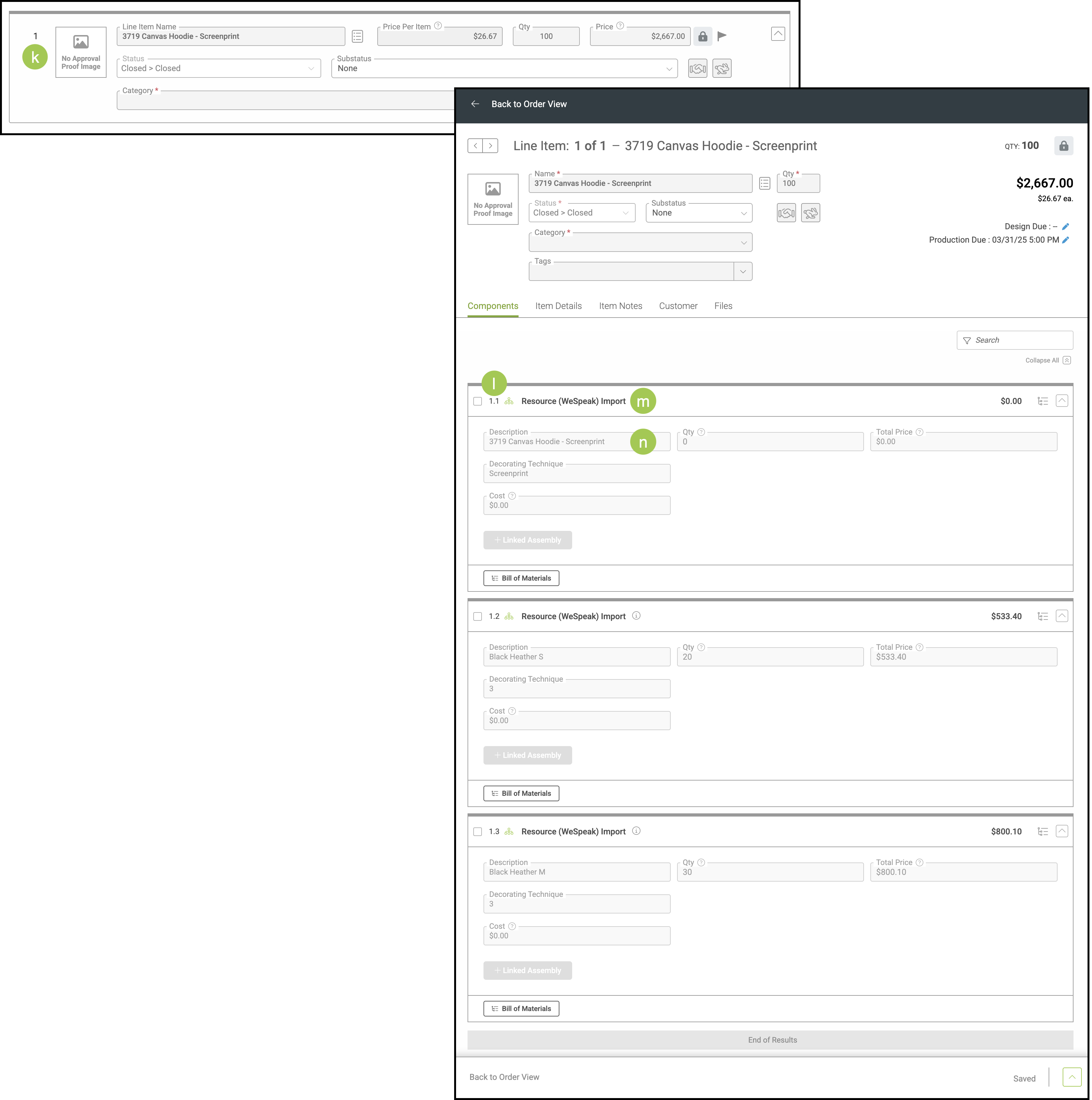
k. Imported Orders will show only one Line Item.
l. Once opened, individual Resource Line Items will show as 1.1; 1.2; etc.
m. All individual Line Items will show as Resource (WeSpeak) Import as the Assembly Name.
n. The first Line Item includes the description from Resource.
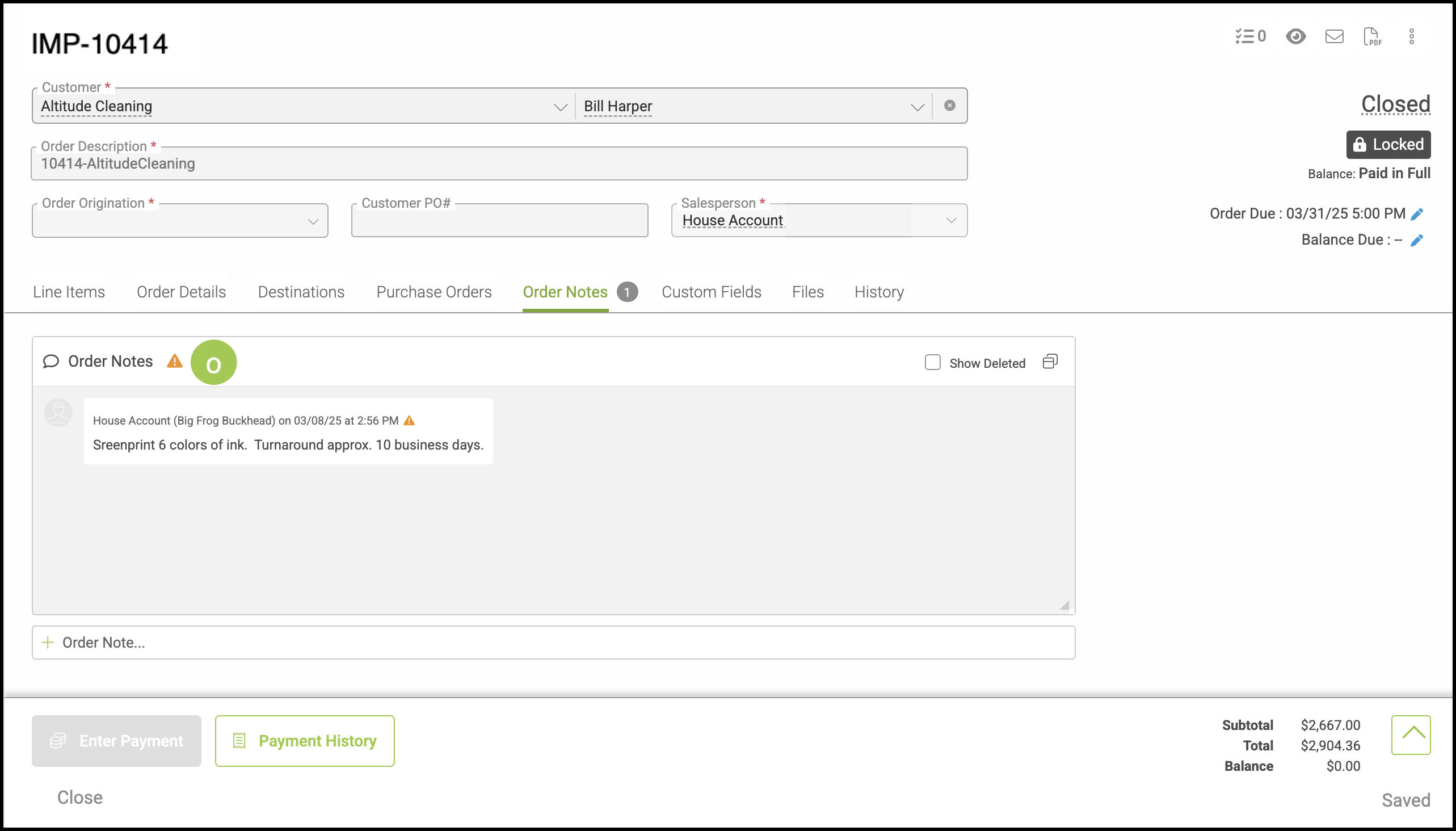
o. Order Level Notes from Resource will show under the Order Notes tab.