
CoreBridge strives to make the customer import process as easy as possible. To help achieve this, we have outlined these basics of what to expect during this time of transition as you move from Resource to CoreBridge.
For more information on imported customer information and orders, please see:
Imported Customer Information from Resource
Accessing Financial Information
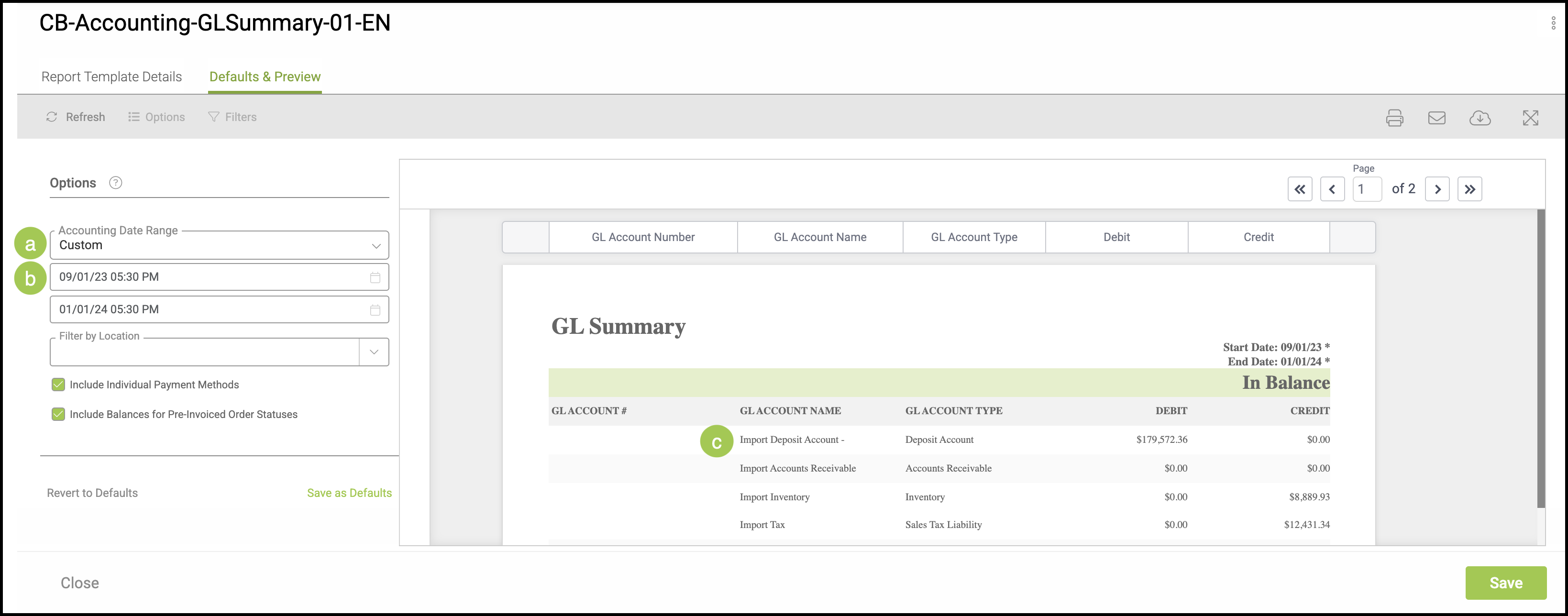
Navigate to Settings / Reports & Documents / Report Templates, then select the specific report you are interested in.
a. In order to access the information from before the import, the Account Date Range should be set to Custom.
b. The import to CoreBridge occurred January of 2024, so the date range would need to be set in 2023 in order for the system to see the import information.
c. Historical information from before the import will become as Import, then the GL Account Name.
Note: Other financial information from before the import can be accessed in a similar way utilizing reports. You can expect to see:
- Historical Income will become Import Income.
- Income for Imported Orders will be Import Income.
- Costs for Imported Orders will be Import COGS.
- Historical Taxes will be Import Taxes.