Messages provide a centralized way for your team to communicate and share context directly within the system. This article introduces how to send internal Messages.
Table of Contents
Composing Messages
- Messages are internal communications sent from one employee to another within the system.
- The ability to send messages is permission based.
- Permissions can be managed in Management / My Business / Employees. For more information on Permissions, please see Employee Roles and Permissions.
To begin, navigate to My Profile / Messages & Notifications.
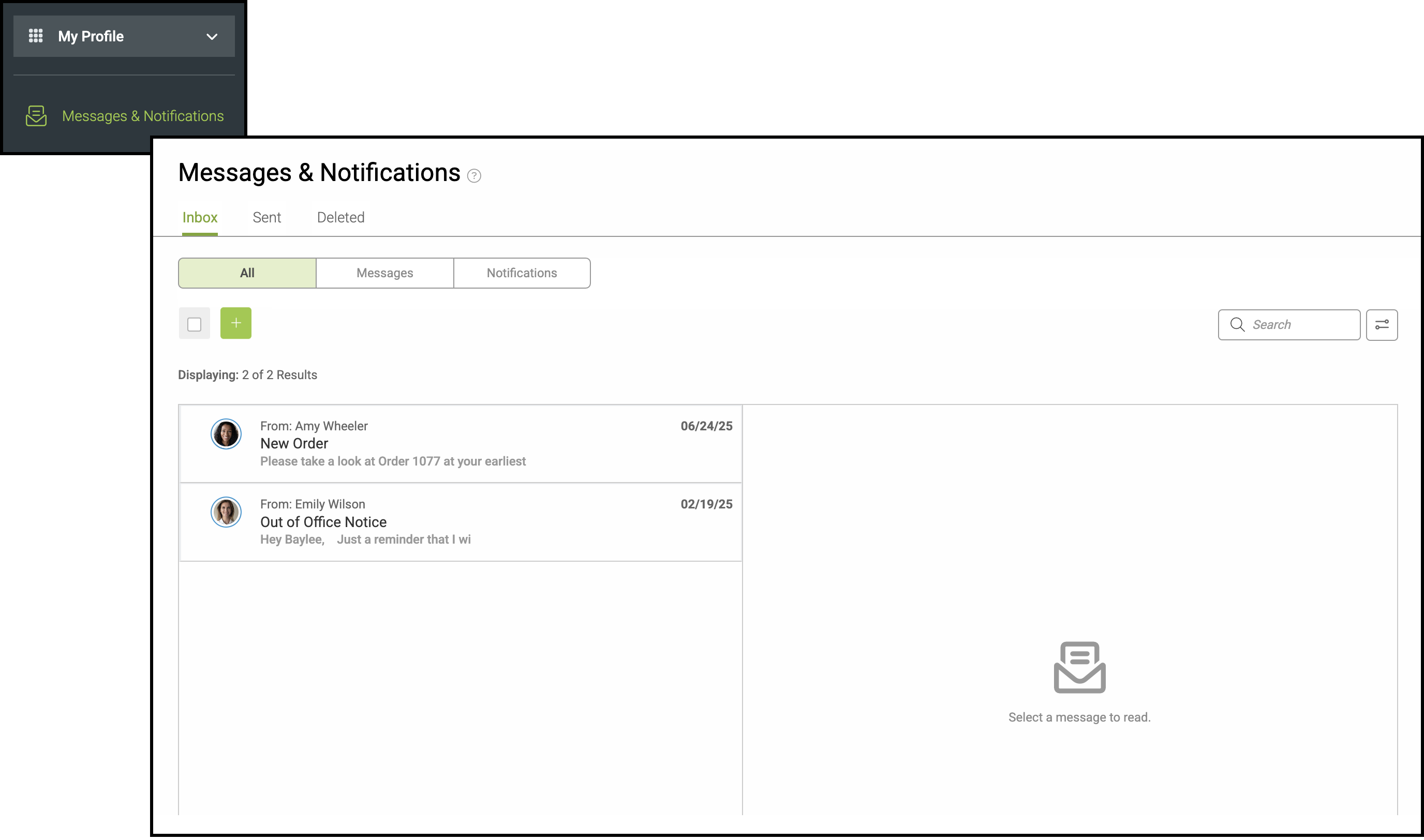
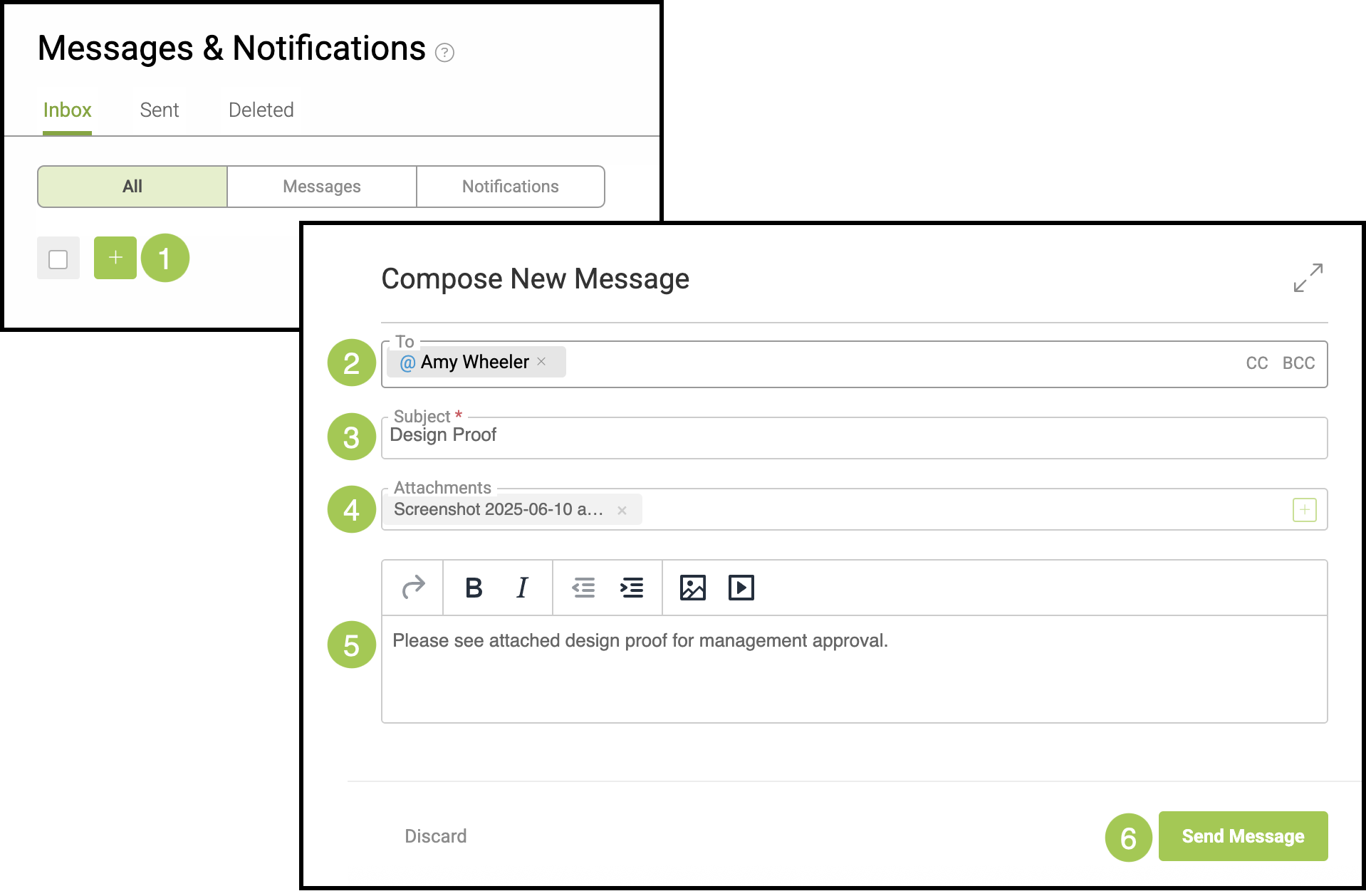
1. Select the Green Plus button.
Note: This will open the Compose New Message modal.
2. Start typing the recipient’s name to see a list of matching employees in the system. Then, select the individual(s) you wish to direct your message to.
Note: You can send CC and BCC copies of this message.
3. Subject - Enter a brief topic for this message.
4. Add attachments, if desired.
5. Compose the message using standard message tools in the body.
6. Click Send Message.
Note: You don't need to have a from email to send internally in the system.