
All file types will within a tab are organized into one main folder, but can be further organized by creating additional folders.
For more information on Files and Folders, please see File and Folder Overview.
Table of Contents
Moving Files into Folders
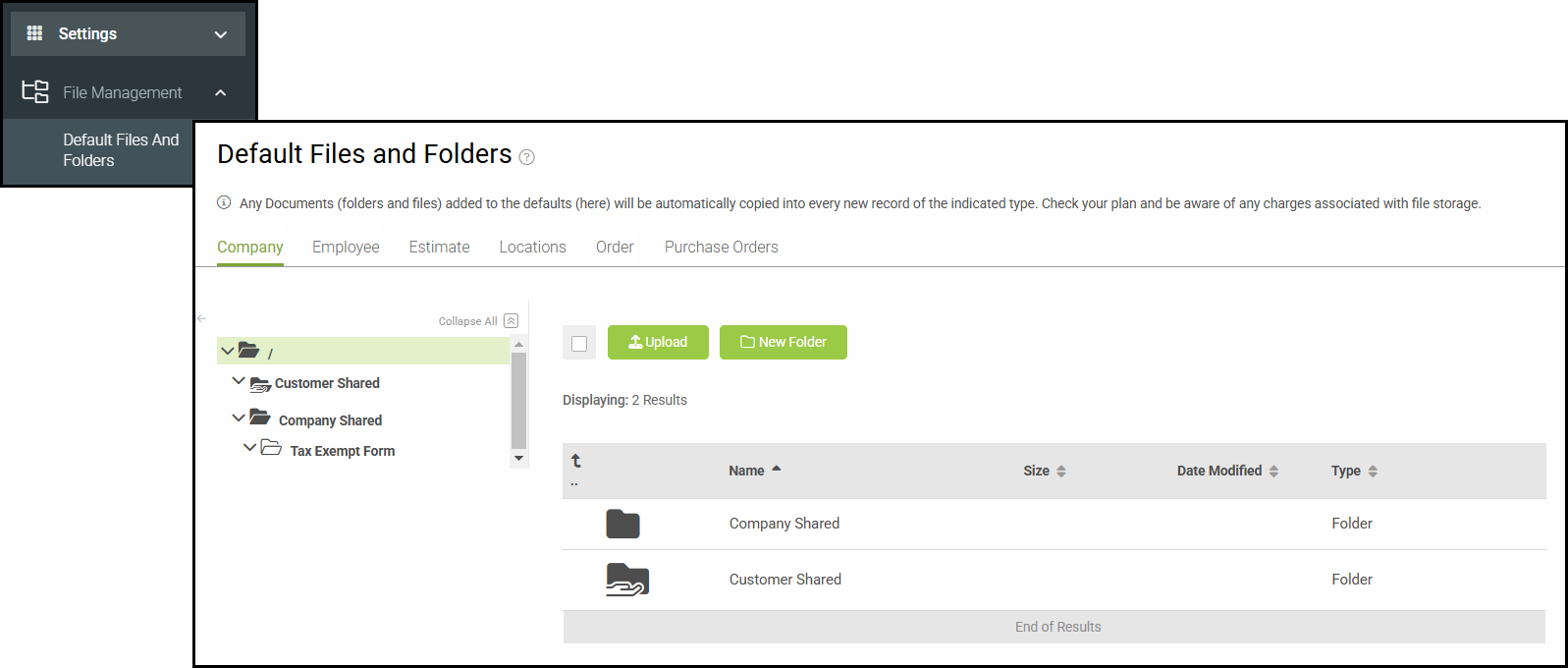
To begin, navigate to Settings / File Management / Default Files and Folders.
Moving One Item
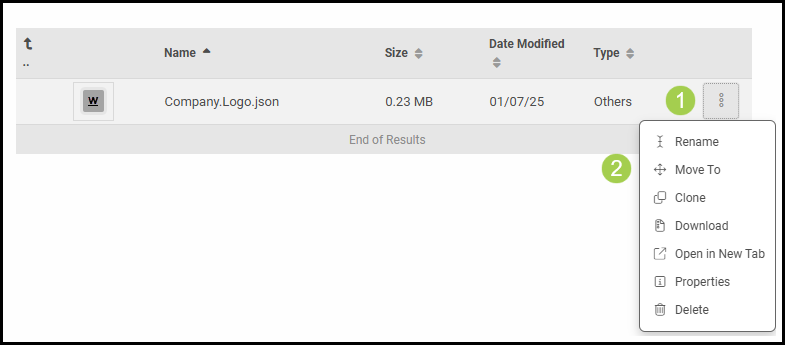
1. Select the ellipsis on the right hand side of the item.
2. Select Move To.
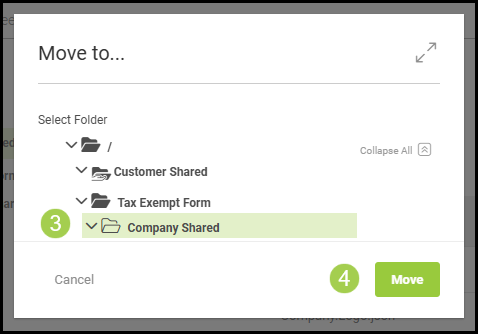
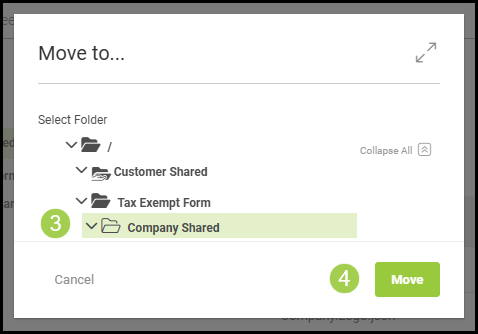
3. Select the folder you would like to move the item to.
4. Select Move.
Moving Multiple Items
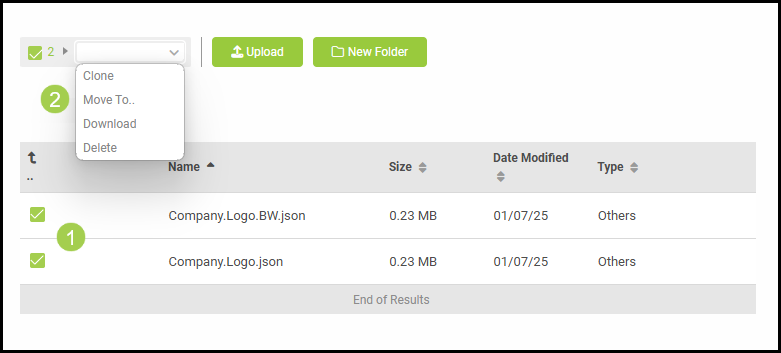
1. Click the checkboxes next to the items.
2. Click on the dropdown menu and select Move To.
3. Select the folder you would like to move the items to.
4. Select Move.
Note: Additional options such as Rename, Clone, Download, Open in New Tab, Properties, and Delete can be found by selecting the ellipsis on the right hand side of the item.