Enabling file management in the Customer Portal allows customers to securely upload and download files directly within their portal experience. This article explains how to enable file management and what customers can do once the feature is available in the portal.
For more information on Files and Folders, please see File and Folder Overview.
Table of Contents
Enabling File Management
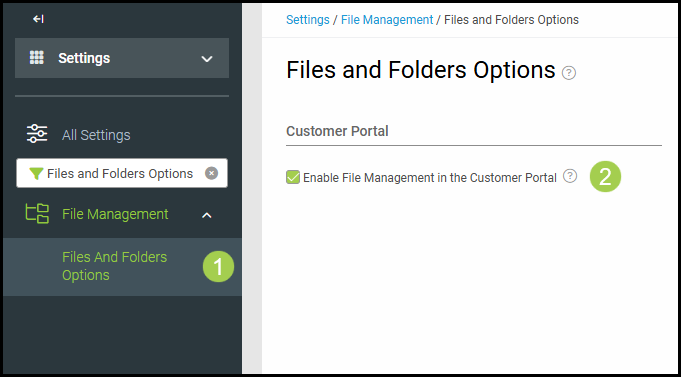
1. Navigate to Settings / File Management / Files and Folders Options.
2. Select Enable File Management in the Customer Portal to allow your customers to use preset folders in the Customer Portal.