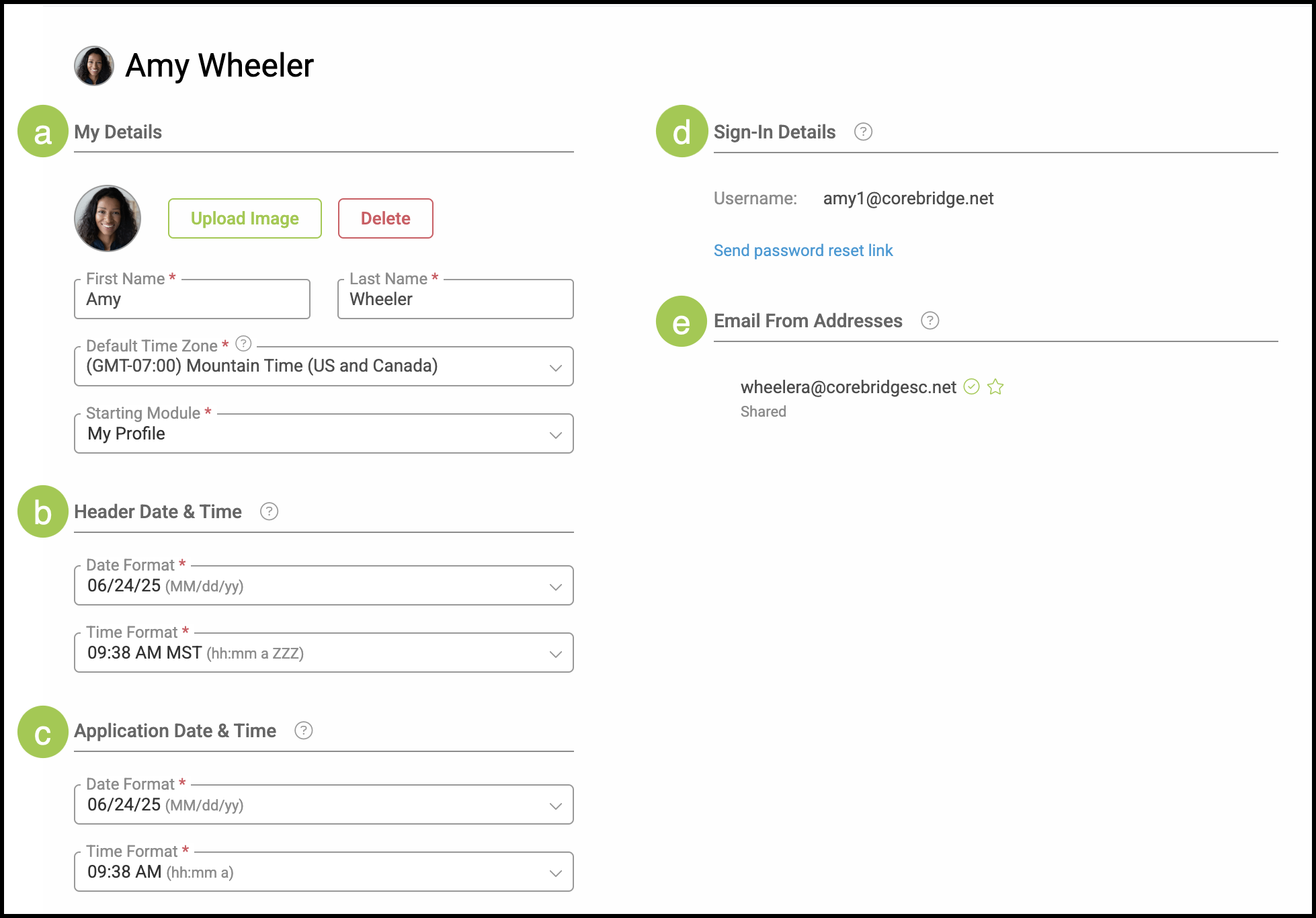
My Profile serves as a central hub for managing your account details and communication preferences.
Navigate to My Profile / My Profile.
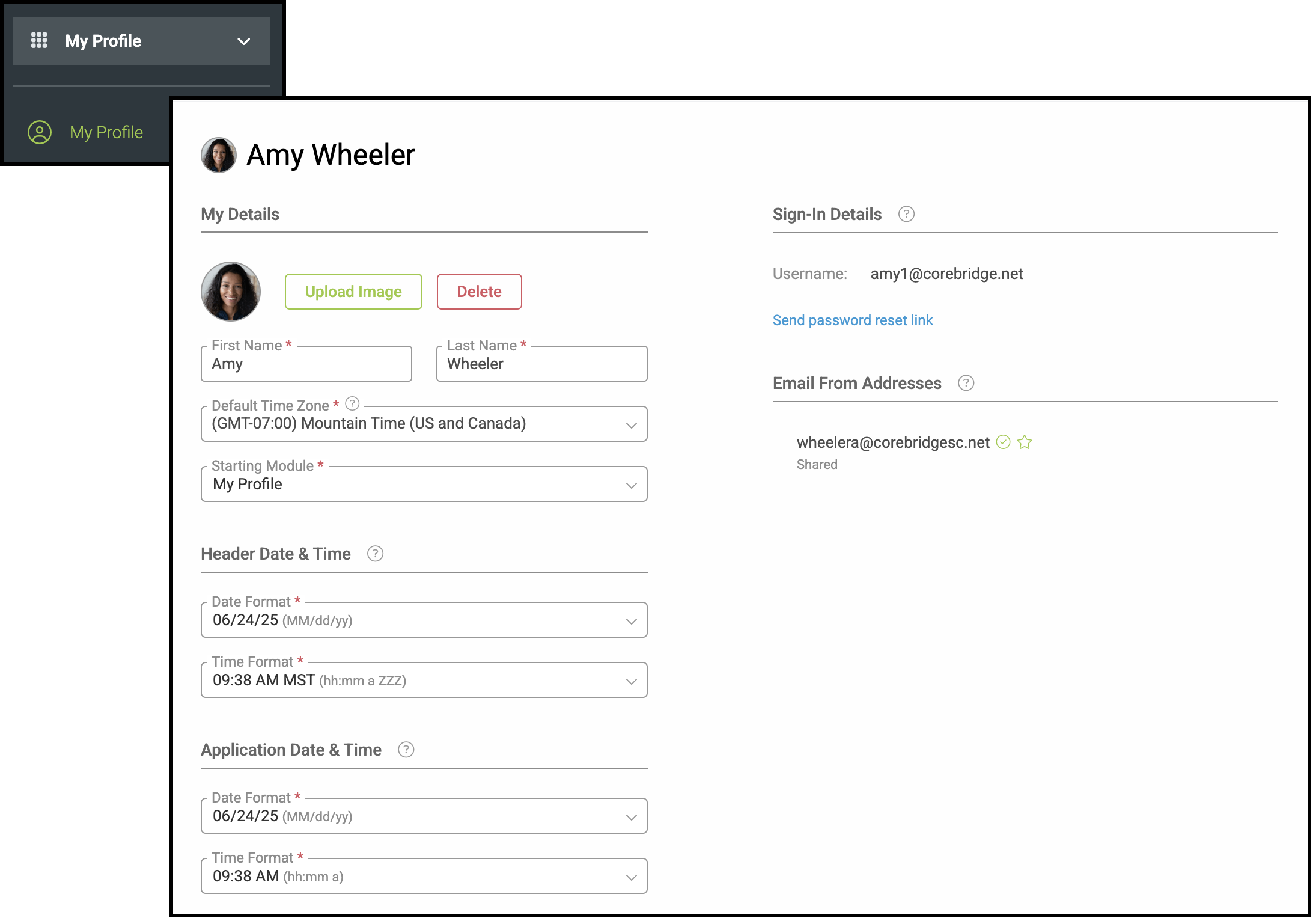
a. My Details - Manage your profile image, review your name, or change your Default Time Zone. Use the dropdown menu to select which Module you would like the system to automatically begin on when you sign in.
Note: If you work in a different time zone than your coworkers, you can change the Default Time Zone to reflect the one you are in.
b. Header Date & Time - Select the date and time format that you would like to see at the top of your screen throughout the system.
Note: This is to suit your own preference and is not reflected in any other part of the system or on reports and documents.
c. Application Date & Time - Choose the format that will be displayed throughout the system including for Order creation dates and due dates.
Note: Shorter formats are generally recommended.
d. Sign-in Details - Your system email is your Username.
Note: Click the link below if you need to change your password.
e. Email From Addresses - This address can be used by one or more employees when sending an email.
Note: Email From Addresses can be managed in Settings / System / Email From Addresses.