The Order Notes & Chat feature provides a centralized place to capture important details and conversations related to an Estimate or Order. It helps keep context, decisions, and product-specific information documented in one location, making it easier for teams to collaborate and stay aligned throughout the lifecycle of the work.
Important Information
- For more information on Orders, please see Orders Overview.
Table of Contents
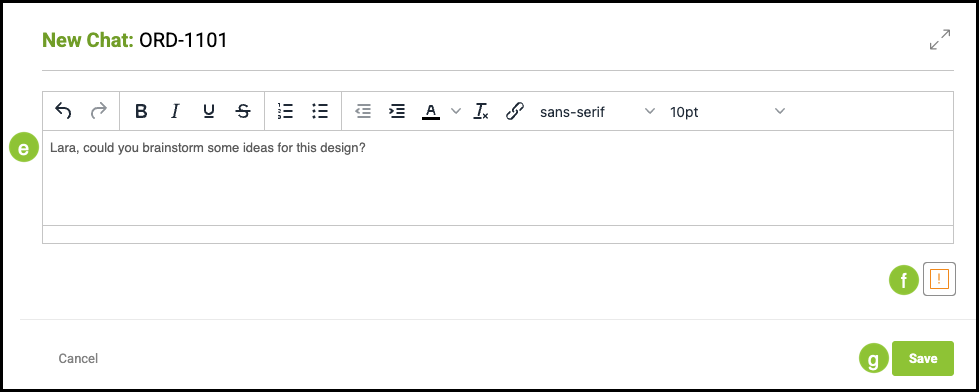
Navigate to Sales / Orders and select an Order.
Order Notes Tab
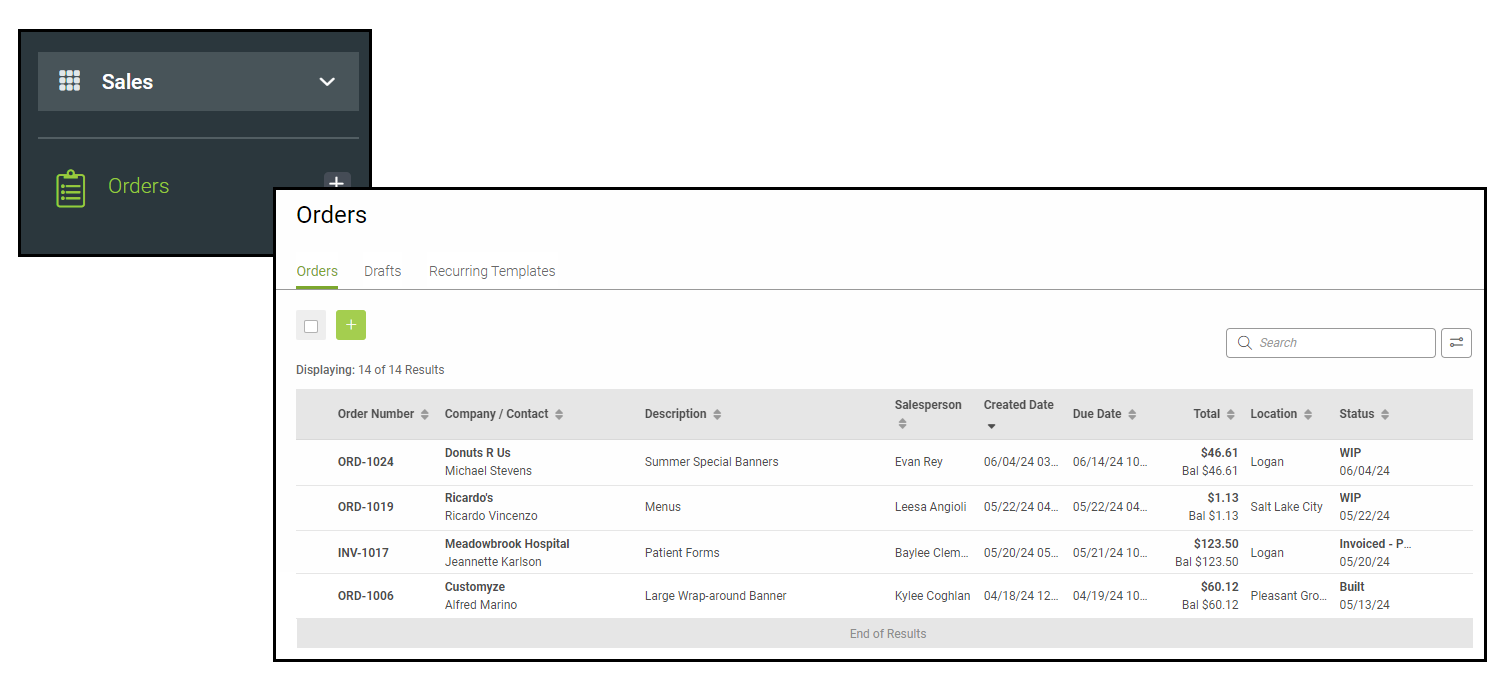
a. To add an Estimate or Order Note, enter the relevant information in the Estimate Notes or Order Notes.
b. Secondary notes can be added by selecting the Second tab and typing in the field.
c. Notes must be manually saved.
Note: If you attempt to leave without saving, a confirmation pop-up will prompt you to save your changes.
d. The green Chat button allows you to add internal conversation regarding the Estimate or Order.
Note: See example below.
Example:
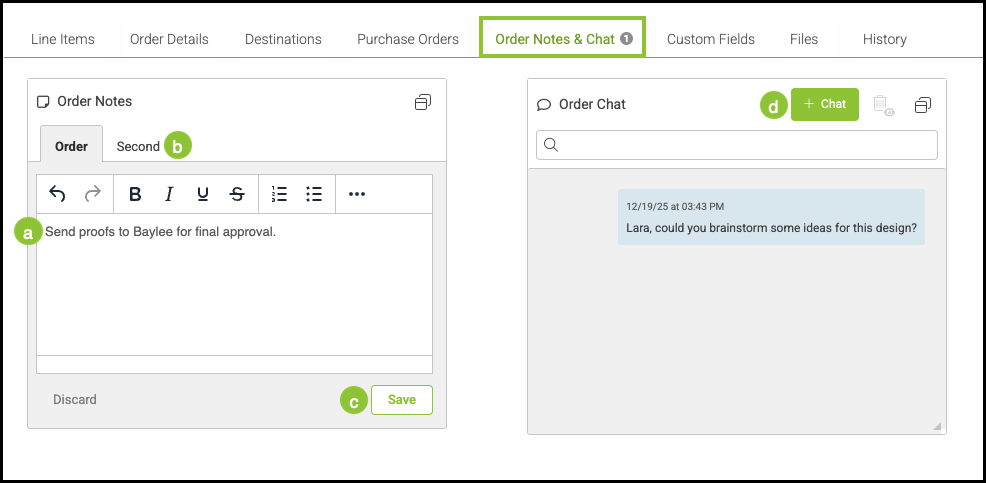
e. Comments typed in this field appear in the Chat.
f. This icon allows you to select Important or Not Important.
g. Comments must be saved manually to appear in the Chat.