
Task Types define the kinds of work your team performs and help standardize how tasks are created and managed across your system. By adding and maintaining Task Types in Settings, you can ensure tasks are categorized consistently, support clearer reporting, and align daily work with your internal processes. This article explains where to find Task Types in Settings and how to add new ones to support your workflow.
For more information on Tasks, please see Creating a Task.
Table of Contents
Adding a Task Type
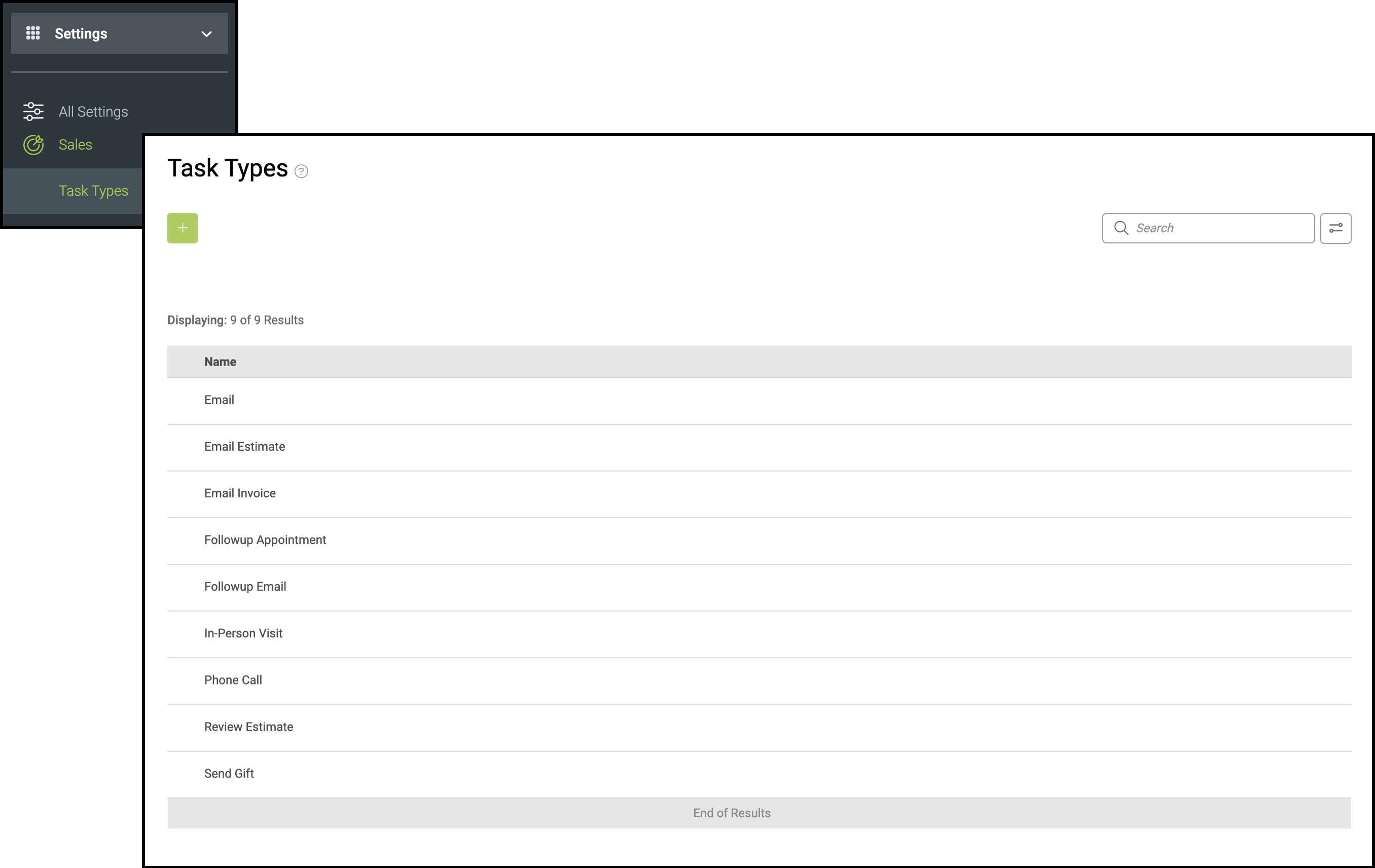
Task Types can be managed at any time by navigating to Settings / Sales / Task Types.
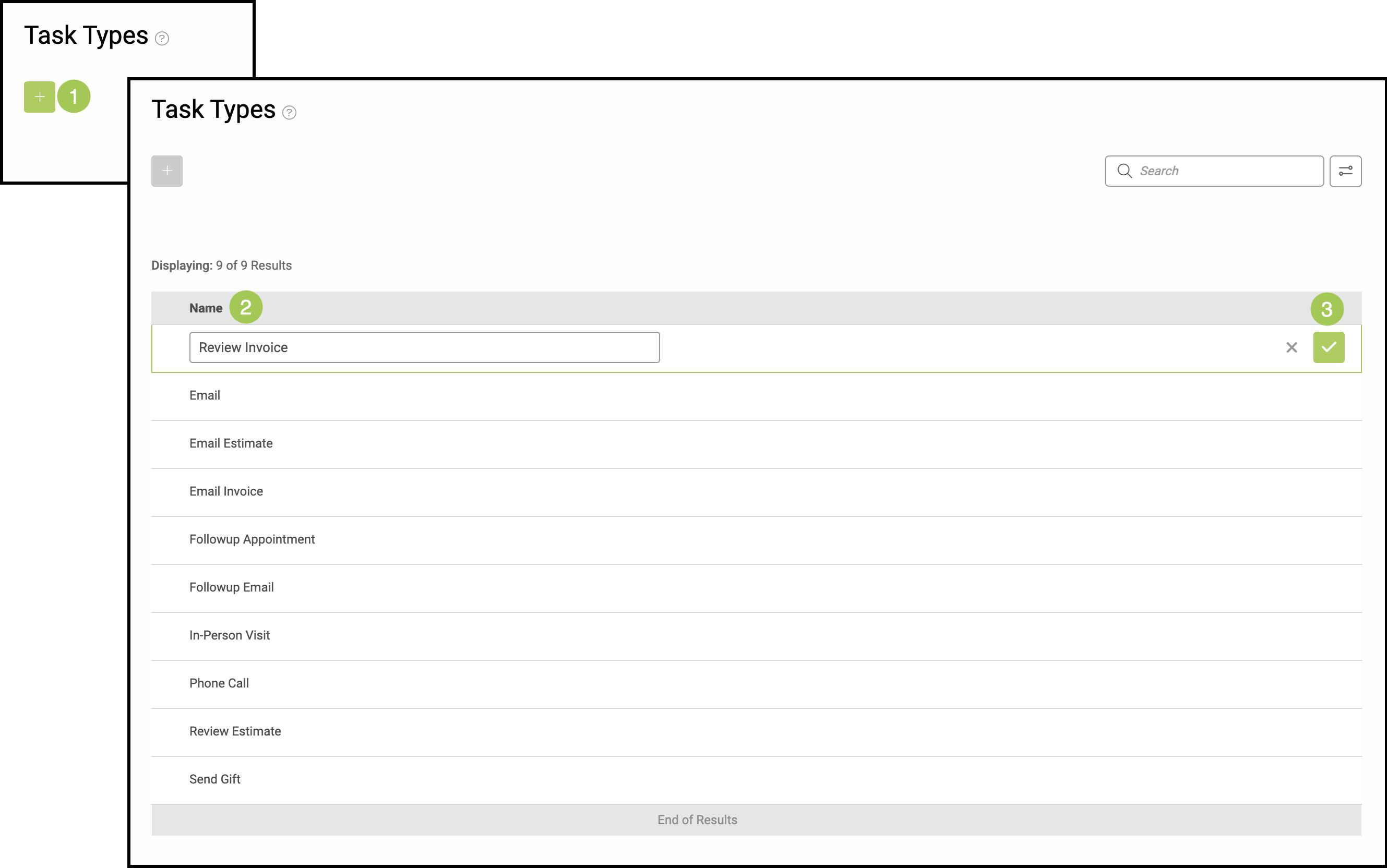
1. Select the green Plus Icon.
2. Create a name for the new Task Type.
3. Select the green Checkmark to save it to the list.
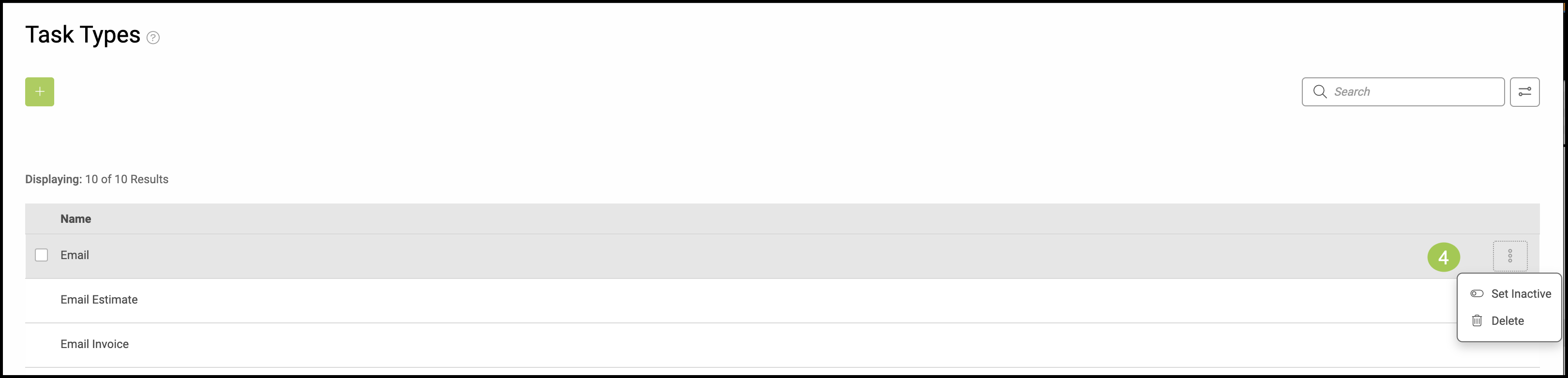
4. You may Set Inactive or Delete a Task Type by clicking on the ellipsis at the end of the row.
Related Articles
Accessing My Tasks Using the Navigation Bar