
You can bring events from your external calendars into CoreBridge, making it easy to keep all of your scheduling information in one place. Importing events ensures your CoreBridge Calendar stays up to date and aligned with the other calendars you already use.
For more information on Adding Events, please see Adding Events to a Calendar.
Table of Contents
Adding Events from a Linked Calendar
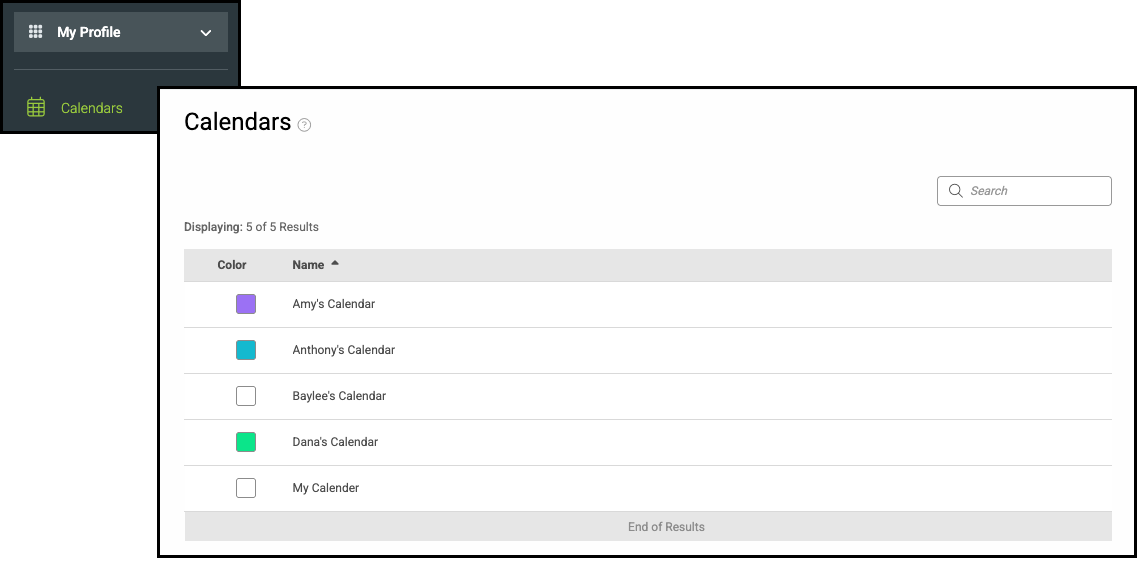
Navigate to My Profile / Calendars and select the appropriate Calendar.
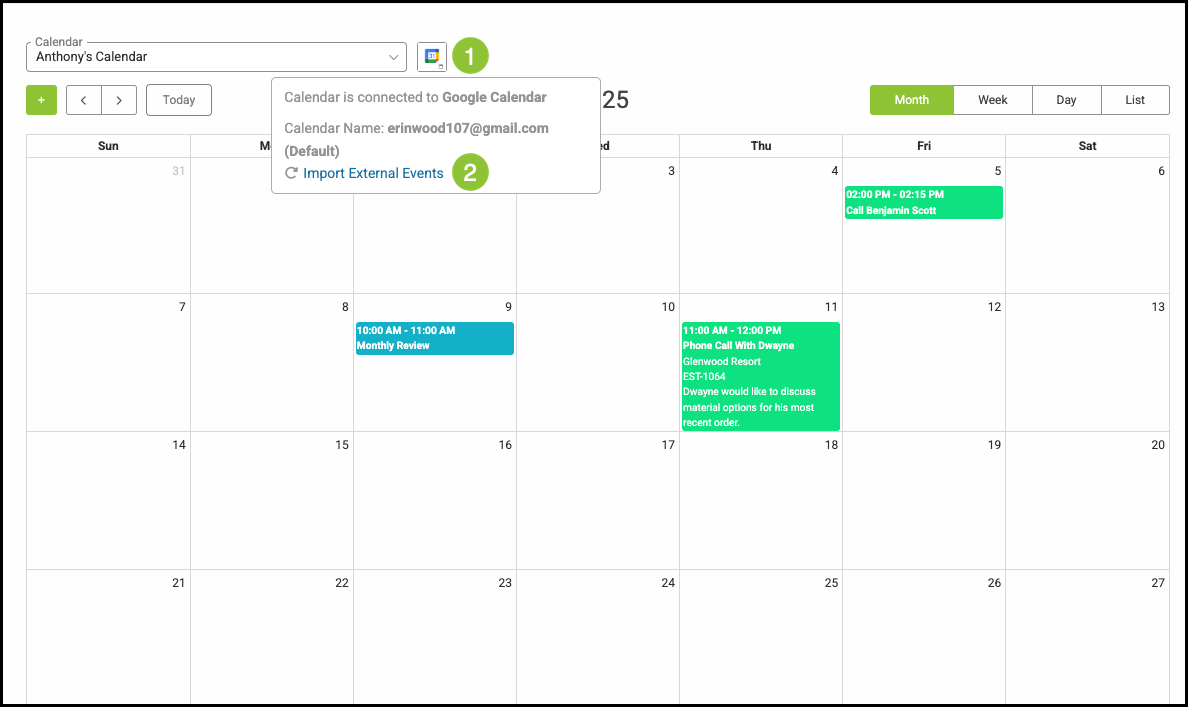
1. Hover over the Linked Calendar icon.
2. Click Import External Events.
Related Articles
Adding Calendar Categories During Event Creation
Adding Calendar Categories in Settings