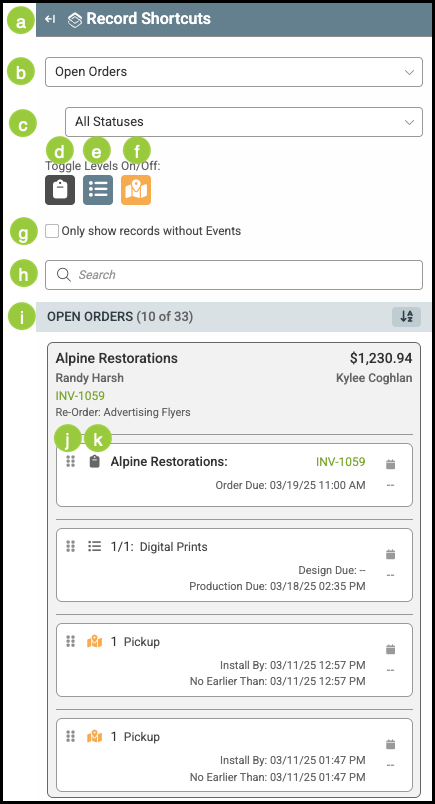
The Record Shortcuts feature provides a quick and convenient way to create calendar events. When used, it automatically links the event and the selected record, allowing you to schedule follow-ups, reminders, or tasks without leaving the page.
For more information on the Scheduling Feature, please see Scheduling Overview.
Table of Contents
Record Shortcuts
Navigate to Sales / Scheduling.
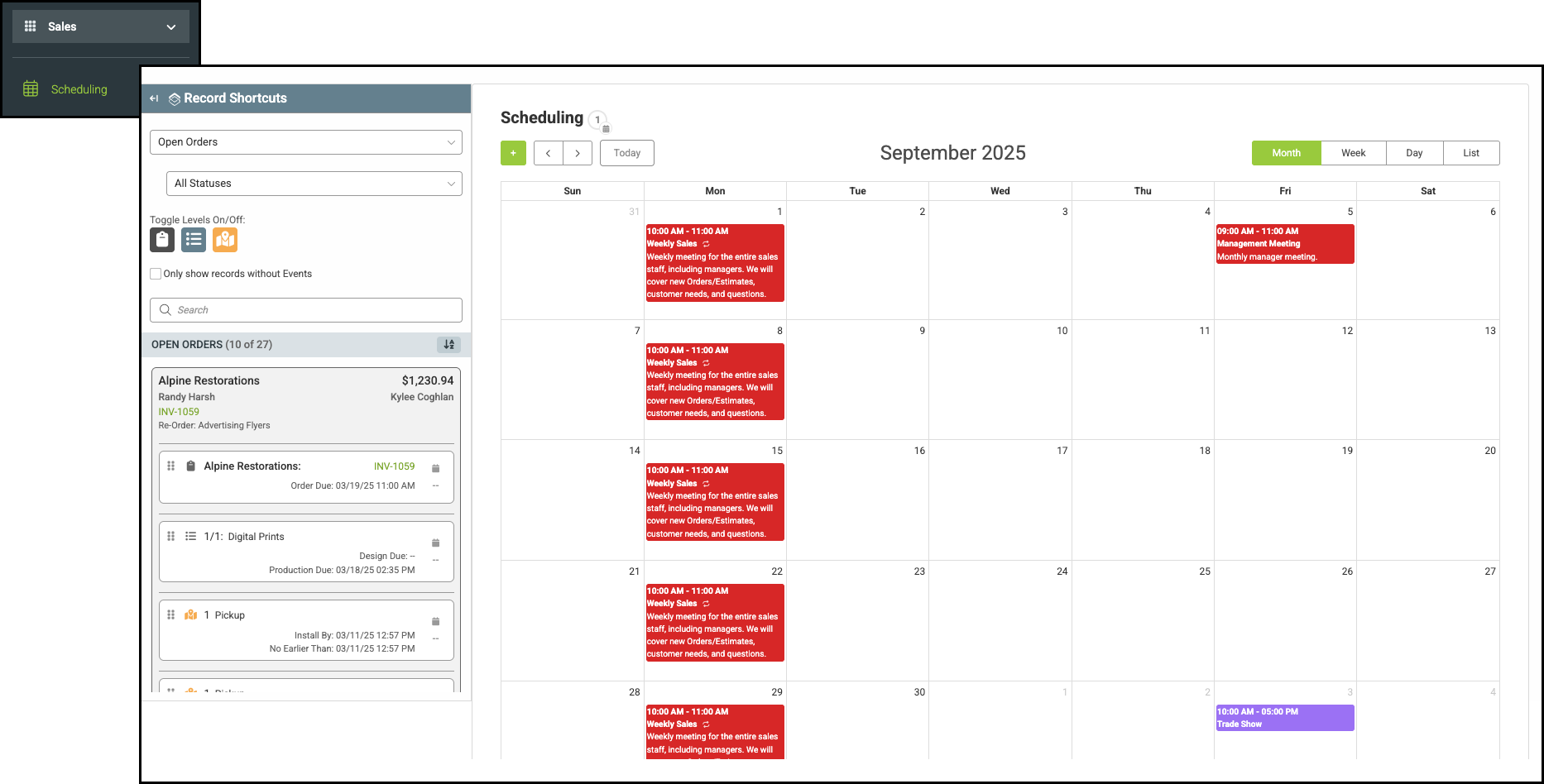
a. The Record Shortcuts menu is located to the left of the scheduling calendar and can be accessed by clicking the expansion arrow.
b. This dropdown allows you to select between open Orders or Estimates.
c. This dropdown allows you to select between Statuses.
d. When on, this filter includes full Order level records.
e. When on, this filter includes Line Item level records.
f. When on, this filter includes Destination level records.
Note: Corresponding icons appear on the record to indicate which level it represents.
g. When selected, this filters out those records already linked to an event.
h. Use the Search field to quickly find a particular record.
i. Records are grouped by Company. This alternates between ascending and descending order.
j. This icon allows you to grab and move the record.
k. This icon shows the level or type of the record.