
Calendar Categories are color-coded tags that let you assign custom categories to events. These Categories can be managed in two ways, either during Event Creation, or in Settings. This article explains the process of adding these Categories during Even Creation.
For information on adding Categories in Settings, please see Adding Calendar Categories in Settings.
Table of Contents
Adding Calendar Categories During Event Creation
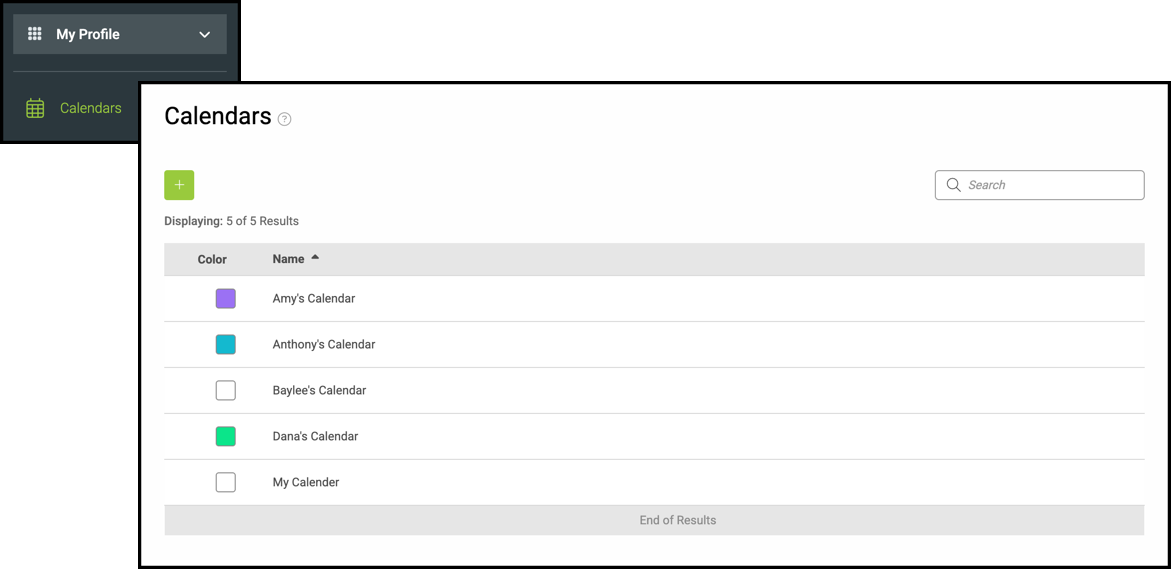
Navigate to My Profile / Calendars and click into the appropriate Calendar.
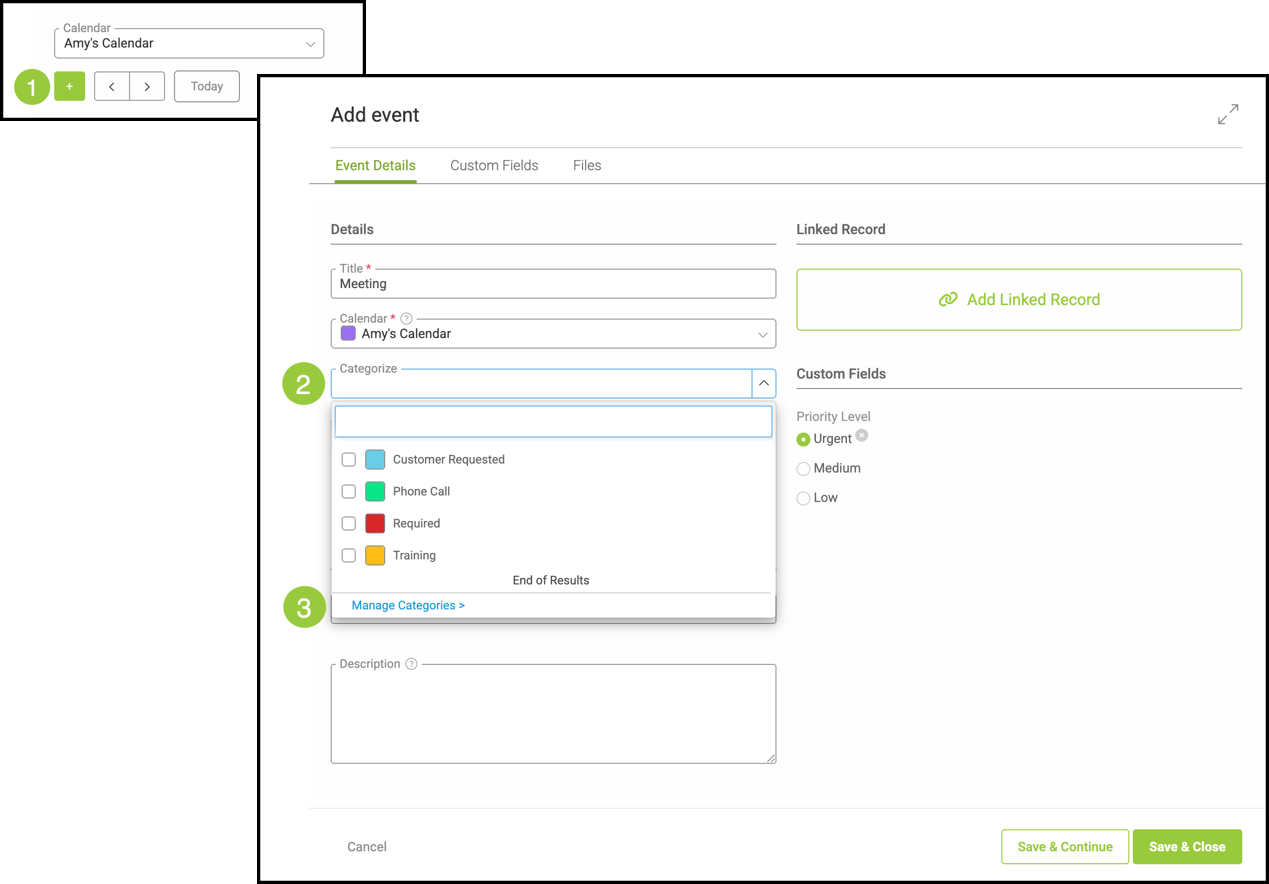
1. Click the Green Plus button.
2. Click the Categories dropdown.
3. Click Manage Categories.
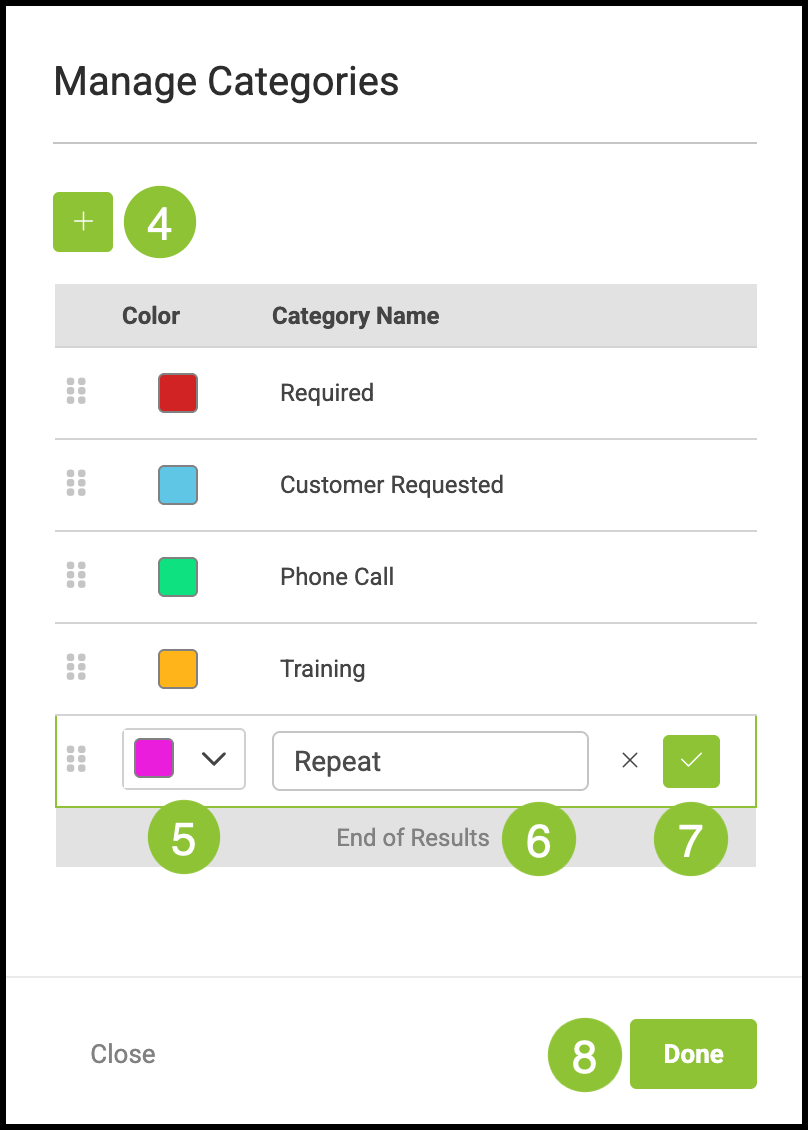
4. Click the Green Plus button.
5. Select a color.
6. Name the Category.
7. Click the Green Check.
8. Click Done.
Related Articles
Adding Calendar Categories in Settings
Adding Events from a Linked Calendar
Linking Estimates/Orders in Calendars