
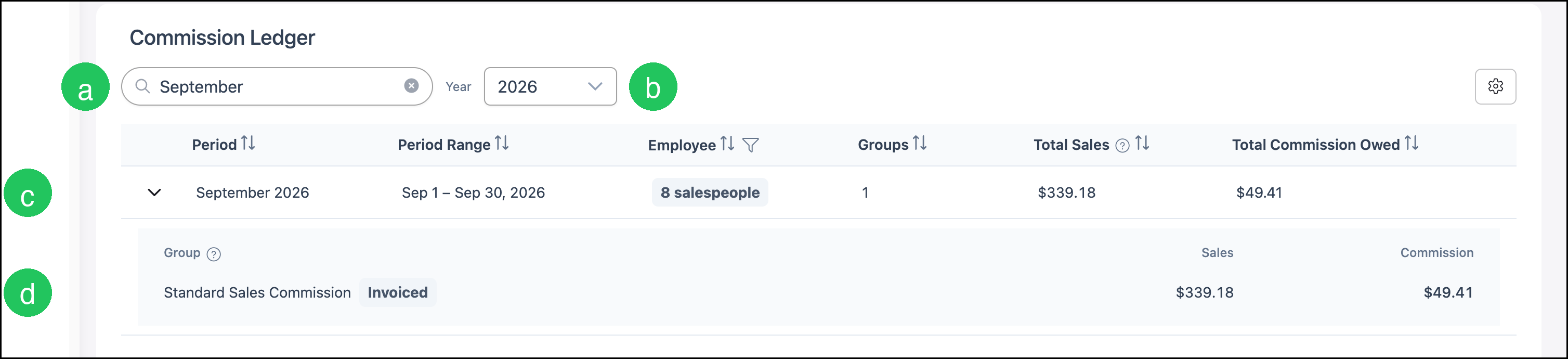
The Commission Ledger lists commission for each recorded period in a year. A period shows the date range, how many salespeople are included, the commission groups, Total Sales, and Total Commission Owed. Opening a period shows the commission group, plan, rate, and commission amount.
Table of Contents
- Reading the Commission Ledger
- Opening a Commission Period
- Reading a Commission Period
- Frequently Asked Questions
- Related Articles
Reading the Commission Ledger
a. Search filters the periods on the ledger.
b. Year selects which year of periods is listed.
c. The period row lists Period, Period Range, Employee, Groups, Total Sales, and Total Commission Owed. Employee shows how many salespeople are in the period. The info icon beside Total Sales explains which sales that column uses.
d. The arrow on the period row opens the commission group. The group line shows the group name, the sales basis, Sales, and Commission.
Opening a Commission Period
Navigate to Accounting / Commissions.
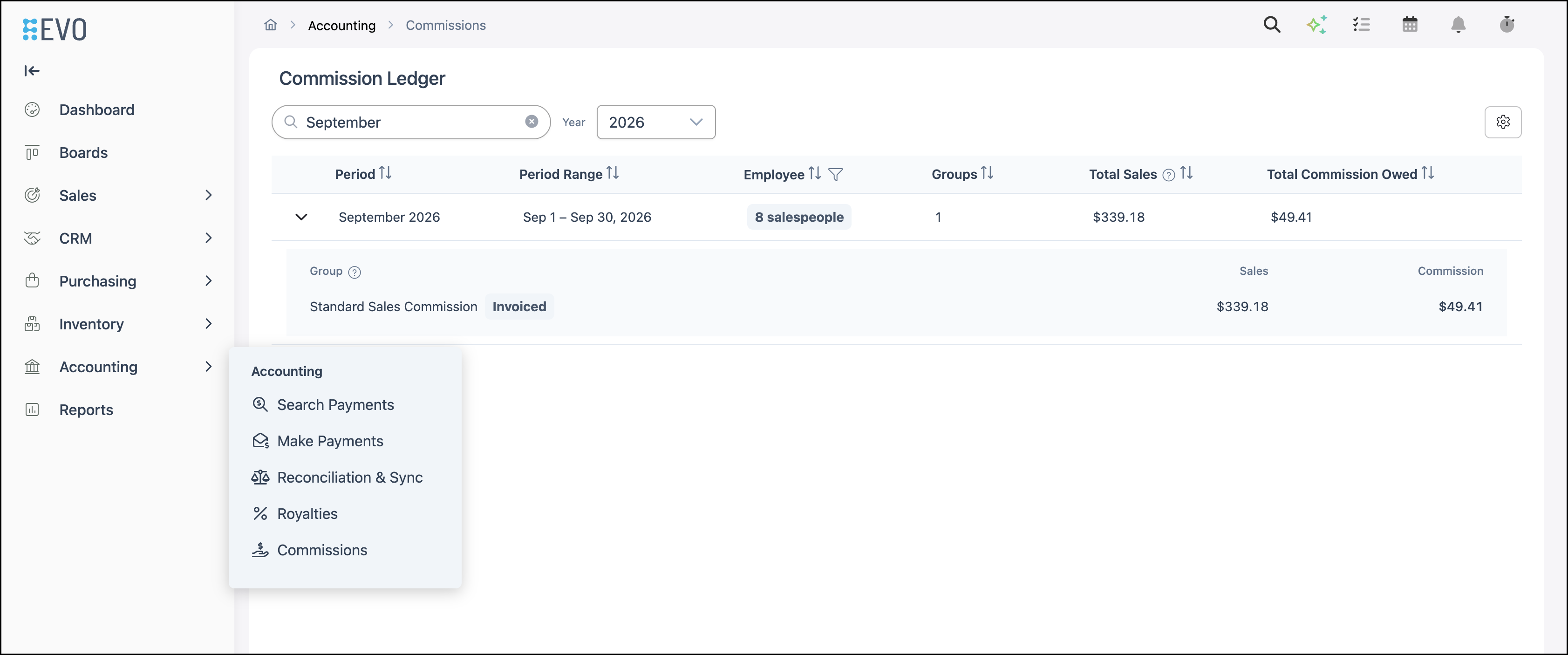
1. Select the period name, such as September 2026.

Reading a Commission Period
The period opens with the commission group and plan for that date range.
a. Salespeople shows who is included in the period.
b. Period is the date range.
c. Total Commission is the commission for the period.
d. The group line shows the group name, the sales basis, and Active when the group is active. Commission on this line is that group's commission.
e. The plan row shows Plan Name, Total Sales, % / Rate, and Commission Amount. The income account and the Total row are listed under the plan.
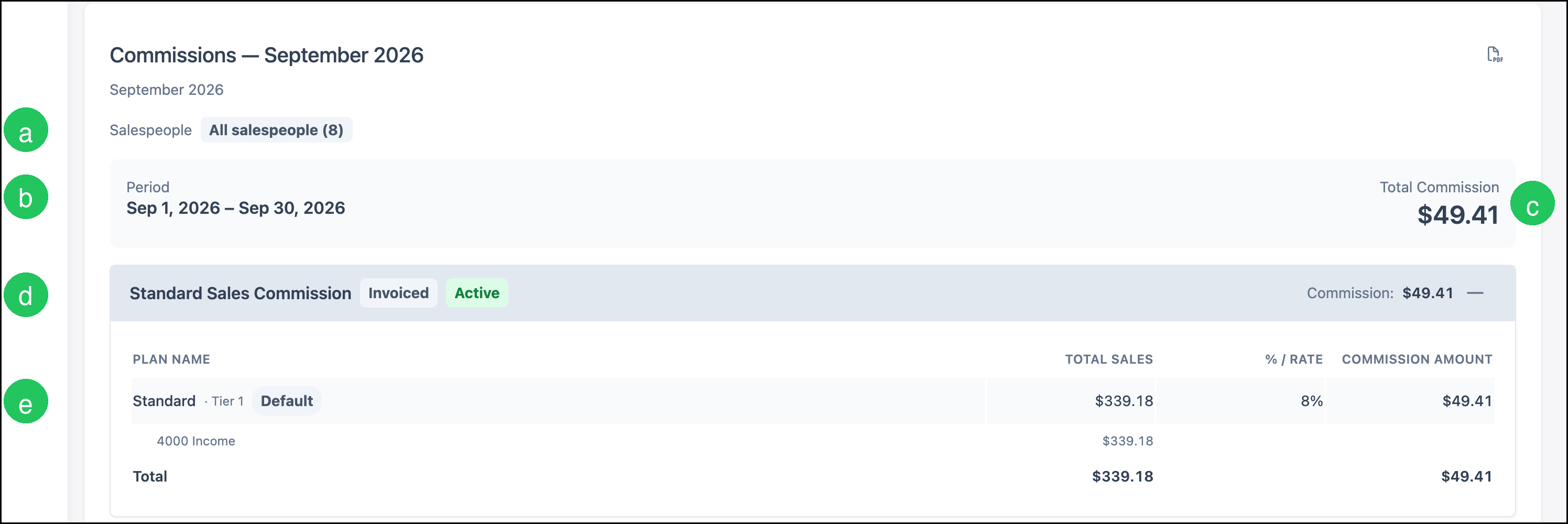
Open the commission document from this period when you need each salesperson, plan, income account, and invoice. See Commission Document.
Frequently Asked Questions
1. Where are commission rates and assignments set up?
Answer: Commission groups are set up under System Settings. For the steps, see Setting Up Commission Groups in Evo.
2. What does Total Sales on the ledger show?
Answer: Total Sales is the sales figure on that period row. Select the info icon beside Total Sales for how that column counts group sales. Open the commission document for each salesperson, plan, income account, and invoice.