
Close as Bad Debt allows you to write off the remaining Balance on an invoiced Order and record the amount as an expense. Once confirmed, the Order Status changes to Closed, the Balance is reduced to $0.00, and the Order remains locked.
Table of Contents
- Important Information
- When an Order Can Be Written Off
- Writing Off the Remaining Balance
- After the Write-Off
- Bad Debt in Payments
- Frequently Asked Questions
- Related Articles
Important Information
- Close as Bad Debt is available when the Order Status is Invoiced. On the Orders list, that Order may show Invoiced on Account.
- The write-off sets the remaining Balance to $0.00.
- The amount written off is posted as an expense.
- Status becomes Closed, and the Order stays locked.
- The role includes Close an Order as Bad Debt. Owners and Administrators already include this action.
- Cancel on the Close As Bad Debt dialog leaves the Order unchanged.
When an Order Can Be Written Off
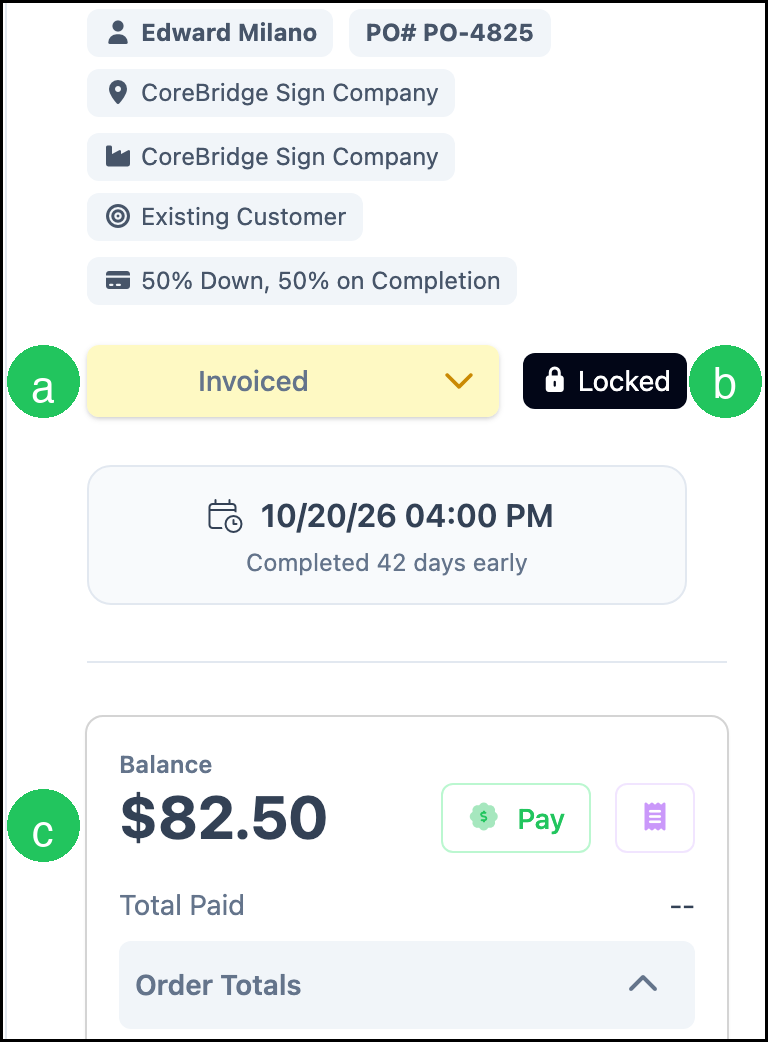
An invoiced Order can be written off while a Balance remains.
a. Status - Invoiced.
b. Locked - The Order is locked.
c. Balance - The remaining amount on the Order.
Writing Off the Remaining Balance
Navigate to Sales / Orders and open the Order.
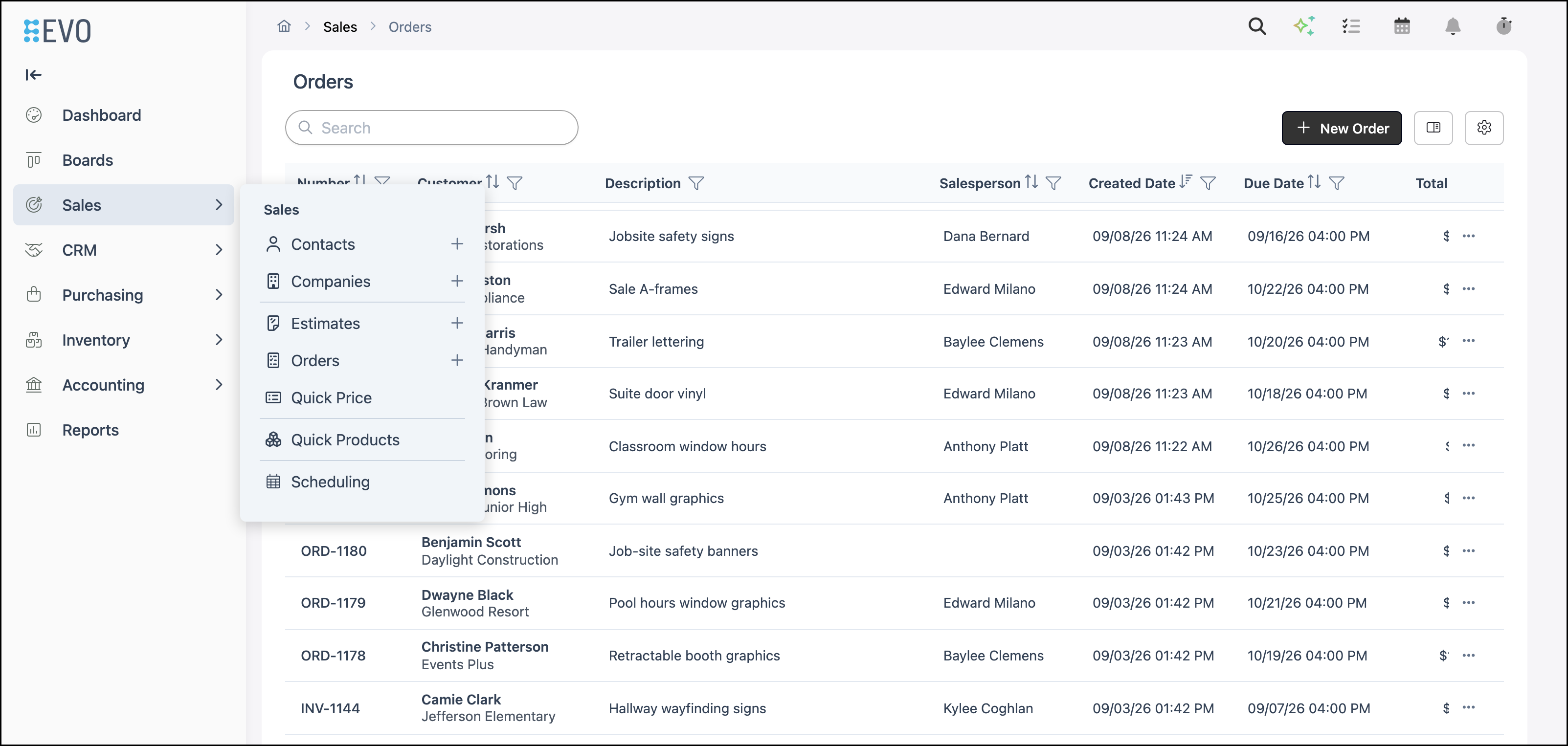
1. Click More actions.

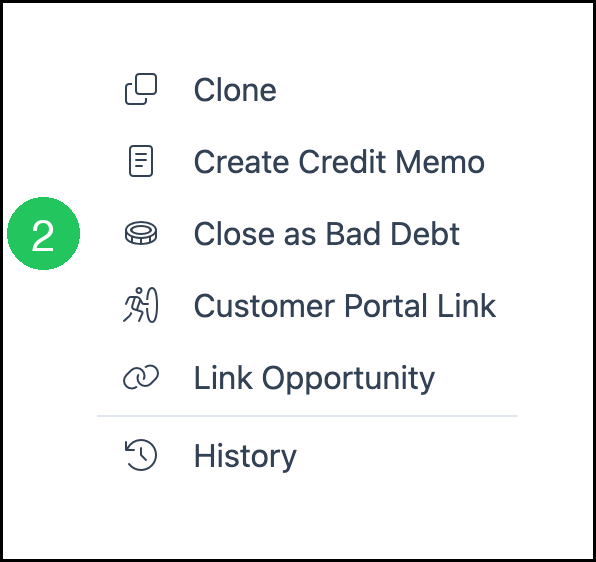
2. Select Close as Bad Debt.
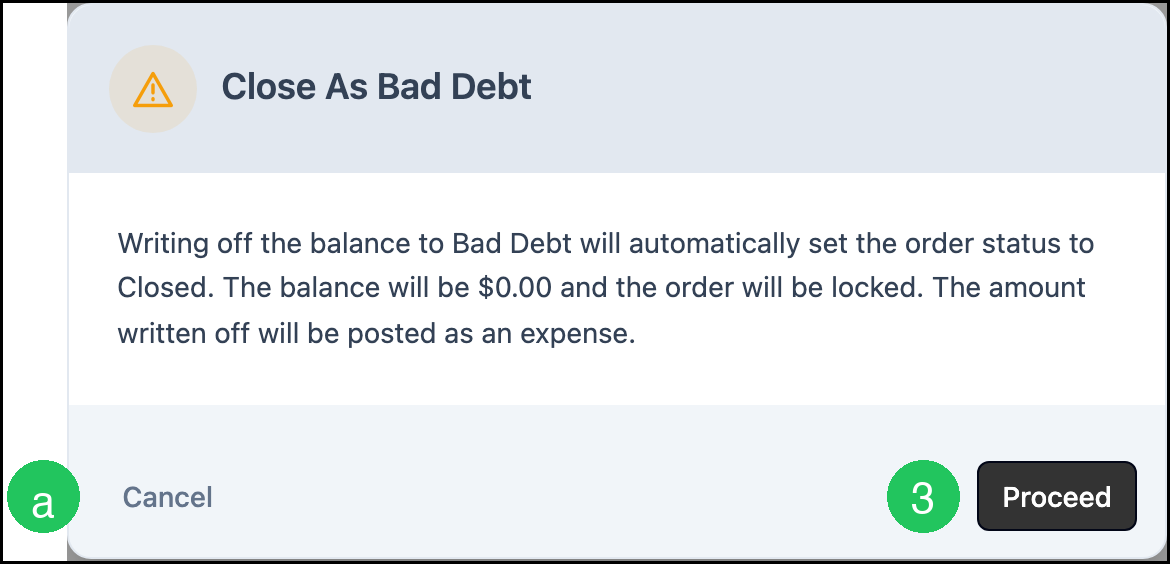
3. Click Proceed.
Note: The Close As Bad Debt dialog states: "Writing off the balance to Bad Debt will automatically set the order status to Closed. The balance will be $0.00 and the order will be locked. The amount written off will be posted as an expense."
a. Cancel - Leaves the Order unchanged.
After the Write-Off
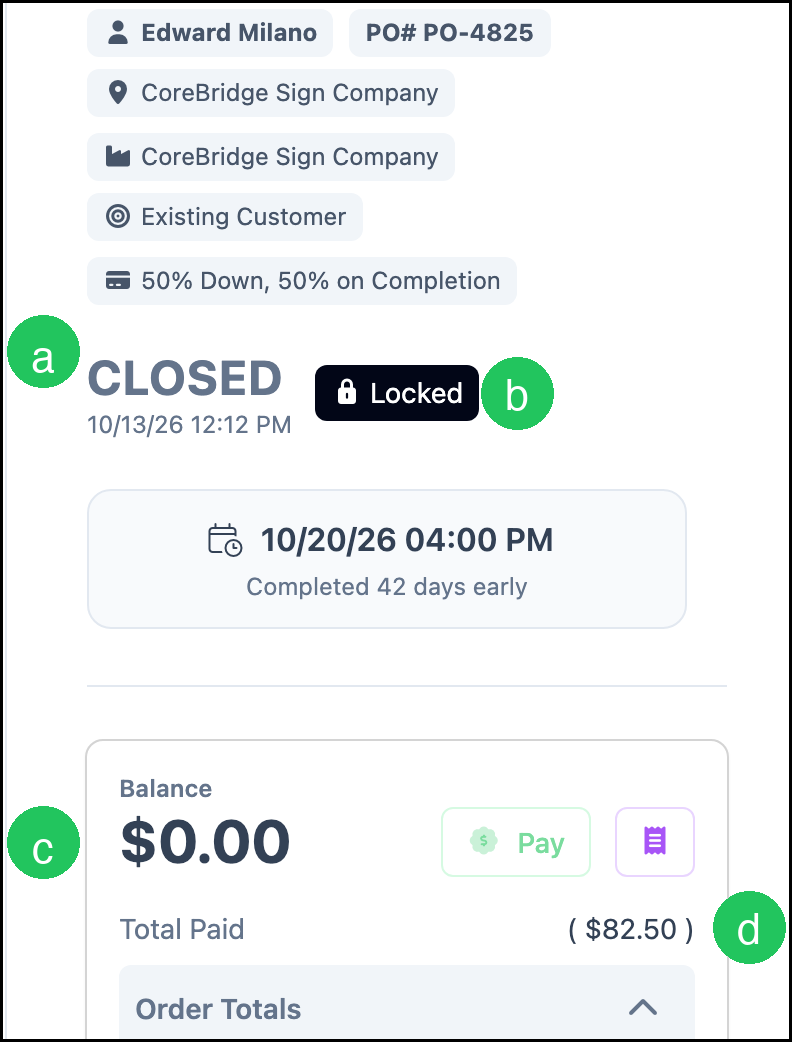
After Proceed, the Order shows the write-off.
a. Status - CLOSED, with the date and time of the write-off.
b. Locked - The Order stays locked.
c. Balance - $0.00.
d. Total Paid - The written-off amount, shown in parentheses.
Bad Debt in Payments
Navigate to Accounting / Search Payments.
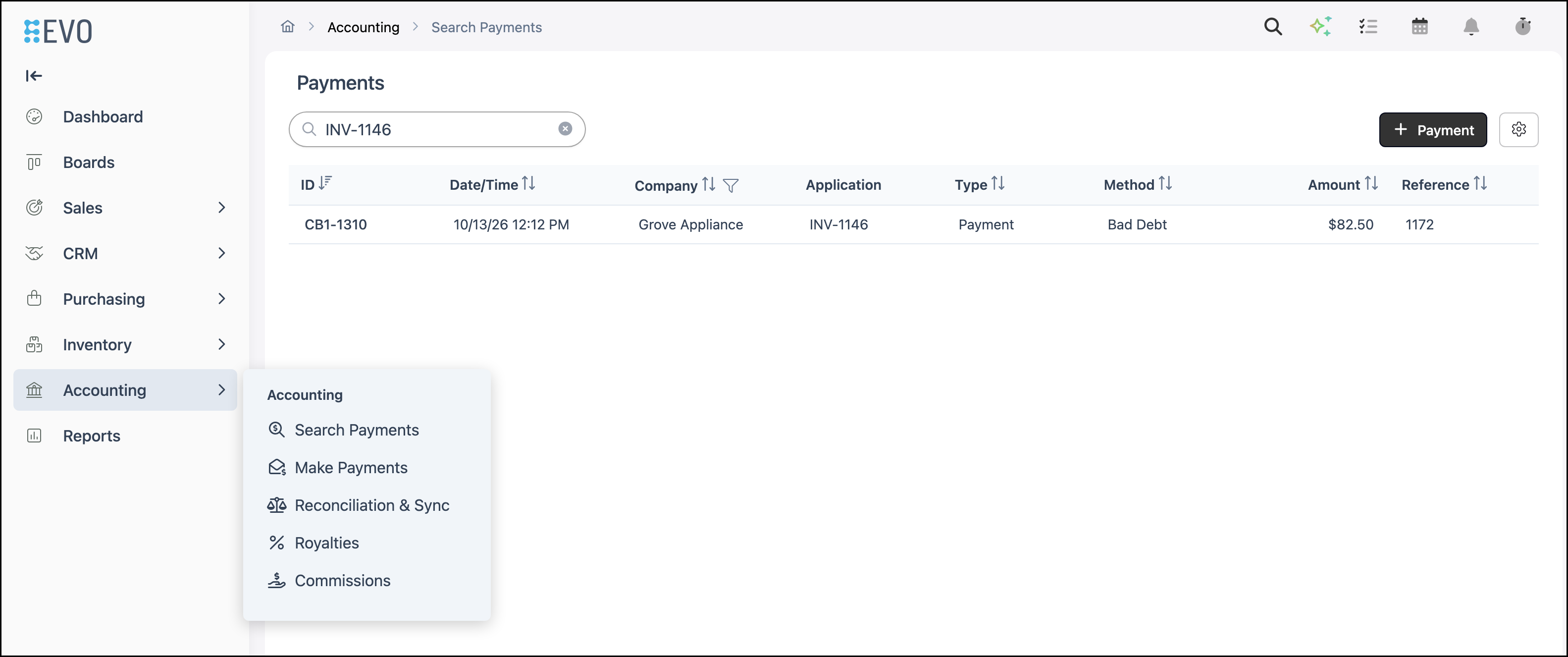
1. Search for the Order number.
a. Application - The Order number.
b. Method - Bad Debt.
c. Amount - The amount written off.

Note: During reconciliation, the write-off can be reviewed on the Payment Summary. For more information, see Reconciliation Overview.
Frequently Asked Questions
1. What amount is written off?
Answer: Close as Bad Debt writes off the Balance still on the Order. That Balance becomes $0.00, and that amount is posted as an expense.
2. Where does Bad Debt appear?
Answer: On Accounting / Search Payments, the write-off shows Method Bad Debt. Bad Debt is not a method in Apply Payment.
3. Can an Estimate be written off?
Answer: Close as Bad Debt is on an invoiced Order. An Estimate does not include this action.