Component Defaults help standardize how Components behave when they are added to Assemblies. By defining default settings in advance, you can ensure consistency in pricing, quantities, cost calculations, and production details without needing to reconfigure each Component every time it is used.
This article explains how to set and manage Component Defaults for Assemblies so your production setup remains accurate, efficient, and aligned with your workflow.
For more information on Component, please see Components Overview.
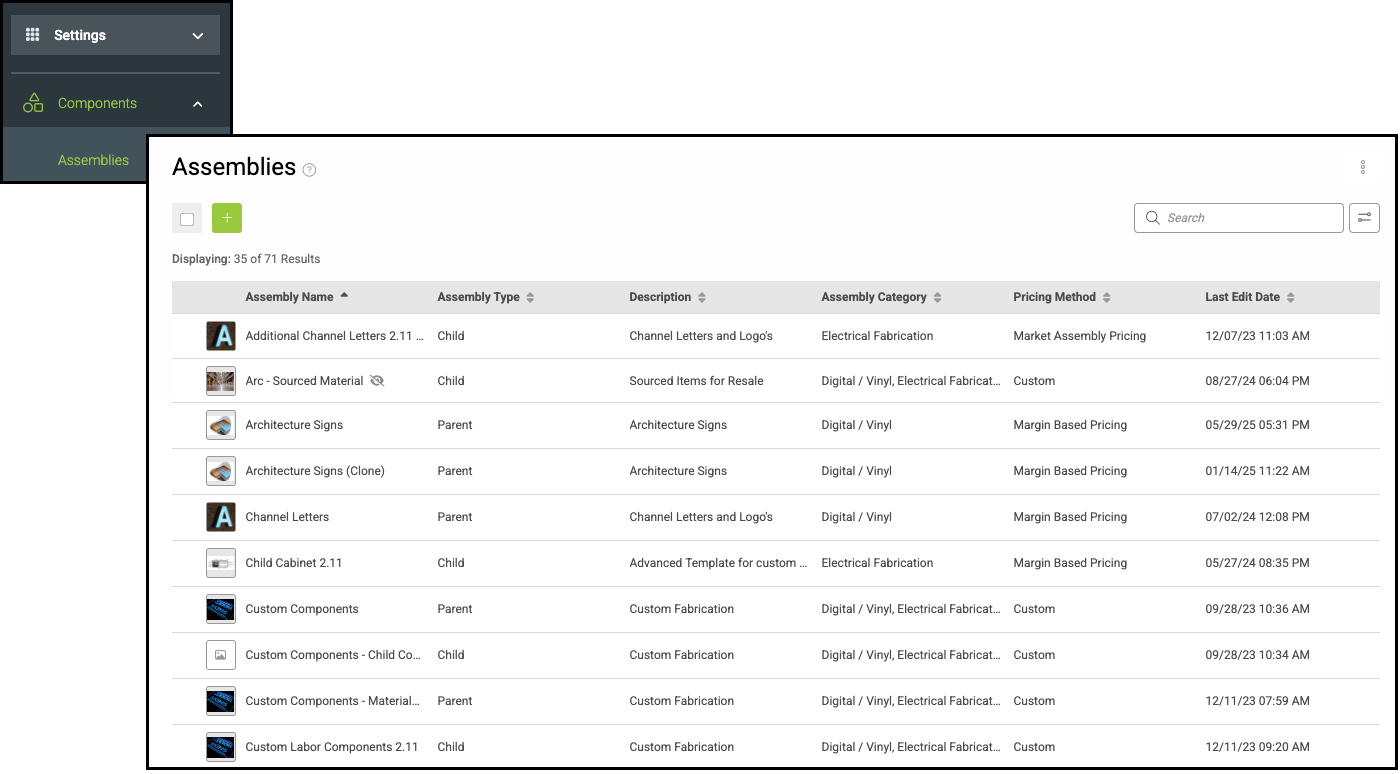
Navigate to Settings / Components / Assemblies and select the appropriate Assembly.
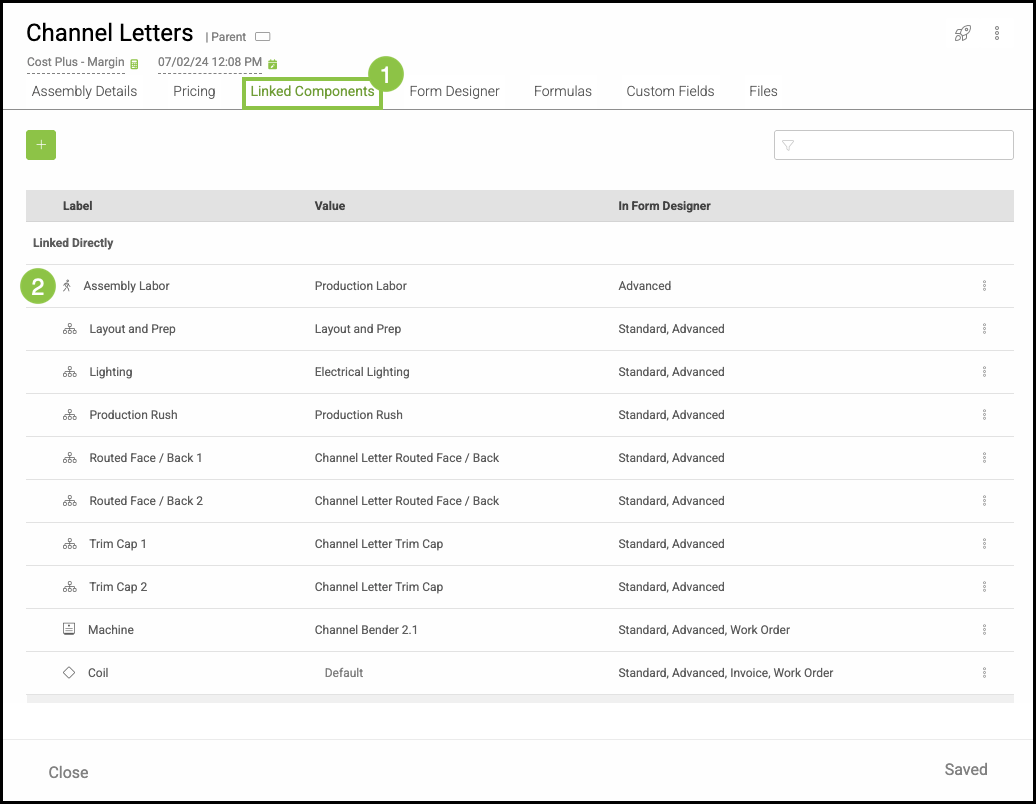
1. Select the Linked Components tab.
2. Select the Component.
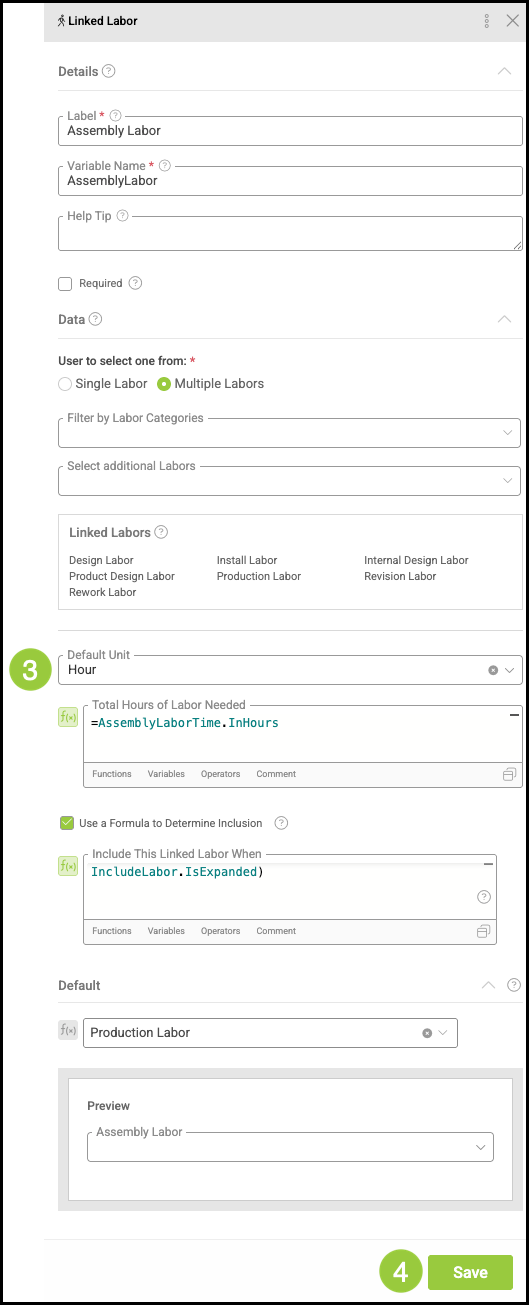
3. Set the Defaults in the side panel.
4. Click Save.
Note: Fields in the side panel will vary depending on the Component selected.