
Machine Categories group Machines by how the shop uses the equipment. They are managed on the Machines tab of Component Categories, where each category has a Name and an optional Description. A category applies after it is selected under Machine Categories on Machine Details and the Machine is saved.
Table of Contents
- Machine Categories Screen
- Adding a Machine Category
- Assigning a Machine Category
- Frequently Asked Questions
- Related Articles
Machine Categories Screen
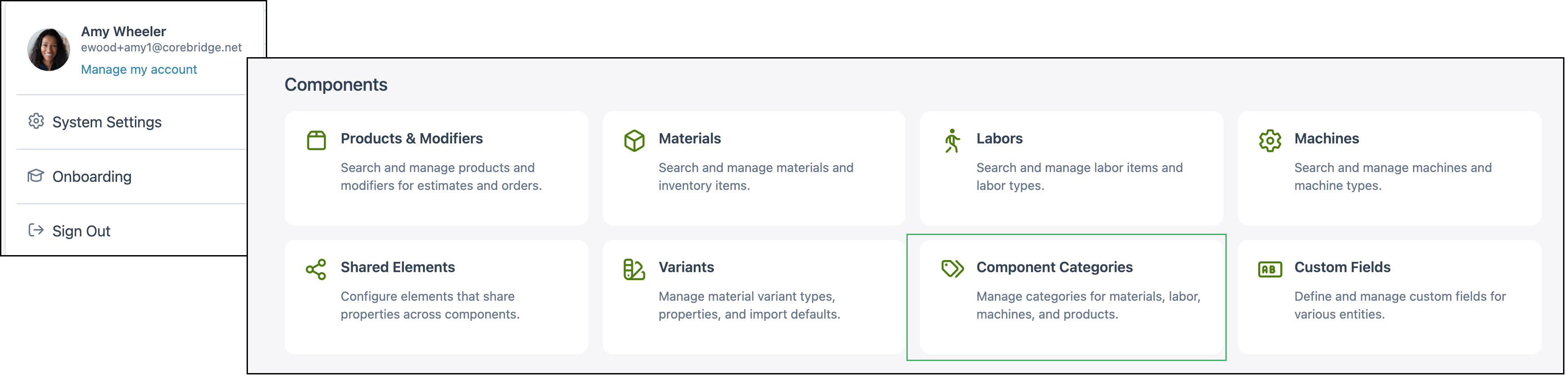
Navigate to System Settings / Components / Component Categories.
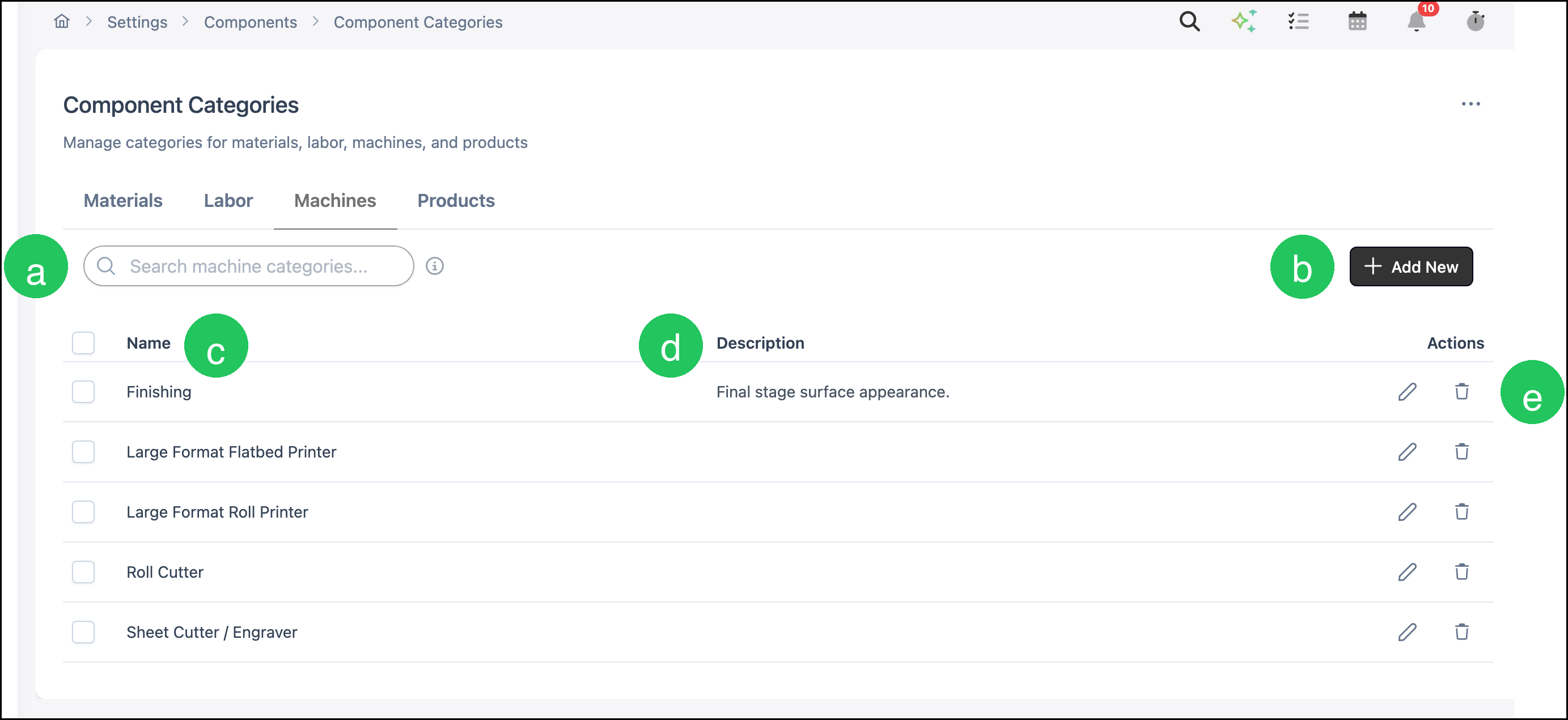
The Machines tab lists Machine Categories. Materials, Labor, and Products are separate tabs. Search and Add New apply to the tab that is open.
a. Search finds a Machine Category by name.
b. Add New opens Add Machine Category.
c. Name is the category name.
d. Description is an optional note about the category.
e. Actions includes Edit and Delete for that category.
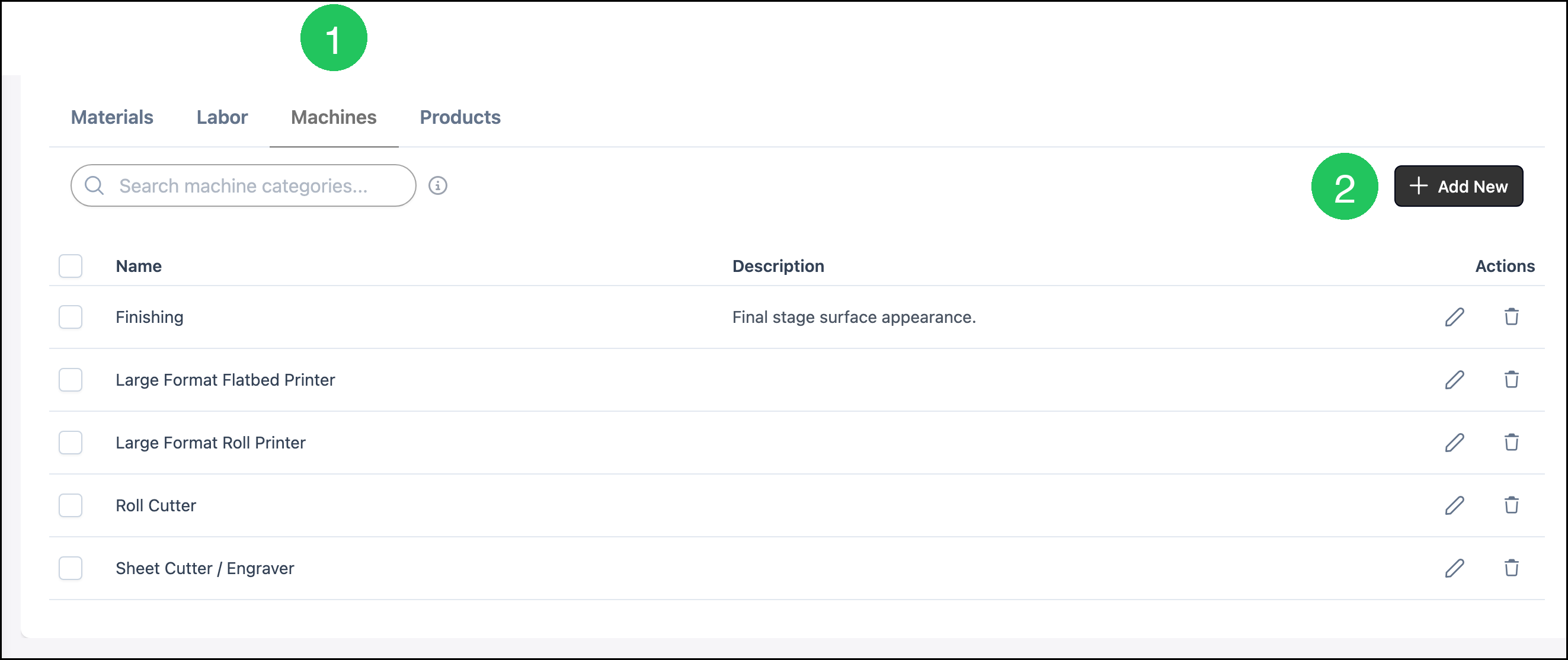
Adding a Machine Category
Navigate to System Settings / Components / Component Categories.
1. Click Machines.
2. Click Add New.
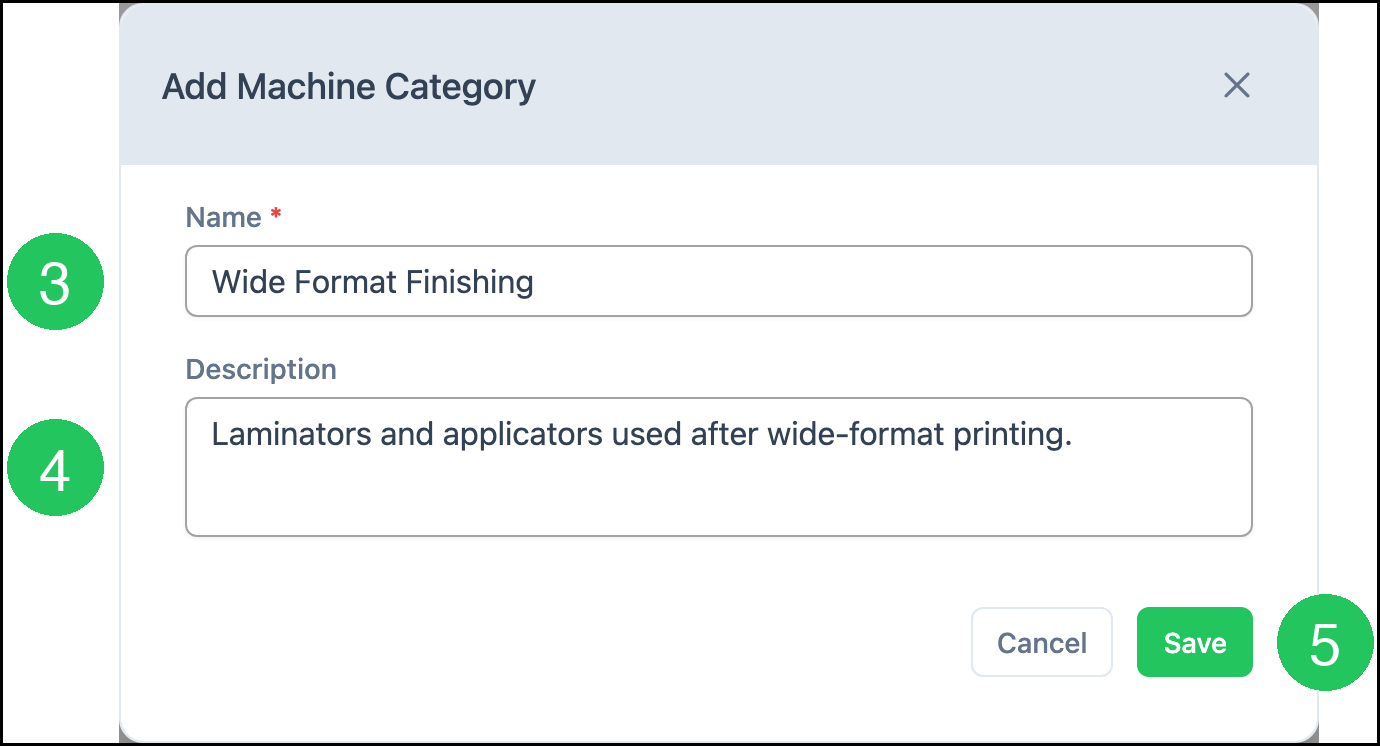
3. Enter a Name.
Note: Name is required. Save stays unavailable until a name is entered.
4. Enter a Description, if you want one.
5. Click Save.
Note: Saving the category does not assign it to a Machine. Select it on the Machine, then save the Machine.
Assigning a Machine Category
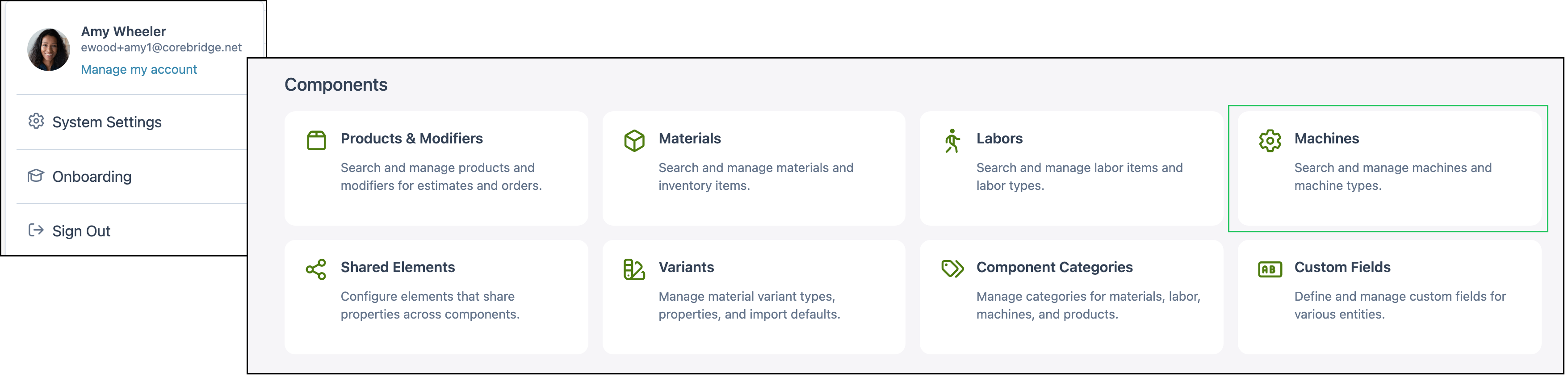
Navigate to System Settings / Components / Machines.
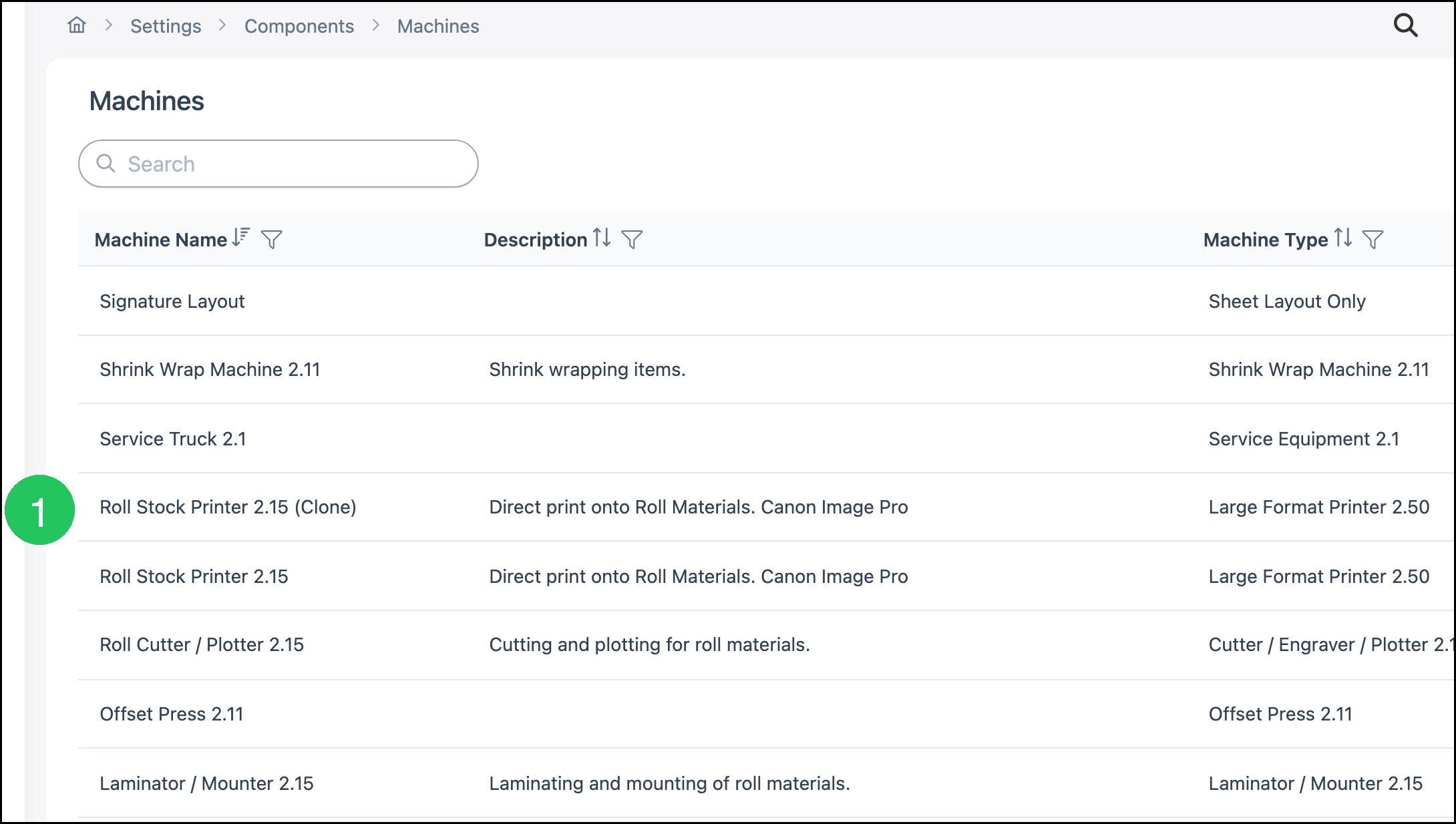
1. Click the Machine. This example uses Roll Stock Printer 2.15 (Clone).
2. Click Machine Details.
3. Select one or more categories under Machine Categories.
Note: A Machine can belong to more than one Machine Category.
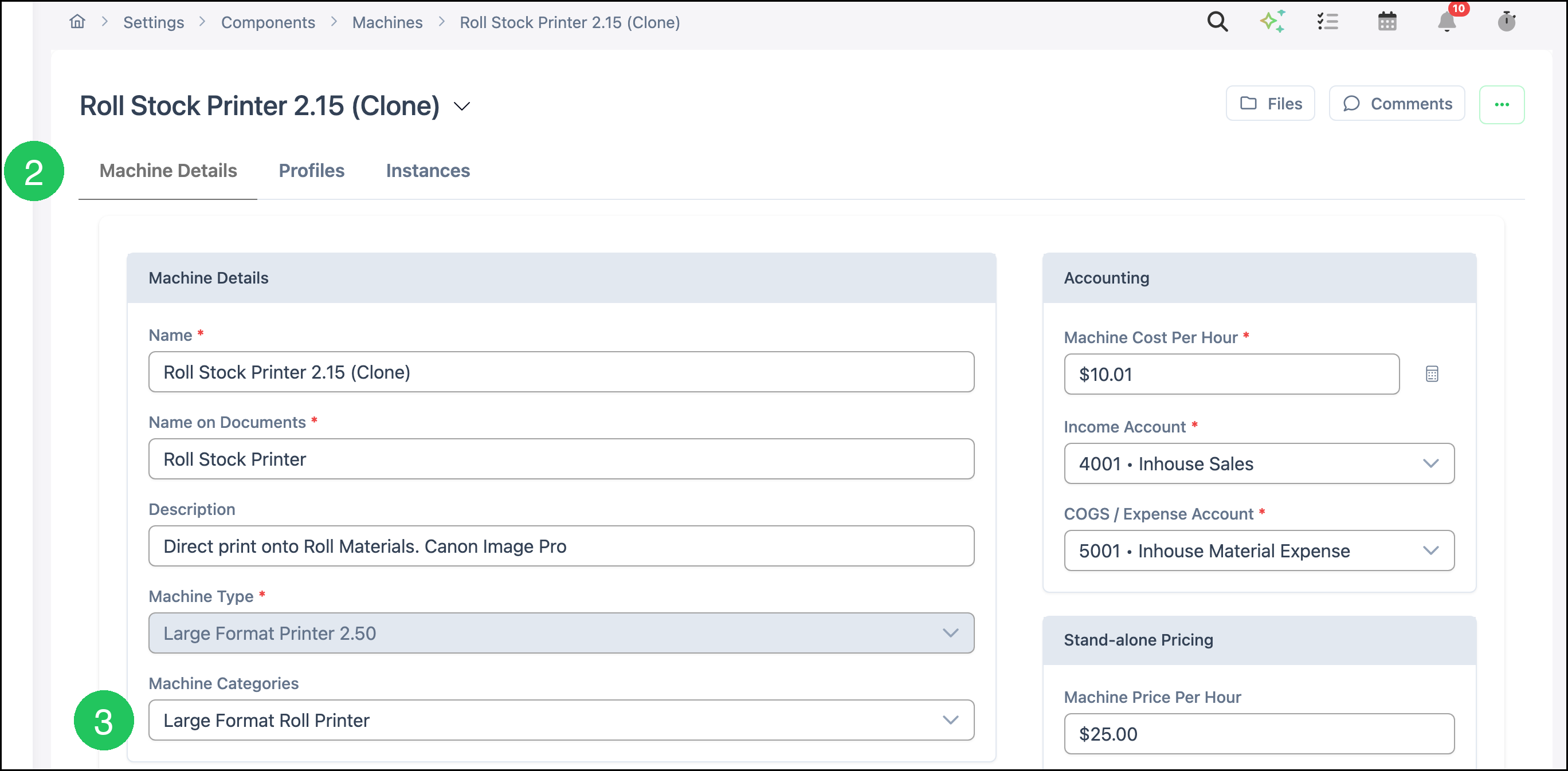
4. Click Save.

Frequently Asked Questions
1. Does creating a Machine Category assign it to every Machine?
Answer: No. Open the Machine, select the category under Machine Categories on Machine Details, and click Save.
2. Can one Machine use more than one Machine Category?
Answer: Yes. Select each category that applies under Machine Categories, then click Save.
3. Is a Machine Category the same as a Material Category?
Answer: No. Machine Categories are the list on the Machines tab. Materials, Labor, and Products each have their own list.