A Subaccount is a custom general ledger account organized under a Parent Account in the Chart of Accounts. The Parent Account is assigned when the Subaccount is created, and the Subaccount is then listed beneath it in the account structure.
Note: CoreBridge tracks accounts receivable and income. Expense and liability accounts are stored here so they can be mapped and synced. Payables stay in the connected accounting software. For an account that syncs, the Account Name and Account Number match that software exactly.
For more information on the chart of accounts, see Managing Chart of Accounts.
Creating Subaccounts
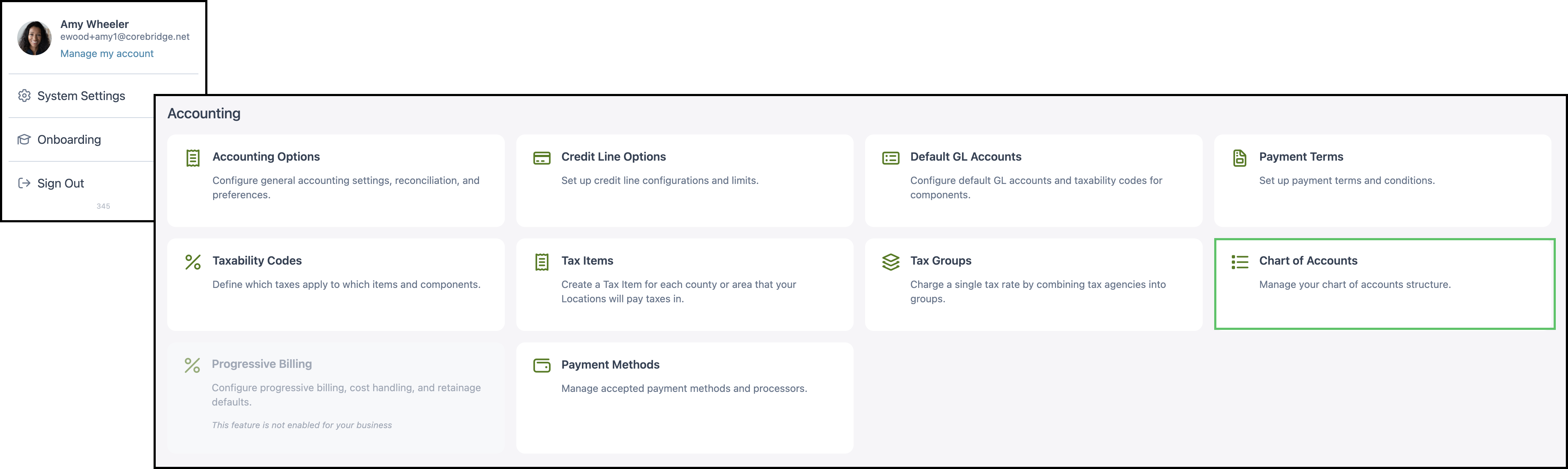
Navigate to System Settings / Accounting / Chart of Accounts.
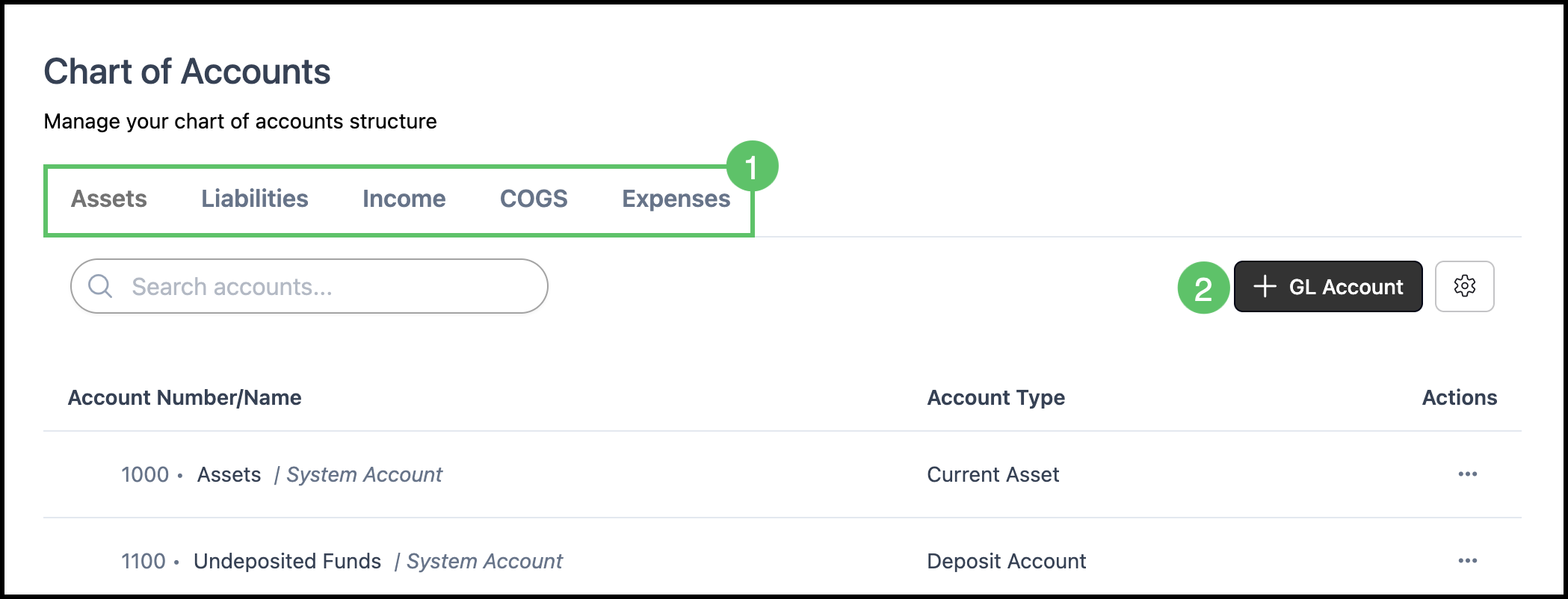
1. Select the account family tab.
2. Click + GL Account.
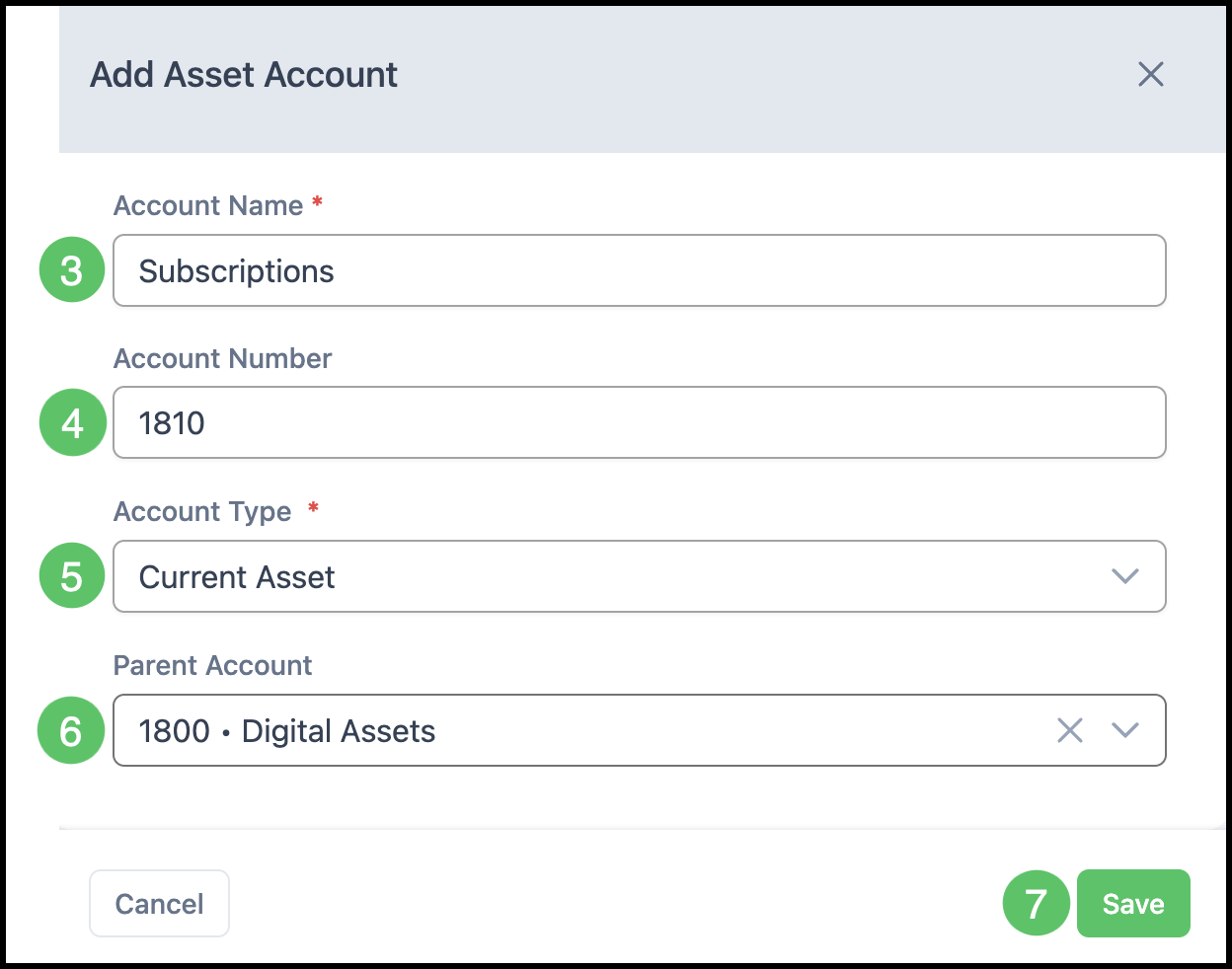
3. Enter an Account Name. The name is required and must be unique.
4. Enter an Account Number. A number is optional. When used, it must be unique.
Note: Display GL Number before GL Account Name in System Settings / Accounting / Accounting Options controls whether the number is shown in front of the name. The number stays on the account either way. For syncing, the name and number match the accounting software exactly.
5. Confirm the Account Type.
Note: Account Type fills from the family selected above and can be changed in the dropdown.
6. Select the Parent Account.
Note: The parent is the higher-level account. Selecting a parent makes this account a subaccount.
7. Click Save.
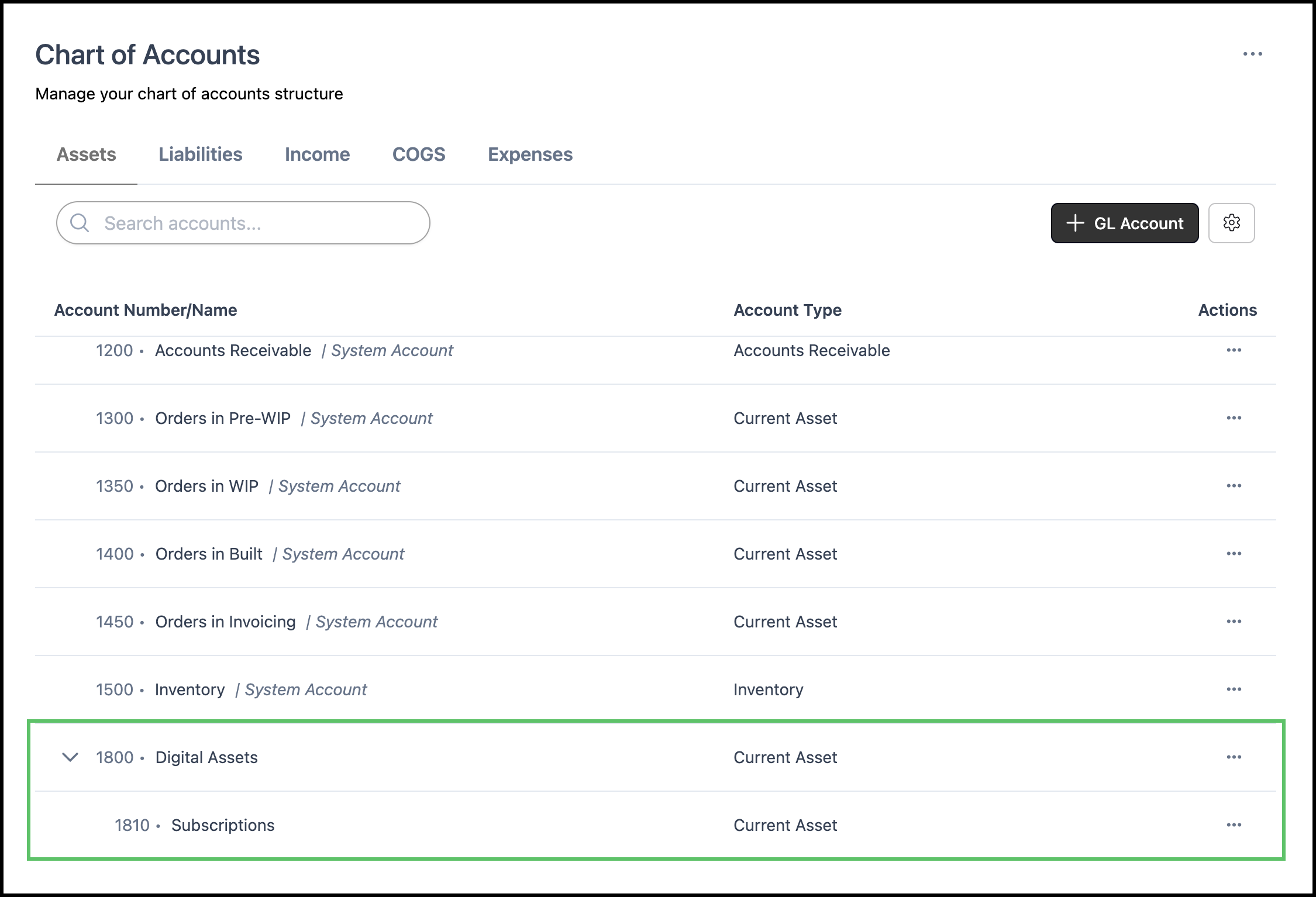
The subaccount is listed directly under its parent account.