
Accounting integrations connect CoreBridge with supported accounting software to transfer financial activity between systems. CoreBridge supports integrations with QuickBooks Online, Xero, and NetSuite, which can be installed and configured based on your accounting needs.
Note: CoreBridge can help with integration setup and how the integration works in CoreBridge. Questions about the accounting software itself go to that provider.
Table of Contents
- Benefits of Integrating with an Accounting Software
- Integrating Your CoreBridge System With an Accounting Software
- Related Articles
Benefits of Integrating with an Accounting Software
- Transactions can be reconciled so the activity in CoreBridge is accounted for in the accounting software.
- Differences between CoreBridge and the accounting software can be reviewed and corrected.
- The integration keeps a traceable history of transactions that can be reviewed later.
Integrating Your CoreBridge System With an Accounting Software
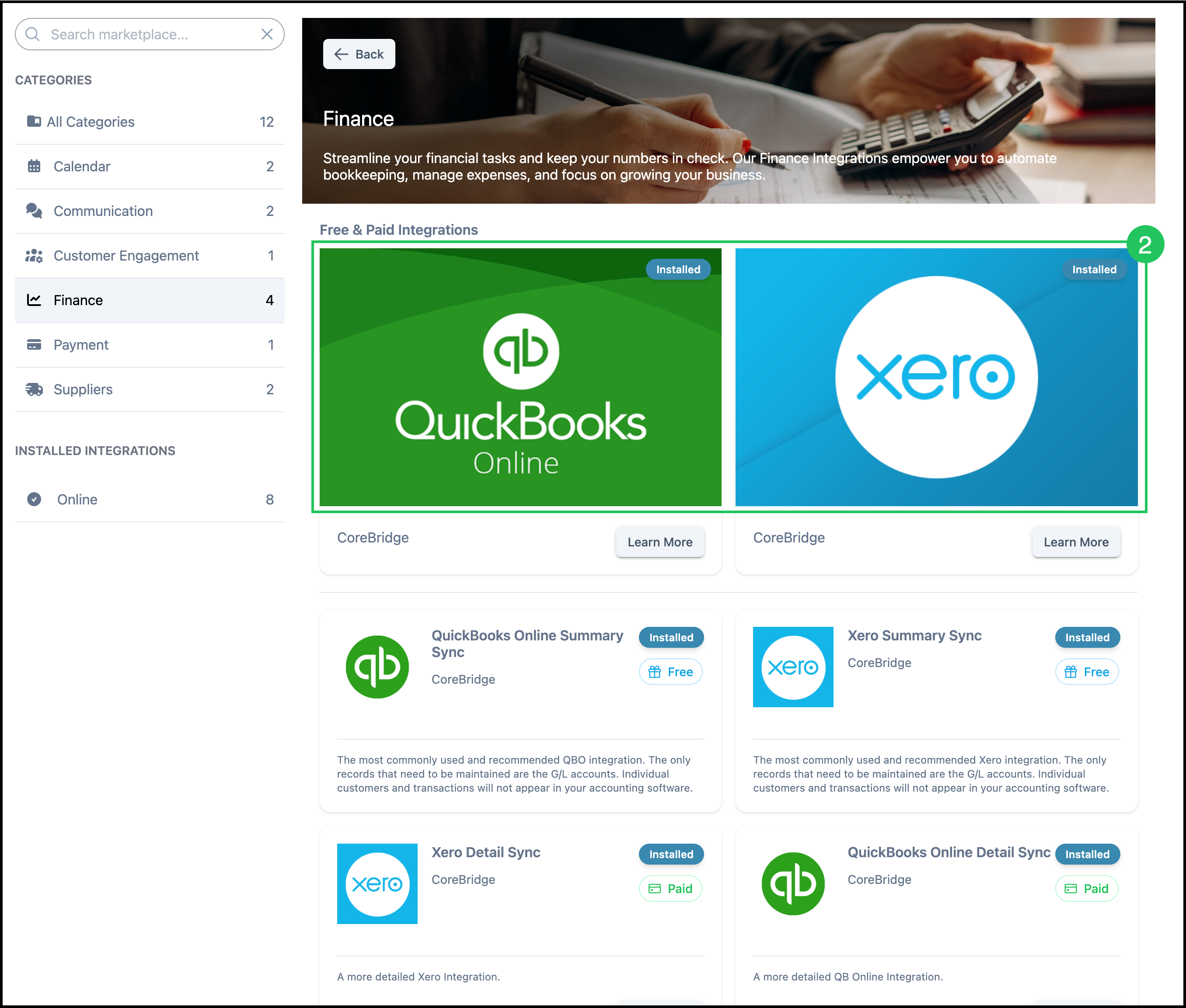
The accounting integrations in Finance are:
- QuickBooks Online Summary Sync
- QuickBooks Online Detail Sync
- Xero Summary Sync
- Xero Detail Sync
- NetSuite Summary Sync
Summary Sync sends general ledger activity. Individual customers and transactions stay in CoreBridge. Detail Sync sends a more detailed record. QuickBooks Online Detail Sync and Xero Detail Sync are paid integrations.
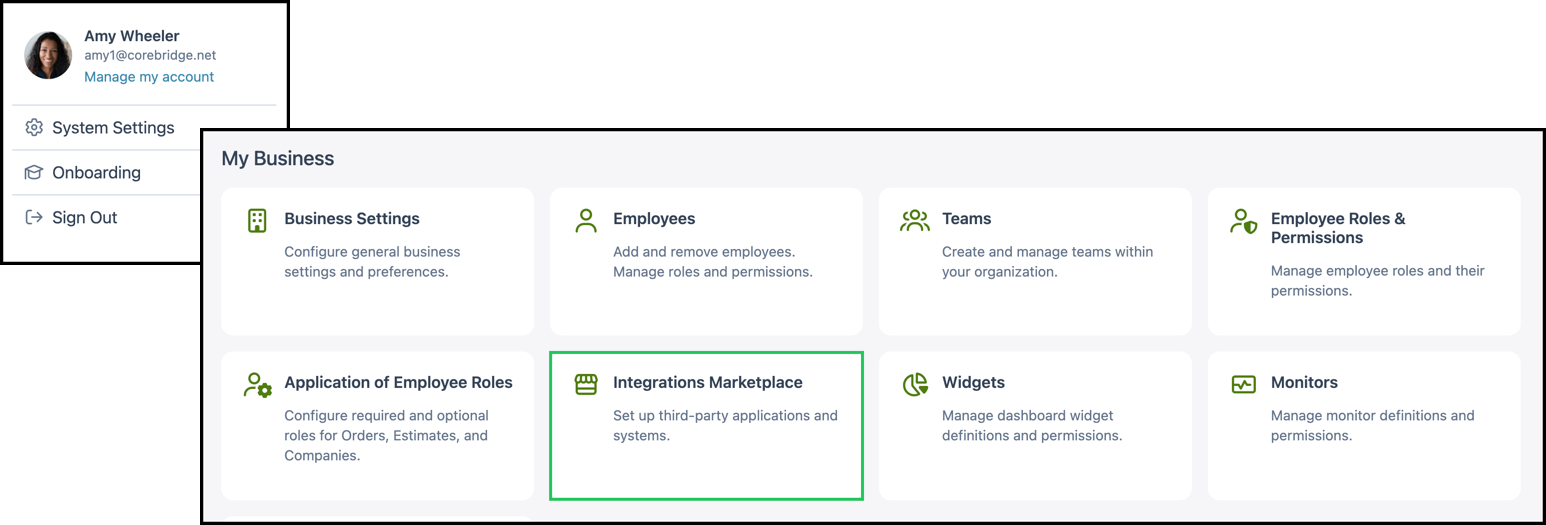
Navigate to System Settings / My Business / Integrations Marketplace.
1. Select Finance.

2. Select an accounting integration and follow the setup steps on that integration.
Note: Finance also lists tax lookup integrations. Those are separate from the accounting sync integrations above.