
Layout and Design is a product for pricing the labor time to lay out a design, with an option to add separate design time. It is stored in Products & Modifiers, in the Digital / Vinyl category, where Layout on the Sales Form takes a labor and Layout Time (min). The Pricing card sets the method Calculate uses, and the same Sales Form is used when Layout and Design is added on an Estimate or Order.
Table of Contents
- Where to Find Layout and Design
- What Layout and Design Includes
- Product Settings
- Linked Components
- Enter Layout Time
- Review the Price
- Add Layout and Design to an Estimate
- Frequently Asked Questions
- Related Articles
Where to Find Layout and Design
Navigate to System Settings / Components / Products & Modifiers.
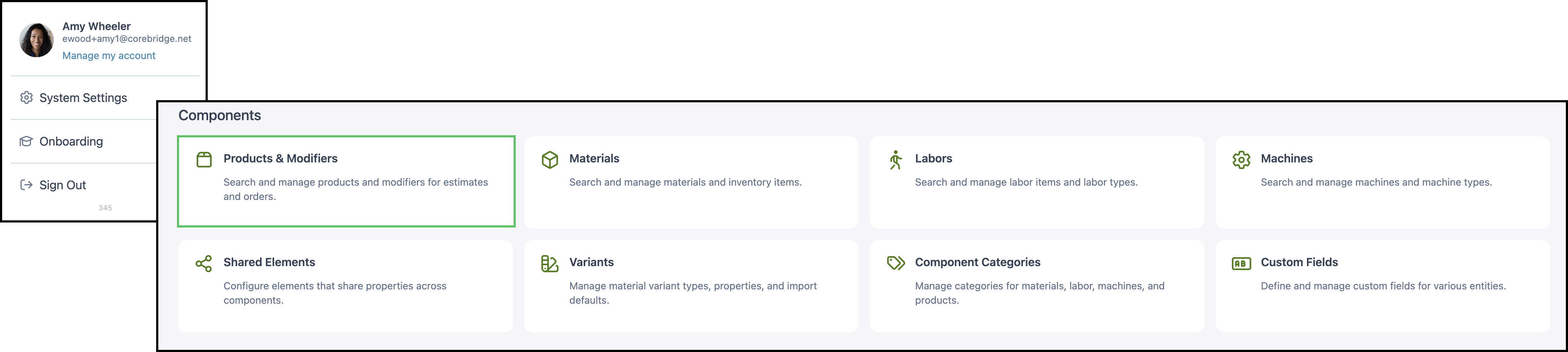
1. Open Layout and Design.
Note: Search can also list a modifier named Layout and Design Child. Open the row whose Type is Product.

What Layout and Design Includes
a. The name is Layout and Design. The category is Digital / Vinyl. The description is Labor time involved with laying out the design with an option to include separate Creative Design Time.

b. Pricing is the method Calculate uses. On this product, Method is Market - Component. Method can be Cost Plus - Margin, Cost Plus - Markup, Market - Product, Market - Component, or Custom. Cost-Plus builds the price from component cost. Market-Based uses a unit price on the product, or the retail price of each component.
- For the fields on this card, see Product Details.
- For how each method calculates, see Understanding Market-Based vs. Cost-Plus Pricing, Cost Based Pricing, and Market Based Pricing.
- For tables, minimums, and fees, see Markup and Margin Pricing Tables and Product Minimums and Fees.
c. Product Settings holds lead time, order-entry visibility, and assembly and labor defaults.
d. Linked Components are the labors this product can use.
e. Accounting & Tax assigns income, expense, and tax. On this product, income is 4000 • Income, expense is 5000 • COGS, and the taxability code is Goods.
- For the fields on this card, see Product Details.
- Taxability Codes are managed at System Settings / Accounting / Taxability Codes. See Taxability Codes.

Product Settings
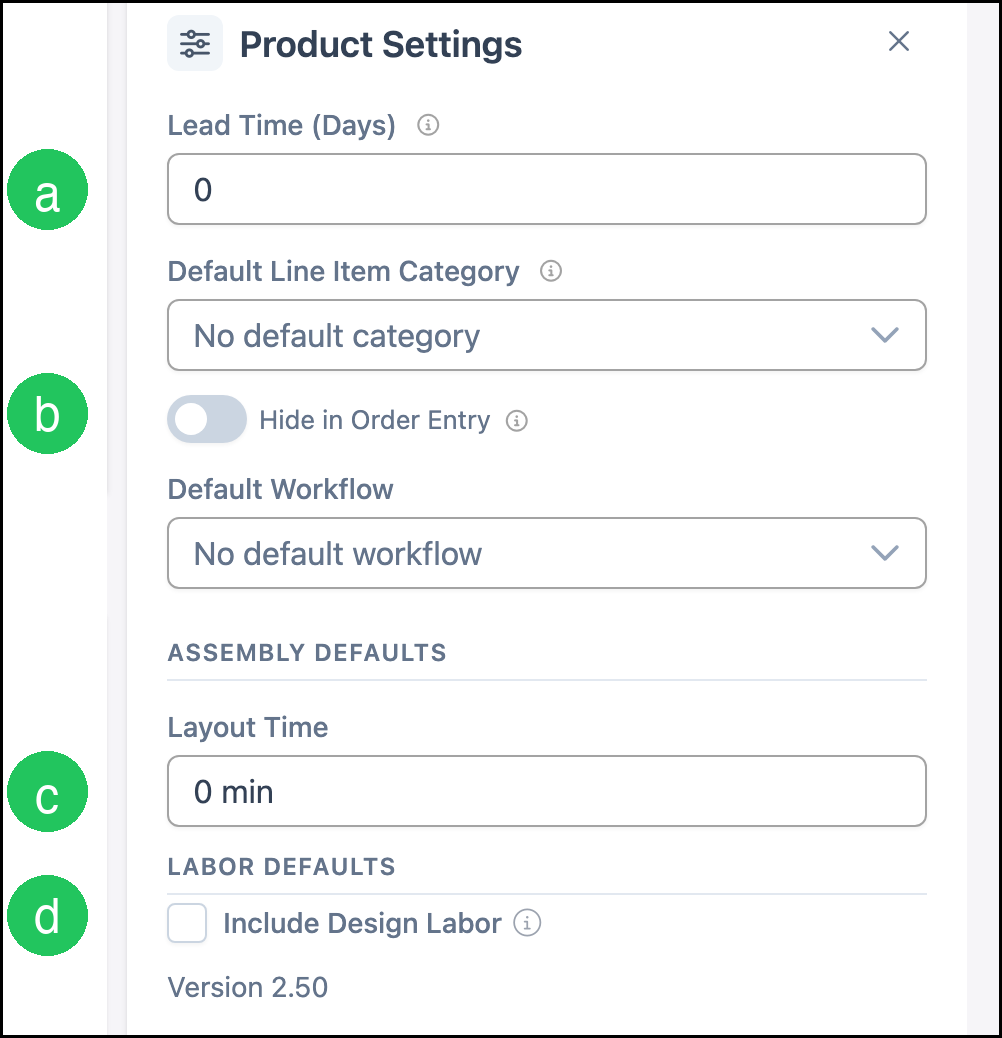
Product Settings holds the defaults that follow the product onto an Estimate or Order. The card shows how many settings are saved.
a. Lead Time (Days) is 0.
b. Hide in Order Entry is off, so Layout and Design can be added to a line.
c. Assembly Defaults Layout Time is 0 min.
d. Include Design Labor is off. When it is on, the Sales Form adds Design and Design Time (min).
Note: Default Line Item Category and Default Workflow have no default.
- For every setting on the card, see Product Details.
Linked Components
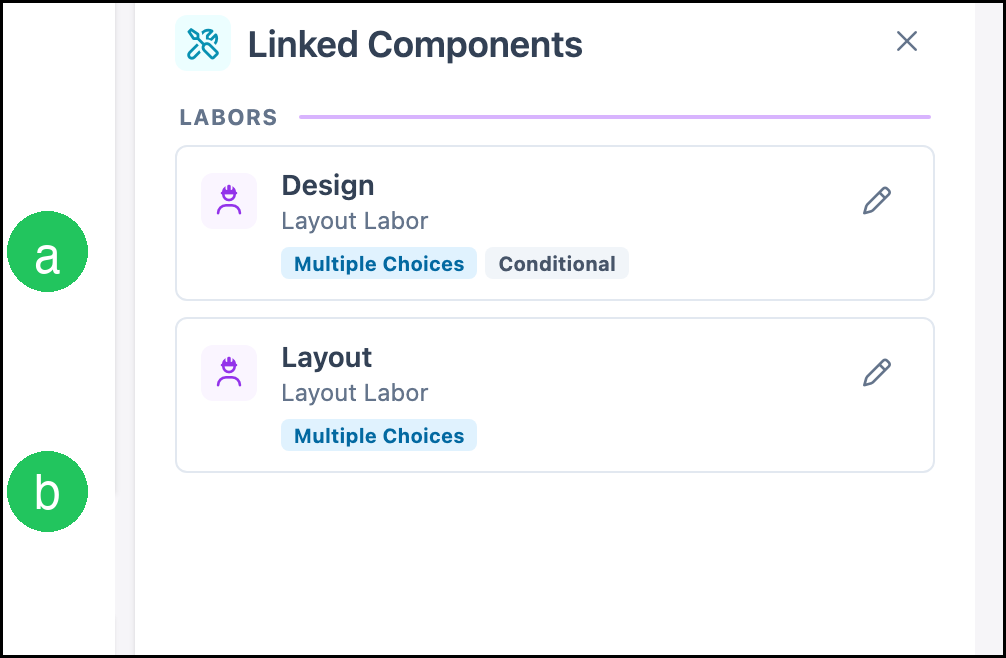
Linked Components are the labors the product is allowed to use. The card counts linked rows and unlinked rows. On this product both rows are labors.
a. Design is Layout Labor, Multiple Choices, and Conditional. It is included when Include Design Labor is on.
b. Layout is Layout Labor, Multiple Choices. That labor appears on the Sales Form.
- For how to link or unlink a component, see Linked Components.
- For how a modifier differs from a product, see Products vs. Modifiers.
Enter Layout Time
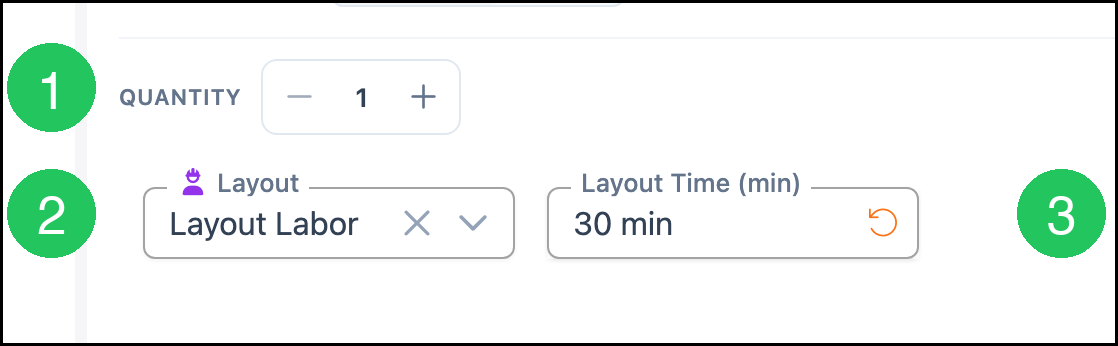
The Sales Form is where layout time is entered. Preview shows the form on the product. The same fields appear when the product is added to an Estimate or Order.
1. Set Quantity.
2. Select the labor under Layout. On this product the labor is Layout Labor.
3. Enter Layout Time (min).
Review the Price
1. Click Calculate.
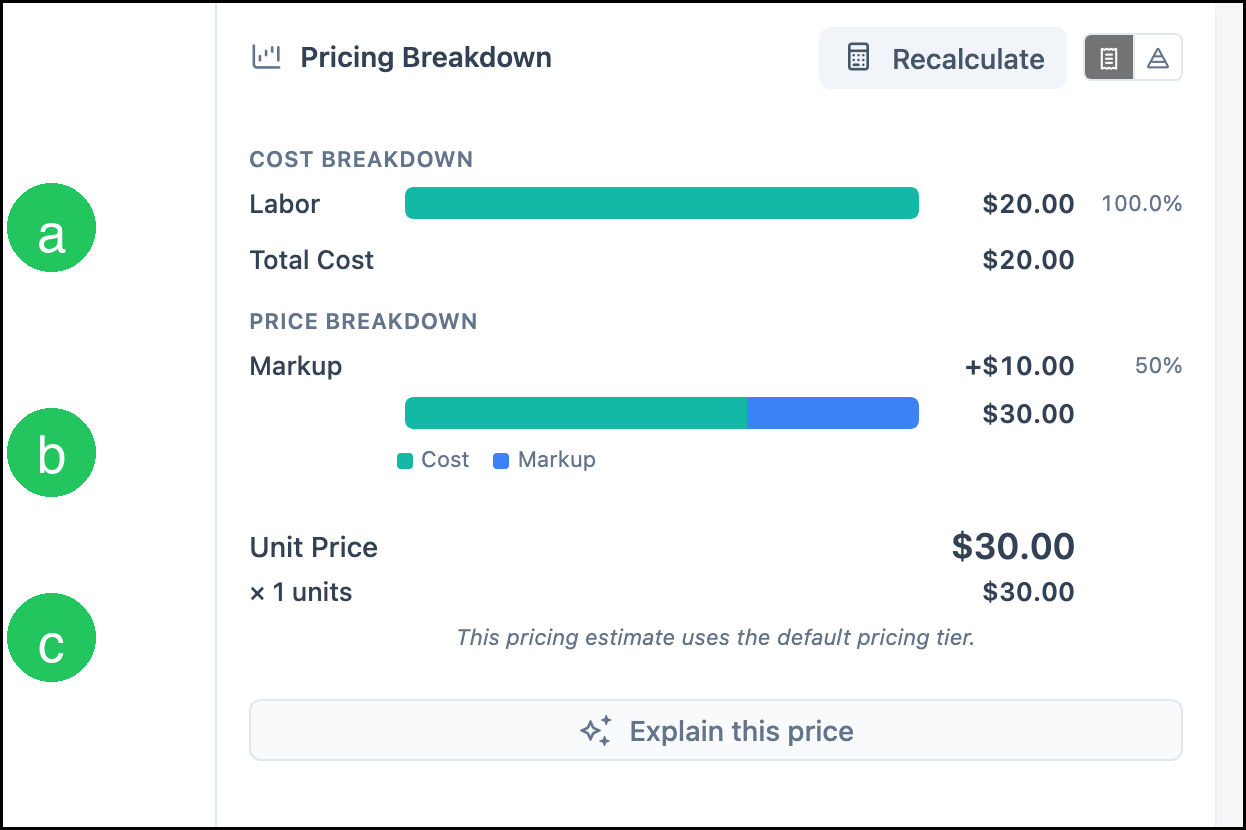
a. Cost Breakdown lists Labor and Total Cost.
b. Markup is the amount between labor cost and the retail price.
c. Unit Price is the price for one. The line total is Unit Price times Quantity.
Note: This example uses Layout Labor, 30 minutes, and a quantity of 1, with Method set to Market - Component. Labor is $20.00, Total Cost is $20.00, Markup is $10.00 (50%), and Unit Price is $30.00. A different method, labor, or time produces a different price. Click Calculate again after the form changes. The button then reads Recalculate. The note under the price says the price uses the default pricing tier.
Add Layout and Design to an Estimate
The same Sales Form is used on an Estimate or Order. This example uses an Estimate.
Navigate to Sales / Estimates.
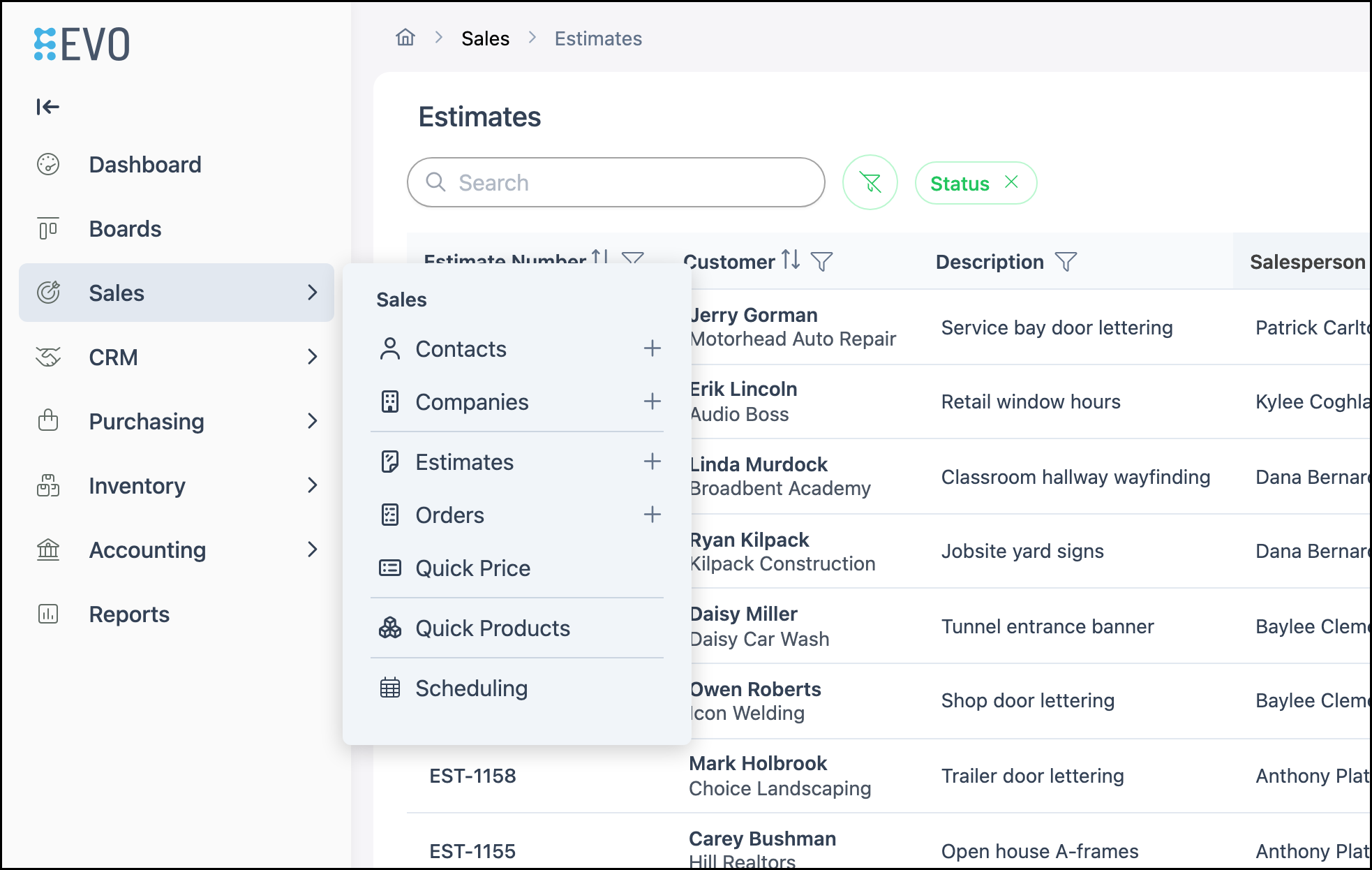
1. Click the Estimate.

2. Click Line Item.

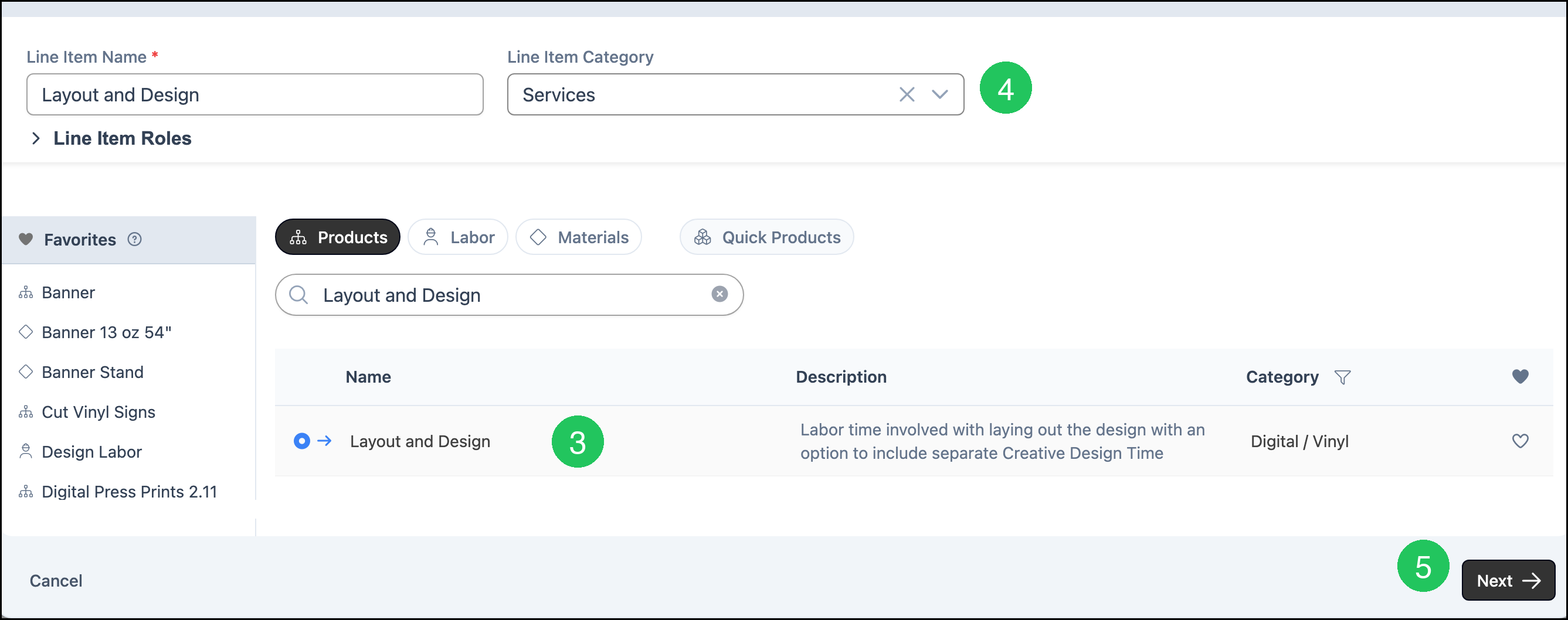
3. On the Products tab, click Layout and Design. Line Item Name fills with Layout and Design.
4. Select a Line Item Category. This example uses Services.
5. Click Next.
6. Select the labor under Layout.
7. Enter Layout Time (min).
8. Click Save Changes. Line Item Price is calculated from the labor, minutes, quantity, and the pricing method on the product.

Frequently Asked Questions
1. What is the difference between Layout Time and Design Time?
Answer: Layout Time (min) is on the Sales Form with the Layout labor. Design and Design Time (min) appear when Include Design Labor is on in Product Settings.
2. Why does search show two rows for Layout and Design?
Answer: One row is the Product named Layout and Design. The other is the modifier Layout and Design Child. Open the Product to use this Sales Form.
3. Does Layout and Design have to use Market - Component?
Answer: No. Market - Component is only the method saved on this product. Method on the Pricing card can be Cost Plus - Margin, Cost Plus - Markup, Market - Product, Market - Component, or Custom. Calculate uses the method that is saved.
Related Articles
Adding Products During Estimate or Order Entry