
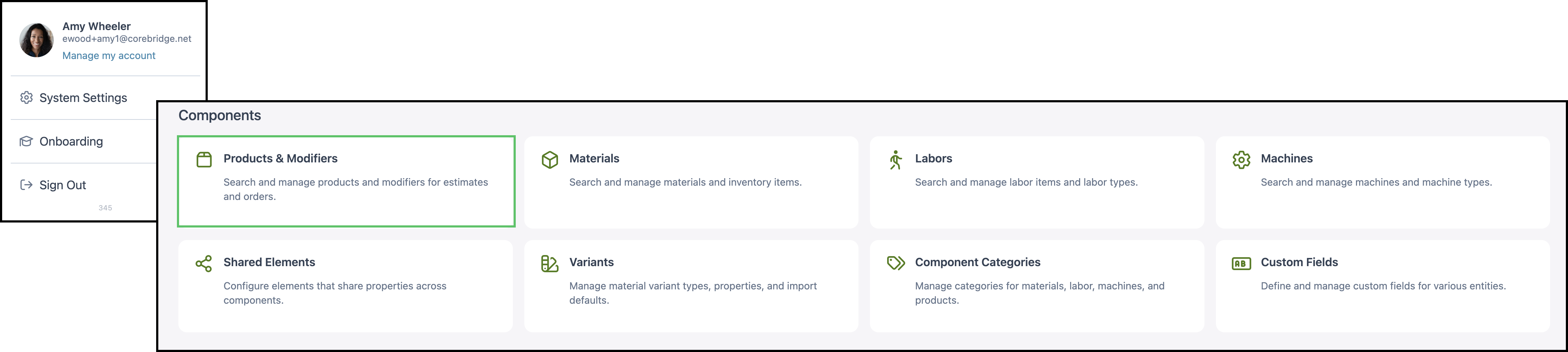
Service Equipment is a product for pricing installation equipment. It is stored in Products & Modifiers, in the Digital / Vinyl category. The Sales Form takes a machine and Accessibility Notes under Access. The Pricing card sets the method Calculate uses. The same Sales Form is used when Service Equipment is added on an Estimate or Order.
Table of Contents
- Where to Find Service Equipment
- What Service Equipment Includes
- Product Settings
- Linked Components
- Enter the Sales Form
- Review the Price
- Add Service Equipment to an Estimate
- Frequently Asked Questions
- Related Articles
Where to Find Service Equipment
Navigate to System Settings / Components / Products & Modifiers.
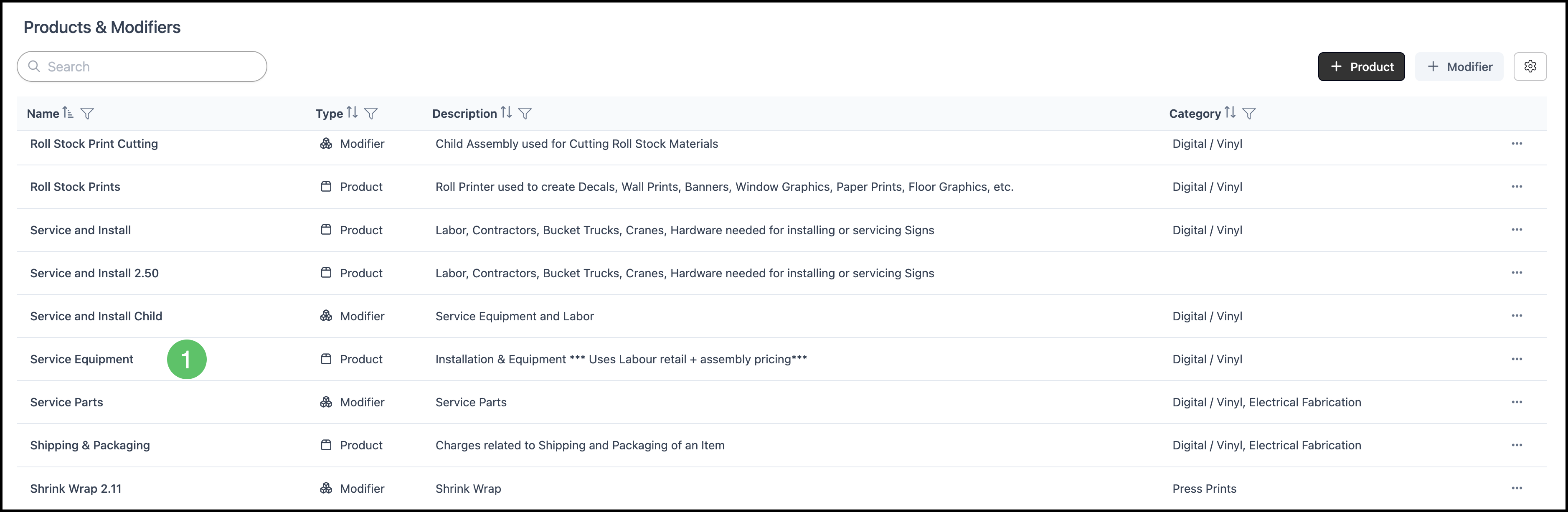
1. Open Service Equipment.
What Service Equipment Includes
a. The name is Service Equipment. The category is Digital / Vinyl. The description is Installation & Equipment*** Uses Labour retail + assembly pricing***.

b. Pricing is the method Calculate uses. On this product the method is 100% Cost Plus - Markup.
- For the fields on this card, see Product Details.
- For how each method calculates, see Understanding Market-Based vs. Cost-Plus Pricing, Cost Based Pricing, and Market Based Pricing.
- For tables, minimums, and fees, see Markup and Margin Pricing Tables and Product Minimums and Fees.
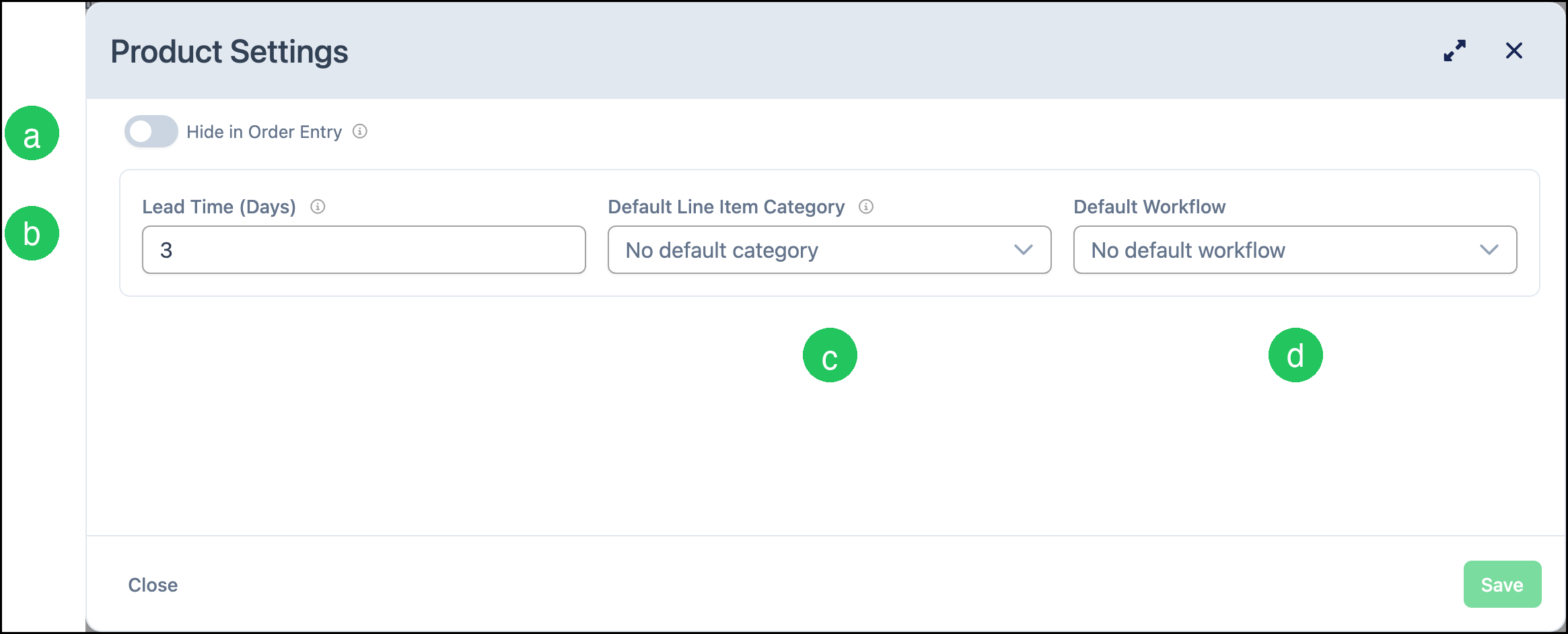
c. Product Settings holds lead time, Order entry visibility, the default line item category, and the default workflow. The card shows 4 settings.
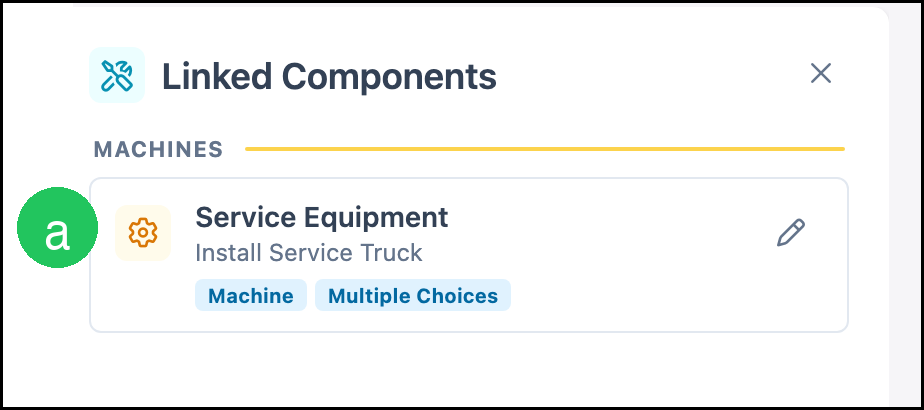
d. Linked Components are the machines this product can use. The card shows 1 linked and 0 unlinked.
e. Accounting & Tax assigns income, expense, and tax. This product shows Configured.
- For the fields on this card, see Product Details.
- Taxability Codes are managed at System Settings / Accounting / Taxability Codes. See Taxability Codes.

Product Settings
Product Settings holds the defaults that follow the product onto an Estimate or Order. The card shows how many settings are saved.
a. Lead Time (Days) is the number of days Orders use when calculating a production due date. On this product it is 3.
b. Hide in Order Entry, when on, keeps the product out of the Estimate and Order list without deleting it. On this product it is off, so Service Equipment can be added to a line.
c. Default Line Item Category is No default category.
d. Default Workflow is No default workflow.
- For every setting on the card, see Product Details.
Linked Components
Linked Components are the materials, labor, machines, and modifiers the product is allowed to use. The card counts linked rows and unlinked rows. A shop links its own catalog.
a. The machine row is Service Equipment. It lists Install Service Truck. The tags are Machine and Multiple Choices. The Service Equipment field on the Sales Form lists the machines for that row.
- For how to link or unlink a component, see Linked Components.
- For how a modifier differs from a product, see Products vs. Modifiers.
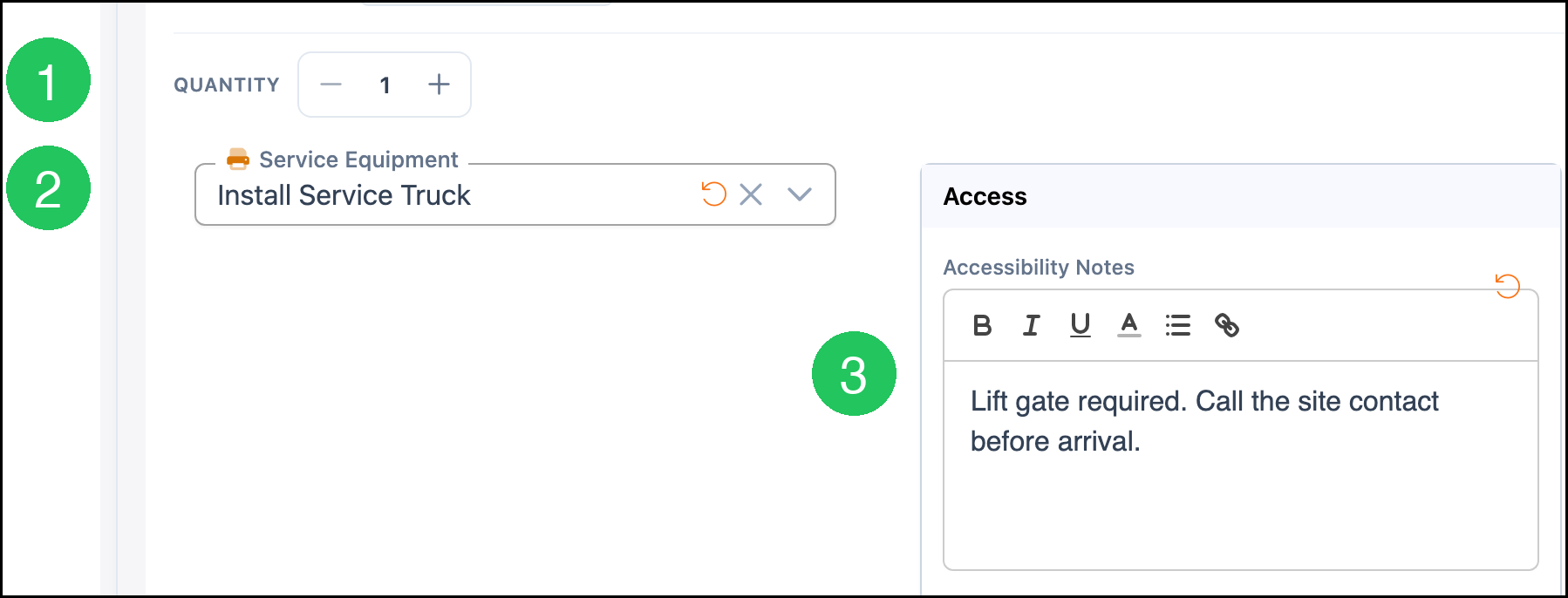
Enter the Sales Form
1. Set Quantity.
2. Select the machine in Service Equipment.
3. Enter Accessibility Notes under Access.
Review the Price
1. Click Calculate.
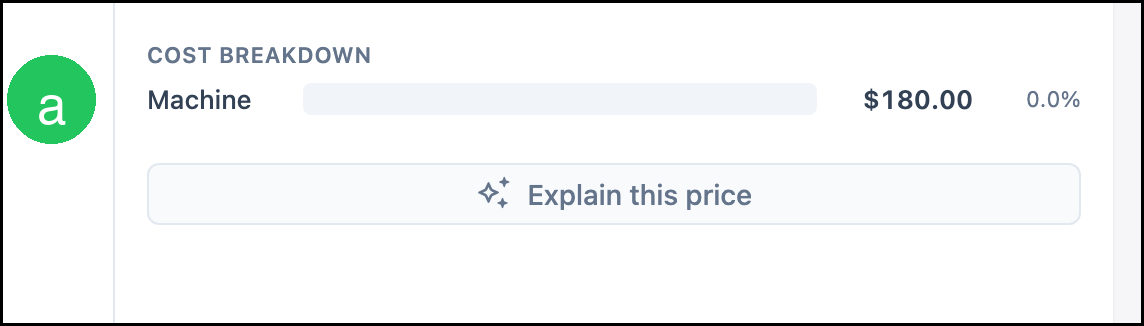
a. Cost Breakdown lists Machine. In this example Machine is $180.00 and the percentage beside it is 0.0%.
Note: Calculate prices the current Sales Form with the method on the Pricing card. This example uses quantity 1 and Install Service Truck, with the saved method Cost Plus - Markup at 100%. A different machine, quantity, or method produces a different result. Click Calculate again after the form changes. The button label then reads Recalculate.
Add Service Equipment to an Estimate
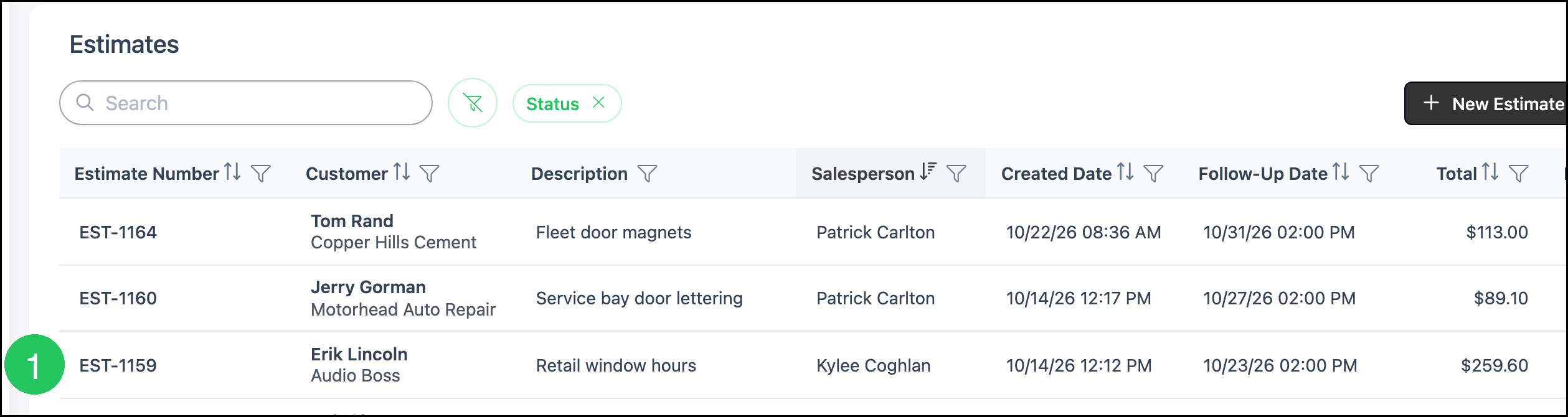
Navigate to Sales / Estimates.
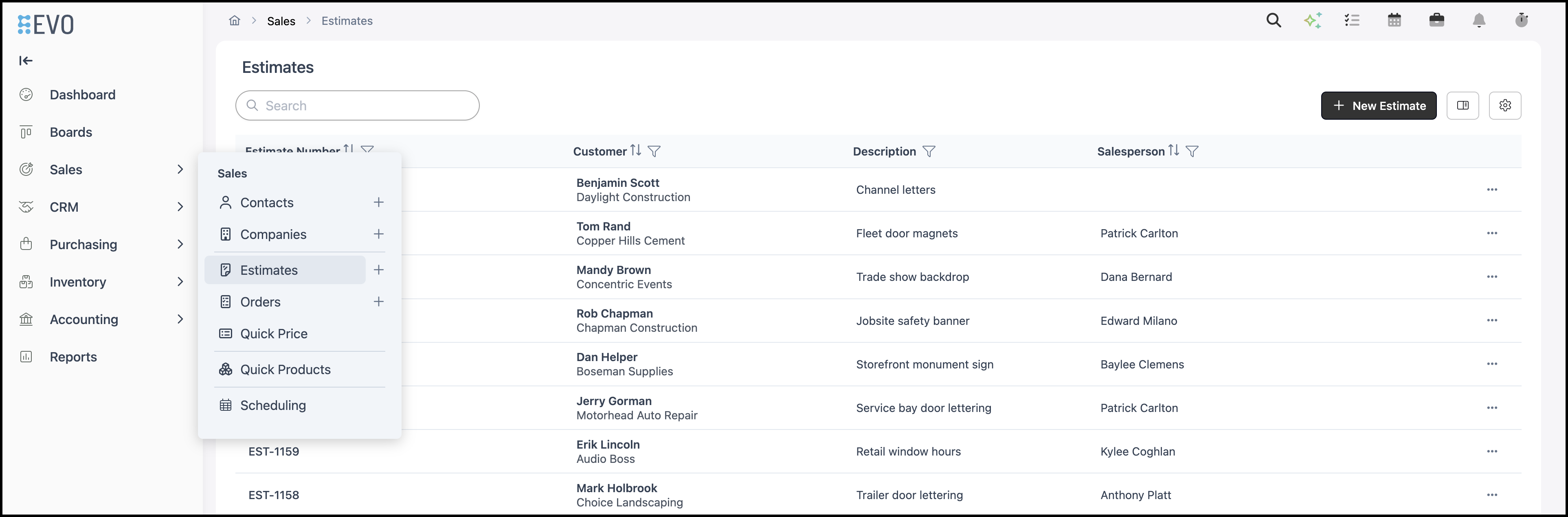
1. Click the Estimate.
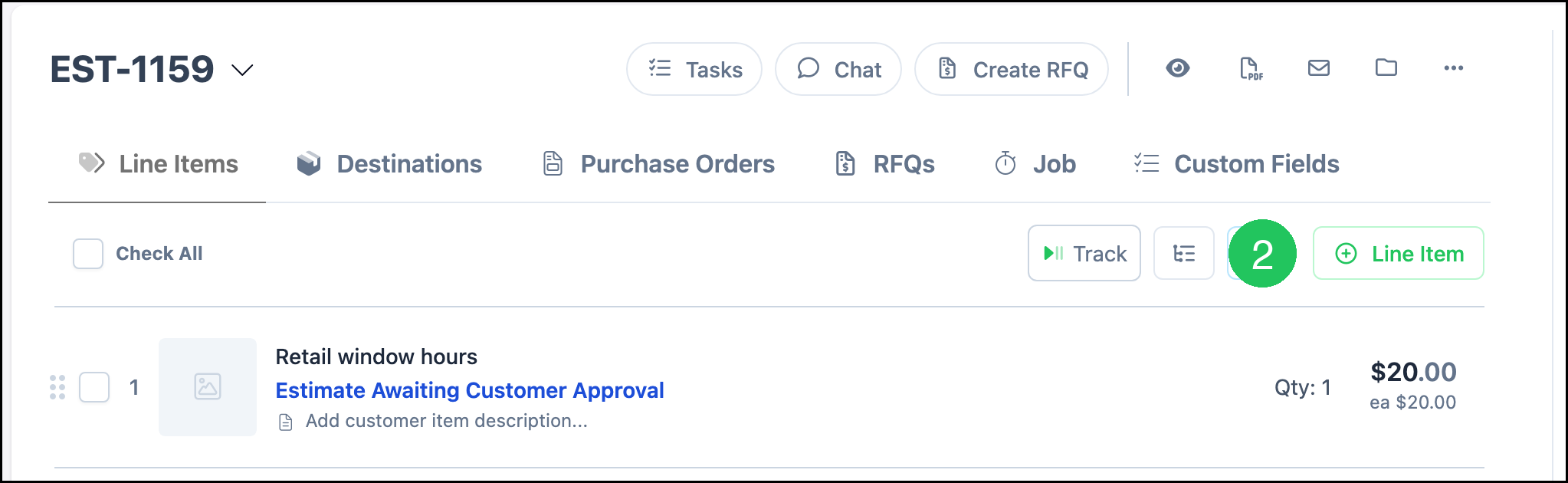
2. Click Line Item.
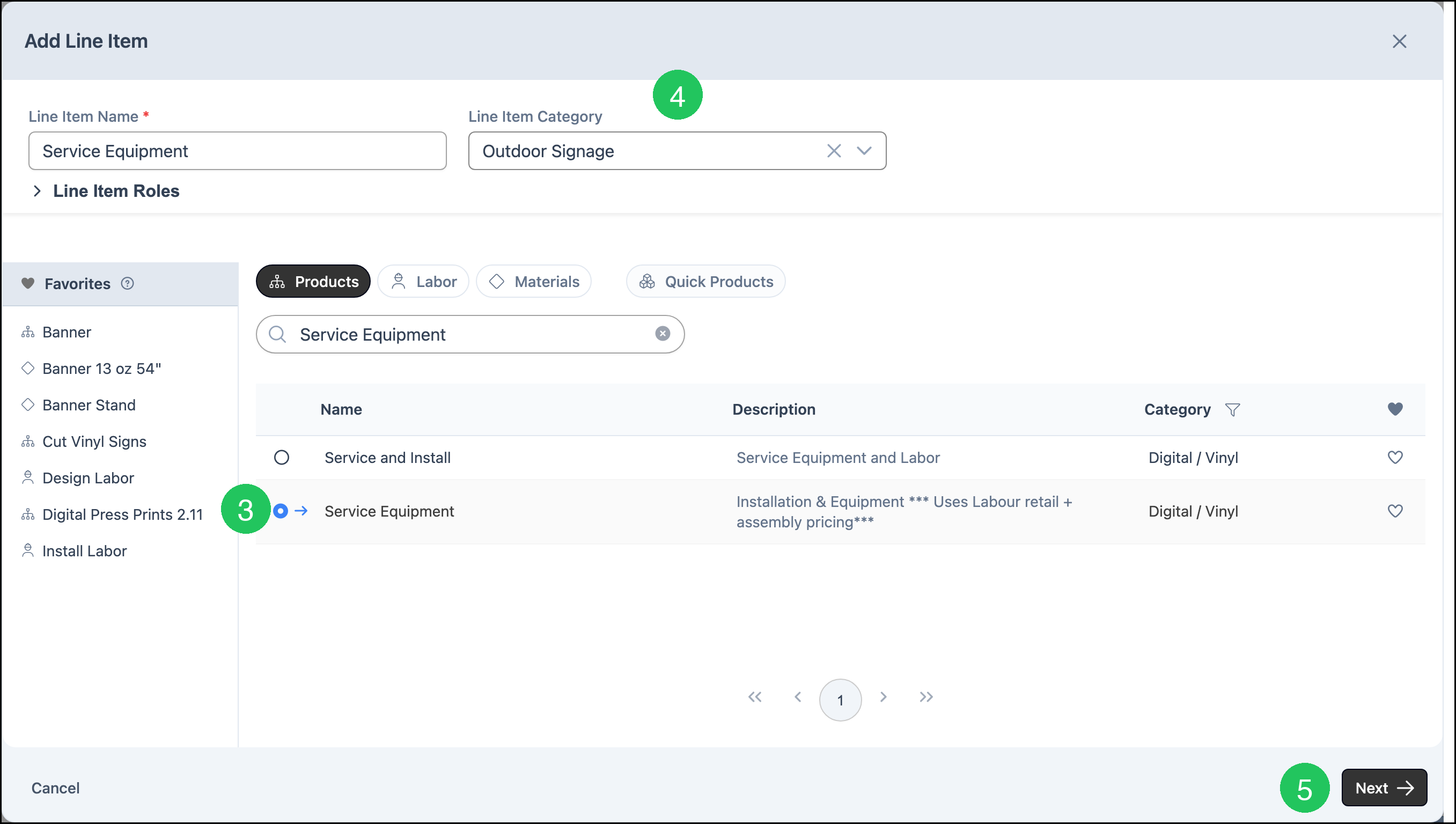
3. On the Products tab, click Service Equipment. Line Item Name fills with Service Equipment.
4. Select a Line Item Category. This example uses Outdoor Signage.
5. Click Next.
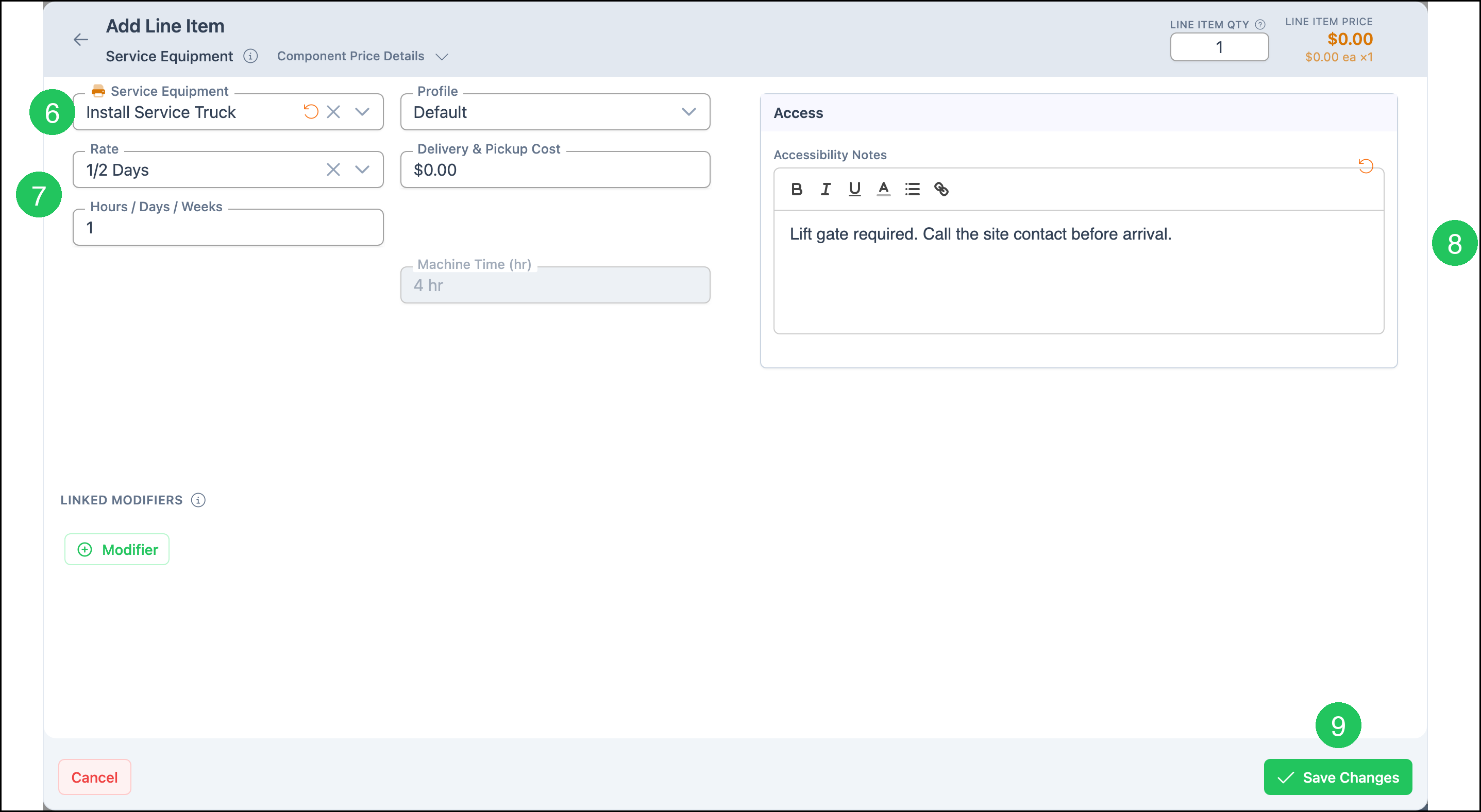
6. Select the machine in Service Equipment.
7. Set Rate and Hours / Days / Weeks. In this example Rate is 1/2 Days and Hours / Days / Weeks is 1, so Machine Time (hr) shows 4 hr. Delivery & Pickup Cost in this example is $0.00.
8. Enter Accessibility Notes.
9. Click Save Changes. Line Item Price in this example is $0.00. The Cost Breakdown on the product Sales Form shows the machine amount for this line.
Frequently Asked Questions
1. Why does search show four rows for Service Equipment?
Answer: One row is the Product named Service Equipment. (Old) Service and Install is a Product. (Old) Service and Install Child and Service and Install Child are Modifiers. Open the Product named Service Equipment to use this Sales Form.
2. Does Service Equipment have to use 100% Cost Plus - Markup?
Answer: No. 100% Cost Plus - Markup is only the method saved on this product. Method on the Pricing card can be Cost Plus - Margin, Cost Plus - Markup, Market - Product, Market - Component, or Custom. Calculate uses the method that is saved.
3. Which machines appear in the Service Equipment field?
Answer: The machines linked on the Service Equipment row. On this product that row is tagged Multiple Choices, and the example machine is Install Service Truck. A shop links its own machines.
Related Articles
Adding Products During Estimate or Order Entry