
Vehicle Wrap is a product for pricing a printed vehicle wrap. It is stored in Products & Modifiers, in the Digital / Vinyl category. The Sales Form takes the year, make, model, and vehicle details, plus a material, an area, and a machine. The Pricing card sets the method Calculate uses. The same Sales Form is used when Vehicle Wrap is added on an Estimate or Order.
Table of Contents
- Where to Find Vehicle Wrap
- What Vehicle Wrap Includes
- Product Settings
- Linked Components
- Enter the Vehicle
- Cutting and Lamination
- Review the Price
- Add Vehicle Wrap to an Estimate
- Frequently Asked Questions
- Related Articles
Where to Find Vehicle Wrap
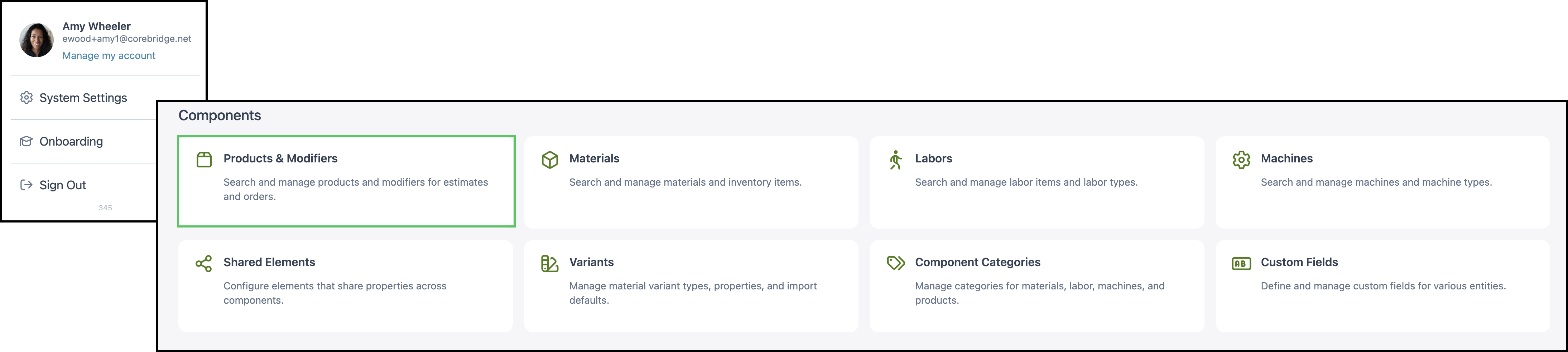
Navigate to System Settings / Components / Products & Modifiers.
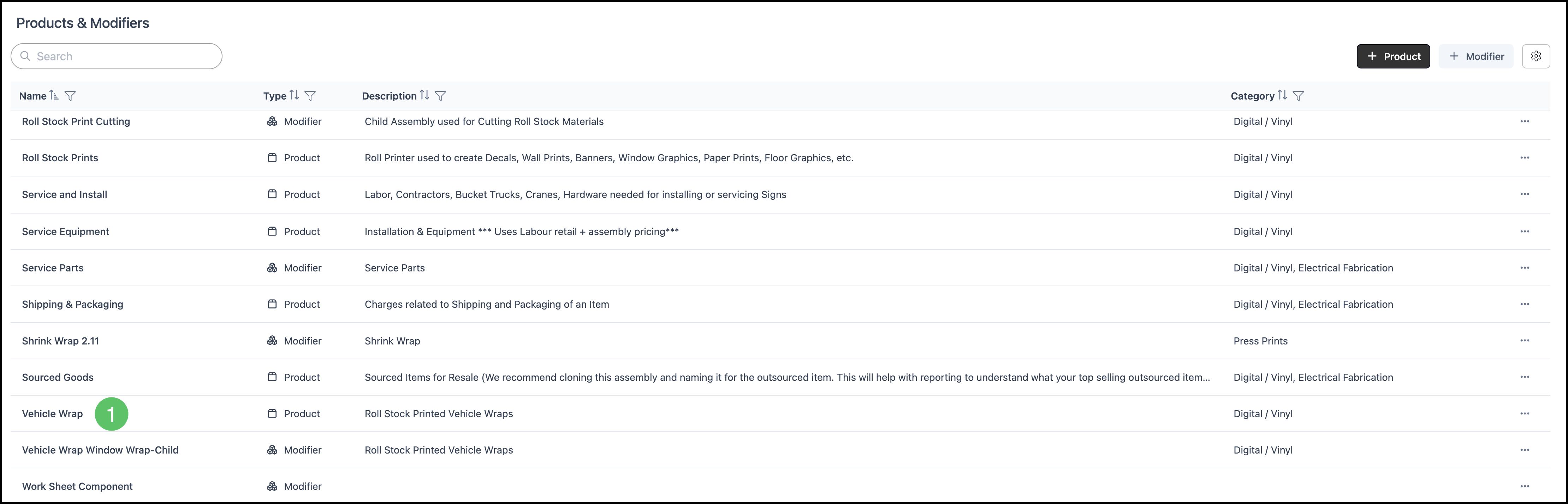
1. Open Vehicle Wrap.
What Vehicle Wrap Includes
a. The name is Vehicle Wrap. The category is Digital / Vinyl. The customer document name is Vehicle Wraps. The description is Roll Stock Printed Vehicle Wraps.

b. Pricing is the method Calculate uses. On this product it is Custom.
- For the fields on this card, see Product Details.
- For how each method calculates, see Understanding Market-Based vs. Cost-Plus Pricing, Cost Based Pricing, and Market Based Pricing.
- For tables, minimums, and fees, see Markup and Margin Pricing Tables and Product Minimums and Fees.
c. Product Settings holds lead time, Order Entry visibility, material retail, scrap, and the cutting and lamination options. This product has 33 settings.
d. Linked Components are the materials, machines, and modifiers this product can use. This product has 7 linked and 0 unlinked.
e. Accounting & Tax assigns income, expense, and tax. This product shows Configured.
- For the fields on this card, see Product Details.
- Taxability Codes are managed at System Settings / Accounting / Taxability Codes. See Taxability Codes.

Product Settings
Product Settings holds the defaults that follow the product onto an Estimate or Order. The card shows how many settings are saved.
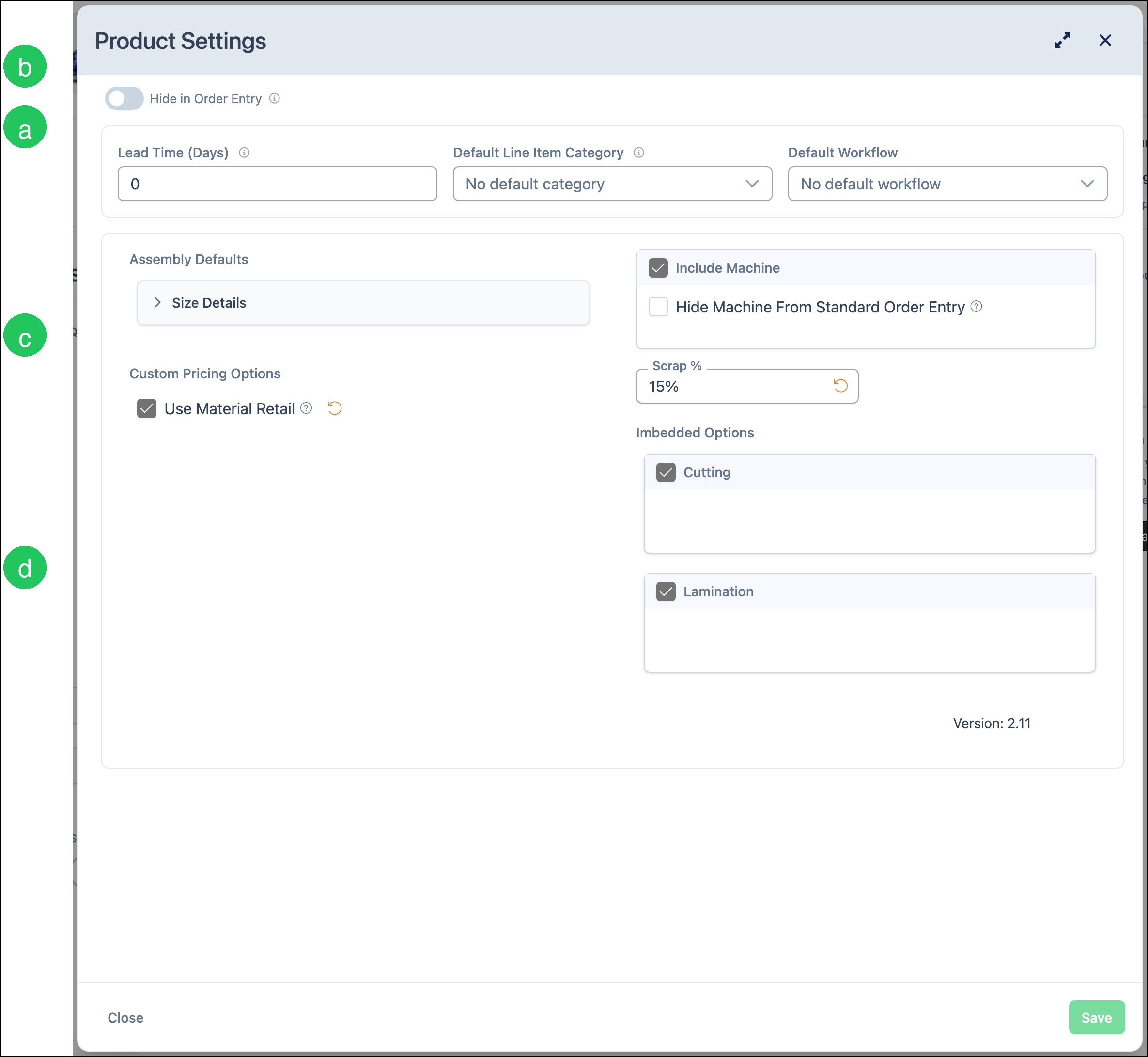
a. Lead Time (Days) is the number of days an Order uses when calculating a production due date. On this product it is 0.
b. Hide in Order Entry, when on, keeps the product out of the Estimate and Order list without deleting it. On this product it is off, so Vehicle Wrap can be added to a line.
c. Use Material Retail, when on, includes the material's retail price. On this product it is on. Include Machine is on, which is why the printer appears on the Sales Form. Hide Machine From Standard Order Entry is off. Scrap % is 15%.
d. Imbedded Options has Cutting and Lamination on, so Add Cutting and Add Lamination appear on the Sales Form. They are not selected on a new form.
Note: Default Line Item Category and Default Workflow have no default on this product.
- For every setting on the card, see Product Details.
Linked Components
Linked Components are the materials, machines, and modifiers the product is allowed to use. The card counts linked rows and unlinked rows. A shop links its own catalog.
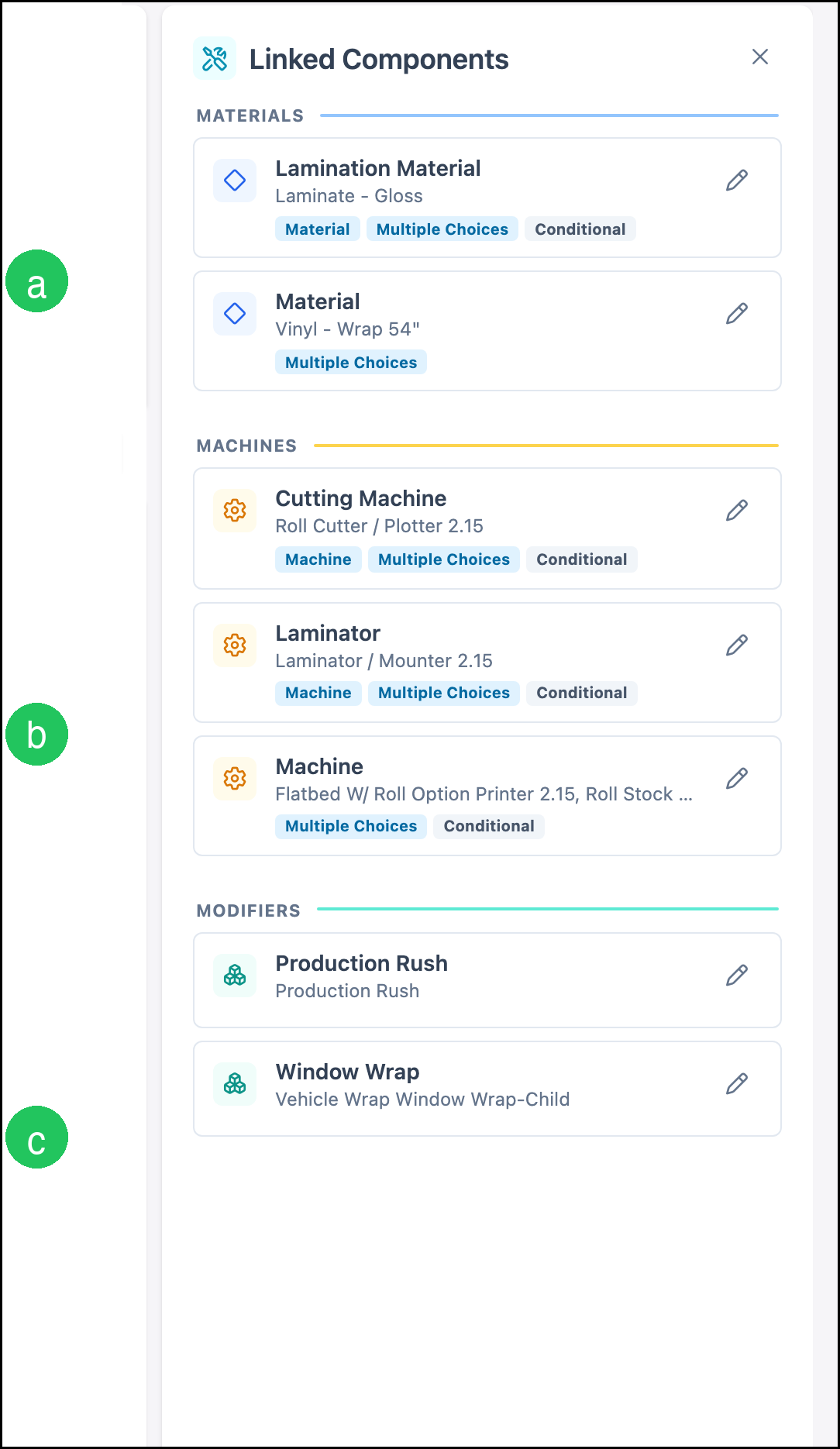
a. Lamination Material is Laminate - Gloss. It is Multiple Choices and Conditional. Material is Vinyl - Wrap 54". It is Multiple Choices.
b. Cutting Machine is Roll Cutter / Plotter 2.15. Laminator is Laminator / Mounter 2.15. Both are Multiple Choices and Conditional. Machine includes Flatbed W/ Roll Option Printer 2.15, Roll Stock Printer 2.15, and Roll Stock Printer 2.15 (Clone). It is Multiple Choices and Conditional.
c. The modifiers are Production Rush and Window Wrap. Window Wrap is the modifier Vehicle Wrap Window Wrap-Child.
- For how to link or unlink a component, see Linked Components.
- For how a modifier differs from a product, see Products vs. Modifiers.
Enter the Vehicle
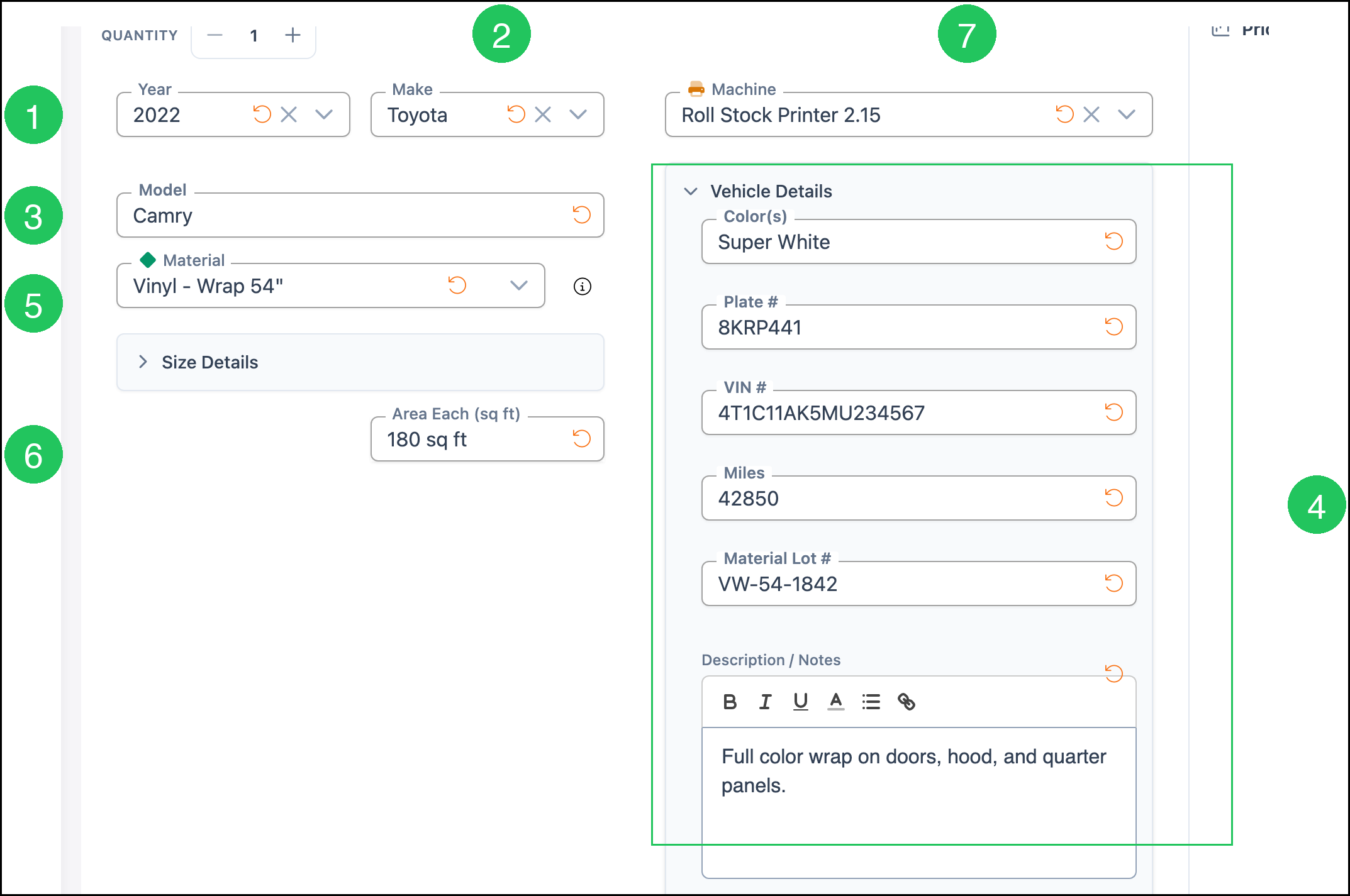
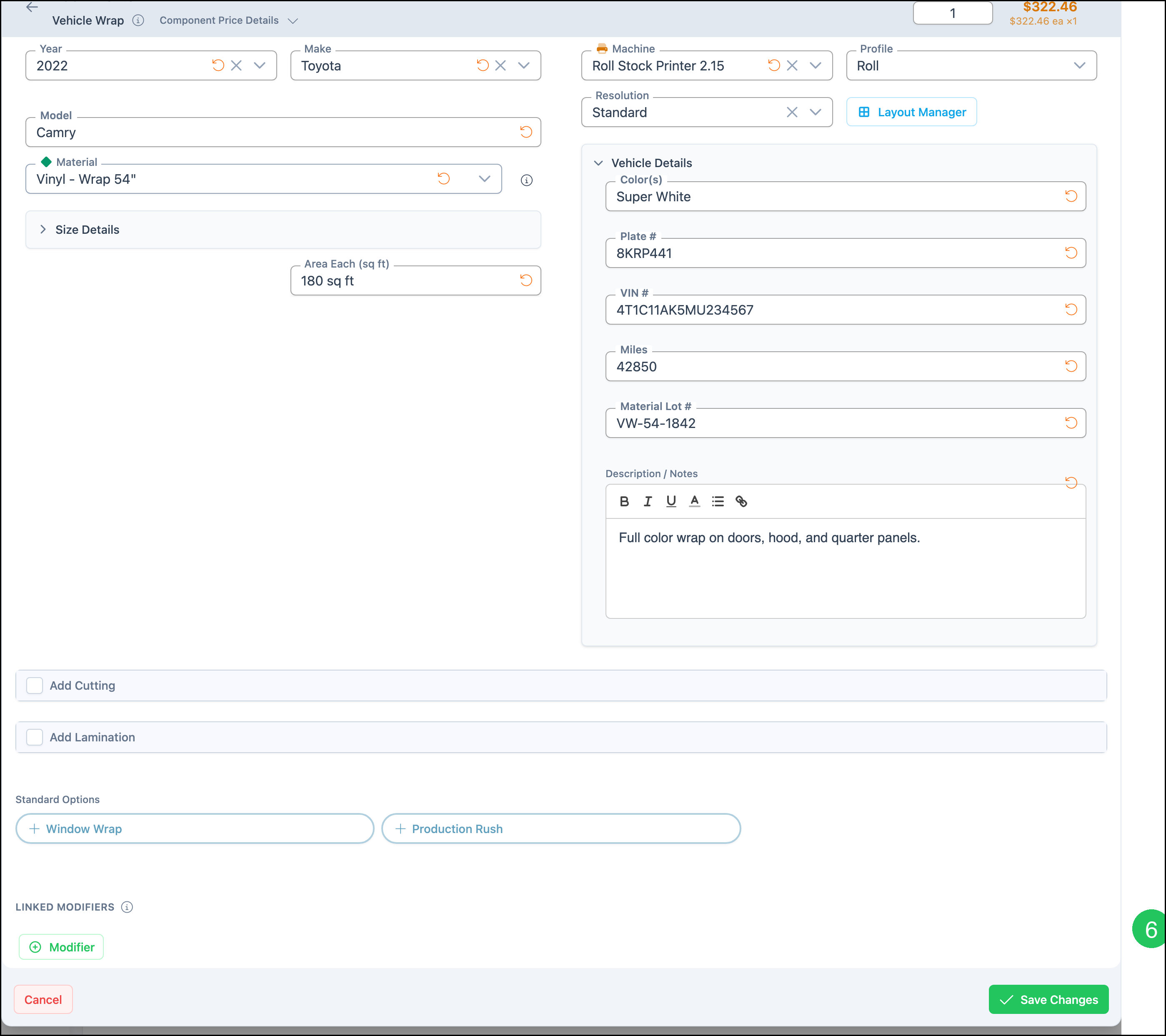
1. Select the Year.
2. Select the Make.
3. Enter the Model.
4. Open Vehicle Details and enter Color(s), Plate #, VIN #, Miles, Material Lot #, and Description / Notes.
5. Select the Material.
6. Enter Area Each (sq ft).
7. Select the Machine.
Note: Quantity starts at 1.
Cutting and Lamination
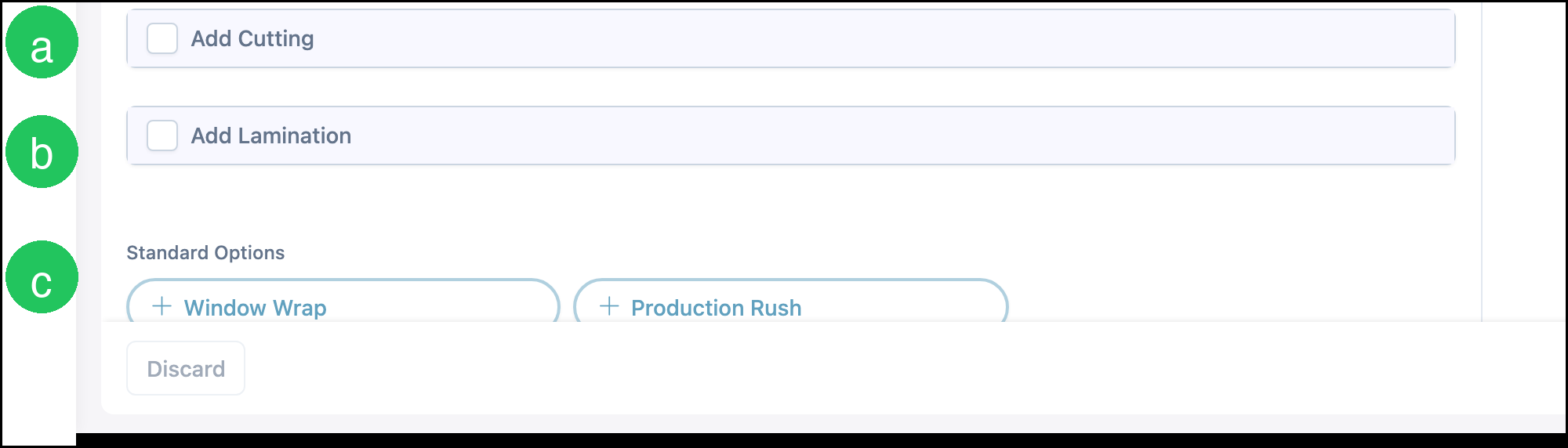
a. Add Cutting, when checked, includes the cutting machine. On this product that machine is Roll Cutter / Plotter 2.15. A new form starts with Add Cutting cleared.
b. Add Lamination, when checked, includes Lamination Material and Laminator. On this product those are Laminate - Gloss and Laminator / Mounter 2.15. A new form starts with Add Lamination cleared.
c. Standard Options are not on the line until they are clicked. Click Window Wrap or Production Rush to add that modifier.
Review the Price
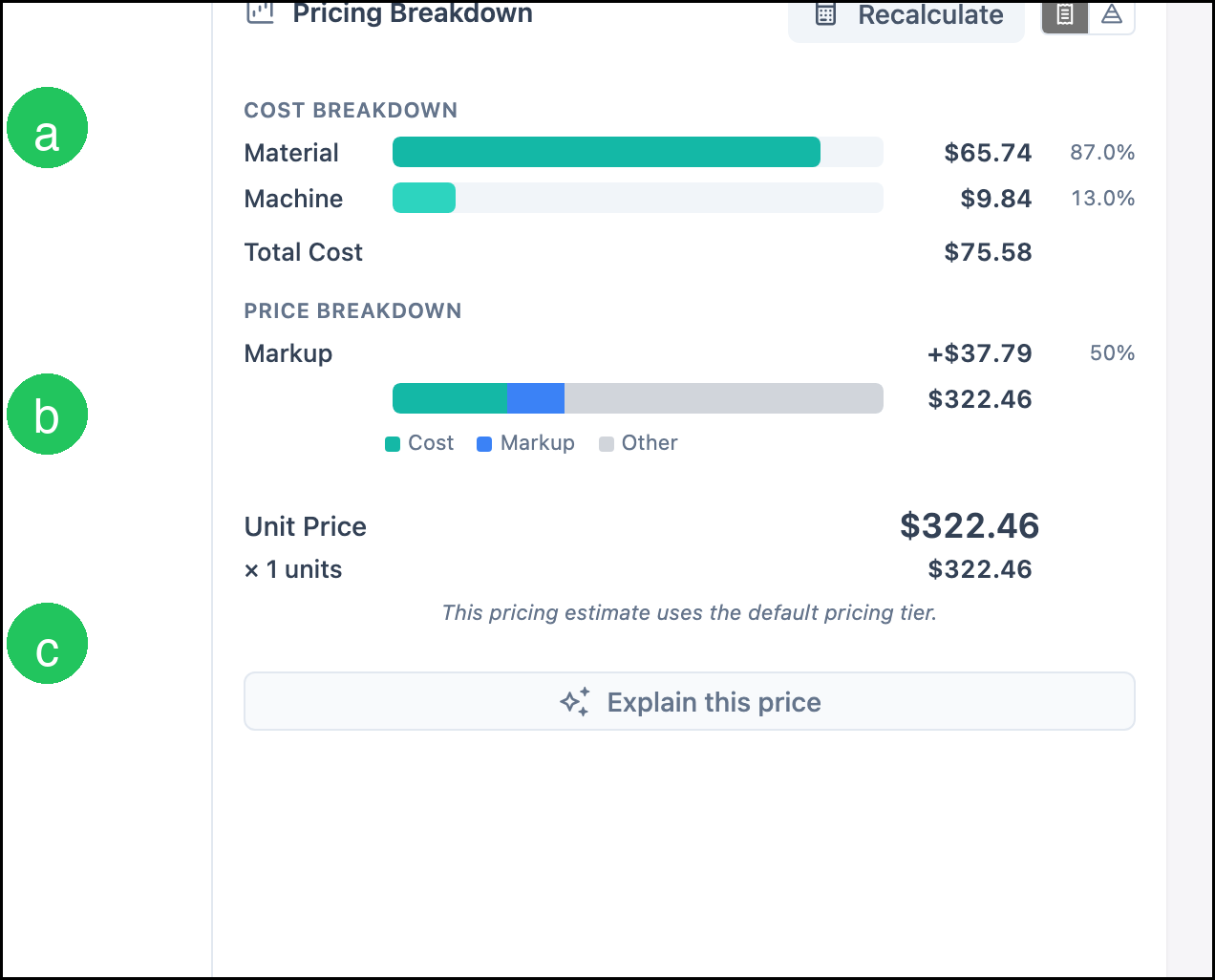
Click Calculate. The button label then reads Recalculate.
a. Cost Breakdown lists Material, Machine, and Total Cost.
b. Markup is one part of the saved Custom formula. The grey portion of the bar is Other, the rest of the formula result.
c. Unit Price is the price for one. The line total is Unit Price times quantity.
Note: Calculate prices the current Sales Form with the method on the Pricing card. The amounts below are one example: quantity 1, year 2022, Toyota Camry, material Vinyl - Wrap 54", area 180 sq ft, machine Roll Stock Printer 2.15, with Add Cutting and Add Lamination cleared. Material is $65.74, Machine is $9.84, and Total Cost is $75.58. Markup adds $37.79. Unit Price is $322.46. A different method, vehicle, area, material, or finishing selection produces a different price. The note under the price says the Estimate uses the default pricing tier.
Add Vehicle Wrap to an Estimate
Navigate to Sales / Estimates.
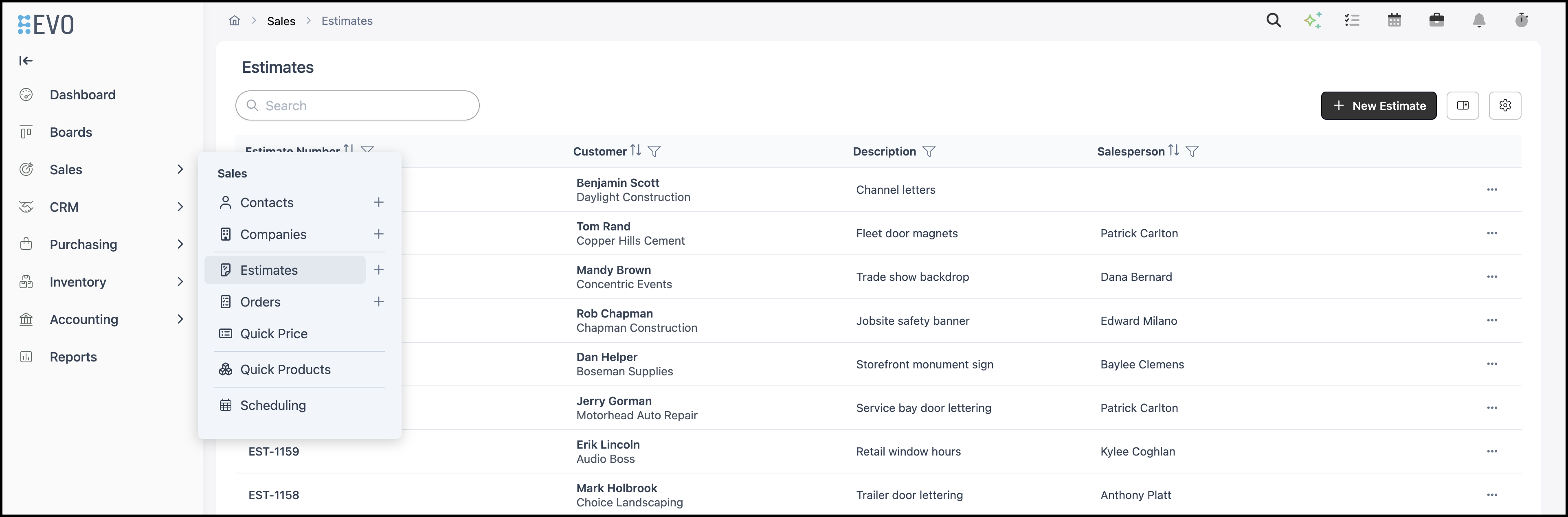
1. Click the Estimate.

2. Click Line Item.

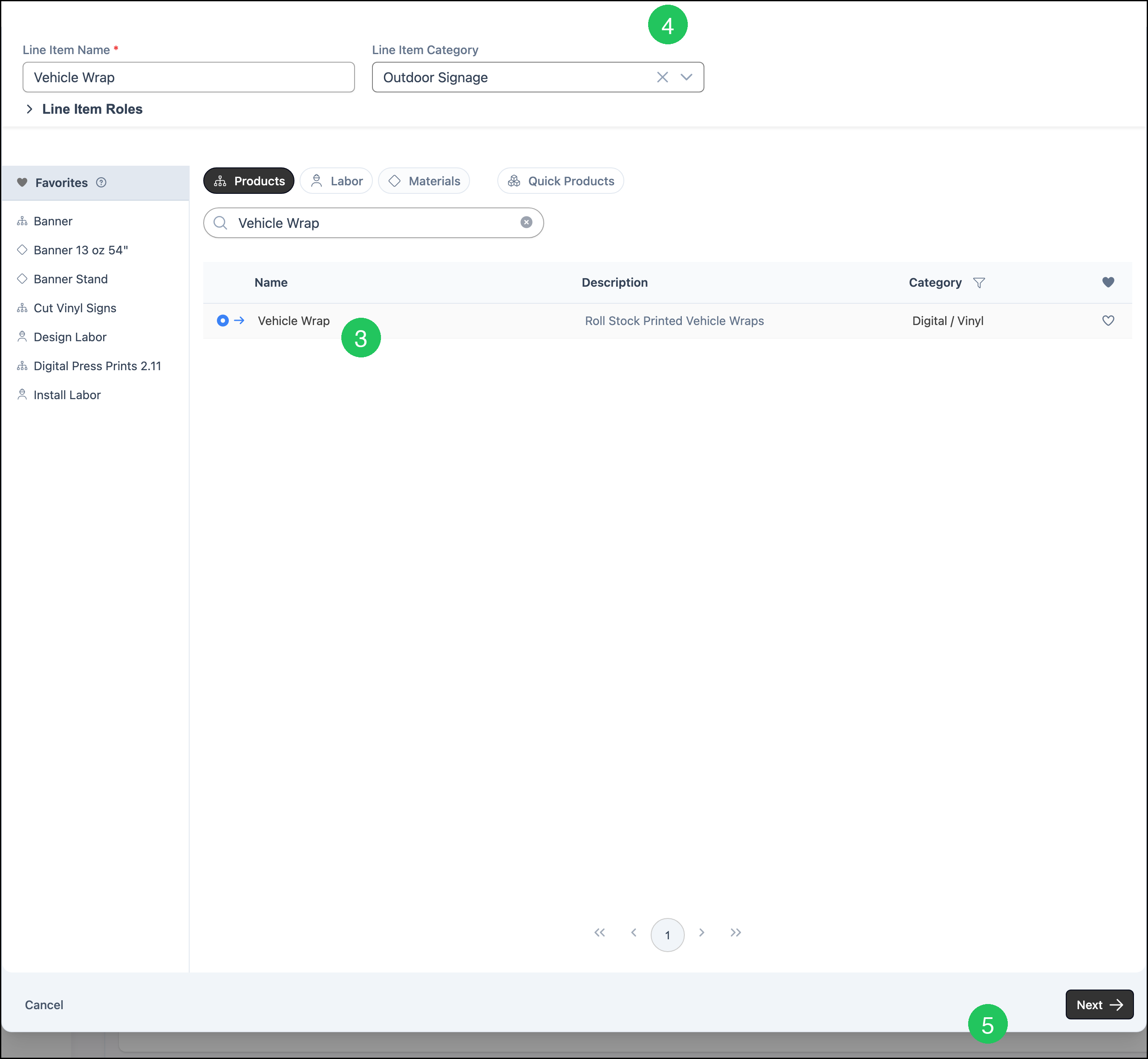
3. On the Products tab, click Vehicle Wrap. Line Item Name fills with Vehicle Wrap.
4. Select a Line Item Category.
5. Click Next.
The Sales Form on the line is the same form shown in Enter the Vehicle and Cutting and Lamination. For this machine, Profile is Roll and Resolution is Standard.
6. Click Save Changes. Line Item Price is calculated from the vehicle, the area, the material, and the pricing method on the product. In this example the price is $322.46.
Frequently Asked Questions
1. What is the difference between Vehicle Wrap and Vehicle Wrap Window Wrap-Child?
Answer: Vehicle Wrap is the product. Vehicle Wrap Window Wrap-Child is a modifier. It is added from Standard Options as Window Wrap.
2. Does Vehicle Wrap have to use Custom pricing?
Answer: No. Custom is only the method saved on this product. Method on the Pricing card can be Cost Plus - Margin, Cost Plus - Markup, Market - Product, Market - Component, or Custom. Calculate uses the method that is saved.
3. Why do Add Cutting and Add Lamination appear but start cleared?
Answer: Imbedded Options has Cutting and Lamination on, so the checkboxes appear on the Sales Form. They are not selected until you check them.
Related Articles
Adding Products During Estimate or Order Entry